Apple Wallet
- 7.55M
- 4.8
- Installs
- —
- Price
- Free
Screenshots
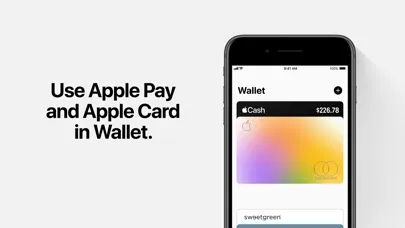
Analysis by Reviewed APKs
Apple Wallet brings payment cards, tickets, transit passes, eligible IDs, keys, and rewards cards together on an iPhone, with some items also usable from Apple Watch. I see it as most useful for people who already move through their day with a phone in hand and want fewer things to dig out at checkout or a gate. Its convenience is real, but what you can add depends on participating providers and locations.
A Day With Fewer Stops
When I picture Wallet doing its best work, it is during a day with a few small transitions: paying for coffee, catching a train, and getting through an event entrance. Instead of searching a pocket for a payment card, transit pass, or ticket, I can bring the relevant item up on my iPhone. Boarding passes can also be shown from the Lock Screen, which makes the airport part of the routine feel less fiddly.
The value is less about any single dramatic feature and more about keeping useful items close at hand. I might add a rewards card for a regular coffee stop, then use a Wallet ticket for a concert later in the week. If I have an eligible transit card, Express Mode can make a ride as simple as holding my iPhone or Apple Watch to a reader. It is a tidy fit for errands and travel.
A Companion, Not a Bank
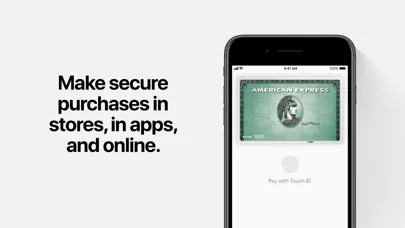
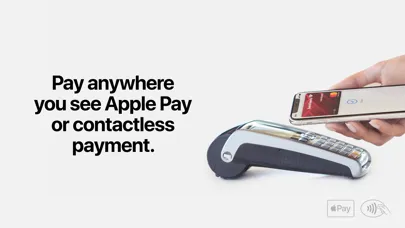
Wallet is different from a banking app because its central job is gathering supported cards and passes for quick presentation or payment. Apple Pay lets me pay in stores and online using eligible cards, while a bank’s own app remains the place to manage that account. Wallet can also hold items such as event tickets, boarding passes, transit cards, and certain keys, so its reach goes beyond checkout.
It is not a universal replacement for a physical wallet, and it is not a place where every card, ID, or ticket will automatically work. Some functions depend on eligible devices, partners, or locations. I would treat it as a convenient digital companion rather than a promise that I can leave every physical item behind. For someone looking for detailed budgeting or a complete view of all accounts, a finance-tracking app is a different kind of tool.
Keep Useful Items Ready
A little curation makes Wallet more useful. I would start by adding the cards and passes I actually reach for, rather than trying to gather every possible item at once. A transit card I use each week or a rewards card for a familiar shop has an immediate purpose. Adding an airline pass before a trip is another practical move, since it can be ready to show at the gate.
It also helps to think ahead about the next place I will need something. Before a concert, I can check whether the ticket is available to add; before relying on transit, I can see whether my card and route are supported. Eligible keys can be stored and shared through messaging apps, while supported tickets may include useful venue information. These small preparations let Wallet simplify a routine without assuming every provider participates.
More From Our News Desk

Zoom Meetings, Google Meet, or Teams: Which Is Easiest to Join?

How I Build a Free Streaming Lineup With Tubi

Why Crunchyroll Is the Default Anime App for So Many Fans

YouTube TV: A Practical Guide to Cutting Cable

Rummikub and the Small Comfort of Phone Games

TeamViewer Remote Control or AnyDesk for Helping Family?
Who Will Get the Most From It
I would recommend Apple Wallet to iPhone owners who regularly use contactless payments, travel passes, boarding passes, or digital event tickets. It is especially appealing if a supported item is already part of your routine: one less card to fish out at a turnstile or one less paper pass to keep track of. Apple Watch owners can use supported Wallet items there too, which may be handy when the phone is tucked away.
It may be less useful if the places and services you use do not support Wallet, or if you prefer to carry physical cards and tickets. Some features are limited by location, participating partners, or device and OS eligibility, so the experience can vary. I would also look elsewhere for a dedicated budget planner or a service focused on managing all financial accounts; Wallet is primarily for storing and presenting supported items.
Apple Wallet is published by Apple Inc. for iOS and is rated 4.8 out of 5 on the App Store, based on about 7.6 million ratings. The store classifies it for ages 4 and up. The listed minimum requirement is iOS 10.0, and the current version in the supplied store details is 6.7.
The App Store lists Apple Wallet as free, with a release date of March 26, 2019, and a last update dated September 14, 2026. No install count is available in the supplied details. Pricing, availability, and supported Wallet features can vary by region, device, and participating service.
How Wallet Fits Into Everyday Routines
A Simple First Impression
Apple Wallet has an easy premise: keep supported cards and passes together on the iPhone, ready to use when a situation calls for them. I like that the app’s role is immediately practical rather than something I need to check every day for its own sake. A payment card, an upcoming boarding pass, and a concert ticket are all examples of items that can make sense to keep close.
Getting value from it starts with having something eligible to add. I would begin with one item I already use, such as a supported payment card or event pass, then add more as the need comes up. That keeps setup tied to a real task instead of turning it into a scavenger hunt. The main caveat appears early: availability is not identical for every card, service, or location.
Useful in the Moment
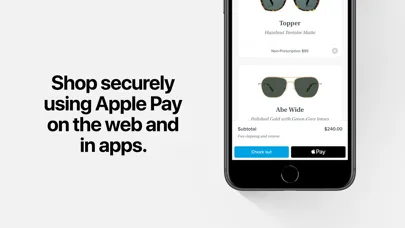
Day to day, Wallet is strongest at the point where I need to show or use something. Apple Pay supports in-store and online payments, and eligible payment cards can be used with Touch ID or Face ID. For travel, a boarding pass can be presented from the Lock Screen, with flight information and notifications along the way. Those details make the app feel more like a practical pocket organizer than a place to browse.
Transit is another good example of the app getting out of the way. With a supported card set to Express Mode, I can tap an iPhone or Apple Watch at a reader instead of stopping to find the pass first. That is a small convenience, but small pauses happen often on a commute. The feature still relies on participating transit services and locations, so it is worth checking before building a routine around it.
More Than Payment Cards
The range of possible Wallet items is what makes it stand out. Alongside credit and debit cards, it can hold eligible driver’s licenses or state IDs, transit cards, boarding passes, event tickets, keys, and loyalty or rewards cards. The mix can make the app useful on an ordinary errand as well as a trip or night out, though support varies and not every item is available everywhere.
Some of the more specialized options are appealing when they fit a person’s life. Eligible IDs can be presented with an iPhone or Apple Watch, and Wallet can store keys for supported cars, homes, workplaces, or hotel rooms. Keys can also be shared through messaging apps. Tickets for supported events may offer venue maps or recommended Apple Music playlists, adding practical context to the pass itself.
A Routine That Sticks
For a weekly routine, I would keep Wallet focused on the things I repeatedly need: a payment card, a transit pass if supported, and a familiar shop’s rewards card. At checkout, having that rewards card available alongside payment can make it easier to collect or redeem rewards without carrying a separate card. The aim is not to move every piece of paper into the app; it is to make frequent moments less cluttered.
For occasional travel, I would add the boarding pass when preparing for the flight and keep an eye out for the flight information and notifications it can provide. For a game or concert, I would check for an eligible ticket ahead of arrival rather than at the entrance. This light preparation is the difference between Wallet being a useful shortcut and discovering at the last minute that a particular provider is not supported.
Limits to Keep in Mind
Wallet’s biggest limitation is that its usefulness depends on the services around it. IDs are available only in select states and at select TSA checkpoints, while tickets, transit features, and keys rely on eligible partners and locations. That can make the app feel central for one person and much less essential for another. I would check local availability before counting on a digital item as the only way to get through a journey or event.
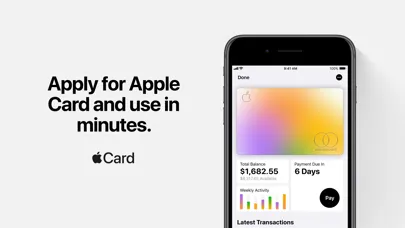
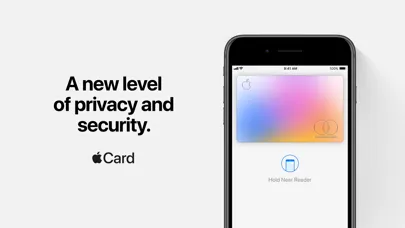
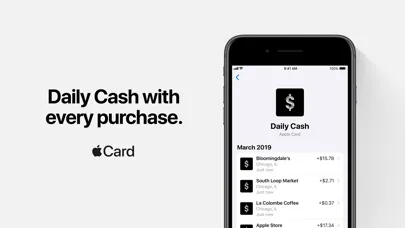
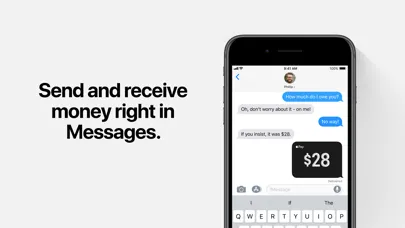
The app also should not be confused with a bank or a universal finance manager. Apple Pay uses eligible cards, and card products have their own eligibility and terms. Apple Card is available only to qualifying applicants in the United States and is subject to credit approval; Apple Cash is also limited to the U.S. on eligible devices. Wallet can make supported transactions and passes easier to access, but it does not remove those separate conditions.
Apple Wallet is a useful everyday convenience when the cards, tickets, and services I rely on support it. Its best moments are quick and unshowy: a tap at a reader, a pass ready at a gate, or a rewards card available at checkout. I like the breadth, but the experience is only as complete as local and partner support allows.
I recommend giving it a try if you use an iPhone and want supported passes and payment cards close at hand. It is less compelling as a replacement for a full physical wallet or as a finance-management tool. Start with one item you use often, then decide whether the convenience earns it a permanent place in your routine.
Apple Wallet Frequently Asked Questions
What is Apple Wallet used for?
Apple Wallet keeps supported payment cards, transit cards, boarding passes, event tickets, eligible IDs, keys, and rewards cards together on an iPhone. Apple Pay can use eligible cards for payments in stores or online. What you can add and use depends on participating providers, locations, and eligible devices.
Can I use Apple Wallet on Android or Apple Watch?
Apple Wallet is an iOS app for iPhone, not an Android app. Supported Wallet items can also work with Apple Watch, including payments, transit, tickets, or keys where eligible. Which features are available depends on the device, the item, and participating services.
What iOS version does Apple Wallet require?
The supplied App Store details give iOS 10.0 as the minimum requirement. Some Wallet features have additional device or operating-system requirements, so the minimum app requirement does not guarantee that every card, ID, key, or pass will work on every compatible iPhone.
Does Apple Wallet cost money or include purchases?
Apple Wallet is listed as free on the App Store. The supplied details do not specify in-app purchase information. Individual services and cards available through Wallet can have their own eligibility, terms, or costs, so check the App Store and the relevant provider for current details.
Is Apple Wallet useful if I rarely use contactless payments?
It can still be useful for supported boarding passes, event tickets, transit cards, keys, IDs, or rewards cards. If the services you use do not support Wallet, it may add little to your routine. Availability varies by location and partner, so checking the App Store and provider details is worthwhile.
Pros
- Brings supported payment cards, tickets, transit passes, keys, and rewards cards together.
- Apple Pay supports in-store and online payments using eligible cards.
- Boarding passes can be presented from the Lock Screen with flight updates.
- Supported Wallet items can also work with Apple Watch.
Cons
- Availability varies by participating providers, locations, and eligible devices.
- Some ID and payment-related features are limited by location or eligibility.
- It is not a replacement for a dedicated budgeting or account-management app.
- Category
- Finance
- Version
- 6.7