FNB Banking App
- 794.02K
- 4.7
- Installs
- 10.00M
- Price
- Free

Screenshots
Analysis by Reviewed APKs
FNB Banking App is a mobile banking app for handling everyday payments, prepaid purchases, statements, and other banking tasks from a phone. It suits FNB customers who want those services close at hand rather than making every task a separate errand. After spending time with its feature set, my overall impression is of a broad, practical banking toolkit, with useful shortcuts and plenty to explore.
A quicker way to pay
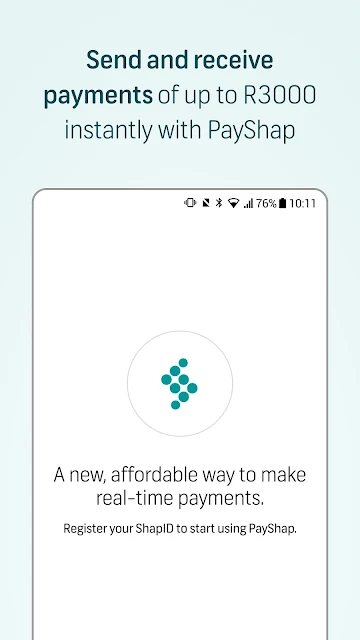
Picture a familiar moment: I need to send a payment, top up airtime, or buy electricity, and I would rather take care of it on my phone than switch to another task later. FNB Banking App brings several of those jobs together. Its payment options include ChatPay, PayShap, Geo Payments, Pay2Cell, and Instant Payments, while prepaid purchases cover airtime, data, electricity, and vouchers.
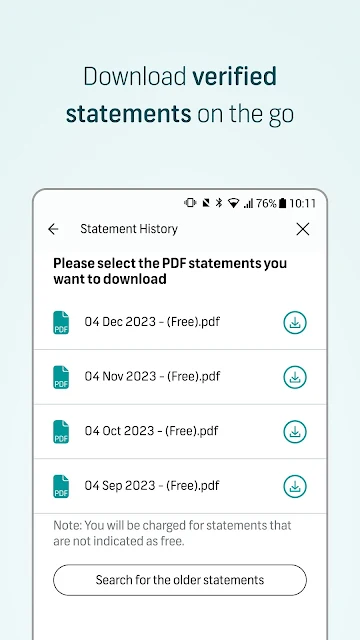
That breadth makes the app most compelling when banking is part of an ordinary, busy day. I can look for a payment option, use intelligent search to find a shortcut or saved recipient, and handle a prepaid purchase without treating each one as a separate destination. If I need a formal record afterward, the app also offers downloadable bank-stamped statements. The appeal is less about novelty than having practical banking tasks within reach.
A bank app, not a budget coach
Compared with using a branch or separate tools for individual services, FNB Banking App puts payments, prepaid purchases, digital wallet support, secure messaging, and statements in one mobile experience. It also includes search, shortcuts, saved recipients, FAQs, and instant help, so there are several ways to get to a task. For an FNB customer who already wants to bank on a phone, that combination is the main reason to consider it.
I would not treat it as a general-purpose budgeting or money-advice app. The described features focus on banking access and transactions, not spending charts, investment guidance, or a broader financial-planning course. It is also centered on FNB’s banking services rather than serving as a universal hub for every bank. That distinction matters: the app makes most sense when its specific payment and banking tools fit your everyday needs.
Make the shortcuts work
A useful habit is to try intelligent search when I know what I want to do but do not remember where the option lives. The app can surface shortcuts, saved recipients, offers, FAQs, and instant help, which gives search a role beyond simply finding a button. Over time, personalising the app to match my preferences and paying attention to its suggestions may make repeat tasks feel less like a fresh search.
I would also make a small routine of checking which sign-in method and location settings suit the tasks I use. The app supports a five-digit PIN or biometric authentication, and location access can be changed through device settings. Some services may be limited without location permission, so it is worth considering that when a location-based feature is needed. For records, downloading a bank-stamped statement when required keeps that task close to the banking workflow.
More From Our News Desk

Zoom Meetings, Google Meet, or Teams: Which Is Easiest to Join?

How I Build a Free Streaming Lineup With Tubi

Why Crunchyroll Is the Default Anime App for So Many Fans

YouTube TV: A Practical Guide to Cutting Cable

Rummikub and the Small Comfort of Phone Games

TeamViewer Remote Control or AnyDesk for Helping Family?
Who will find it useful
I would recommend FNB Banking App to FNB customers who want to make payments, buy prepaid services, use digital wallets, or download statements from their phone. Its range should appeal to people who like having several banking jobs together, especially if they use payment shortcuts or saved recipients often. Secure messaging and profile switching add options for customers whose day-to-day banking is not limited to one simple transaction.
It may be less appealing if you do not use FNB banking, want a focused budgeting tool, or prefer doing banking away from a phone. The number of payment names and personalisation options may also take a little exploration before the app feels straightforward. I would approach it as a flexible banking companion, not assume that every feature is essential, and start with the services that match my own routine.
FNB Banking App is developed by FirstRand Bank Limited. On Google Play, it has over 10 million installs and a 4.7-star rating from around 794,000 ratings. It is free to download, with no in-app purchases or ads. Those figures give a useful sense of its reach, but they do not tell me whether every feature will be relevant to a particular customer.
The app has an Everyone content rating. Its current version is 7.20.1-63 (46), with a release date of July 19, 2011, and a last update dated August 28, 2026. The Android version requirement can vary with the release, so I would check the Google Play page on the device I plan to use before installing.
Everyday banking, gathered in one place
The first few minutes
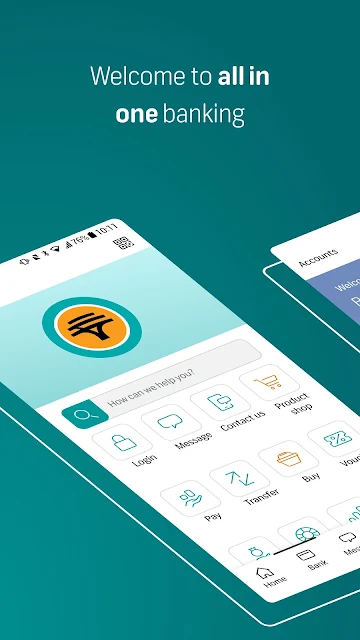
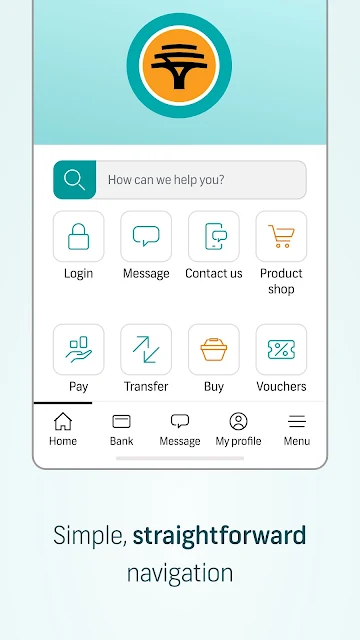
When I first opened the app, the biggest impression was the range of things it is designed to cover. This is not presented as a single-purpose payment tool: search, personalisation, profiles, messaging, prepaid purchases, and statements all sit within the same banking experience. That can be reassuring if I want options, though it also means I would give myself a little time to learn where the services I use most often are.
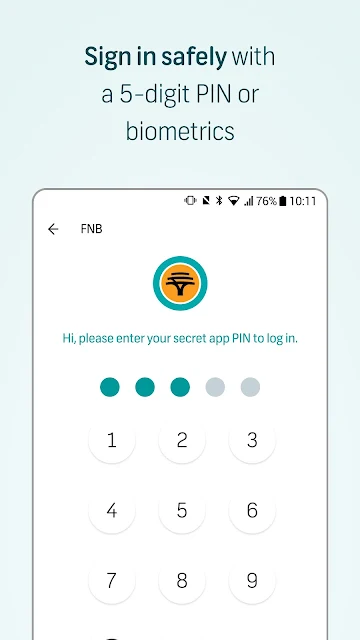
The sign-in choices are clear in concept: use a five-digit app PIN or biometric authentication. I like that the app also frames personalisation as part of the experience, rather than expecting every customer to use it identically. Intelligent search and shortcuts sound especially useful during setup, since I can look for a task directly instead of first memorising the app’s layout.
Using it day to day
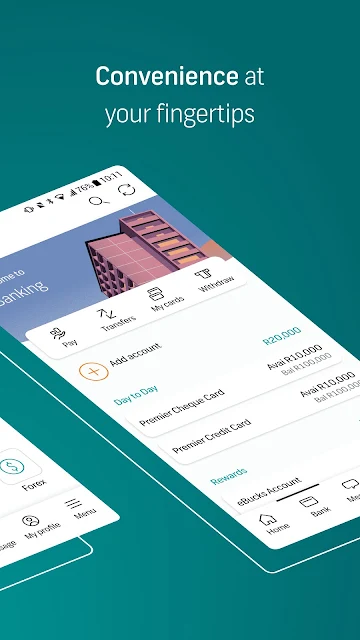
For everyday use, the value is in bringing unrelated small jobs under one roof. One day I might be looking for a payment method; another day I may need airtime or a bank-stamped statement. Having those options in one app can reduce the mental overhead of remembering which service handles what. The refreshed Pay experience is intended to make payment options easier to find, manage, and complete.
The app’s mix of search and saved recipients also suits repeat activity. Rather than browsing through a long set of options every time, I can try search or use a shortcut when one is available. I would still expect to spend a little time getting familiar with the choices, especially because the payment methods have distinct names. Once I know which ones suit me, that variety becomes more useful than overwhelming.
Features with a purpose
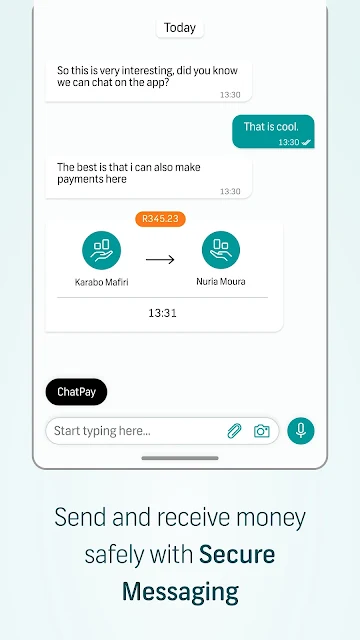
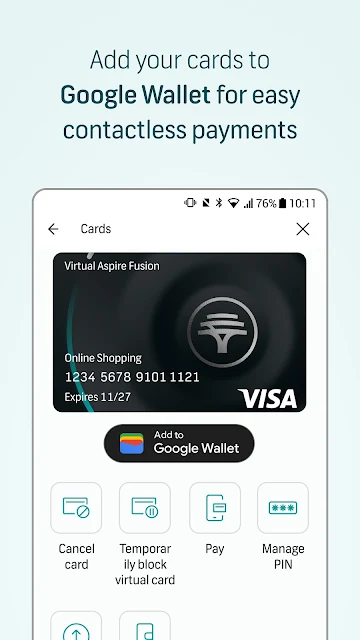
Several features stand out because they answer recognizable needs. Digital wallet support lets customers make contactless payments with Google Pay and other digital wallets. Prepaid purchases cover airtime, data, electricity, and vouchers. Bank-stamped statements provide a formal record to download, while secure messaging lets FNB customers chat, share locations, send voice notes, and make payments directly in chat.
I also appreciate that help is part of the search experience. Intelligent search can point to FAQs and instant help as well as shortcuts, recipients, and offers. Multiple profiles can be switched through My Profile, which may be handy for customers who need more than one user profile. These are practical additions, not reasons on their own to install a banking app; their value depends on which tasks I actually perform.
A simple weekly rhythm
A sensible way to use the app is to keep it tied to the tasks that come up naturally. If I need a prepaid purchase, I can use the app for airtime, data, electricity, or a voucher. If a payment is due, I can look through the Pay experience or search for the relevant option. When I need a record, I can download a bank-stamped statement rather than leaving that job for another day.
I would make search my first stop when a feature is not immediately obvious, then save time on future visits with shortcuts or saved recipients where they fit. Personalising the app can help make it feel more suited to my preferences. I would also check device location permissions when using a location-based service, since the app says some features may be limited if location access is off.
Things to keep in mind
A broad feature set can mean a learning curve. Payment options such as ChatPay, PayShap, Geo Payments, Pay2Cell, and Instant Payments may be useful, but I would not assume that every customer needs all of them. Intelligent search and FAQs can help with discovery, yet the app may still take some exploration before the most relevant tools feel familiar.
Location permissions are another practical consideration. The app may collect approximate or, where necessary, precise location information when permission is enabled, for purposes that include security, fraud prevention, identity verification, compliance, and location-based services. Permission can be changed or withdrawn in device settings, though some features may then be limited. I would review those settings in the context of the services I want to use.
FNB Banking App looks strongest as a convenient home for FNB’s everyday mobile banking tasks. Payments, prepaid purchases, digital wallets, secure messaging, statements, and search give it a useful range, while customisation and profile switching add flexibility. The trade-off is that a broad app takes some time to explore, and not every feature will matter to every customer.
I would recommend it to FNB customers who want to handle common banking jobs on a phone and are willing to learn the payment options that fit their routine. If you are looking for a standalone budget planner or do not need FNB’s services, this is unlikely to be the right match. For the intended audience, it offers a practical set of tools in one place.
FNB Banking App Frequently Asked Questions
What is FNB Banking App used for?
FNB Banking App is for mobile banking tasks such as making payments, buying airtime, data, electricity, and vouchers, using digital wallets, and downloading bank-stamped statements. It also includes intelligent search, secure messaging with FNB customers, and multiple profiles. The most useful features depend on which of those services suit your everyday banking.
Which devices can run FNB Banking App?
FNB Banking App is available on Android through Google Play. The Android version requirement may vary with the app release and device, so check the Google Play page for the current compatibility details before installing. The app’s description also notes that some services may be limited if location access is not enabled.
What Android version does FNB Banking App require?
The Android version requirement can vary, so I would check FNB Banking App’s Google Play page for the current requirement on your device. Compatibility can depend on the release and the phone or tablet being used. The store page is the best place to confirm whether a particular device can install the current version.
Does FNB Banking App cost anything?
FNB Banking App is free to download on Google Play. It has no in-app purchases and contains no ads. If you need details about any banking service or transaction outside the app’s download cost, check the relevant FNB information, since the app’s store price alone does not describe every banking term.
Who is FNB Banking App best suited to?
It is best suited to FNB customers who want mobile access to payments, prepaid purchases, digital wallets, statements, and other described features. It may be less suitable for someone looking for a general budgeting app or a service centered on another bank. I would check the app’s Google Play information and FNB service details to see whether it fits your needs.
Pros
- Brings several payment methods and prepaid purchases together in one banking app.
- Intelligent search can surface shortcuts, saved recipients, FAQs, and instant help.
- Includes downloadable bank-stamped statements and digital wallet support.
- Offers PIN or biometric sign-in, plus customisation and multiple profiles.
Cons
- The range of payment options may take time to learn and navigate.
- Some location-based services may be limited without location permission.
- Its features are aimed at FNB banking rather than general financial planning.
- Category
- Finance
- Version
- 7.20.1-63 (46)