Klarna: Smarter everyday money
- 2.11M
- 4.8
- Installs
- 50.00M
- Price
- Free

Screenshots
Analysis by Reviewed APKs
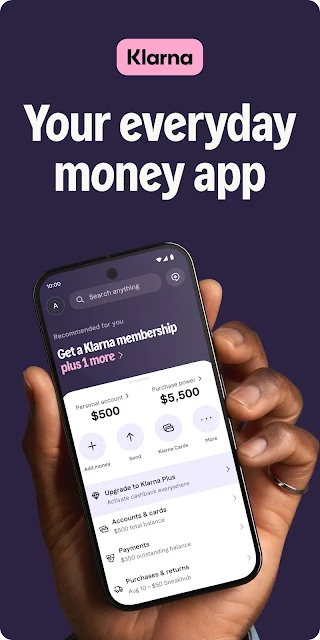
Klarna: Smarter everyday money combines shopping, flexible payment choices, cashback, savings, and account services in one Android app. I see the appeal for people who already shop through Klarna and want those tools together, rather than for someone looking for a dedicated budgeting app. After spending time with its range of features, my take is that it is convenient when used deliberately, but its payment options call for attention to terms and spending.
A Shopping Errand, In One App
When I first opened Klarna, I thought of an ordinary shopping task: finding a product, checking its price, and deciding how to pay. The app supports product searches and price comparisons across stores, so it can help bring that browsing into one place. If I choose to shop through the app, eligible purchases may also qualify for cashback. That makes the experience broader than simply selecting a payment method at checkout.
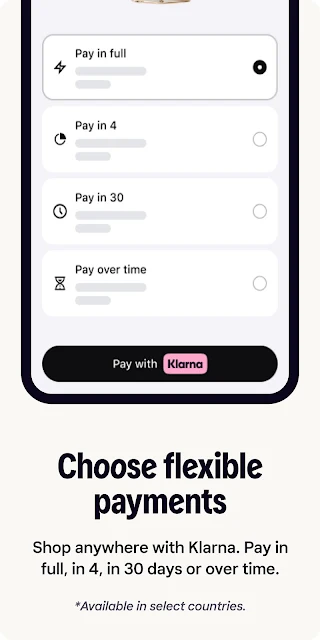
The payment choices are part of the same flow. Depending on the purchase and available options, Klarna describes paying in full, splitting a purchase into four interest-free payments, paying in 30 days, or paying over time. I would pause to review the terms before choosing, rather than treating the installment option as a discount. The practical benefit is having choices in one app; the practical responsibility is keeping track of what each choice means.
More Than Checkout
Compared with a standard retailer app, Klarna is less about one store's catalog and more about shopping across stores alongside payment and account features. Compared with a basic payment app, it adds product discovery, price comparisons, cashback, savings, and a balance. That mix is useful if these are services I want in the same place. It may feel like more than necessary if I only want to pay for one order and move on.
Klarna is not a dedicated expense tracker or a general-purpose personal finance course. The supplied features focus on shopping, payment options, savings, and related services, rather than describing detailed budget planning. Nor does a payment choice make a purchase cheaper by itself. I would compare the actual terms and total cost, and use the app as a shopping and account tool rather than assuming it can replace every money-management service.
Small Habits That Help
A useful habit is to search before settling on a store. Klarna says it can compare prices for a product across stores, which gives me a reason to check there while I am still deciding what to buy. I would also look at whether a purchase is eligible for cashback and how the reward works. The app says rewards are points that can be redeemed for a credit to a Klarna balance and other benefits, not cash handed over at checkout.
For purchases I do make, I would note the selected payment option and its due dates in whatever system I already use to stay organized. Klarna also lets users report a return so payments can be paused, which is worth remembering if an order needs to go back. These are modest routines, not a substitute for reading the account terms. They help make the app's shopping convenience easier to manage.
More From Our News Desk

Zoom Meetings, Google Meet, or Teams: Which Is Easiest to Join?

How I Build a Free Streaming Lineup With Tubi

Why Crunchyroll Is the Default Anime App for So Many Fans

YouTube TV: A Practical Guide to Cutting Cable

Rummikub and the Small Comfort of Phone Games

TeamViewer Remote Control or AnyDesk for Helping Family?
Who May Find It Useful
I would recommend Klarna to Android users who regularly shop online and want to compare prices, browse participating stores, and see flexible payment choices together. It may also interest people who want to explore the app's savings account, balance, or cashback features. The appeal depends on which services are available and useful to an individual. I would start with the shopping tools and consider the financial features only after reading their terms.
It may not suit someone who wants a very simple checkout with no extra account features, or someone who prefers to keep shopping and money services separate. People who are uncomfortable tracking installment payments should be especially cautious about choosing them. Cashback and membership benefits have conditions, and the app's range of offerings can take time to understand. For a single-store shopping experience or detailed budgeting, another focused tool may be a better fit.
Klarna: Smarter everyday money is developed by Klarna Bank AB (publ). On Google Play, it has more than 50 million installs and a 4.8-star rating from about 2.1 million ratings. The app is free to download, and the supplied Google Play details say it contains no ads and offers no in-app purchases. Its content rating is Everyone.
The supplied app version is 26.44.415. Klarna was released on November 1, 2018, and its last update is dated October 29, 2026. The minimum Android version is not included in the supplied app facts, so check Google Play for the requirement that applies to your device. The app description covers services with their own terms, including payment options, savings, and membership.
How Klarna Fits Into Everyday Shopping
Opening the App
My first impression is that Klarna is trying to serve several related needs, not just process a payment. The description groups shopping, payment choices, cashback, savings, a balance, and other services under one app. That breadth can be handy when I am already shopping, though it also means I would take a moment to work out which parts I actually want to use instead of tapping through every offer.
Getting started is best approached with a specific task in mind. I might search for a product or look at a purchase option, then read the relevant details before proceeding. The description does not spell out every setup step, so I would not assume that every service is immediately available to every user. What matters in practice is understanding the terms attached to the feature I plan to use.
The Daily Shopping Flow
The core shopping experience is about discovering products and deciding where and how to buy them. Klarna says users can search for products and compare prices across stores, then shop in the app with flexible payment choices. I like the idea of considering the price and payment method in the same place, but I would still check the final details at the point of purchase rather than treating an initial comparison as the whole decision.
Payment flexibility is most useful when it stays understandable. The listed choices include paying in full, four interest-free payments, payment in 30 days, or paying over time, with eligibility and terms relevant to the individual option. I would choose based on what I can comfortably manage and keep the schedule in view. The app makes choices available; it does not remove the need to read what those choices require.
Useful Extras, With Conditions
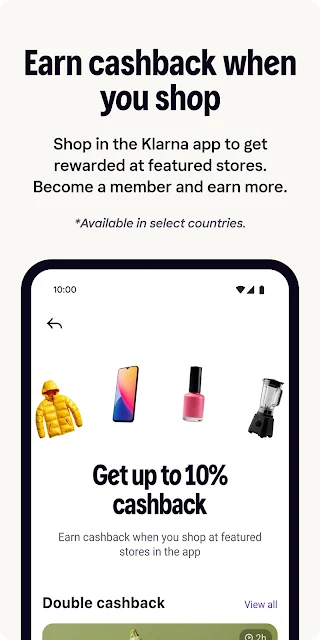
Price comparison is one of the more practical additions because it can help me check multiple stores before committing to a product. Cashback is another possible perk, with the description advertising up to 10% at hundreds of stores. The qualification matters: rewards depend on eligible purchases and store approval, and the description says cashback is awarded as points that can be redeemed for a balance credit and other benefits.
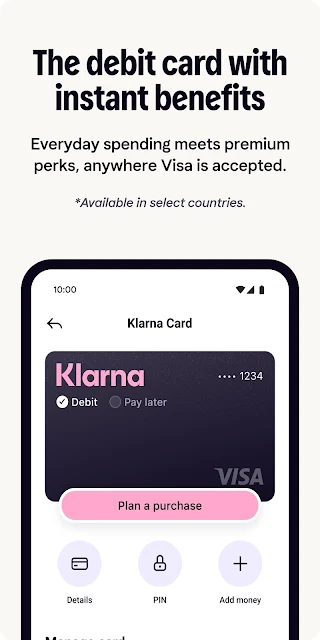
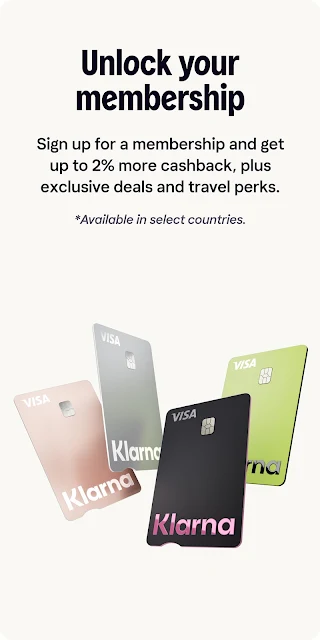
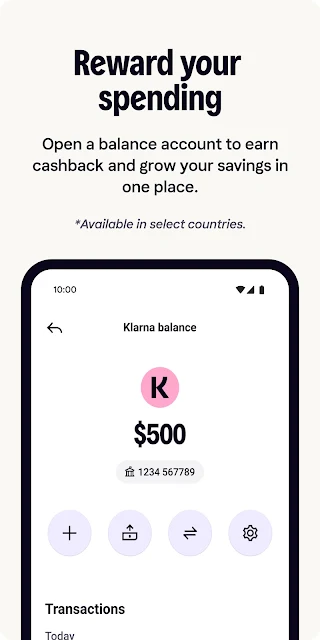
Klarna also describes a balance that can be funded in the app, with flexible payments, instant refunds, and the option to convert cashback into balance money. A savings account is available as another feature, and membership can include a Klarna Card and other benefits. These are distinct services with conditions, not automatic extras for every shopper. I would look at their respective terms before making them part of my routine.
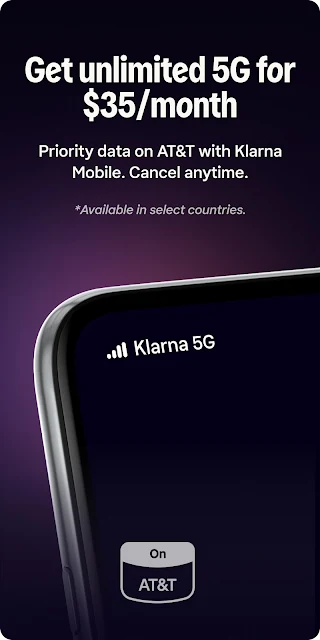
The description includes Klarna Mobile, a phone plan described as using AT&T's network, as well as 24/7 chat support and a return-reporting feature that pauses payments. This makes the app's scope unusually wide for a shopping service. I would treat these as optional areas to explore rather than assuming they are central to the shopping experience or suited to every account.
A Practical Weekly Routine
If I were using Klarna regularly, I would begin a shopping session by searching for the item and checking the price comparison. Before placing an order, I would decide whether paying in full or using another available option makes sense for that specific purchase. If cashback is offered, I would check the eligibility and redemption details instead of counting it as an immediate price reduction.
Afterward, I would keep the payment schedule and any return status easy to find in my own routine. If I needed to send an item back, Klarna says I can report the return and that payments will be paused. That feature could simplify one part of the process, but I would still follow the instructions for the order and return. A little attention before and after buying makes the app more manageable.
Keep the Fine Print Close
The main limit is that a broad set of payment options can make it easy to focus on timing rather than the full commitment. Klarna's description includes several ways to pay, including over time, but terms differ by option. I would review those details before choosing and avoid treating installments as extra spending room. This is particularly important when several purchases are involved, since each one can have its own schedule.
Cashback and membership benefits are conditional too. The description notes that rewards depend on factors such as store approval, cookie settings, offer combinations, and product exclusions. A paid membership is required for a physical card, and the description also says membership has a monthly fee; a one-time plastic card fee applies. Savings rates and eligibility can change, so I would check the current disclosures rather than relying on a headline benefit.
Finally, Klarna combines shopping with several financial and service features, which may feel busy if all I want is a quick payment. I would use only the parts that solve a real need and ignore the rest. The app's range is a strength for someone who wants a collection of shopping tools, but a focused retailer or payment app may be simpler for occasional purchases.
Klarna is a capable shopping companion with useful price comparisons and a wide range of payment and account features. I appreciate that it can bring product discovery, returns, and payment choices together, but the breadth makes careful reading important. Cashback, membership, and savings each come with conditions, and flexible payments still deserve close attention.
I would try it if I shop online often and want these tools in one Android app. I would be more hesitant if I want a simple checkout or do not want to manage payment schedules. Used selectively, Klarna can be convenient; its best feature is choice, provided I take time to understand each option.
Klarna Frequently Asked Questions
What is Klarna: Smarter everyday money used for?
Klarna brings together shopping and product price comparisons, flexible payment choices, cashback at eligible stores, a balance, and a savings account. The description also covers return reporting, customer chat, a Klarna Card through membership, and Klarna Mobile. Which services and terms apply can differ, so check the relevant details in the app and on Google Play.
Which devices can run Klarna: Smarter everyday money?
The supplied platform information is for Android, and Google Play is the store for this app. Check its Google Play page for device compatibility and the Android version required for your particular device. Availability of individual services may also depend on the account, location, or applicable terms.
What Android version does Klarna: Smarter everyday money require?
The minimum Android version is not provided in the app facts here. Requirements can vary as the app is updated, so check the current Google Play page before installing or updating. The supplied version number is 26.44.415, but that does not specify which Android releases it supports.
Does Klarna: Smarter everyday money cost anything?
The app is free to download on Google Play, and the supplied app facts say it has no in-app purchases. Some services described in the app have separate terms: for example, Klarna says membership has a monthly fee, and a physical card requires paid membership and a one-time plastic card fee. Check current service terms and the store page for details.
Is Klarna: Smarter everyday money right for me?
It may suit Android users who shop online and want price comparisons, payment choices, and related account features in one app. It may be less appealing if you want only a basic checkout or prefer not to manage payment schedules. Cashback, membership, savings, and payment options have conditions, so review the terms for any service you plan to use.
Pros
- Combines product searches and cross-store price comparisons with shopping payment choices.
- Offers several payment options, including paying in full or in installments.
- Includes cashback and savings features alongside shopping and account services.
- Return reporting can pause payments while a return is handled.
Cons
- Payment choices and schedules require careful attention to their individual terms.
- Cashback eligibility and redemption depend on conditions and participating stores.
- The wide mix of shopping and financial services may feel busy to some users.
- Category
- Finance
- Version
- 26.44.415