MetaTrader 5 — Forex, Stocks
- 1.23M
- 4.7
- Installs
- 50.00M
- Price
- Free

Screenshots
Analysis by Reviewed APKs
MetaTrader 5 — Forex, Stocks is a mobile trading platform for following market prices, studying charts and placing trades through a connected broker. I see it suiting people who already want hands-on access to Forex or stock markets, especially those who value detailed chart tools on a phone. It brings a lot into one app, though its depth can feel like a lot for casual market watching.
A market check on the move
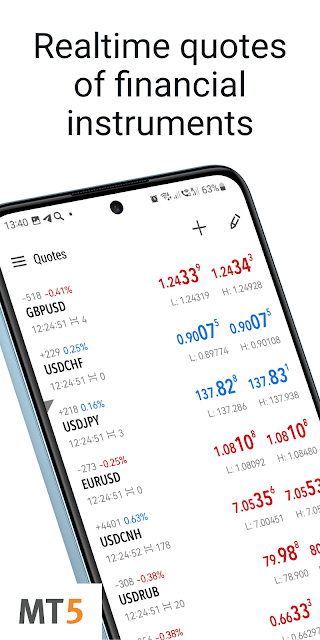
When I first opened MetaTrader 5, I pictured a familiar routine: checking a currency quote over breakfast, then taking a closer look at its chart before the day gets busy. The app combines live quotes, charting and trading tools, so that quick glance can turn into a more detailed review without switching between separate apps. You can also follow stocks, depending on the instruments offered by your broker.
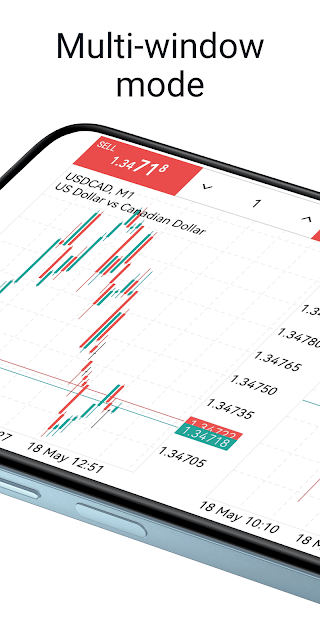
A practical session might start with a quote, move to a chart, and end with an order if you have a connected trading account. The charts support zooming and scrolling, with nine timeframes ranging from one-minute intervals to monthly views. That range lets me move between short-term price movement and a broader picture. The app also includes a demo account option, which gives users a way to explore trading without beginning with a real-money account.
Trading terminal, not a lesson
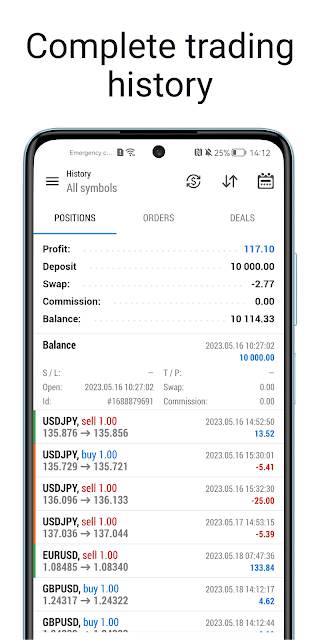
Compared with a basic market-tracking app, MetaTrader 5 is built for more than watching prices. It supports trade orders, including pending orders, and shows trading history. The chart tools include technical indicators and analytical objects, while Level II prices can show up to 32 quotes. Those details make the app more useful to someone who already understands what they want to inspect or do with market data.
I would not treat it as a beginner course, a general finance news reader or a place to get personal investment guidance. It provides financial news, but its main focus is market analysis and online trading. Real-money trading requires an account with a separate financial company or broker. MetaQuotes supplies the software, not brokerage services, so the actual trading relationship is with the broker you choose.
Small habits for clearer checks
I find it easier to use a trading app when I know what I am checking before I open it. A simple habit could be choosing an instrument, selecting a relevant timeframe and reviewing the chart before looking at any order controls. MetaTrader 5 lets you switch instruments from charts, and its different chart types—bars, Japanese candlesticks and a broken line—offer several ways to view price movement.
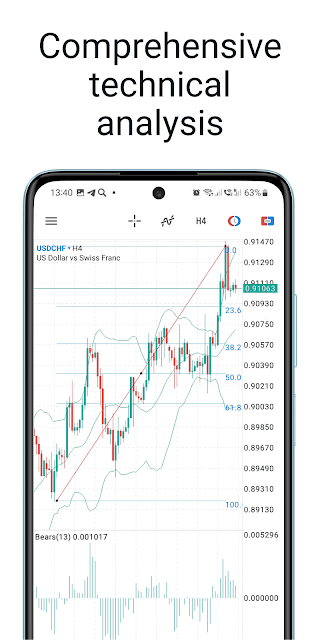
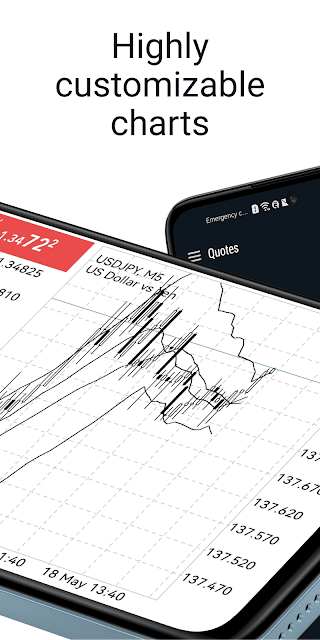
Another useful routine is to keep a consistent chart setup for the markets you follow. The app supports customizable chart color schemes, 30 technical indicators and 24 analytical objects, including lines, channels and Fibonacci tools. That is plenty to explore, but I would add tools only when they serve a clear purpose. A crowded chart can make a quick phone check harder rather than more informative.
More From Our News Desk

Zoom Meetings, Google Meet, or Teams: Which Is Easiest to Join?

How I Build a Free Streaming Lineup With Tubi

Why Crunchyroll Is the Default Anime App for So Many Fans

YouTube TV: A Practical Guide to Cutting Cable

Rummikub and the Small Comfort of Phone Games

TeamViewer Remote Control or AnyDesk for Helping Family?
Who may find it useful
I would recommend MetaTrader 5 to people who already use, or are considering, a broker that supports the platform and who want quotes, charts and order controls in one mobile app. It can be handy for traders who check markets away from a computer and want several timeframes and technical analysis tools close at hand. The demo account option may also help someone get familiar with the platform before opening a real account.
It may not suit someone who only wants a clean, simplified overview of markets or expects the app itself to explain what trades to make. There is a lot to take in, and real trading carries a risk of losing money rapidly. The app is a software tool, not a financial service or a substitute for understanding the products involved. Anyone unsure about trading should take time to understand the risks before using a real account.
MetaTrader 5 — Forex, Stocks is made by MetaQuotes Software Corp. On Google Play, it has over 50 million installs and a 4.7-star rating from about 1.2 million ratings. It is free to download, with no in-app purchases or ads. Its content rating is Everyone.
The current listed version is 500.6260. The app was released on October 10, 2011, and its last update is dated October 8, 2026. The available facts do not specify a minimum Android version, so it is worth checking the Google Play page for device compatibility.
A closer look at mobile trading
Opening the platform
My first impression is that MetaTrader 5 is designed around a working trading platform, not a pared-down companion app. Quotes, charts and trading functions all belong to the same experience. That makes it feel capable from the start, but there is a learning curve if you have never used a trading terminal before.
The app supports connecting with hundreds of Forex and stock brokers, according to its description. To trade real money, you need a real account with a financial company that runs the platform's server component. So the app is a starting point for accessing a broker's service, not a standalone account provider.
The everyday experience
For a quick market check, real-time quotes and interactive charts are the core of the experience. I can imagine opening the app to check a price, then zooming or scrolling through a chart to see how it has moved across a chosen timeframe. The nine options range from M1 to MN, giving the chart a range from minute-by-minute views through monthly periods.
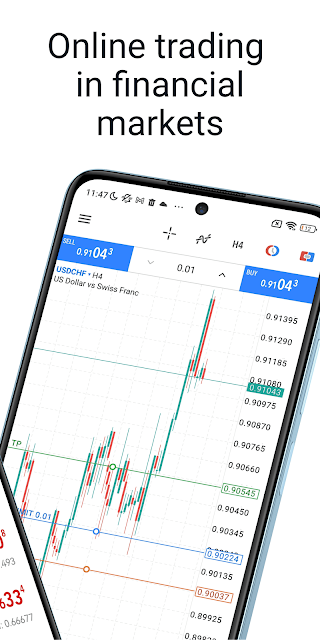
When the task moves from observing to trading, MetaTrader 5 supports different order types, including pending orders, as well as all types of trade execution. It also provides detailed online trading history. This breadth is useful, but it means the app is best approached with care rather than as something to tap through casually.
Tools beyond the quote
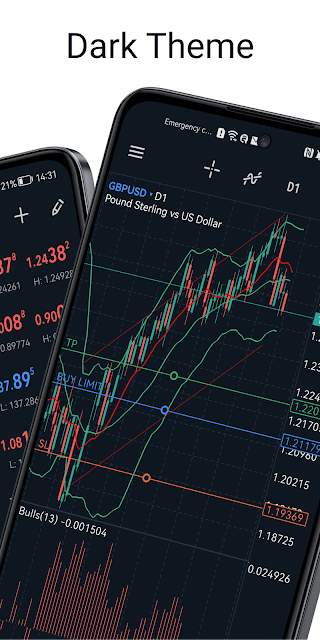
The charting tools are a standout. There are 30 technical indicators and 24 analytical objects, covering items such as lines, channels, geometric shapes, Gann tools, Fibonacci tools and Elliott tools. The three chart styles—bars, Japanese candlesticks and broken line—make it possible to view the same instrument in different ways.
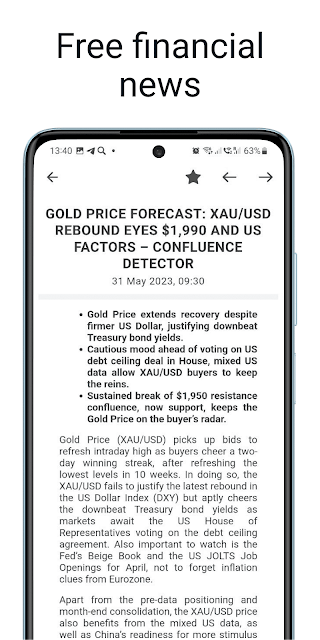
Other details support active monitoring. Level II prices can display up to 32 quotes, and trade levels can mark pending order prices as well as stop-loss and take-profit values on a chart. The app also includes financial news, with dozens of materials daily, and supports push notifications from the desktop MetaTrader 5 platform and MQL5.community services.
A measured daily routine
A sensible use case is a short, deliberate review rather than keeping the app open all day. I would start by checking a selected instrument's quote, then compare its chart across a couple of timeframes. If I wanted more context, I could review a technical indicator or an analytical object, and then decide whether I need to do anything further.
For someone learning the interface, the demo account option offers a way to explore the platform without starting with a real-money trading account. A routine like this can also help separate market observation from order placement. The app makes trading accessible from a phone, but that convenience does not remove the need to understand the instruments and the potential losses.
Keep the risks in view
The main limitation is also part of the app's purpose: it is a serious trading tool, and real-money trading can involve a high risk of losing money rapidly. MetaTrader 5 warns that most retail investor accounts lose money when trading financial products. That is worth keeping in mind before moving from charts or a demo account to live trading.
The app's features also depend on the broker and instruments available through the connected service. MetaQuotes says it does not provide financial services and does not have access to the servers and databases managed by financial companies. So the app can bring trading tools together, but it does not replace the separate broker relationship or the user's own understanding of the risks.
MetaTrader 5 packs live quotes, substantial chart analysis and trading controls into a mobile platform that can serve both quick checks and more involved market reviews. I like that it offers a demo account and several ways to examine charts. I would still approach its real-money tools carefully, especially if the platform or financial products are unfamiliar.
I recommend it to people who want a feature-rich mobile trading platform and already have a broker in mind. If you only want occasional market news or a simple price glance, it may feel more complex than necessary. The right fit depends on whether you need its trading and analysis tools, not just a market snapshot.
MetaTrader 5 Frequently Asked Questions
What is MetaTrader 5 used for?
MetaTrader 5 is used to follow Forex and stock quotes, view interactive charts, study markets with technical indicators and analytical objects, and place trades through a connected broker. It also offers financial news and a demo account option. Real-money trading requires a separate account with a financial company that supports the platform.
Which devices can run MetaTrader 5?
MetaTrader 5 is available on Android smartphones and tablets through Google Play. Its description refers to using the app on a smartphone or tablet. Device compatibility can depend on the Android version and hardware, so check the Google Play page for current requirements for your device.
What Android version does MetaTrader 5 require?
The minimum Android version can vary with the current app release and device. Check the Google Play page for the latest compatibility information before installing. The listed version is 500.6260, and the app's release and update history may change as newer versions become available.
Does MetaTrader 5 cost money?
MetaTrader 5 is free to download on Google Play and has no in-app purchases or ads. Trading with real money is a separate matter: it requires an account with a broker or financial company, and any costs or conditions associated with that service are worth checking directly with the provider.
Is MetaTrader 5 suitable for new traders?
It may suit someone who wants to learn the platform with its demo account option, but it is a detailed trading tool rather than a beginner course. Real trading carries a high risk of losing money rapidly. Anyone considering a real account should first make sure they understand how the financial products work and the risks involved.
Pros
- Combines real-time quotes, interactive charts and trading tools in one mobile platform.
- Offers nine chart timeframes, three chart types and 30 technical indicators.
- Includes a demo account option for exploring the platform without real-money trading.
- Free to download, with no ads or in-app purchases.
Cons
- The many trading and charting tools may feel complex to casual market watchers.
- Real-money trading requires a separate broker account and carries substantial risk.
- The app does not provide financial services or explain which trades to make.
- Category
- Finance
- Version
- 500.6260