Credit One Bank Mobile
- 887.28K
- 4.7
- Installs
- 10.00M
- Price
- Free

Screenshots
Analysis by Reviewed APKs
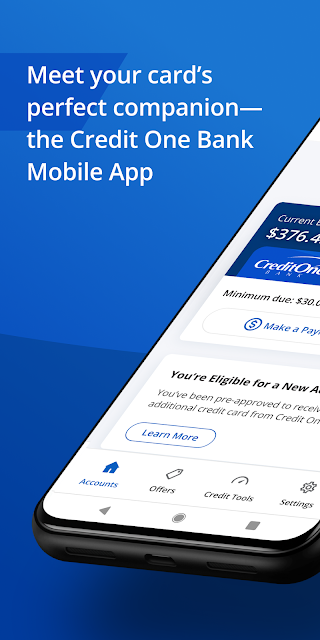
Credit One Bank Mobile is for managing a Credit One Bank card account from an Android phone, from checking a balance to scheduling a payment or reviewing a statement. I see it as a practical companion for cardholders who want routine account tasks close at hand, rather than a general-purpose budgeting app. Its mix of payment tools, card controls and credit information makes it useful between monthly statements, with a few features best suited to people who already hold a Credit One account.
A quick account check
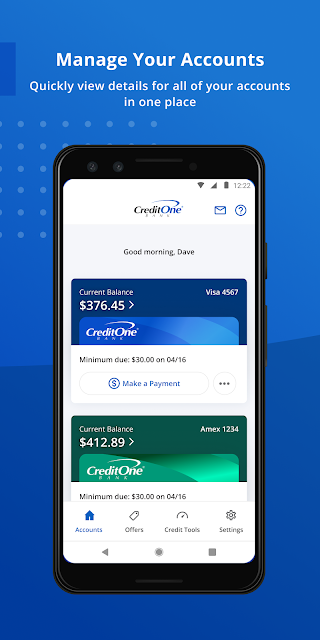
When I imagine using Credit One Bank Mobile in an ordinary week, the appeal is being able to check in without waiting until I am back at a computer. I can picture opening it after using my card, checking the account balance, and looking over a statement when I have a quiet moment. If a payment needs attention, the app also lets me schedule one. It brings several basic card-account jobs into one place.
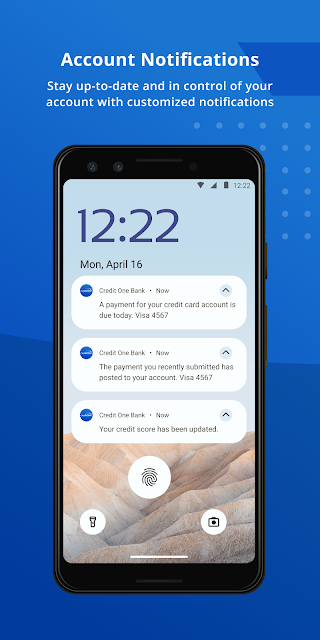
The smaller conveniences fit naturally around those main tasks. Quick View is designed to let me check a balance or make a payment without signing in, while notifications can cover transactions, balances and fraud alerts. I would use those options to stay aware without turning every coffee break into an account-management session. The app also offers card locking and unlocking, so the basic experience includes a few useful controls alongside the usual account information.
A card companion, not a budget
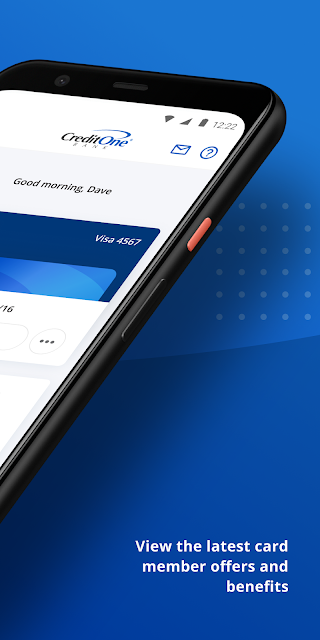
Compared with opening a bank website in a mobile browser, a dedicated app gives Credit One cardholders a focused place for account access, payments and card controls. It also goes beyond a simple payment shortcut: users can view statements, track cash back or points earned with their card, and access credit-score information. That combination makes sense if Credit One is already part of my routine and I want its account tools available from my phone.
I would not treat it as a full household-budgeting app or a general way to manage accounts at other banks. Its purpose is narrower: managing a Credit One Bank card account and using the services described for that account. Someone looking for broad spending categories, a combined view of unrelated accounts or general financial planning may need other tools as well. The credit simulator and score insights add context, but they do not change the app’s central job.
Small habits that help
A few simple habits could make the app more useful without adding much work. I would check the balance before scheduling a payment, then look over the statement when it is available so I can keep account activity in view. If I prefer not to repeat the same monthly task, AutoPay is available as an option. The app also supports customized transaction, balance and fraud alerts, which can help keep important account activity visible.
I would keep the credit features occasional and purposeful rather than checking them constantly. The monthly credit score, personalized insights and simulator are there for a closer look at credit information, including how a score might change in different scenarios. Rewards tracking can fit into that same periodic check-in. These tools are most useful as part of a regular account review, alongside payments and statements, rather than as a reason to open the app repeatedly throughout the day.
More From Our News Desk

Zoom Meetings, Google Meet, or Teams: Which Is Easiest to Join?

How I Build a Free Streaming Lineup With Tubi

Why Crunchyroll Is the Default Anime App for So Many Fans

YouTube TV: A Practical Guide to Cutting Cable

Rummikub and the Small Comfort of Phone Games

TeamViewer Remote Control or AnyDesk for Helping Family?
Who may find it useful
I would recommend Credit One Bank Mobile to existing Credit One cardholders who want a convenient way to check account information and handle routine card tasks from an Android phone. It is especially relevant if you like having payment scheduling, AutoPay, statements and card locking in the same app. People who pay attention to rewards or want to review the credit-score features may also appreciate having those tools alongside their account.
It may be a weaker fit for someone who does not have a Credit One Bank account or who expects one app to organize a complete financial life across multiple providers. The described features focus on Credit One card management, not broad budgeting or account aggregation. I would also suggest thinking about how often you want to engage with credit-score information: it is an available tool, but the app’s everyday value can simply be checking a balance and keeping up with payments.
Credit One Bank Mobile is developed by Credit One Bank, N.A. On Google Play, it has over 10 million installs and a 4.7-star rating from about 887,000 ratings. The app is free to download, with no in-app purchases or ads. Google Play gives it an Everyone content rating. Its release date was September 19, 2016.
The supplied app information gives version 26.10.0 and an update date of October 22, 2026. The minimum Android version is not included in the available app details, so it is worth checking Google Play for the requirement that applies to your device. Store information can change over time, especially for app versions and compatibility.
A closer look at everyday card management
A focused first impression
When I first opened the idea of this app, what stood out was its clear focus: it is a companion for a Credit One card account, not a sprawling finance hub. The listed tasks are familiar ones—account access, card activation, statements and payments—so the value is easy to understand. A new cardholder can activate a card, while an established customer can use the same app for ongoing account checks.
The setup details that matter most are tied to accessing an account and choosing how to stay informed. Fingerprint sign-in is offered, as are customized alerts for fraud, transactions and balances. I like that these options address different routines: some people want a quick way in, while others mainly want a heads-up when account activity changes. The app’s described tools let users choose a practical level of involvement.
Routine account tasks
Day to day, I would expect the app to earn its place through small checks rather than long sessions. I could review a balance, open a statement, or schedule a payment when I have a spare minute. Quick View is particularly suited to a brief check, since it can show a balance or support a payment without signing in. That makes the app relevant to the little gaps in a busy day.
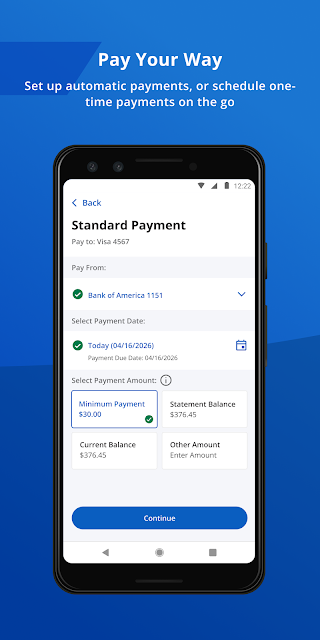
Payment options cover both a one-time task and a recurring routine. I can schedule payments when needed or turn on AutoPay to reduce the number of monthly steps I have to remember. There is also an option to add the card to Google Pay for online or in-store payments. Those functions serve different moments, but each keeps the card’s payment-related tools close to the account.
Useful extras beyond payments
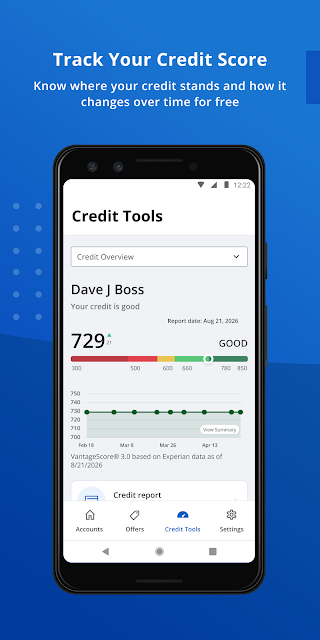
The credit information is one of the app’s more distinctive additions to standard card management. It provides access to a monthly credit score and personalized insights intended to help users explore that score. A credit simulator can show how a score might change in different scenarios. I would treat these as reference tools for understanding the information presented, rather than as a promise about what will happen to a score.
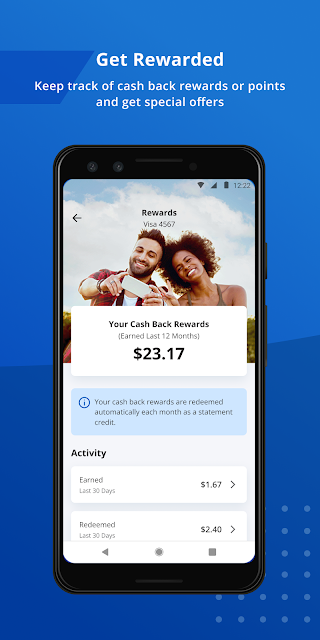
Rewards tracking gives another reason to check in between payments. The app can show cash back rewards or points earned with a card, so users who actively keep an eye on rewards do not have to make that a separate task. It can also show when someone is eligible for a new account or credit line increase and let them accept it in the app. These are account-related options, not requirements for using the basic payment tools.
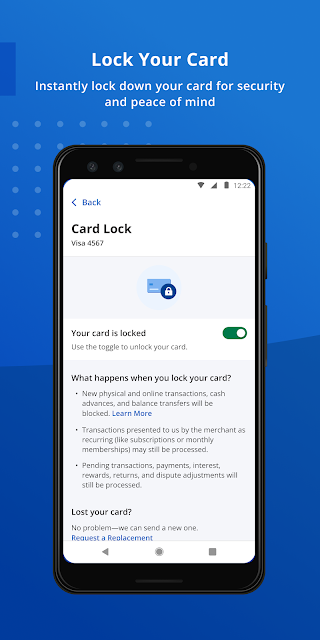
Card controls and support round out the feature set. Locking and unlocking a card is available in the app, and users can get help and support there as well. Together with the alerts, these features make the app more than a place to read a balance: it offers a few ways to respond to account needs and manage how information reaches the user.
A monthly check-in
A practical routine could start with a brief balance check during the week, using Quick View when a full sign-in is unnecessary. When it is time to deal with a payment, I could schedule it in the app or rely on AutoPay if that suits my routine. Around the same time, I could review the statement and check rewards earned. It is a modest sequence, but it covers several common account tasks in one place.
Once a month, I might also look at the credit score and its personalized insights, then use the simulator if I want to explore a scenario. I would keep that separate from the payment routine so the score tools stay in perspective. Customized alerts can provide a more passive layer of awareness between check-ins. This approach uses the app’s features without making constant monitoring the goal.
Keep the scope in mind
The app’s usefulness depends on having a Credit One Bank account to manage. Its focus is a strength for cardholders, but it also sets a clear boundary: the described experience centers on Credit One accounts and card services. I would not choose it as a substitute for a broader budgeting product or assume it will bring unrelated financial accounts together.
Some features are optional conveniences rather than essentials. Fingerprint sign-in, alerts, AutoPay and Google Pay each suit different preferences, and a user can still value the app for simpler tasks such as checking statements or scheduling a payment. Credit-score insights and the simulator are also best approached as information tools. They add depth, but they are not necessary for someone who only wants to manage a card account.
As with any mobile app, the Android requirement and current store details are worth checking before installing, particularly if a device is older. The app information gives a version and update date, but device compatibility can depend on the current store requirements. For everyday use, the central question is simpler: whether its account tools match the Credit One card tasks you actually want to handle on your phone.
Credit One Bank Mobile looks like a practical, clearly scoped tool for managing a Credit One card. I like that routine account tasks sit alongside useful extras such as card locking, alerts, rewards tracking and credit information. Quick View and AutoPay can make particular chores easier, while statements and payment scheduling cover the basics.
I would recommend it to Credit One cardholders who want convenient mobile access to their account, especially if they plan to use its payment and alert options. It is less compelling as a general finance app, because its described role is focused on Credit One accounts. If that is the account you need to manage, the app’s feature set makes a sensible everyday companion.
Credit One Bank Mobile Frequently Asked Questions
What is Credit One Bank Mobile used for?
Credit One Bank Mobile is for managing a Credit One Bank card account. It supports account tasks such as activating a new card, viewing statements, checking a balance and scheduling payments. The app also offers card locking, alerts, rewards tracking and credit-score information, including personalized insights and a credit simulator.
Which phones can run Credit One Bank Mobile?
The app is available for Android through Google Play. The minimum Android version may vary with the current release and device, so check the Google Play entry for the requirement that applies to your phone. The supplied information does not describe an iOS version.
Does Credit One Bank Mobile cost anything?
Credit One Bank Mobile is free to download on Google Play. The supplied app information says it has no in-app purchases and contains no ads. Store details can change, so it is sensible to check Google Play for current information before installing.
Can I use Credit One Bank Mobile without a Credit One account?
The app is designed to manage a Credit One Bank card account, with tools such as payments, statements, rewards and card controls. Its described features are account-focused, so it is most suitable for Credit One cardholders rather than someone seeking a general-purpose finance app.
Is Credit One Bank Mobile suitable for managing my whole budget?
It may help with specific card-account routines, including payment scheduling, AutoPay, balance checks and statements. The app’s described purpose is narrower than a general budgeting tool and centers on Credit One accounts. If you want broader budgeting features, check the app’s current store details and consider whether its account-focused tools meet your needs.
Pros
- Combines payments, statements, card controls and account alerts in one focused app.
- Quick View can show a balance or let users make a payment without signing in.
- Includes rewards tracking, monthly credit-score access and a credit simulator.
- Offers both scheduled payments and AutoPay for different routines.
Cons
- Its main value is limited to managing a Credit One Bank account.
- It is not described as a broad budgeting or multi-account finance app.
- Credit-score tools may be more than users need for basic card management.
- Category
- Finance
- Version
- 26.10.0