AndrOpen Office
- 56.80K
- 3.9
- Installs
- 5.00M
- Price
- Free

Screenshots
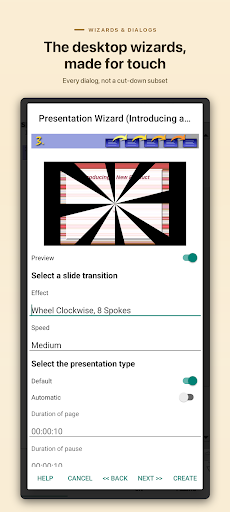
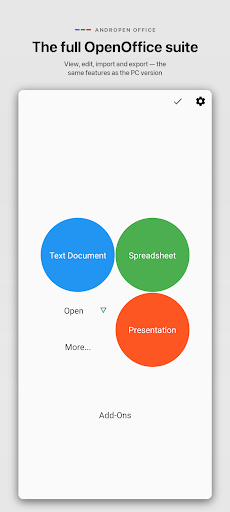
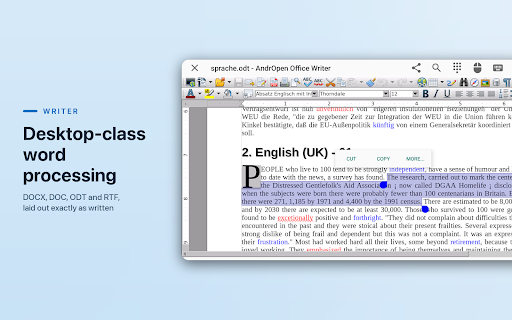
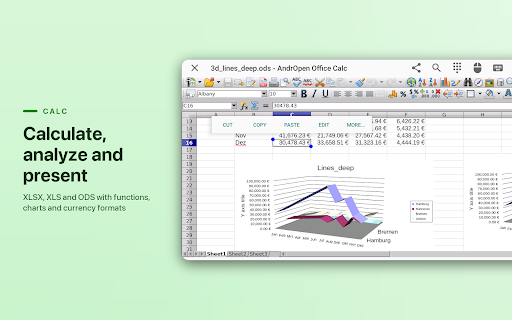
Analysis by Reviewed APKs
AndrOpen Office brings word processing, spreadsheets, presentations, drawing and equation editing to Android, with support for many OpenOffice, LibreOffice and Microsoft Office file formats. I see it as a practical option for people who want to work with familiar document types on a phone or tablet, rather than rely on a desktop. Its wide toolset is appealing, though the breadth can make the experience feel less straightforward than a simple mobile editor.
A document on the go
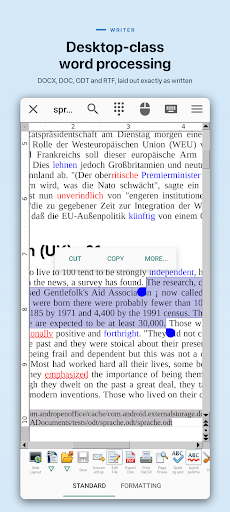
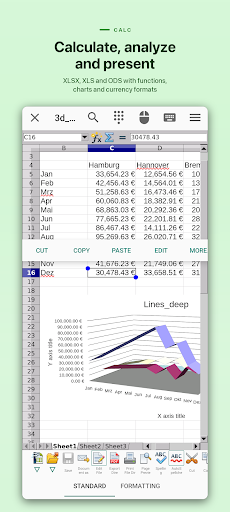
When I need to check a document away from my computer, AndrOpen Office’s range of file support is the main draw. I can imagine opening a Word file on a tablet, correcting a paragraph in Writer, or checking figures in a spreadsheet through Calc. It also handles formats such as PDF, text and OpenDocument files. That makes it useful for everyday review and edits when the original desktop application is out of reach.
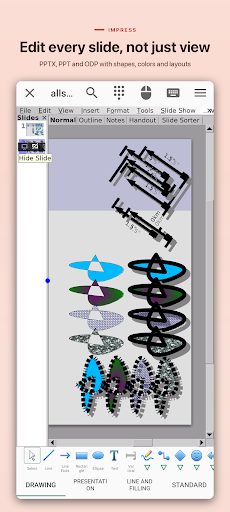
For a longer session, I would settle in with a larger screen and a keyboard if available, then use the app for the task at hand: revise a letter, inspect a worksheet, or make changes to a presentation. The suite includes Writer, Calc, Impress, Draw and Math, so the workflow can extend beyond documents. It is a broad set of tools to have on Android, especially for someone who already exchanges files in those formats.
A suite, not a quick editor
Compared with a basic notes app or a lightweight document viewer, AndrOpen Office aims to cover much more ground. It can view, edit, import and export supported document types, and its components span writing, spreadsheets, presentations, diagrams and equations. That breadth is helpful when one app needs to handle several kinds of work. It also means this is not the simplest choice for jotting down a reminder or making a quick plain-text note.
I would think of it as a mobile counterpart for people who regularly encounter OpenOffice, LibreOffice or Microsoft Office files, not as a full replacement for every desktop workflow. A phone screen can be a tight space for detailed formatting or data work, and the app’s extensive capabilities may feel like more than a casual user needs. For occasional reading and straightforward edits, though, the variety of supported formats is a real advantage.
Make a small workflow
A useful habit is to start with the file type and the job, then choose the matching component: Writer for text, Calc for numbers, Impress for slides, Draw for diagrams or Math for equations. That simple division helps make a large suite feel more manageable. If a document arrives in a format I do not usually use, the app’s import and export support gives me options for working with it and saving it in another supported format.
For repeat work, I would keep a short checklist: open the right file, make the needed edit, review the result, and choose an appropriate format when saving or exporting. The description also names cloud storage options including Google Drive, Dropbox, OneDrive, Box, NAS and WebDAV, plus spell-checking tools and macros. Some functions, including cloud access, printing and PDF export, are part of the paid version, so plan around that distinction.
More From Our News Desk

Zoom Meetings, Google Meet, or Teams: Which Is Easiest to Join?

How I Build a Free Streaming Lineup With Tubi

Why Crunchyroll Is the Default Anime App for So Many Fans

YouTube TV: A Practical Guide to Cutting Cable

Rummikub and the Small Comfort of Phone Games

TeamViewer Remote Control or AnyDesk for Helping Family?
Who will get the most from it
I would recommend AndrOpen Office to Android users who handle a mix of office documents and want more than a viewer. It makes particular sense for people already comfortable with OpenOffice or LibreOffice formats, or anyone who needs to open and edit a variety of Word, Excel and PowerPoint files. The five included components broaden its usefulness, while the format support can help when documents arrive from different sources.
It may not suit someone who wants a very simple writing app, or who expects a phone interface to feel exactly like working at a desk. Its range is a strength, but there is a learning curve in choosing the right tool and getting comfortable with a full office suite on a smaller screen. People who need paid functions such as printing, cloud storage access or PDF export should also check the purchase details before relying on them.
AndrOpen Office is a free Android productivity app from developer Akikazu Yoshikawa. Google Play shows over five million installs and a 3.9-star rating from about 56,800 ratings. It is rated Everyone and does not contain ads. The app’s current version is 5.6.8, and its release date is February 27, 2013.
The app offers in-app purchases, with individual items priced from $19.99 to $29.99. The paid version includes cloud storage access, printing, PDF export and other useful functions. The latest update date provided is October 7, 2026. Check Google Play for device compatibility and current purchase details, since the minimum Android version is not included in the available app information.
A full office suite in your pocket
First look and setup
When I first opened AndrOpen Office, the scale of its ambition stood out: this is not just a word processor with a spreadsheet tab tucked away. Writer, Calc, Impress, Draw and Math each point to a different kind of work, from prose to equations. That structure gives the app a clear purpose, even if new users may need a moment to decide where a particular task belongs.
I would begin by opening a familiar file rather than trying to explore every tool at once. The app supports common Microsoft Office formats as well as OpenDocument and PDF, among many others, so an existing document is a useful way to get oriented. Start with a small edit or a quick review; once the basics feel familiar, it is easier to judge which of the suite’s broader features matter to your routine.
Working day to day
The everyday appeal is having multiple document jobs covered in one place. Writer handles text, Calc covers spreadsheets, and Impress is for presentations; Draw and Math extend the suite to diagrams and equations. If my day involves switching between a letter and a worksheet, I would rather have one app that recognizes both file types than search for a separate tool for each.
The practical experience depends on the work. Reading and making a modest edit are easier to picture on a phone than building a complex presentation or carefully formatting a long document. AndrOpen Office supports paragraph formatting and embedded objects, but that does not make a small screen spacious. I would treat it as a flexible mobile workbench, choosing tasks that fit the device and saving intricate work for a more comfortable setup.
Formats and useful tools
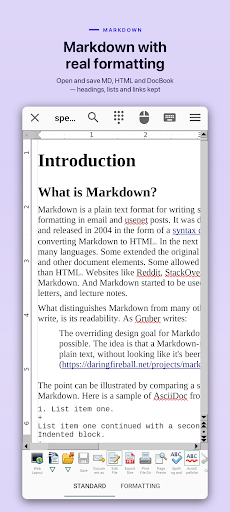
File compatibility is one of the app’s strongest practical points. It supports Word, Excel and PowerPoint formats, including newer file types, alongside OpenDocument, PDF, text and Markdown. It can also work with image and graphics formats such as SVG and TIFF, and the format list includes specialist options. That range gives users a chance to keep working when a document does not arrive in their preferred format.
The suite also names password protection, macros, spell checking, a hyphenator and thesaurus among its capabilities. It supports multiple languages and mentions printing and cloud services such as Google Drive, Dropbox, OneDrive, Box, NAS and WebDAV. The paid version includes cloud access and printing, as well as PDF export. I would check which capabilities are available in the version I plan to use rather than assume every feature is included for free.
A practical document routine
For a routine like reviewing a shared report, I would open the file in Writer, read through it, make necessary text changes and save it in a format that suits whoever will receive it. For a spreadsheet, I would switch to Calc and focus on checking or updating the relevant figures. The app’s import and export support makes those small handoffs plausible without needing to rebuild a document from scratch.
Another useful approach is to keep the task narrow. If I only need to inspect a PDF or make a small correction, I would avoid turning the session into a tour of every component. If the job calls for printing, cloud storage access or PDF export, I would first account for those paid-version functions. A little planning can keep a capable suite from feeling like an unnecessarily complicated detour.
Limits to keep in mind
The biggest trade-off is complexity. A five-part office suite naturally asks more of a user than a dedicated notes app, and the breadth of supported formats can be both reassuring and a lot to take in. I would not choose AndrOpen Office for a one-line shopping list or expect a phone to be as comfortable as a desktop for detailed formatting, presentations or extensive spreadsheet work.
There is also a distinction between the free app and the paid functions. The description places cloud storage access, printing and PDF export in the paid version, even though those capabilities are mentioned among the suite’s features. That is worth understanding before building a workflow around them. For document viewing and editing needs that match the app’s supported formats, it remains a substantial mobile toolkit; for other needs, a simpler or desktop option may feel better.
AndrOpen Office is a serious mobile office suite with a broad set of components and a notably wide range of supported formats. I like its potential for handling mixed document work on Android, especially when the files already belong to the OpenOffice, LibreOffice or Microsoft Office ecosystem. The trade-off is that the app asks users to navigate a large toolset on a mobile screen.
I would recommend trying it if you regularly need to view or edit office documents away from a computer and are willing to learn the suite’s layout. It is less compelling for people who only need quick notes or want the simplicity of a narrow, dedicated editor. Before depending on printing, cloud access or PDF export, check the paid-version details in Google Play.
AndrOpen Office Frequently Asked Questions
What is AndrOpen Office used for?
AndrOpen Office is an Android office suite for viewing, editing, importing and exporting documents. It includes Writer for text, Calc for spreadsheets, Impress for presentations, Draw for diagrams and Math for equations. It supports many Microsoft Office and OpenDocument formats, along with PDF, text and several graphics formats.
Which devices can run AndrOpen Office?
AndrOpen Office is an Android app available through Google Play. The available app information does not specify a minimum Android version, so check the Google Play page for compatibility with your particular phone or tablet. Its document tools are designed for mobile use, though detailed work may be more comfortable on a larger screen.
Does AndrOpen Office cost money?
The app is free to download and contains in-app purchases. Individual in-app items are priced from $19.99 to $29.99. The paid version includes cloud storage access, printing, PDF export and other useful functions. Prices and purchase details can change, so check Google Play for the current options before buying.
Can AndrOpen Office edit Word and Excel files?
Yes. Its supported formats include Microsoft Word files such as DOC and DOCX, and Excel files such as XLS and XLSX. It also supports PowerPoint, OpenDocument, PDF and other formats. It is intended for working with a wide range of office documents, although a phone screen may be less comfortable for complex edits.
Is AndrOpen Office right for occasional users?
It can suit an occasional user who needs to open or edit different office file types on Android, but its five components make it broader than a basic notes app. If you only want quick plain-text notes, a simpler tool may feel easier. Consider whether you need paid functions such as printing or cloud storage access.
Pros
- Five components cover writing, spreadsheets, presentations, diagrams and equations.
- Supports many Microsoft Office, OpenDocument, PDF, text and graphics formats.
- Includes tools such as paragraph formatting, password protection and macros.
- Free to download and does not contain ads.
Cons
- The broad suite may feel complicated for simple note-taking or quick tasks.
- Cloud access, printing and PDF export are included in the paid version.
- Detailed document work may be awkward on a small phone screen.
- Category
- Productivity
- Version
- 5.6.8











