Acode - Terminal & AI Coding
- 1.25K
- 4.1
- Installs
- 10.00K
- Price
- $6.49
Screenshots
Analysis by Reviewed APKs
Acode - Terminal & AI Coding is an Android code editor that brings project editing, a Linux terminal, Git and remote-file tools, and plugin support to a phone or tablet. I see it suiting developers who want to make practical changes away from a computer, or learners who enjoy experimenting with code on the go. Its breadth is impressive, though the small-screen experience and setup work make it more of a portable workspace than a desktop replacement.
A Pocket-Sized Coding Session
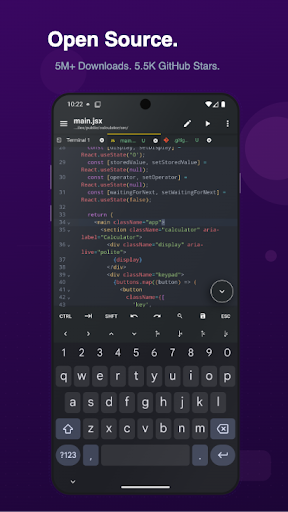
Imagine spotting a small issue in a web project while you are away from your desk. With Acode, you can open the project on your Android device, move between files using tabs, and search across the project rather than hunting through folders one by one. Syntax highlighting helps keep code readable, while the editor’s tools let you make a focused change without first moving to a laptop.
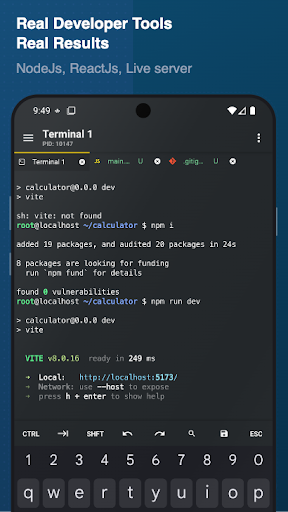
For a front-end task, the workflow can continue beyond editing. Acode can preview HTML and Markdown, and its JavaScript console offers a place to debug JavaScript. If the project needs command-line work, the built-in Alpine Linux terminal can run supported packages after its initial setup. I like that these tools sit together: the app is designed to help you move from a file change to a quick check in one mobile workspace.
More Than a Text Editor
Acode occupies a useful middle ground between a plain mobile text editor and a full computer development environment. It supports multi-file editing, project search, previews, Git workflows, SSH, and plugin extensions. That combination is useful when I want to inspect or adjust a project without carrying a laptop, especially for web work and small maintenance tasks.
It is not a magic substitute for every desktop setup. A phone screen is still a cramped place to navigate a large project, and command-line tools or language support may take extra configuration. Acode is also not simply a terminal app: the editor and file workflow are central. I would choose it for portable coding and project upkeep, not assume every complex build or long session will feel comfortable on mobile.
Small Habits, Better Flow
A little preparation can make Acode easier to use in short sessions. I would start by opening the project files I expect to touch, then use tabs to keep related files within reach. Project-wide search is handy when I remember a function or phrase but not its location. A keyboard shortcut or the command palette can also save taps when I have a keyboard attached.
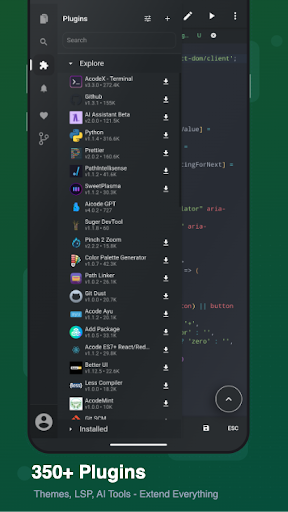
The terminal and plugin ecosystem are worth approaching selectively. After the one-time terminal setup, install only the supported packages needed for the work at hand, and add plugins for specific gaps such as language-server support or formatting. For web projects, previewing a page or Markdown file can provide a quick check before I leave the app. Keeping the workflow focused helps avoid turning a small edit into a configuration project.
More From Our News Desk

Zoom Meetings, Google Meet, or Teams: Which Is Easiest to Join?

How I Build a Free Streaming Lineup With Tubi

Why Crunchyroll Is the Default Anime App for So Many Fans

YouTube TV: A Practical Guide to Cutting Cable

Rummikub and the Small Comfort of Phone Games

TeamViewer Remote Control or AnyDesk for Helping Family?
Who Will Get the Most From It
I would recommend Acode to developers who already understand their projects and want a capable Android companion for editing, reviewing, and occasional command-line work. Web developers in particular can make use of HTML previews, Node.js and npm support, JavaScript tools, and Git features. Students and curious hobbyists may also appreciate being able to explore code and build a mobile workflow at their own pace.
It may be a poor fit for someone who only wants to jot down a few lines of text, or who expects a polished desktop-sized workspace on a phone. Terminal setup, plugins, and remote tools add options but also complexity. If you regularly work with large projects or depend on a very specific desktop toolchain, I would treat Acode as a useful companion rather than the only place you work.
Acode - Terminal & AI Coding is published by Foxbiz Software Pvt. Ltd. Google Play shows 10,000+ installs and a 4.1-star rating from 1,255 ratings. The app is rated Everyone. Its listed price is $6.49, and it offers in-app purchases priced from $0.19 to $114.99 per item. Google Play indicates that it contains no ads.
The current version shown is 1.13.5. The app was released on September 1, 2019, and its last update is dated September 12, 2026. Acode’s description says it requires Android 7.0 or newer. These details are useful to check against your device and the store page before installing, since app information and purchase options can change.
A Flexible Workspace on a Small Screen
Getting Started
When I first opened Acode, the main appeal was clear: this is not just a place to type code. The app combines an editor with project and file work, a terminal, and extensions. That range can feel inviting if you like shaping your own setup, but it also means there is more to explore than in a lightweight note-taking editor.
The description’s suggested starting point is sensible: open the terminal and complete its one-time setup, then add packages and plugins as needed. I would resist trying to configure everything immediately. Starting with one project and the editor features I already understand makes it easier to judge what extra tools are actually useful.
Editing Day to Day
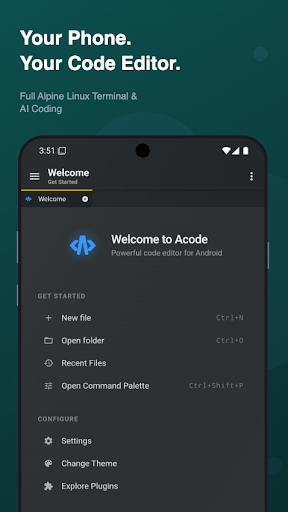
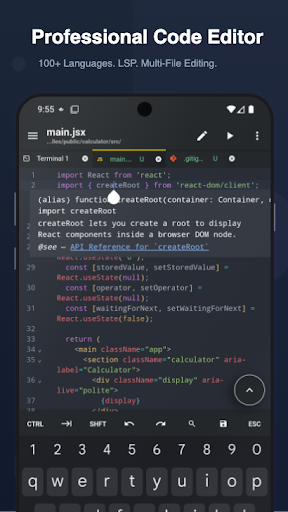
For regular editing, the basics cover a lot of ground. Acode supports syntax highlighting for more than 100 programming languages, multiple file tabs, project search, code completion through language-server plugins, and keyboard shortcuts. The command palette and file-search shortcuts can make navigation quicker, particularly when a project has more than a handful of files.
I would still keep the screen size in mind. Reading and changing a few files on a phone is a different experience from spreading a project across a desktop monitor. Themes and fonts are customizable, which can help make the editor more comfortable, and the app description says it handles large files smoothly. Even so, longer coding sessions may call for a tablet or a separate keyboard.
Tools Beyond Editing
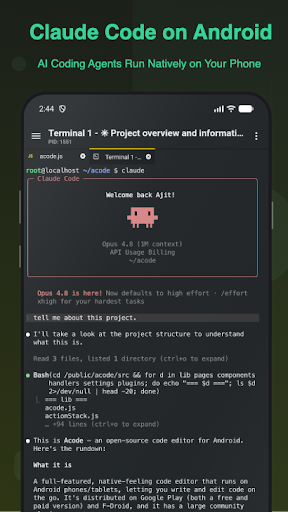
The terminal is one of Acode’s defining features. It uses Alpine Linux through proot and does not require root access. Users can install supported command-line packages, open multiple terminal tabs, customize the shell, and back up or restore the terminal setup. This creates room for more than quick text edits, especially for people comfortable working with command-line tools.
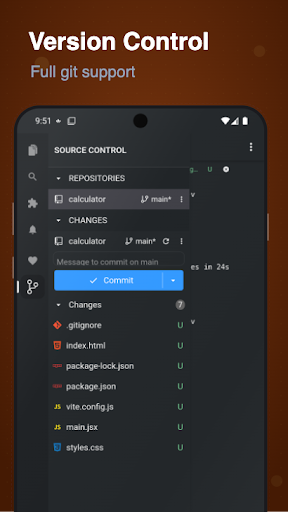
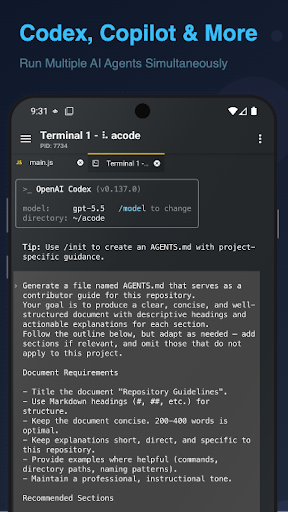
The editor also connects to broader development workflows. The listed Git actions include clone, commit, push, pull, and branch management, while SSH, FTP, and SFTP support help with remote work. GitHub integration is available for project syncing. Plugin options extend the editor with tools such as language servers, themes, formatters, and AI-assisted coding tools where supported.
A Practical Mobile Routine
One reasonable routine is to use Acode for a compact project check during a spare moment. Open the relevant files, search for the section you need, make a small edit, and use a preview if the work involves HTML or Markdown. If the task needs JavaScript testing, the interactive console can help with debugging. This keeps the session centered on a concrete change instead of trying to recreate an entire desktop setup.
For a project that needs command-line tools, I would set up the terminal and install the packages that the project actually uses. Then I would add only the plugins that solve a real need, such as language support or formatting. Git operations can fit into the same routine when I need to sync or manage changes. The point is to build a workflow gradually, not to fill the phone with tools before there is a reason.
Limits to Keep in Mind
Acode’s range is also its main trade-off. A terminal, remote connections, Git, previews, and plugins offer flexibility, but they can take time to configure and understand. Some features depend on supported packages or plugins, so the experience may differ according to the project and the tools a user installs. People who want a simple editor with no setup may find this more involved than necessary.
Mobile ergonomics are another real constraint. Multi-file tabs and search help with navigation, but a compact screen cannot offer the same overview as a larger workstation. The description presents Acode as useful for editing, previewing, and managing web projects from Android; I would take that as a portable workflow, not a promise that every professional development task will fit neatly on a phone.
Acode stands out as a surprisingly broad Android workspace for people who want more than a basic code editor. Editing, previews, a Linux terminal, Git, remote access, and plugins give it practical range, particularly for web projects and small maintenance jobs. The setup and screen limitations are real, but they do not erase the appeal of having these tools together.
I would try it if I wanted a mobile companion for coding or already felt comfortable configuring developer tools. If I only needed occasional plain-text edits, I would choose something simpler. For developers willing to build a focused setup, Acode offers a useful way to keep project work moving when a computer is not nearby.
Acode Frequently Asked Questions
What is Acode - Terminal & AI Coding used for?
Acode is an Android code editor and web IDE for editing projects, managing files, and working with a Linux terminal. It also supports previews, Git workflows, SSH, FTP and SFTP file management, and community plugins. Its tools can suit mobile web development and project maintenance, while the exact workflow depends on the packages and plugins you choose.
Which devices can run Acode - Terminal & AI Coding?
Acode is an Android app, and its description says it requires Android 7.0 or newer. It is intended for Android phones and tablets. Check the Google Play store page for current device compatibility before installing, since compatibility can vary by device and may change with app updates.
Does Acode - Terminal & AI Coding require Android 7?
The app description gives Android 7.0 as the minimum requirement. If your device runs an older Android release, check the Google Play page for the current compatibility details. The app’s listed version is 1.13.5, and requirements can be worth checking again when the app or your device software changes.
How much does Acode - Terminal & AI Coding cost?
Google Play lists Acode at $6.49 and shows in-app purchases ranging from $0.19 to $114.99 per item. The description also mentions a Pro version with ad removal and premium themes, and says in-app purchase options may vary by region. Check the store page for the price and purchase details shown for your location.
Is Acode - Terminal & AI Coding suitable for beginners?
It can suit learners who want to explore code on Android, especially if they are comfortable learning tools gradually. The editor offers previews and common coding features, while the terminal and plugin setup add a steeper layer. A beginner wanting only a simple place to type text may find Acode more involved than needed.
Pros
- Combines a code editor, terminal, previews, and project tools in one Android app.
- Supports Git workflows, SSH, FTP, SFTP, and GitHub project syncing.
- Offers syntax highlighting for more than 100 languages and plugin extensions.
- HTML and Markdown previews can make quick project checks convenient.
Cons
- Terminal setup and choosing packages or plugins can take extra effort.
- A phone screen can feel cramped when navigating multi-file projects.
- Some capabilities depend on supported packages, plugins, or project needs.
- Category
- Productivity
- Version
- 1.13.5