Yoga Go Fitness & Yoga Workout
- 148.16K
- 4.6
- Installs
- 10.00M
- Price
- Free
Screenshots
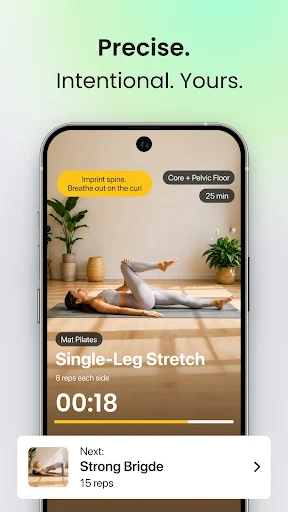
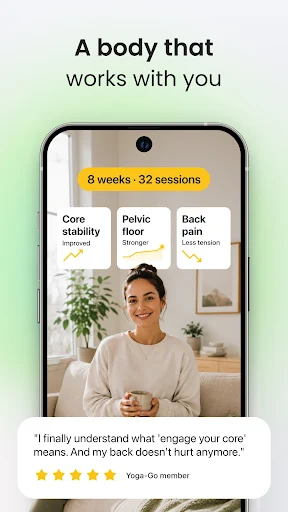
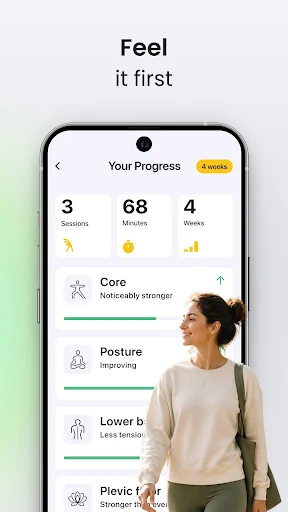
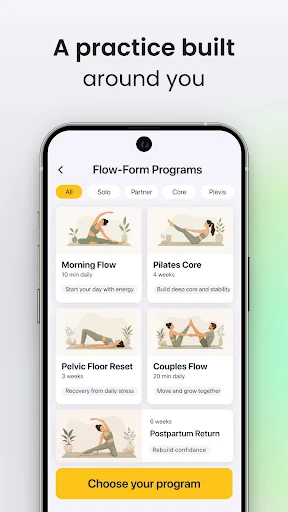
Analysis by Reviewed APKs
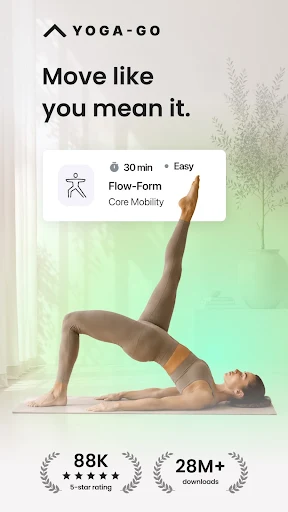
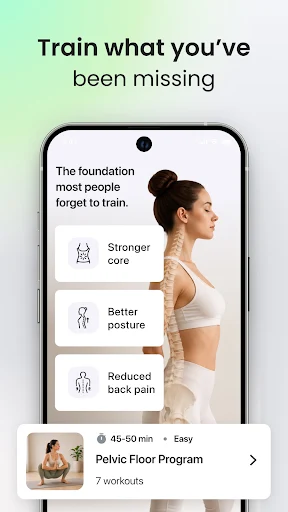
Yoga Go Fitness & Yoga Workout is a home-practice app for people who want guided yoga and Pilates sessions without building every routine from scratch. It covers gentler options such as chair and somatic yoga alongside more active workouts, with plans tailored to personal goals. I like the breadth of practice styles and the short-session format; the main catch is that continued use requires a subscription.
A routine that fits the day
When I imagine fitting a session into an ordinary weekday, the appeal is clear: I can choose a workout that takes 10 to 30 minutes and practice at home without equipment. A short session before breakfast or a stretch after sitting at a desk feels more realistic than committing to a long studio class. Yoga Go’s mix of yoga-inspired workouts and Pilates gives that routine some variety.
The options also make it easier to match the day’s energy. A gentle chair or somatic practice is a different proposition from a more demanding Wall Pilates session, and the app includes both. Its recommendations use goals, problem areas, and personal details to suggest a series. I would treat those suggestions as a starting point, then pick a session that suits the time and effort I actually have.
A home practice, not a studio
Yoga Go makes most sense as a structured option for practicing at home. It brings together yoga, Pilates, stretching, meditation, and related formats, so I do not need to settle on one style before trying it. That breadth is handy for someone exploring what feels approachable, especially if a traditional floor-based yoga class is not the only kind of movement they want.
It is not the same thing as attending a live studio class or receiving personal coaching. The app offers guided workouts and plans, but the material describes an at-home fitness product rather than one-to-one instruction. I would also avoid treating a workout app as a substitute for medical guidance. If someone needs individualized support or prefers a group setting, an app may not be the right fit.
Make the plan workable
A useful habit is to choose a plan length that feels manageable before starting. Yoga Go offers series lasting 14 to 30 days, which gives a practice some shape without requiring a commitment to an open-ended program. I would set aside a regular time, then use the session length to make the decision easy: a brief workout can still fit on a busy day.
The Workout Builder Tool is another way to make a routine feel less one-size-fits-all. It lets users create flows by choosing practice types, difficulty levels, and focus areas. I’d use that when I want to alternate between gentler movement and a more active session, rather than following the same style every time. The app also has more than 500 poses to explore as practice develops.
More From Our News Desk

Zoom Meetings, Google Meet, or Teams: Which Is Easiest to Join?

How I Build a Free Streaming Lineup With Tubi

Why Crunchyroll Is the Default Anime App for So Many Fans

YouTube TV: A Practical Guide to Cutting Cable

Rummikub and the Small Comfort of Phone Games

TeamViewer Remote Control or AnyDesk for Helping Family?
Who may enjoy Yoga Go
I’d recommend Yoga Go to beginners who want guided sessions at home, and to people who like having several styles in one place. The chair yoga option may appeal to anyone looking for a low-impact format, while Wall Pilates and classic yoga offer different directions to explore. Its range of short workouts is also useful for people whose schedules make a long class difficult.
It may be less suitable for someone who wants all content to remain free, since the app says further use requires a subscription. People looking for live instruction, individualized medical advice, or a single narrowly focused practice may also prefer another approach. As with any exercise program, the app’s own disclaimer says its content is for general wellness and education, not a replacement for professional medical advice.
Yoga Go Fitness & Yoga Workout is published by WELLTECH APPS LIMITED. On Google Play, it has over 10 million installs and a 4.6-star rating from about 148,000 ratings. The app is free to download and contains no ads, but the description says further use requires a subscription. Optional in-app purchases are available, with listed item prices ranging from $0.99 to $139.99.
Google Play gives the app an Everyone content rating. The listed version is 11.19.0; it was released on June 6, 2019, and the recorded last update is October 6, 2026. The minimum Android version is not included in the supplied app facts, so check Google Play for the requirement that applies to your device.
How Yoga Go Works in Everyday Life
A straightforward starting point
When I first opened an app built around this many styles, I would want a clear way to begin rather than a wall of choices. Yoga Go’s stated approach is to recommend a personal series based on goals, problem areas, and personal details. That gives a newcomer a route into the library instead of requiring them to understand every practice type before choosing a first workout.
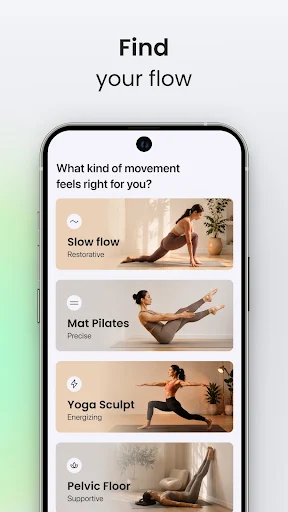
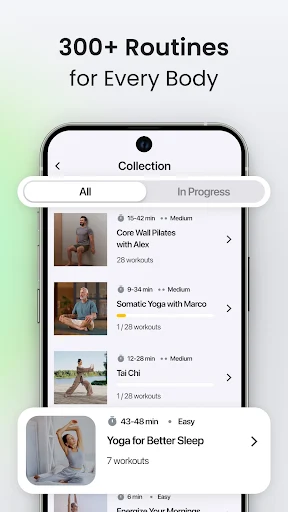
The plans cover Wall Pilates, Chair Yoga, Somatic Yoga, classic yoga, and Sofa Yoga. That range makes the app feel less like a single fixed program and more like a menu of ways to move. I’d start with the style that sounds comfortable and the plan length that fits my calendar, then adjust if the sessions turn out to be too gentle or too challenging.
Short sessions, varied styles
Day to day, the 10-to-30-minute session range is one of the practical details I appreciate most. It gives the app a place in a morning routine or an evening wind-down without making every practice feel like a major event. The library includes workouts from gentle stretching to more intensive Pilates, so a short session does not have to mean repeating the same kind of movement.
I also like that the stated focus areas include energy, mindfulness, strength, body sculpting, flexibility, and weight loss. Those labels help explain the kind of goal a series is meant to address, though I would keep expectations grounded: the app supplies workouts, not guaranteed results. For me, the best use is choosing a session that feels appropriate and making regular movement easier to organize.
A broad practice library
The standout feature is the combination of more than 300 workouts and over 500 yoga poses. That is a sizable range for someone who wants to sample several approaches instead of downloading separate apps for each one. The listed practices include Tai Chi, meditation, chair yoga, somatic yoga, sofa yoga, and classic yoga, alongside Pilates and stretching.
The specialty plans give that variety a more practical shape. Wall Pilates uses a wall as support, while Chair Yoga is designed around poses performed from a chair. The description presents Somatic Yoga as mindful, tension-releasing movement with an emphasis on body awareness. These are useful distinctions when I want to choose a format that suits the day, rather than treating every workout as interchangeable.
A low-fuss weekly rhythm
A realistic way I’d use Yoga Go is to choose a series, pick a consistent time, and keep the session length modest enough to repeat. On a busier day, I could reach for a shorter workout; when I have more room, I could choose a longer session or another practice style. That is less about chasing a perfect schedule and more about making a home routine easier to maintain.
The Workout Builder Tool could help when I want to vary that rhythm. Since it allows choices around practice type, difficulty, and focus, I could build a flow that matches what I’m looking for rather than always following one recommendation. I’d still keep the plan simple: a few preferences are enough to create variety without turning exercise selection into another task to manage.
What to keep in mind
The most important limitation is the subscription requirement. The app is free to download, but its description says further use requires a subscription, and it may offer a trial as shown inside the app. Optional add-ons may also cost extra. I’d check the subscription details before settling into a plan, especially if I’m comparing Yoga Go with free workout resources.
The range of styles is a strength, but it can also mean the app will not feel focused enough for someone who wants only one specific discipline. The description does not make it a replacement for a live teacher or professional medical advice. It identifies the content as general wellness and educational material and advises consulting a physician before beginning a new exercise program.
Yoga Go is a flexible home-workout option with enough variety to help a beginner find a comfortable starting point. I’m most drawn to its short sessions, distinct practice styles, and the ability to shape a plan around personal goals. It works best as a convenient guide for regular movement, not as a substitute for live instruction or individualized care.
I’d try it if I wanted guided yoga and Pilates sessions at home and was comfortable checking the subscription terms before committing. The chair, somatic, and Wall Pilates plans give it a broader feel than a single-style workout app. If ongoing cost is a deal-breaker, or I need hands-on coaching, I’d look elsewhere.
Yoga Go Fitness & Yoga Workout Frequently Asked Questions
What is Yoga Go Fitness & Yoga Workout used for?
Yoga Go is for guided yoga-inspired workouts and Pilates at home. It offers short sessions, personal practice plans, and styles including chair yoga, Wall Pilates, somatic yoga, classic yoga, stretching, meditation, and Tai Chi. Users can also build custom flows by selecting practice types, difficulty levels, and focus areas.
Which devices can run Yoga Go?
Yoga Go is available on Android through Google Play. The Android version requirement can vary as the app changes, so check its Google Play page for the requirement that applies to your device. The supplied app information does not describe an iOS or desktop version, so I would verify other platform availability in the relevant store.
What Android version does Yoga Go require?
The minimum Android version can vary by app update and device, and it is not included in the supplied app details. Check Yoga Go’s Google Play page before installing to see the current requirement for your phone or tablet. The listed app version is 11.19.0, but that does not establish a minimum Android version.
Does Yoga Go cost money to use?
Yoga Go is free to download, but its description says further use requires a subscription. A trial may be offered in the app, and optional add-ons may be sold separately. Google Play lists in-app purchase items from $0.99 to $139.99 each; check the store and in-app terms for current subscription details.
Is Yoga Go suitable for beginners?
The app describes workouts for all levels and includes beginner-friendly options such as Chair Yoga, gentle stretching, and personalized series. It may suit someone who wants guided home practice and a choice of session styles. It is general wellness content, not medical advice or individualized instruction, so people seeking those things may need another resource.
Pros
- Offers yoga, Pilates, stretching, meditation, and several gentler practice styles.
- Short 10-to-30-minute workouts can fit into a busy day.
- Personal plans and a Workout Builder allow some routine customization.
- No equipment is needed for the described at-home workouts.
Cons
- Further use requires a subscription after downloading the app.
- Optional add-ons may carry additional one-time or recurring costs.
- The broad mix may not suit users who want one narrowly focused practice.
- Category
- Health & Fitness
- Version
- 11.19.0











