WeatherWise.app
- 1.65K
- 4.3
- Installs
- 500.00K
- Price
- Free

Screenshots
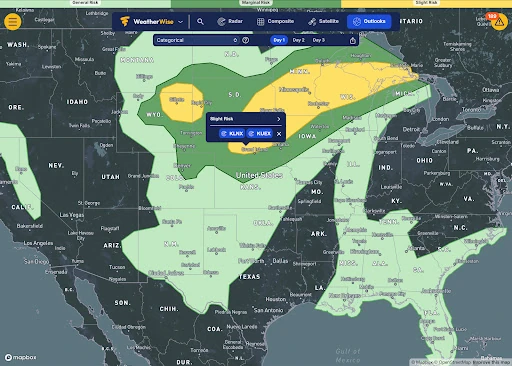
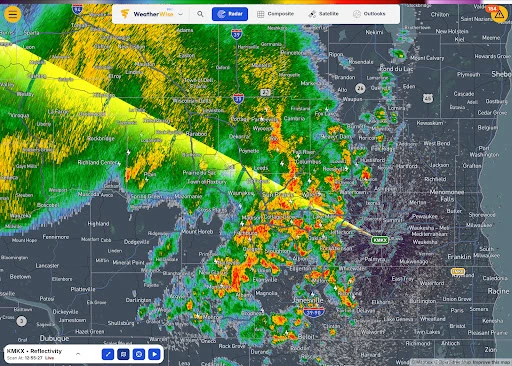
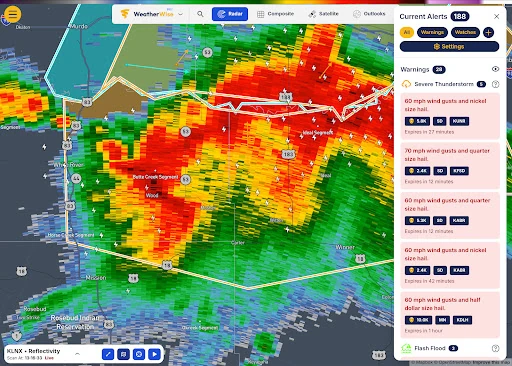
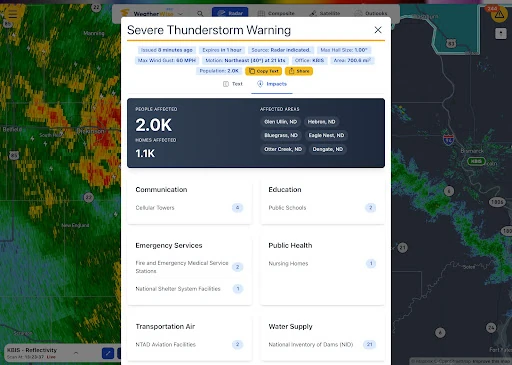
Analysis by Reviewed APKs
WeatherWise.app is a weather app built around detailed radar, official alerts and tools for following storms, with extra options for forecasts, satellite views and travel. I see it suiting people who want more than a quick temperature check, especially weather watchers and drivers who plan around changing conditions. Its generous free, ad-free core is appealing, though the range of advanced features can feel like a lot at first.
A closer look at storms
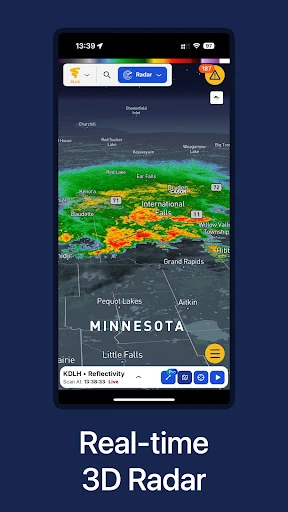
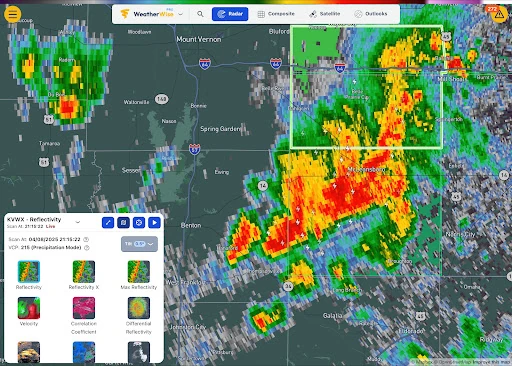
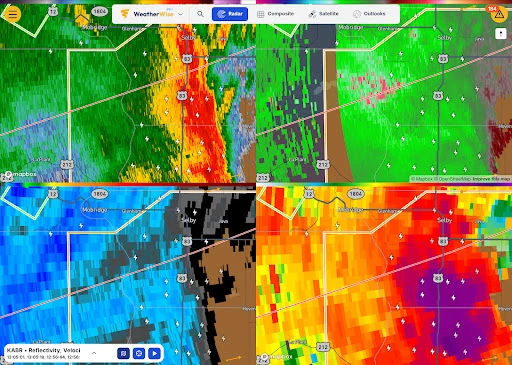
Picture a morning when dark clouds are moving toward your town and you need to decide whether to leave now or wait. WeatherWise gives you radar, warning areas and official alerts in one place, so you can look at the map and check what is approaching rather than relying only on a daily summary. On a US radar, storm-relative velocity and rotation add detail for users who want to follow storm structure.
I’d use the app as a check-in before heading out, then return to it if conditions change. Radar history can help put a current pattern in context, while alerts and outlooks provide another way to see what’s happening. The app also includes live streams from storm chasers, cameras and weather stations, which can offer a different view of conditions. It’s a substantial toolkit, not just a screen with a sun icon.
Beyond a basic forecast
Compared with a simple weather app, WeatherWise puts more emphasis on maps, radar and severe-weather information than on a quick glance at the day’s conditions. Forecast models, satellite imagery, storm tracks and live sources make it more useful for someone who likes to dig into what the weather is doing. The free core includes many of these tools, and the absence of ads keeps the experience from being interrupted by promotions.
That focus also means it may not be the right fit for everyone. If you only want a simple temperature and forecast, the number of map layers and model choices could be unnecessary. WeatherWise is not a substitute for official emergency guidance or a promise that a storm’s path will be certain. Its alerts and weather views can inform your awareness, but severe-weather decisions still deserve attention to official warnings.
Small habits that help
A useful routine is to check the radar and any active warnings before a commute, then revisit the map if the sky changes or an alert arrives. People who follow several places can save up to 2,000 custom locations with a free WeatherWise account. That can make it easier to keep an eye on home, family destinations or a planned trip without repeatedly searching for each place.
It also helps to start with just the views you need. Someone new to radar might begin with the standard map and warning areas, then explore forecast models or satellite imagery when there is a reason to. Widgets and the WeatherWise Home dashboard can make frequent checks more convenient. Plus and Pro add more viewing and playback controls, so those options make most sense after you know which parts of the free app you use regularly.
More From Our News Desk

Zoom Meetings, Google Meet, or Teams: Which Is Easiest to Join?

How I Build a Free Streaming Lineup With Tubi

Why Crunchyroll Is the Default Anime App for So Many Fans

YouTube TV: A Practical Guide to Cutting Cable

Rummikub and the Small Comfort of Phone Games

TeamViewer Remote Control or AnyDesk for Helping Family?
Who will find it useful
I’d recommend WeatherWise to people who routinely check radar, follow severe weather, or want alerts and forecast tools gathered in one app. Weather enthusiasts may appreciate the range of models, satellite sources and radar history, while drivers can consider the Android Auto features available in different tiers. Its free, ad-free core makes it easy to explore the basics before deciding whether the additional subscription features matter to your routine.
It may be less appealing if you prefer a very uncluttered forecast or rarely look beyond the current temperature. The app’s depth can take time to sort through, and some of its more specialized tools are reserved for Plus or Pro. Weather information can also be region-specific: alerts cover several areas, while radar coverage varies by country. I’d check that the tools you care about apply where you live.
WeatherWise.app is a free Android weather app from Interactive Weather. Google Play shows over 500,000 installs and a 4.3-star rating from 1,645 ratings. The app contains no ads, and it offers in-app purchases. The listed price range for in-app products is $1.99 to $159.99 per item, so paid options can differ considerably.
The app is rated Everyone on Google Play. Its listed version is 1.9.2, with a release date of September 24, 2024, and a last update date of October 26, 2026. An Android minimum version is not included in the available app facts, so check the Google Play store page for device compatibility before installing.
A weather toolkit with room to explore
First impressions and setup
WeatherWise’s feature set makes a strong first impression: the app is centered on radar and weather data, with alerts, models, satellite imagery and storm-related tools alongside it. That breadth is useful, but it also suggests a slightly different starting point from a basic forecast app. I’d begin by looking at the local radar and warning areas, then add other views only when I had a specific question.
A free WeatherWise account is needed to use up to 2,000 custom locations. The app also offers a Home dashboard and home-screen radar widgets, giving regular users ways to reach weather information more quickly. It’s worth getting familiar with the core map before deciding whether paid tiers are relevant; the free features already cover a lot of ground.
The day-to-day experience
For ordinary checks, the most practical combination is live radar and alerts. The app provides official warnings for locations in the US and Canada, with urgent alerts for tornado, hurricane and tsunami warnings. Its alerts and outlooks also draw on sources including NWS, Environment Canada, and services covering 38 European countries and Israel. That regional mix is useful, though the available information depends on where you are.
When I think about a daily routine, the value is less about staring at the map all day and more about having detail ready when conditions look unsettled. Radar history lets users replay US radar as far back as 1991 at the oldest sites. Weather stations, air quality and smoke information, winter precipitation type and snowfall add context beyond storms, too.
Features that stand out
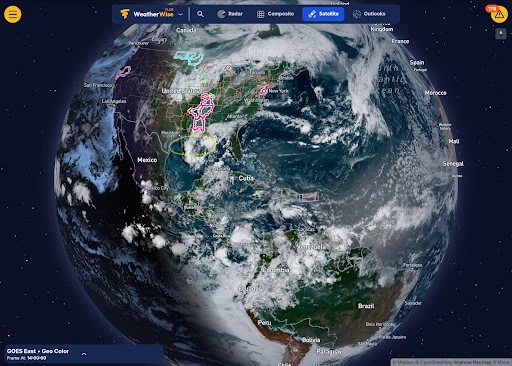
The app’s forecast-model selection is one of its more distinctive parts. It includes HRRR, GFS, ECMWF, ensemble and AI models, along with soundings. Satellite imagery includes GOES, Himawari, Meteosat and VIIRS. These are tools for users who want to compare different ways of viewing conditions, rather than simply accept one short forecast as the whole story.
Storm-focused features add another layer of detail. WeatherWise includes hurricane spaghetti models, NHC cones and recent Hurricane Hunter reconnaissance, plus storm tracks, lightning across the Americas and local storm reports. Users can also draw a storm track with arrival times. Live streams from more than 45 storm chasers, along with Hazcams, traffic cameras and the Spotter Network, bring live sources into the wider picture.
A practical weather routine
For a day with possible storms, I’d start by checking the local radar and current warning areas, then look at an outlook or forecast model if I wanted more context. If a warning appeared, the official alert information would be the priority. The app’s map and storm tools can help explain what is nearby, while the live station and camera options provide additional ways to see conditions.
For travel, Android Auto offers a free view of live radar and warning areas on a car display. Plus adds weather-aware navigation for 10 trips a month, showing alerts along a route and how far ahead they are, with spoken callouts as you approach. Pro raises that to 30 trips monthly and adds spoken storm details. These tier differences are worth checking against how often you travel.
Limits to keep in mind
The main drawback is the learning curve. Radar, forecast models, outlooks, satellite views and storm-chaser streams serve different purposes, and a new user may need time to work out which ones are useful. Advanced options such as 3D views, Split View and longer playback are paid Plus features; Pro adds still more controls and specialized displays. The free version is generous, but it is not identical to the premium tiers.
Coverage and usefulness also vary with location. The app lists radar coverage across the US, Canada and many other countries, but not every feature applies everywhere; for example, lightning coverage is described for the Americas and the enhanced US radar tools are specific to US radar. WeatherWise is a way to follow weather information, not a replacement for official instructions during emergencies. I’d keep that distinction in mind.
WeatherWise.app is a capable choice for people who want radar, alerts and deeper weather tools together, with an unusually broad free core and no ads. Its strongest appeal is the ability to move from a quick radar check into models, satellite imagery or storm tracking without changing apps.
I’d suggest trying it if you enjoy following weather or regularly plan around conditions. If you want only a simple daily forecast, its depth may be more than you need. Start with the free features, see which tools fit your routine, and consider Plus or Pro only if their specific extras are worthwhile to you.
WeatherWise. Frequently Asked Questions
What is WeatherWise.app used for?
WeatherWise.app is a weather app focused on radar, official alerts, forecast models, satellite imagery and storm information. It also offers features such as radar history, hurricane tools, weather stations and live storm-chaser streams. The free core is intended for checking weather information, while Plus and Pro add more map, playback and display options.
Which devices can run WeatherWise.app?
WeatherWise.app is an Android app, and the description also includes Android Auto features for compatible in-car use. The minimum Android version is not specified in the available app facts. Check the Google Play store page for current device and operating-system compatibility, since requirements can vary.
Does WeatherWise.app cost money?
The app is free to download and its core features are described as free and ad-free. It also offers in-app purchases, with listed products ranging from $1.99 to $159.99 per item. Plus and Pro include additional features, and the exact subscription options and current prices may vary, so check Google Play for the latest details.
Does WeatherWise.app provide alerts everywhere?
The app describes official warning alerts for locations in the US and Canada, with broader alerts and outlooks covering additional regions. Radar coverage varies by country, and some tools are specific to certain areas. Check the app and its Google Play description for coverage relevant to your location; available features can vary by region.
Who is WeatherWise.app best suited to?
WeatherWise.app is best suited to people who want detailed radar, weather alerts or tools for following storms, rather than only a simple daily forecast. Weather enthusiasts and some drivers may value its advanced views and Android Auto options. Users who prefer a minimal interface may find the range of features more than they need.
Pros
- A substantial free core includes radar, official alerts, forecast models and satellite imagery.
- The app contains no ads, according to its Google Play facts.
- Radar history, storm tools and live sources give weather watchers plenty to explore.
- Android Auto offers radar and warning areas, with paid route features for drivers.
Cons
- The wide range of maps and weather tools may take time to learn.
- Several advanced viewing, playback and navigation features require Plus or Pro.
- Coverage and some specialized features vary by region.
- Category
- Weather
- Version
- 1.9.2