AccuWeather: Weather Radar
- 2.57M
- 3.6
- Installs
- 100.00M
- Price
- Free

Screenshots

Analysis by Reviewed APKs
AccuWeather: Weather Radar is a weather app for checking local conditions, watching precipitation move across a map, and getting forecasts and severe-weather information. I find its mix of quick daily readings and more detailed tools useful for people whose plans depend on the weather. It offers plenty to explore, though the free experience includes ads and the overall rating suggests it may not suit everyone.
Planning Around a Rainy Day
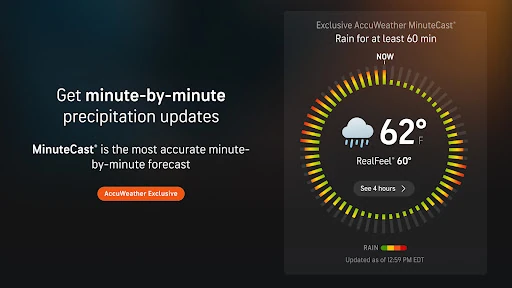
When I’m deciding whether to walk to work or take an umbrella, I want more than a number for the day’s chance of rain. AccuWeather’s MinuteCast is designed to show expected precipitation type and intensity, with estimated start and end times for the next four hours. I can check that alongside the hourly forecast, then decide whether to leave now or wait for a passing shower to move through.
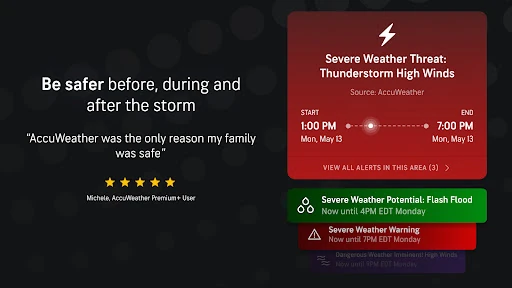
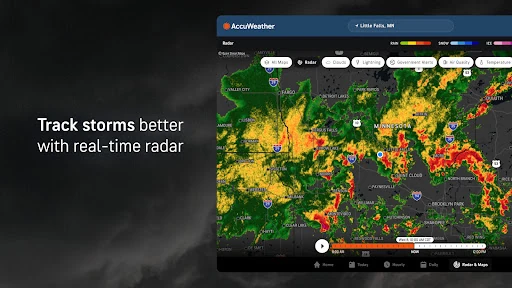
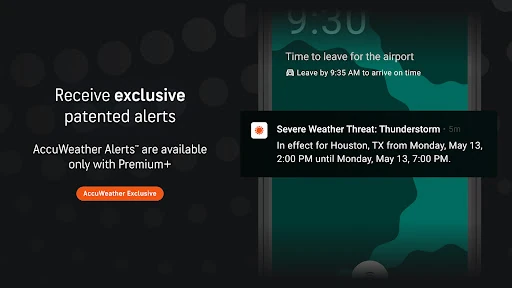
For a more unsettled afternoon, I’d open the live radar and look at how precipitation is moving near my location. The app also covers severe weather with alerts and tracking for events such as storms, hurricanes, snow, and flooding rain. That makes it useful both for ordinary decisions—what to wear, when to head out—and for keeping an eye on changing conditions when a forecast deserves closer attention.
More Than a Forecast
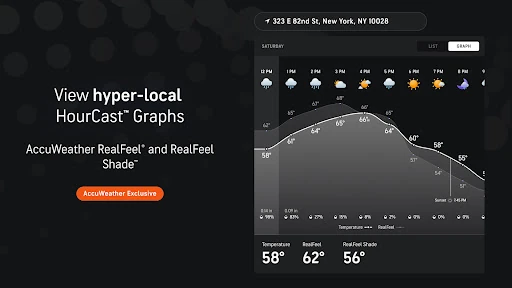
A simple weather widget or basic forecast can be enough when all I need is today’s temperature. AccuWeather goes further, combining daily and hourly forecasts with radar, lightning tracking, MinuteCast precipitation timing, and tools for winter weather and air quality. Its RealFeel Temperature and RealFeel Shade readings add another angle: they describe how conditions may feel, including the difference between sun and shade.
That breadth is helpful when I want to investigate the weather, but it can be more than I need for a quick glance. AccuWeather is a weather-information app, not a general planner or a substitute for official emergency instructions. I’d use its forecasts and alerts to stay informed, while keeping my plans flexible when conditions are changing. People who prefer a minimal screen may find the range of options and ads distracting.
Small Habits That Help
I get more from the app when I check the forecast at the point my plans are still flexible. A quick look at the hourly outlook in the morning can help me think about clothing and travel, while MinuteCast is more useful just before an outdoor errand. When rain or snow is nearby, switching to radar gives me a visual view rather than asking me to interpret a single percentage.
It also helps to match a tool to the question. I’d use RealFeel when deciding what a temperature might feel like outside, and the air-quality and smoke maps when thinking about outdoor activity. For winter conditions, WinterCast provides snow and ice forecasting, including snowfall estimates per storm. These checks are most useful as a routine, not as a reason to assume any forecast will remain unchanged.
More From Our News Desk

Zoom Meetings, Google Meet, or Teams: Which Is Easiest to Join?

How I Build a Free Streaming Lineup With Tubi

Why Crunchyroll Is the Default Anime App for So Many Fans

YouTube TV: A Practical Guide to Cutting Cable

Rummikub and the Small Comfort of Phone Games

TeamViewer Remote Control or AnyDesk for Helping Family?
Who Will Get the Most From It
I’d recommend AccuWeather to people who check the weather several times a day, live with changeable conditions, or want radar and precipitation timing alongside a standard forecast. MinuteCast, RealFeel, lightning tracking, and WinterCast give curious users different ways to look at local conditions. The app also offers personalized experiences centered on interests such as school, pets, fall foliage, and UV and sun.
It may be less appealing if you only want a bare-bones temperature reading or dislike ads and a busy selection of weather tools. Some features are part of Premium+, so the free app may not be the right fit for someone who wants every option without considering an upgrade. I’d treat forecasts as useful guidance rather than certainty, especially when severe weather could affect important plans.
AccuWeather: Weather Radar is developed by AccuWeather and is free to download on Google Play. The app has over 100 million installs and a 3.6-star rating from about 2.6 million ratings. It contains ads and offers in-app purchases, with listed item prices ranging from $0.99 to $79.99.
Google Play rates the app Everyone. Its Android version varies with the device, and the current version is also listed as varying with device. The available release information gives October 23, 2026 as the last update date.
A Closer Look at the Daily Forecast
A Busy First Look
When I first open a weather app, I want a clear answer to one question: what should I expect where I am? AccuWeather is built around local forecasts, with more detailed views available for anyone who wants to dig in. Its features include forecasts tailored to a location, including an exact street address, and MinuteCast can use a street address or GPS for precipitation forecasts.
There is a lot here beyond the day’s temperature. Radar, lightning information, air-quality tracking, and specialized forecast tools all broaden the experience. I’d take a moment to decide which views matter most to my routine instead of treating every feature as essential. The app is available for Android phones, tablets, TVs, and Wear OS devices, so the intended experience extends beyond a phone.
Checking Conditions Day to Day
For everyday use, the useful combination is a general forecast plus a more focused check when the weather could affect a plan. An hourly forecast can help me compare one part of the day with another; MinuteCast is aimed at precipitation over the next four hours. That split makes sense: one view helps with scheduling, while the other is for deciding whether a short trip outdoors might get wet.
When I want context, animated radar gives me a way to follow precipitation, and the app includes live lightning-strike tracking through AccuLightning. I’d use those views when storms are nearby rather than opening them out of habit on a calm day. The practical strength is having both a quick forecast and several deeper ways to examine conditions in one weather app.
Features With a Local Focus
MinuteCast is one of the more distinctive tools because it focuses on precipitation type and intensity, along with estimated start and end times. The forecast covers the next four hours and is described as available in 210 countries and territories. It is a different kind of answer from a daily rain percentage: it aims to help with the timing of an immediate decision.
RealFeel Temperature considers factors including sunshine, wind, humidity, and air density, while RealFeel Shade compares how conditions may feel in sun and shade. WinterCast focuses on snow and ice and provides minimum and maximum snowfall estimates per storm. These features add useful detail, though they are still forecasts; I’d compare them with the broader outlook rather than relying on one number alone.
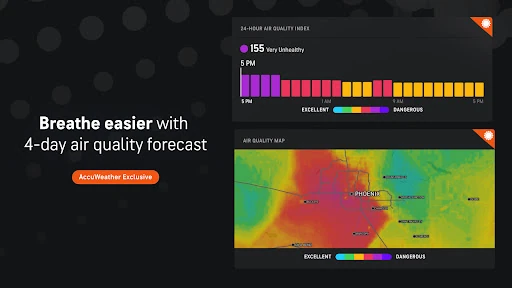
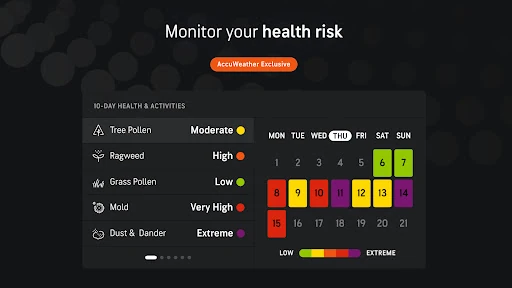
The app also includes maps for wildfire smoke impact and localized air quality, plus personalized experiences for interests such as pets, school, fall foliage, and UV and sun. For users who want more, Premium+ offers items such as extended forecasts, additional alerts, customizable health and activity views, and an ad-free experience. A Premium+ Family Plan is described as supporting up to six individual profiles.
A Practical Weather Routine
A routine I’d use starts with the daily forecast before making plans, then moves to the hourly view if my schedule is flexible. If rain looks possible near the time I need to leave, I’d check MinuteCast for its shorter-term precipitation outlook. That keeps the app’s detailed tools tied to an actual decision instead of turning every forecast check into a long browse.
On a day with unsettled conditions, I’d use radar to see the nearby pattern and pay attention to any relevant weather warnings. In winter, I’d look at WinterCast for snow and ice information. If my plan involves spending time outdoors, the air-quality and smoke maps may also be worth checking. The app offers several perspectives, so choosing just the ones relevant to the day keeps the routine manageable.
Limits to Keep in Mind
The main trade-off is density. A person who wants only the temperature and a short outlook may not need radar, lightning tracking, specialized forecasts, and personalized experiences. I’d also keep in mind that this is a forecast, not a promise about what will happen at a particular minute. That matters most when timing plans around changing rain or making decisions during severe weather.
The free app contains ads, while Premium+ is presented as an ad-free option with additional features. In-app purchases range from $0.99 to $79.99 per item, so the price depends on the purchase rather than the download alone. The Google Play rating is 3.6 stars, which is a useful reminder that the experience does not work equally well for every reviewer.
AccuWeather earns its place on my phone when I want more than a quick temperature check. MinuteCast, radar, RealFeel, and the specialized weather views give me practical ways to think through everyday plans and follow changing conditions. The trade-offs are a crowded feature set, ads in the free app, and some tools tied to Premium+.
I’d recommend it to people who regularly plan around local weather and will use its extra detail. If you prefer a very simple forecast, a lighter app may suit you better. For anyone willing to explore a few focused tools, AccuWeather offers a useful mix of short-range timing, broader forecasts, and weather maps.
AccuWeather Frequently Asked Questions
What is AccuWeather: Weather Radar used for?
AccuWeather: Weather Radar is used to check local conditions and forecasts, follow precipitation on radar, and get weather alerts. It includes hourly forecasts, MinuteCast precipitation timing, RealFeel readings, lightning tracking, and tools for snow, air quality, and smoke. Which features are most useful depends on whether you want a quick daily check or more detail for changing conditions.
Which devices can run AccuWeather: Weather Radar?
AccuWeather is available for Android phones, tablets, TVs, and Wear OS devices. The Android version varies with the device. If you want to check whether a particular device is supported, review the current Google Play information for AccuWeather: Weather Radar before installing.
What Android version does AccuWeather require?
The Android version requirement for AccuWeather: Weather Radar varies with the device. I’d check the app’s Google Play information from the device you plan to use, since that is the practical place to see whether its current requirements match your Android setup.
Is AccuWeather: Weather Radar free?
AccuWeather: Weather Radar is free to download and contains ads. It also offers in-app purchases, with listed item prices from $0.99 to $79.99. Premium+ is described as an ad-free upgrade with additional forecast and alert features. Check Google Play for current purchase options and pricing before choosing an upgrade.
Is AccuWeather: Weather Radar right for me?
It may suit you if you like checking local forecasts in detail or want tools such as MinuteCast, radar, RealFeel, and WinterCast. If you only need a simple temperature reading, its range of features and ads may feel like too much. The app’s Google Play rating is 3.6 stars, so individual preferences clearly vary.
Pros
- MinuteCast gives a focused view of expected precipitation timing over the next four hours.
- Radar, lightning tracking, and WinterCast cover several kinds of changing weather.
- RealFeel and RealFeel Shade add context beyond the basic temperature reading.
- Air-quality and smoke maps can help inform outdoor plans.
Cons
- The number of tools may feel excessive if you only want a quick forecast.
- The free app contains ads, while Premium+ features require an upgrade.
- The 3.6-star Google Play rating reflects a mixed overall user response.
- Category
- Weather