Weather Forecast: Live Weather
- 170.78K
- 4.8
- Installs
- 10.00M
- Price
- Free
Screenshots
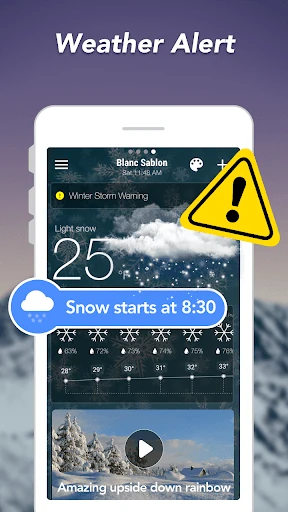
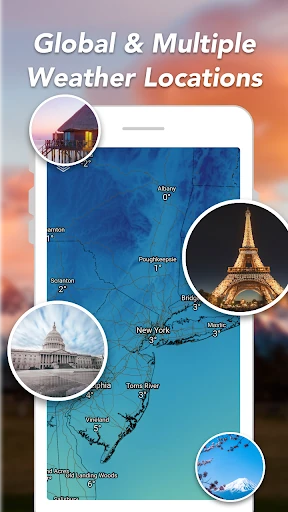
Analysis by Reviewed APKs
Weather Forecast: Live Weather is a weather app for checking current conditions and planning around the hours or days ahead. I found its mix of local readings, forecasts, alerts, and widgets useful for ordinary decisions like what to wear or whether to bring an umbrella. It suits people who want more detail than a single temperature, though ads and optional purchases are part of the experience.
Planning Around the Weather
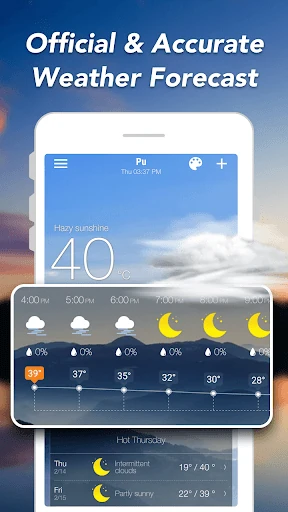
When I check the weather before leaving home, the useful question is usually more than whether it will be sunny. I want to know the temperature, how it will feel, and whether rain might interrupt a walk or commute. This app brings those details together, with current conditions and hourly and daily forecasts. Precipitation information and severe weather alerts add practical context when the day looks changeable.
I can picture using it during a quick morning routine: check the current conditions, scan the hourly forecast, then decide whether a jacket or umbrella belongs in my bag. The app also includes readings such as humidity, wind, visibility, UV index, and sunrise and sunset times. That is a good spread for planning a normal day without turning a basic weather check into a research project.
A Forecast, Not a Weather Station
The app is best understood as a convenient forecast and conditions companion. It covers the familiar checks—what it is like now, what is expected by the hour, and how the next ten days look—while also offering weather maps and radar. Compared with glancing at a phone’s basic weather display, its appeal is the extra detail and the option to keep weather information visible through widgets.
It is not a replacement for a dedicated meteorological tool or a reason to treat a forecast as certain. The description focuses on everyday weather information, not specialist analysis. I would use the app to plan a commute, choose a time for an outdoor errand, or keep an eye on incoming rain, rather than expecting it to answer every question about local conditions or explain the causes behind them.
Make the Details Work
A small habit that makes this kind of app more useful is checking the forecast at the time you are actually making plans. The hourly view can help with a walk or trip later in the day, while the daily view gives a broader sense of what is coming. I would pay particular attention to precipitation and wind when deciding whether an outdoor plan needs a backup.
It is also worth setting the units to match the way you already think about weather. The app supports Fahrenheit and Celsius, several wind-speed units, and inches or millibars for pressure. If I rely on a home-screen check, one of the available weather and clock widgets could make that glance easier. Widget sizes and themes are customizable, so there is room to choose a layout that fits the screen.
More From Our News Desk

Zoom Meetings, Google Meet, or Teams: Which Is Easiest to Join?

How I Build a Free Streaming Lineup With Tubi

Why Crunchyroll Is the Default Anime App for So Many Fans

YouTube TV: A Practical Guide to Cutting Cable

Rummikub and the Small Comfort of Phone Games

TeamViewer Remote Control or AnyDesk for Helping Family?
Who Will Find It Useful
I would recommend Weather Forecast: Live Weather to people who check conditions as part of an everyday routine and want more than a current temperature. Its combination of hourly and daily forecasts, precipitation details, alerts, and widgets covers common planning needs. The many measurement options and support for more than 30 languages may also make it easier for people with different preferences to use the information comfortably.
It may be less appealing if you want a minimal screen with no advertising or have little interest in forecast details beyond a quick glance. There is a lot of weather information available, so someone who prefers a very simple display may not use much of it. I would also keep in mind that forecasts are planning aids, not promises about exactly what the weather will do.
Weather Forecast: Live Weather is published by Weather Forecast - WaiWao Studio. On Google Play it has more than 10 million installs and a 4.8-star rating from about 171,000 ratings. The app is free to download and contains ads. Google Play also lists in-app purchases, with individual items priced from $2.99 to $4.99.
Google Play gives the app an Everyone content rating. The version shown is 1.115.0, and its release date is February 17, 2019. The most recent update listed in the supplied store details was October 23, 2025. Those details provide a practical snapshot of the app’s distribution and release history alongside its weather features.
A Closer Look at Everyday Forecasting
Opening the Weather App
My first impression is that this is designed to answer several weather questions in one place. Rather than stopping at a temperature, it offers current conditions alongside more detailed readings and forecasts. That breadth is useful if I am deciding what to wear or whether an outdoor plan needs adjusting. It also means there is more to look through than in a bare-bones weather display.
The description says the app provides local conditions as well as weather information for locations around the world. I would start with the place I care about most, then make sure the temperature, wind, and pressure units are familiar. Those settings matter: a forecast is much easier to use when the numbers match the conventions I already understand.
The Daily Forecast Check
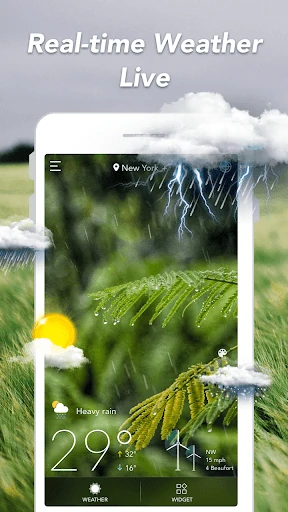
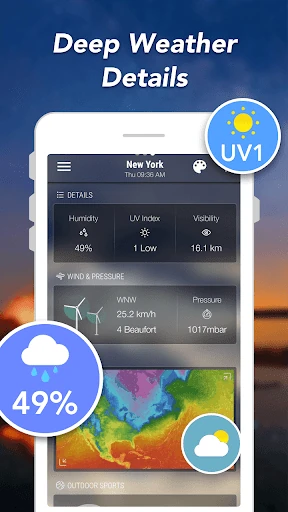
The central experience is checking current conditions and then looking ahead. The app includes a real-time report with temperature, feels-like temperature, precipitation, UV index, humidity, visibility, pressure, pollen count, and sunrise and sunset times. That collection is handy when a single reading does not tell the full story, such as a mild temperature paired with strong wind or a high UV index.
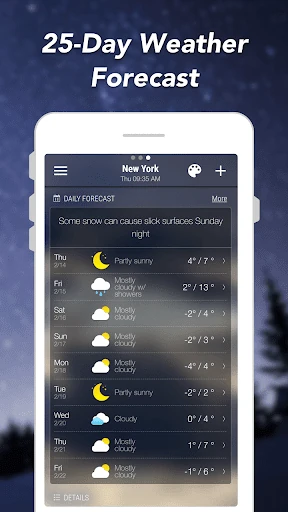
For planning, the hourly and daily forecast views serve different purposes. I would use the hourly outlook to decide when to take a walk or run an errand, and the daily view to get a sense of the coming stretch. The description also mentions forecasts up to ten days ahead. The further out I am looking, the more I would treat the view as a guide rather than a fixed plan.
Useful Weather Extras
Precipitation forecasts are one of the most immediately practical additions. A rain check before heading out can be the difference between carrying an umbrella and getting caught in a shower. Severe weather alerts and warnings add another reason to keep the app available, particularly when conditions may change quickly. I like that these tools are connected to the same general job: helping me prepare for weather I may encounter.
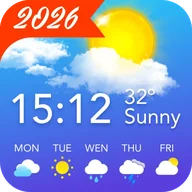
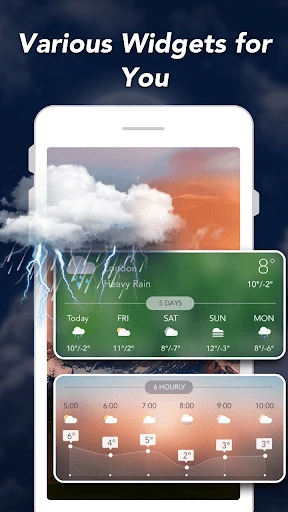
Widgets are another notable part of the package. The app offers weather and clock widgets in several sizes, including 2-by-1, 4-by-1, 4-by-2, 5-by-1, and 5-by-2 layouts, with different themes available. That gives users a way to see current or future weather information without opening the app for every check.
Weather maps and radar are also included among the local-condition features. Together with the selectable temperature, wind, and pressure units, they make the app more adaptable than a single static forecast. I would see these as useful extras for people who like to check weather visually or prefer specific units, rather than features everyone needs every day.
A Practical Weather Routine
A routine I would use is a quick check in the morning, followed by a second look before an outdoor plan. First I would note the current temperature and how it feels, then scan the hourly forecast for rain or a change in wind. If the day includes a longer outing, the daily forecast gives a broader view of what to expect.
For a week with changing plans, I would use the daily outlook to spot days that might call for a different arrangement, while keeping the hourly view for decisions closer to the time. A widget could make the first glance convenient, and the app itself remains available for details such as precipitation, visibility, or sunrise time. This routine uses the app’s different levels of detail without requiring a deep check every time.
Limits to Keep in Mind
The main trade-off is that the app is supported by advertising and also offers in-app purchases. That may be a minor consideration for someone who only checks the forecast occasionally, but it can matter if weather is something you open repeatedly throughout the day. The free download makes it easy to try, though the presence of ads is worth factoring into expectations.
There is also a difference between having lots of data and needing lots of data. Readings such as pollen count, pressure, and dew point may be useful to some people, while others will only want temperature and rain chances. The wide selection is a strength for curious users, but it may feel busier than necessary if your ideal weather app is deliberately stripped down.
Finally, forecasts are inherently about expected conditions, not a promise that every detail will unfold exactly as shown. I would use the alerts and forecast views as practical planning information, especially for routine choices, while staying flexible when plans depend heavily on the weather. The app gives several ways to check conditions, but the user still has to decide how much detail is helpful.
Weather Forecast: Live Weather is a capable everyday option, with current conditions, hourly and daily forecasts, precipitation information, alerts, widgets, and useful unit choices. Its range of readings makes it more informative than a quick temperature-only check, while the familiar forecast views keep the core job straightforward.
I would suggest trying it if you like to plan around weather and want information ready for both quick checks and closer inspection. If you prefer a very minimal experience, the extra detail and advertising may be less welcome. For routine weather planning, though, it covers the basics and several useful extras in one app.
Weather Forecast Frequently Asked Questions
What is Weather Forecast: Live Weather used for?
Weather Forecast: Live Weather is used to check current conditions and forecasts for local weather and locations around the world. It provides hourly and daily forecasts, precipitation information, severe weather alerts, and readings such as humidity, wind, visibility, and UV index. It also includes weather maps, radar, and widgets for checking weather information.
Which devices can run Weather Forecast: Live Weather?
Weather Forecast: Live Weather is an Android app distributed through Google Play. The available details do not specify a minimum Android version, so that requirement may vary with the current app release and device. Check the Google Play store entry on your device for the compatibility information that applies to you.
What Android version does Weather Forecast: Live Weather require?
The minimum Android version is not included in the available app details. Requirements can vary as the app is updated and may also depend on the device, so it is worth checking the Google Play store entry before installing. The version shown in the supplied details is 1.115.0.
Does Weather Forecast: Live Weather cost money?
The app is free to download and contains ads. It also offers in-app purchases, with listed individual items ranging from $2.99 to $4.99. Purchase options can change over time, so check the Google Play store entry for the current details before making a decision.
Who is Weather Forecast: Live Weather best suited for?
It should suit people who want current conditions, hourly and daily forecasts, precipitation information, and weather alerts in one app. Widgets and choices for temperature, wind, and pressure units add flexibility. If you want a very minimal display or dislike ads, its range of details and advertising may make it a less natural fit.
Pros
- Combines current conditions with hourly and daily forecasts for everyday planning.
- Includes precipitation forecasts, severe weather alerts, maps, and radar.
- Offers multiple widget sizes and selectable weather measurement units.
- Supports more than 30 languages, according to the app description.
Cons
- Advertising is included, with optional in-app purchases also available.
- The range of weather readings may be more detail than some users need.
- Minimum Android requirements can vary and are worth checking in Google Play.
- Category
- Weather
- Version
- 1.115.0