Water Reminder: Drink Reminder
- 13.02K
- 4.8
- Installs
- 100.00K
- Price
- Free
Screenshots
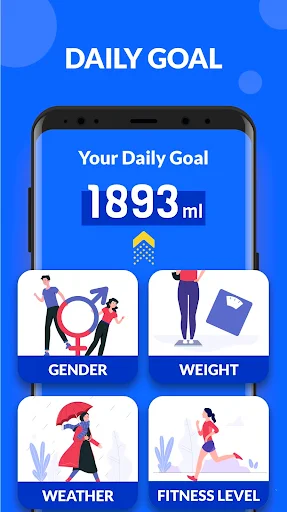
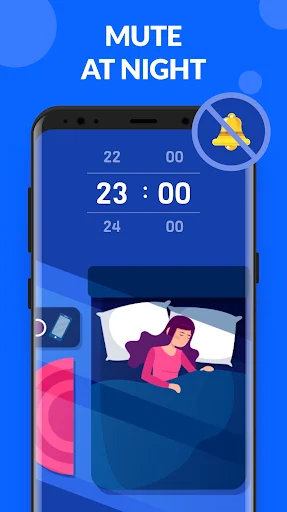
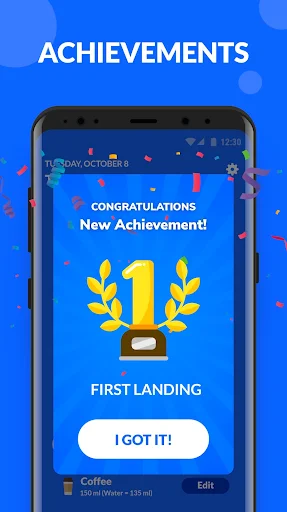
Analysis by Reviewed APKs
Water Reminder: Drink Reminder is a hydration tracker for people who mean to drink more water but lose track during a busy day. It estimates a daily goal, lets you log drinks, and sends reminders on a schedule you choose. I like that its job is straightforward: make a small daily habit easier to notice, without turning hydration into a complicated fitness project.
A Nudge Between Tasks
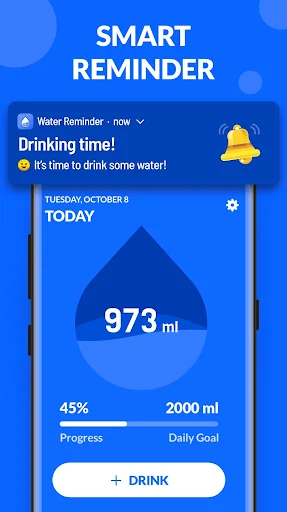
When I first considered how this app fits into an ordinary day, the useful moment was easy to picture: I’m working through emails, look up, and realize lunch has come and gone without a drink. Water Reminder can prompt me at set times or at intervals, so I don’t have to rely entirely on memory. When I do drink, I can record the amount and see how it contributes to my daily goal.
The setup uses details such as weight, gender, local weather, and exercise frequency to calculate a suggested daily amount. From there, the reminder and tracking tools give that target a practical shape. I can choose a drink and record it rather than keeping a mental tally. It’s a simple loop: get a nudge, take a drink, log it, and check progress when convenient.
A Tracker, Not a Coach
The obvious alternative is a phone alarm or a note on the desk. Those can remind me to drink, but they don’t also keep a drink history or show progress across days, weeks, months, and years. A general fitness app may cover many kinds of activity; this one stays focused on beverage logging and hydration reminders. That narrower purpose is a benefit if I want a small tool rather than another broad dashboard.
I wouldn’t treat it as a personal health coach or as a source of medical guidance. Its suggested goal is calculated from the personal details described in the app, and its main tools are reminders, logging, and charts. The app also doesn’t make the act of drinking more appealing by itself. It can help me notice and record the habit, but the routine still depends on my choices.
Make Logging a Habit
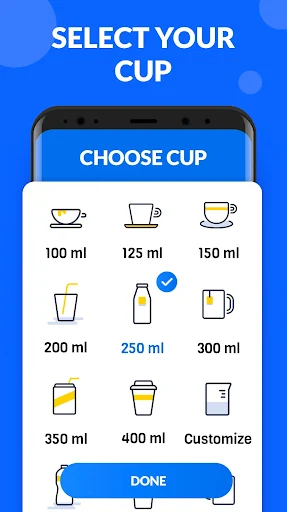
The app is most useful when logging takes only a moment. I’d choose a familiar cup and set its capacity, then use that same entry whenever I finish a drink. Water Reminder lets me change the cup’s appearance and size, which can make the record feel closer to what I actually use at home or at work. A consistent entry routine matters more than perfect record-keeping.
I’d also set reminder times around the shape of my day instead of accepting a stream of alerts. Timed reminders suit a predictable schedule; interval reminders can work better when the day varies. The app can avoid reminders during naps and sleep, and I can choose whether reminders continue after reaching the daily goal. Checking the weekly view occasionally is a calmer habit than scrutinizing every entry.
More From Our News Desk

Zoom Meetings, Google Meet, or Teams: Which Is Easiest to Join?

How I Build a Free Streaming Lineup With Tubi

Why Crunchyroll Is the Default Anime App for So Many Fans

YouTube TV: A Practical Guide to Cutting Cable

Rummikub and the Small Comfort of Phone Games

TeamViewer Remote Control or AnyDesk for Helping Family?
Who Might Find It Useful
I’d recommend Water Reminder to anyone who wants a dedicated place to track drinks and appreciates an occasional prompt. It makes sense for someone whose workday gets busy, or for a person trying to build a more regular routine without juggling a notebook and phone alarms. The daily goal, drink choices, adjustable cup, and history views give the basic task enough structure to be useful.
It may be less appealing if notifications feel distracting, if you don’t want to enter drinks manually, or if you’re looking for a broad wellness program. Ads are present, and the app’s focused approach won’t suit everyone who already tracks intake elsewhere. I’d also keep its calculated target in perspective: this is a habit tracker, not a substitute for individualized health guidance.
Water Reminder: Drink Reminder is a free Android Health & Fitness app from Easy Fitness App. On Google Play it has over 100,000 installs and a 4.8-star rating from around 13,000 ratings. It contains ads, while the provided store facts show no in-app purchases. Its content rating is Everyone.
The current version is 1.0.8. It was released on August 19, 2020, and was last updated on April 17, 2024. The minimum Android version is not included in the available facts, so check Google Play for the requirement that applies to your device.
A Simple Routine for Staying on Track
A Focused First Impression
When I first opened an app with this purpose, I’d want to know how quickly I could get from setup to a useful reminder. Water Reminder asks for personal details used to estimate a daily water goal, including weight and gender, along with local weather and exercise frequency. That gives the target some context rather than making it a number chosen without any inputs.
The first impression is practical rather than elaborate. The main idea is to record drinks and make the goal visible throughout the day. Once the target is calculated, I can adjust the daily goal and set reminders to suit my routine. That leaves room to make the app feel personal without requiring a complicated plan before I can begin.
The Daily Logging Loop
Day to day, the core experience is a repeated small action: choose a drink, record it, and see the running total against the daily goal. The menu includes about 20 drink options, so I’m not limited to a single water entry. I can also change the cup’s look and capacity, which is handy when my usual glass is not the same size as the default.
This kind of tracking works best when it stays lightweight. I can enter a drink when I finish it, then return to the app later to see how the day is going. If I miss an entry, the history won’t be a perfect account, but the running record can still help me notice whether I’ve been remembering to drink more consistently.
Reminders and History
The reminder options are more flexible than a single repeating alarm. I can choose a particular time or set an interval, then tailor whether alerts continue after I meet the daily goal. The app says it avoids reminders during sleep and naps, a sensible detail for people who don’t want hydration prompts interrupting rest.
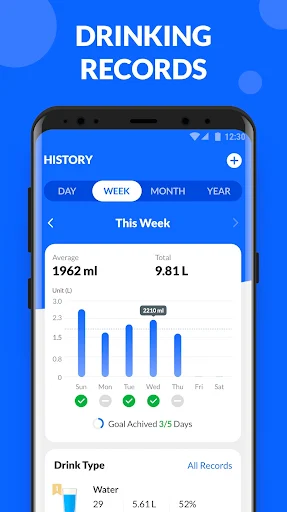
The graph and history add a longer view to the daily tally. Water Reminder can show drinking records over a day, week, month, or year, which gives me a way to spot broad patterns instead of judging a routine by one unusually busy afternoon. Achievements provide another bit of encouragement as goals are reached and badges unlocked.
The description also includes Google Fit syncing and backup and restore through a Google or Facebook account. Those options can matter if I already use Google Fit or want a way to preserve data. They are useful supporting features, though the central appeal remains the reminder-and-log cycle.
A Workday Routine
For a desk-heavy workday, I’d start by entering the details for the suggested goal, then set reminders to match the hours I’m usually awake and working. I’d choose a cup capacity that resembles my everyday glass and log drinks as I refill it. If I reach the goal earlier than expected, I can decide whether reminders should stop or continue.
At the end of the day, I’d take a quick look at the total rather than treating each missed entry as a failure. The weekly chart is more helpful for seeing whether I tend to forget during long meetings or on hectic afternoons. This routine keeps the app in the background most of the time, where a reminder tool belongs.
Keep Expectations Practical
The main limitation is that tracking depends on manual entries. If I forget to record a drink, the total and charts won’t reflect it, so the app is only as complete as my logging habit. The suggested daily amount is based on the details entered, but that doesn’t make the app a personalized health assessment. I’d use it as a prompt and record, not as an authority.
Notifications can also be a poor fit for someone who dislikes alerts, even with timing choices and sleep-aware reminders. Ads are present, which may be a minor annoyance during occasional check-ins. Finally, its focused feature set is a strength only if hydration tracking is what I want; it isn’t trying to replace a broad fitness or wellness app.
Water Reminder: Drink Reminder does the useful basics well on paper: calculate a suggested goal, remind me to drink, record beverages, and show a history. Its flexible schedules and adjustable cup details make the routine easier to fit around an ordinary day. The ads and need for manual logging are worth keeping in mind.
I’d try it if I want a dedicated hydration tracker and a gentle structure for remembering drinks. If I already log intake elsewhere or prefer not to receive reminders, it may add little to my day. For a focused habit tool, though, it offers a clear purpose without pretending to be a complete health program.
Water Reminder Frequently Asked Questions
What is Water Reminder: Drink Reminder used for?
Water Reminder: Drink Reminder is used to set a daily water goal, receive prompts to drink, and log beverages. It can estimate a goal using details such as weight, gender, local weather, and exercise frequency. It also keeps drinking history and displays progress across different time periods.
Which devices support Water Reminder: Drink Reminder?
Water Reminder: Drink Reminder is an Android app available through Google Play. The available details do not specify a particular phone model or minimum Android version. Check the Google Play page for the current device and Android compatibility requirements before installing.
Does Water Reminder: Drink Reminder cost money?
The app is free to install. The provided store facts show ads and no in-app purchases. Store details can change, so it is worth checking Google Play for the latest information about cost and in-app purchases before downloading.
What Android version does Water Reminder: Drink Reminder require?
The minimum Android version is not provided in the available app facts. Requirements can vary as the app and store information change, so check the Google Play page on your device to see whether your Android version is supported.
Is Water Reminder: Drink Reminder a good fit for me?
It may suit someone who wants drink reminders, a simple intake log, and charts of past records. It may be less suitable if you dislike notifications, don’t want to log drinks manually, or need a wider wellness tool. Its suggested goal and tracking features are not a replacement for individualized health guidance.
Pros
- Offers timed and interval reminders, with options for reminders after reaching the daily goal.
- Tracks drinks with adjustable cup capacity and a menu of about 20 drink choices.
- Shows intake history across day, week, month, and year views.
- Includes Google Fit syncing and account-based backup and restore options.
Cons
- Drink records depend on manually logging each beverage.
- Ads are present during use.
- Its focused hydration tools may not suit people seeking a broader wellness app.
- Category
- Health & Fitness
- Version
- 1.0.8











