VOKA 3D Anatomy and Physiology
- 4.41K
- 3.9
- Installs
- 500.00K
- Price
- Free
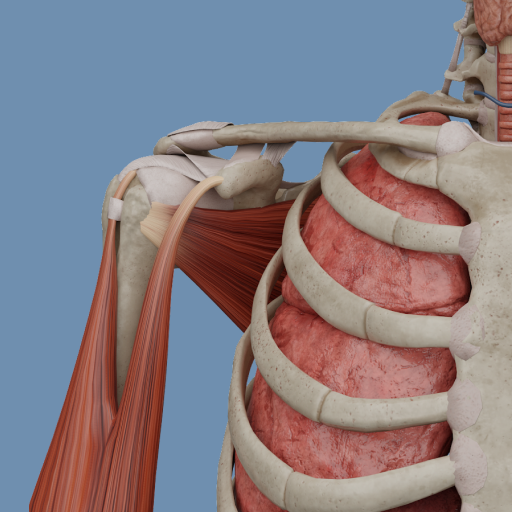
Screenshots
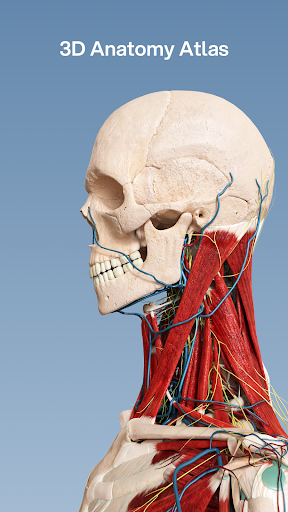
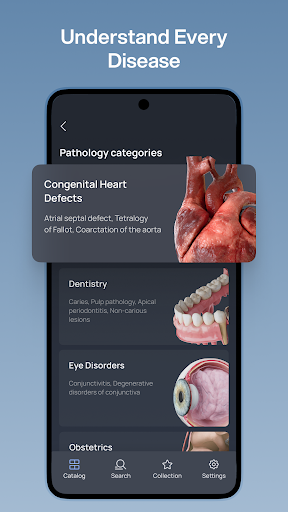
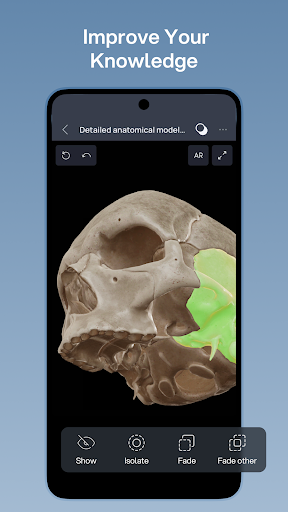
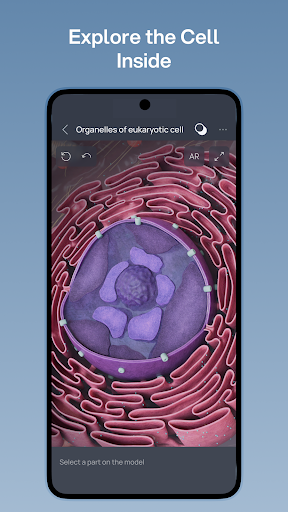
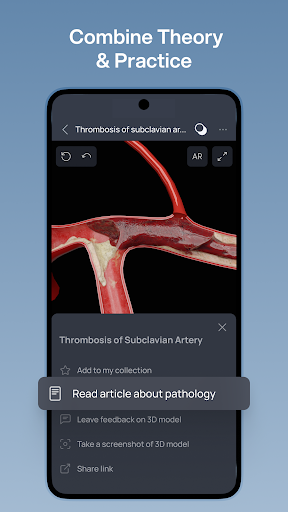
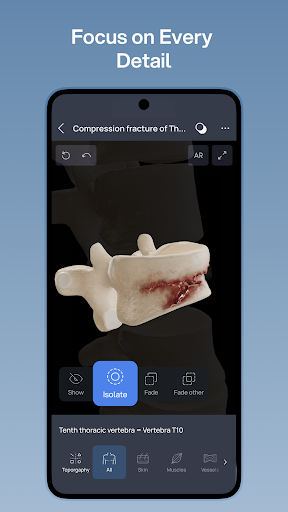
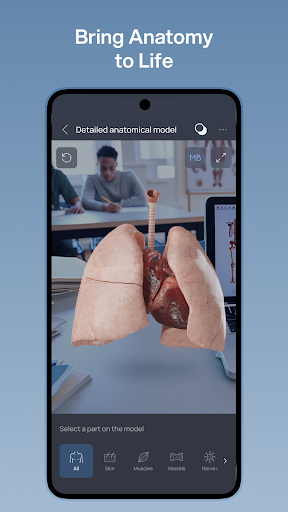
Analysis by Reviewed APKs
VOKA 3D Anatomy and Physiology is a mobile atlas for exploring bones, muscles, organs, and other body structures in interactive 3D. It suits anatomy students, educators, and professionals who want a visual reference alongside their usual study materials. After looking at what it offers, my overall take is that its layered views and focused tools make it more useful for active exploration than for reading a conventional textbook on a phone.
A Study Session in 3D
Picture a student reviewing the shoulder before class. Instead of flipping between diagrams, they can open VOKA, look at the skeleton and muscle systems, and use the interactive models to inspect the structures from different angles. Isolation mode can bring one structure into focus, while labels give names in Latin and local terminology. That makes a short review session feel more like examining a model than scanning a page.
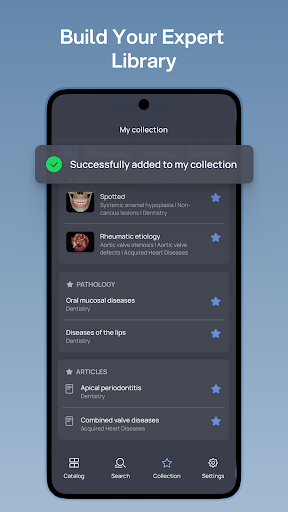
I can also see the atlas helping when a lecture leaves a visual gap. A learner might search for a structure, save a useful reference in a personal collection, then return to it before an exam. X-ray mode offers another way to look through layers, and the app includes views of organs and tissues as well as bones and muscles. It is a practical companion for connecting individual parts to the larger body.
Atlas, Not Textbook
VOKA is best understood as a visual anatomy reference, not a replacement for a full course, textbook, or conversation with an instructor. Its focus is the exploration of human structures and the relationship between healthy physiology and pathology. That emphasis is useful when a static illustration feels too flat, or when I want to revisit a structure quickly without searching through several chapters.
Compared with a printed atlas, the interactive views make it easier to examine layers and isolate parts. Compared with a general web search, the material is organized around anatomy and includes interactive labels and smart search. Still, the description does not present it as a complete learning program with quizzes or structured lessons, so I would pair it with class notes and other study resources rather than expect it to teach an entire subject by itself.
Small Habits That Help
A little structure can make an atlas more useful than simply opening it when an exam is near. I would pick one system at a time, search for the relevant structures, and spend a few minutes rotating through the available views. When a model answers a question from class, saving it to a personal collection gives me a way to revisit that reference without relying on memory alone.
I would also alternate between broad and narrow views. Start with a system or region to get a sense of where things sit, then use isolation mode to focus on a particular structure and labels to check terminology. X-ray mode can help when the question concerns what lies beneath a surface layer. These small passes are easier to fit into a commute or a study break than trying to cover the whole body at once.
More From Our News Desk

Zoom Meetings, Google Meet, or Teams: Which Is Easiest to Join?

How I Build a Free Streaming Lineup With Tubi

Why Crunchyroll Is the Default Anime App for So Many Fans

YouTube TV: A Practical Guide to Cutting Cable

Rummikub and the Small Comfort of Phone Games

TeamViewer Remote Control or AnyDesk for Helping Family?
Who may find it useful
I would recommend VOKA to anatomy students who learn well by looking, rotating, and comparing structures rather than relying only on flat diagrams. Educators may find it handy for demonstrating anatomy, while healthcare professionals can use it as a visual refresher. The combination of system and regional views, terminology labels, search, and saved collections gives different kinds of users a few ways to approach the same material.
It may be less satisfying for someone who wants a complete course with guided lessons, quizzes, or a clear progress plan; those features are not part of the described offering. It is also a specialist reference rather than a general wellness app. If you prefer concise written explanations over exploring models, a traditional text may suit you better. I see VOKA working best as one resource in a broader learning routine.
VOKA 3D Anatomy and Physiology is developed by Factory of innovations and solutions LLC. On Google Play, it has over 500,000 installs and a 3.9-star rating from 4,412 ratings. The content rating is Everyone. The app is listed as free to download, contains no ads, and offers in-app purchases priced from $0.49 to $99.99 per item.
The current version in the supplied app details is 7.5.0. The release date is February 19, 2021, and the last update date is October 29, 2026. The minimum Android version is not included in the available facts, so it is worth checking the Google Play page for the requirement that applies to your device.
How VOKA Makes Anatomy Easier to See
Opening the Atlas
My first impression is that VOKA is built around looking closely, rather than reading long passages. Its central draw is a 3D view of the body, with skeletal, muscular, organ, and tissue structures to explore. That makes the app feel immediately suited to a question like “where does this sit?” or “what is beneath this layer?” instead of a broad, linear introduction to anatomy.
I would begin by choosing a familiar system, then use search or the available views to find a structure I already recognize. That lowers the friction of learning the interface while giving me a point of comparison with class diagrams. Interactive labels include Latin and local terminology, which is useful when a course or reference uses different names for the same structure.
Day-to-Day Exploration
In ordinary use, the strongest idea is that the model can be examined rather than merely viewed. I can imagine opening the app between classes, finding a bone or muscle, and checking its position in relation to nearby parts. Smart search helps make that a targeted visit instead of a long browse, while the system and regional organization offers a route when I am not sure of an exact term.
The layered approach is especially relevant when a two-dimensional diagram leaves me guessing about depth. X-ray mode is described as a way to see internal layers, and isolation mode narrows attention to a chosen structure. Those are small but sensible tools for a phone-based reference: they help turn a crowded body model into something I can study in manageable pieces.
Tools Worth Noticing
Isolation and X-ray modes are the features I would reach for first. Isolation can make a complex view less visually busy, while X-ray mode gives another perspective on the body's layers. Interactive labels provide terminology directly on the models, and smart search is there for quicker navigation. Together, these features give the atlas a practical edge over an anatomy picture that stays fixed on the page.
Personal collections are another useful detail. When I come across a structure I want to remember for later, saving it creates a small set of references for revision. The app also includes AR mode for skeleton presentations, which may be useful when showing anatomy to someone else. Its description further highlights the ability to compare healthy physiology with pathology, connecting structural study to clinical findings.
A Repeatable Review Routine
For a short review, I would choose one topic from my notes, use search to locate the relevant structures, and inspect the model before trying to recall the names without looking. Then I would check the labels and save anything I want to revisit. That sequence keeps the app tied to a concrete study question, rather than turning a quick break into an unfocused tour of the whole body.
For a longer session, I would work from a system or region toward individual parts. First, look at the broad arrangement; next, isolate one structure; then switch to a layered view if its position is still unclear. A saved collection can hold the references from that session. Educators could adapt the same pattern for a demonstration, using the visual model to support an explanation rather than making the app the entire lesson.
Keep Expectations Grounded
An interactive model can clarify spatial relationships, but it does not automatically provide every kind of explanation a learner needs. VOKA is described as an atlas and pathology guide, with models and visualization tools at its center. I would not treat that as a promise of a complete curriculum or a substitute for textbooks, instruction, or professional judgment. It is strongest when used to look up and explore specific structures.
There are also practical considerations. The app is free to download but has in-app purchases, with item prices spanning a wide range, so I would check the store details before relying on paid content. The supplied facts do not give a minimum Android version; checking Google Play is sensible before installing. These points do not erase the value of its tools, but they help set expectations before making it part of a routine.
VOKA 3D Anatomy and Physiology makes a clear case for learning anatomy visually. Its interactive models, labels, search, isolation and layered views can help turn a confusing diagram into something easier to inspect. I especially like the idea of pairing it with class notes and saving useful structures for a later pass.
I would recommend it to students, educators, and professionals who want a hands-on anatomy reference, with the caveat that it is not presented as a full guided course. If you learn best through visual exploration and can work within its in-app purchase model, VOKA is worth considering as a focused companion.
VOKA 3D Anatomy Frequently Asked Questions
What is VOKA 3D Anatomy and Physiology used for?
VOKA is a 3D anatomy atlas for exploring human structures, including bones, muscles, organs, and tissues. It offers interactive models, terminology labels, smart search, isolation and X-ray modes, and personal collections for saved references. The description also covers comparing healthy physiology with pathology. It is aimed at anatomy learning and reference, rather than general wellness tracking.
Which devices can run VOKA 3D Anatomy and Physiology?
VOKA 3D Anatomy and Physiology is listed as an Android app on Google Play. The supplied details do not give a minimum Android version, so check the Google Play page to see whether your device meets the current requirement. Device compatibility can vary, and the store page is the best place to confirm it before installing.
Does VOKA 3D Anatomy and Physiology cost money?
The app is free to download and contains no ads, but it offers in-app purchases. The supplied price range is $0.49 to $99.99 per item. What an individual purchase includes may vary, so review the Google Play page and purchase details before deciding whether the free offering is enough for your needs.
Does VOKA 3D Anatomy and Physiology require a certain Android version?
The available app facts do not state a minimum Android version. Requirements can change with updates and may depend on the device, so check the Google Play page for the current compatibility information. VOKA is an Android app, and its store entry is the practical place to confirm whether your phone or tablet can install it.
Is VOKA 3D Anatomy and Physiology suitable for beginners?
It may suit beginners who want to explore anatomy visually, since it includes interactive models, labels, search, and ways to focus on individual structures. It is also aimed at students, educators, and healthcare professionals. The app is described as an atlas rather than a guided course, so someone wanting step-by-step lessons may prefer to use it alongside other learning materials.
Pros
- Interactive 3D views make it easier to examine body structures from different angles.
- Isolation, X-ray mode, labels, and search support focused anatomy study.
- Personal collections help save useful references for later review.
- Includes skeletal, muscular, organ, and tissue structures.
Cons
- It is an anatomy reference, not a described step-by-step course.
- In-app purchase prices span a broad range, from $0.49 to $99.99 per item.
- The supplied details do not specify the minimum Android version.
- Category
- Medical
- Version
- 7.5.0











