Trinity Health MyChart
- 4.32K
- 4.2
- Installs
- 500.00K
- Price
- Free

Screenshots
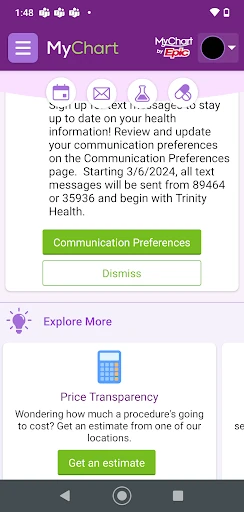
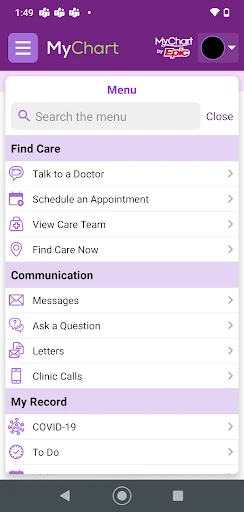
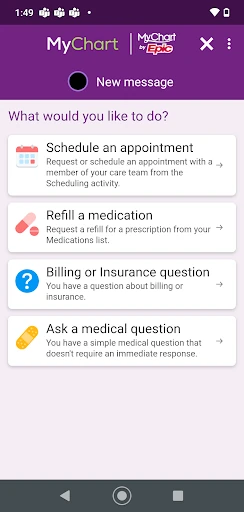
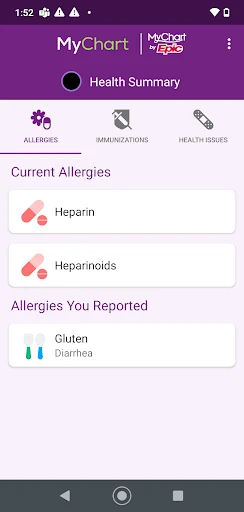
Analysis by Reviewed APKs
Trinity Health MyChart is a mobile companion for people who already receive care through Trinity Health and want to handle routine health tasks from their phone. It brings together information such as test results and medications with tools for messaging a doctor, managing appointments, and paying a bill. I see it as a practical account-based helper, especially for keeping everyday care details in one place.
A quick health check-in
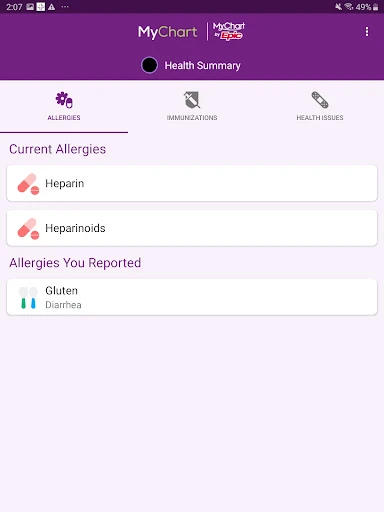
Imagine getting home after an appointment and wanting to check a result later, without searching through paper notes or trying to remember what was discussed. Trinity Health MyChart gives account holders a mobile place to review test results, medications, and immunization history. I like the idea of being able to return to those details when it suits me, rather than treating the visit as the only moment to catch up.
The same account can help with the practical follow-up: I could message my doctor, request a prescription refill, or look at an upcoming appointment and make a change if needed. It is not a substitute for a conversation when one is needed, but it can make routine communication less dependent on a phone call. For someone juggling work, family, and appointments, having these tasks gathered together is the app’s main everyday appeal.
A clinic account, not a symptom checker
The obvious comparison is a general health app that tracks activity or lets someone record personal notes. Trinity Health MyChart has a different center of gravity: it connects an existing Trinity Health account with care information and communication involving the care team. It can also take health and fitness information from a health app or other self-tracking programs such as Fitbit, but its core purpose is managing the patient relationship.
That makes it a better fit for handling appointments, results, bills, and messages than for broad wellness exploration. I would not approach it as a place to diagnose a new concern or replace direct care. Its usefulness depends on having a Trinity Health MyChart account and a reason to use the connected services. If your care is elsewhere, a general tracking app may be more relevant to your routine.
Small habits that help
I’d get the most from the app by checking it after appointments and at a regular time between visits, rather than opening it only when something feels urgent. A quick review of upcoming appointments, medication information, or new results can keep loose ends from piling up. The app’s tools are most useful when they become part of a simple routine, not another place to check constantly.
It also helps to treat each feature as a specific task: use messaging for a question for the care team, appointment tools when plans change, and the bill section when it is time to review or pay. If I already use a health app or a self-tracking program such as Fitbit, the option to upload that information may be worth incorporating. The app requires an account, so setting that up first is part of the process.
More From Our News Desk

Zoom Meetings, Google Meet, or Teams: Which Is Easiest to Join?

How I Build a Free Streaming Lineup With Tubi

Why Crunchyroll Is the Default Anime App for So Many Fans

YouTube TV: A Practical Guide to Cutting Cable

Rummikub and the Small Comfort of Phone Games

TeamViewer Remote Control or AnyDesk for Helping Family?
Who will find it useful
I’d recommend Trinity Health MyChart to Trinity Health patients who want to check health information and handle common follow-up tasks on a mobile device. It is particularly suited to people who appreciate having test results, medication details, appointment management, billing, and doctor messaging associated with their account. If those are chores you currently handle across calls and paperwork, the app offers a more consolidated way to approach them.
It may be less useful to someone who does not have a Trinity Health MyChart account, or who mainly wants a standalone fitness tracker or general wellness guide. The app’s purpose is connected to care and account services, not an all-purpose health toolkit. I’d also keep expectations practical: it provides ways to communicate and manage information, but it does not make a health question disappear or replace the care team.
Trinity Health MyChart is developed by Trinity Information Services Web Development. On Google Play, it has over 500,000 installs and a 4.2-star rating from 4,315 ratings. The app is free to download, with no in-app purchases or ads reported in the store details. Its content rating is Everyone, making the listed age category broad.
The current version is 11.5.2. The app was released on January 9, 2020, and its last recorded update was September 26, 2025. The available details do not give a minimum Android version, so check Google Play on your device for compatibility before installing. A MyChart account is required to use the account-based services.
A Closer Look at Everyday Care
Getting started
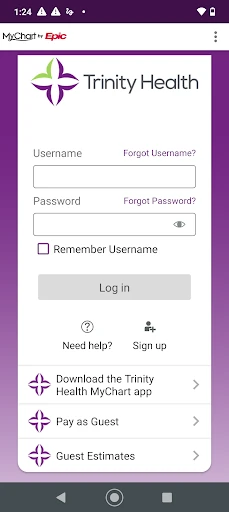
My first impression is that this app has a clear job: bring Trinity Health account services onto a phone. The opening step that matters most is having a MyChart account. Someone without one needs to create it through the Trinity Health MyChart website or contact their doctor’s office for help, so the app is not quite a start-from-zero health organizer.
Once the account is in place, the purpose is easy to understand from the available tools: check information, handle appointments, contact the care team, or review billing. That focus is helpful because it sets expectations. I would approach setup as preparation for managing existing care, not as a way to find a provider or begin a general health record.
The daily experience
In day-to-day use, the value is having several familiar care tasks available from the same mobile account. I can imagine opening it to check an appointment, then returning later to review medication information or send a message. That is a straightforward pattern for small administrative tasks that otherwise tend to get postponed until I have time to call.
The app also puts health information and practical account tasks side by side. Test results and immunization history serve a different purpose from bill payment, but both can matter in the same month of care. I appreciate that the app’s scope is concrete: it is meant to help manage a Trinity Health relationship, rather than asking me to adopt an elaborate new wellness routine.
Useful connected tools
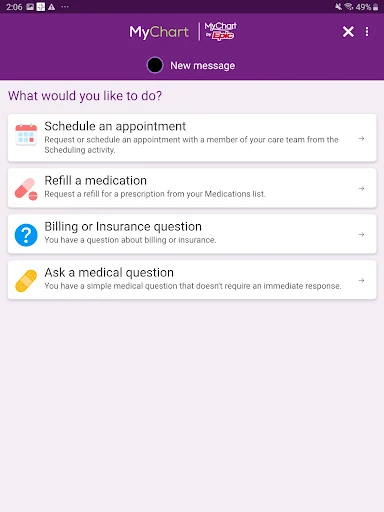
The standout feature set covers both information and action. I can review test results, medications, and immunization history, while also messaging a doctor, scheduling or changing appointments, and requesting prescription refills. Having those capabilities together makes the app more than a read-only record, especially for patients who need to keep up with ongoing care.
Billing is included too, with an option to view and pay a bill. Another useful connection is the ability to upload health and fitness information from a health app or other self-tracking programs such as Fitbit. I see that as a way to bring personal tracking information into the care-management context, rather than evidence that the app itself is a full fitness tracker.
A simple care routine
A practical routine could start after an appointment: check the account for relevant information, note any upcoming visit, and use the messaging tool for a question intended for the doctor. Later, a quick visit to the appointment section can help when plans need to change. This kind of occasional check-in feels more natural than treating a medical account like a social feed.
For people who track health or fitness elsewhere, the upload option may fit into that same routine. I would use it selectively, focusing on information that is relevant to share rather than adding data just because the connection exists. Then, when a bill arrives, the ability to view and pay it from the app rounds out the administrative side of care.
Keep the scope in mind
The biggest limitation is also the clearest boundary: this is for people with a Trinity Health MyChart account. Without one, the account-based functions are not a substitute for a general-purpose health app, and creating an account may require going through the website or asking a doctor’s office for assistance. That extra step is worth knowing before expecting to use it immediately.
The app’s tools support communication and access to information, but they should not be confused with an answer to every health concern. Messaging a doctor is useful for communicating with the care team; the app is not presented as a diagnostic service. Compatibility can also depend on the Android device, so it is sensible to check the current Google Play details before installing.
Trinity Health MyChart makes the most sense as a practical companion to care already received through Trinity Health. Its combination of health information, messaging, appointments, refills, and billing gives patients several reasons to keep it handy without turning it into a general wellness platform.
I’d recommend it to Trinity Health patients who want those routine tasks on their phone and already have, or can create, a MyChart account. If you are looking for a standalone tracker or broad health reference, this is not aimed at that need. For its intended audience, the focused collection of account tools is useful.
Trinity Health MyChart Frequently Asked Questions
What is Trinity Health MyChart used for?
Trinity Health MyChart lets account holders manage health information and communicate with their care team from a mobile device. It can be used to review test results, medications, and immunization history; view and pay bills; message a doctor; manage appointments; request prescription refills; and upload information from a health app or self-tracking program.
Which devices can run Trinity Health MyChart?
Trinity Health MyChart is an Android app available through Google Play. A minimum Android version is not provided in the available app details, and compatibility can vary by device. Check the current Google Play information on your phone before installing to see whether your device is supported.
Does Trinity Health MyChart cost money?
The app is free to download on Google Play. The store details report no in-app purchases and no ads. You need a Trinity Health MyChart account to use its account services; if you do not have one, the app’s description directs you to create an account through the MyChart website or contact your doctor’s office.
What Android version does Trinity Health MyChart require?
The minimum Android version is not provided in the available details. Requirements can change as an app is updated and may depend on your device, so check the Google Play page for Trinity Health MyChart before downloading. The current version shown is 11.5.2.
Who should use Trinity Health MyChart?
It is best suited to people who receive care through Trinity Health and want mobile access to their account information and routine care tasks. It may not suit someone seeking a general fitness tracker, a broad wellness guide, or a service unrelated to a Trinity Health MyChart account. The app’s specific features depend on account access.
Pros
- Combines results, medication information, appointments, messaging, refills, and billing in one account.
- Supports practical follow-up tasks without relying only on phone calls.
- Can upload health and fitness information from connected tracking apps.
- Free to download, with no ads or in-app purchases reported.
Cons
- Requires a Trinity Health MyChart account to use its core services.
- Account creation may require the website or help from a doctor's office.
- Not designed as a standalone fitness tracker or general health guide.
- Category
- Medical
- Version
- 11.5.2











