T-Mobile FamilyWhere
- 27.91K
- 3.6
- Installs
- 1.00M
- Price
- Free

Screenshots

Analysis by Reviewed APKs
T-Mobile FamilyWhere helps account holders check the location of phones on their T-Mobile account, using a map, scheduled checks and family check-ins. It suits households that want a simple way to coordinate arrivals or see whether someone has reached home. After looking through its everyday uses, I see a focused tool rather than an all-purpose family safety app: useful for basic location checks, with a few important limits.
A quick check after school
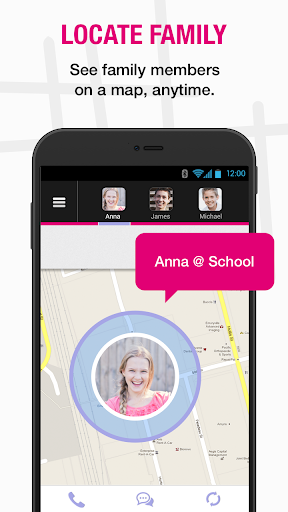
Picture a weekday afternoon: practice has ended, and I want to know whether my child’s phone has made it home before I start dinner. FamilyWhere lets an account holder request a location for a device on the T-Mobile account and view the result on an interactive map. That is the app’s central job. Rather than sending another message and waiting for a reply, I can make a location check when I need one.
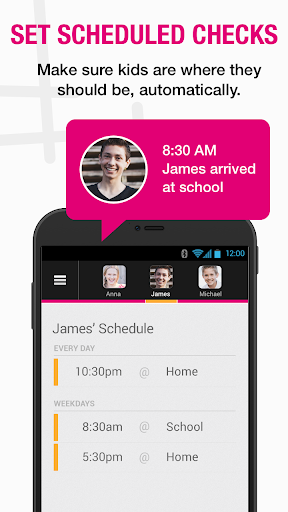
For a less hands-on routine, I could arrange automatic scheduled checks and receive notifications by SMS or email. The person carrying the phone can also use Check-In to share a location when they choose. I like that these are two different ways to coordinate: a check initiated by the account holder, or a check-in sent by the family member. The app is most useful when everyone understands how those checks work.
A locator, not a full safety suite
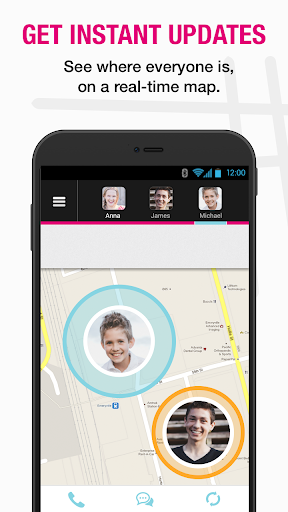
FamilyWhere is best understood as a phone locator for devices connected to a T-Mobile account. Its map, scheduled checks, location history and check-in option cover common coordination questions, such as whether someone has arrived or where a phone was recently located. It can locate up to 10 lines on an account, so it may suit a household that wants one place to check several connected phones.
I would not treat it as a general-purpose parental-control or activity-monitoring app. The supplied feature details focus on locating phones, notifications and check-ins, not blocking apps or managing screen time. It also depends on a phone being powered on and connected to T-Mobile’s network. FamilyWhere is therefore a practical location tool, not a substitute for a conversation or a promise that every location result will be precise.
Make checks part of a routine
The app makes more sense when I use scheduled checks for predictable moments instead of repeatedly asking for locations throughout the day. A school dismissal or the end of practice is an obvious example: an automatic check can provide a timely update without making me open the app over and over. Notifications by SMS or email also make the result easier to notice while I am busy doing something else.
For unplanned changes, Check-In offers a simple alternative. A family member can send a check-in SMS from an Android phone, and the account holder can view the shared location in the app or a mobile browser. I would agree as a family on when to use scheduled checks and when a check-in is enough. That keeps the tool practical and makes its location sharing easier to understand.
More From Our News Desk

Zoom Meetings, Google Meet, or Teams: Which Is Easiest to Join?

How I Build a Free Streaming Lineup With Tubi

Why Crunchyroll Is the Default Anime App for So Many Fans

YouTube TV: A Practical Guide to Cutting Cable

Rummikub and the Small Comfort of Phone Games

TeamViewer Remote Control or AnyDesk for Helping Family?
Who may find it useful
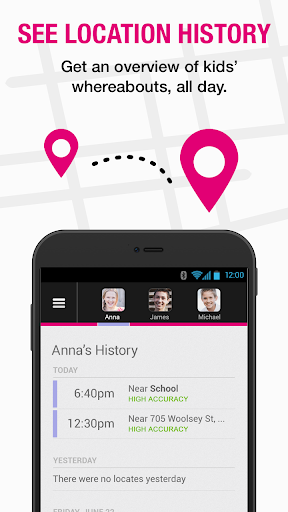
I would recommend FamilyWhere to T-Mobile account holders who want a straightforward way to locate family phones and coordinate routine arrivals. The mix of on-demand checks, scheduled notifications and voluntary check-ins gives a household a few workable options without turning the app into a complicated planning system. The seven-day location history can also help when a family needs to look back at recent phone locations.
It may be a poor fit for households whose devices are not on a T-Mobile account, or for anyone who expects exact results regardless of phone or network conditions. The description says iOS-device results show only an approximate location, such as the nearest cell tower, and that devices must be on and connected to T-Mobile’s network. I would also skip it if the real need is broader phone supervision rather than location sharing.
T-Mobile FamilyWhere is a Lifestyle app from T-Mobile USA. On Google Play it has over 1 million installs and a 3.6-star rating from around 28,000 ratings. It is free to download, and the supplied store facts say it has no in-app purchases and contains no ads. The content rating is Everyone, making the store’s age classification broad.
The current version is tmofw-10.10.5-b62-0c049ba7f. It was released on February 7, 2011, and its latest update is dated October 30, 2026. The minimum Android version is not included among the available facts, so check Google Play for device compatibility before installing.
A Closer Look at FamilyWhere
A focused first impression
When I first opened the idea of FamilyWhere, what stood out was how narrow its purpose is: finding phones on a T-Mobile account. The map is the main destination, while on-demand location requests, scheduled checks and Check-In serve different ways to get a location. That focus is helpful if I only need a quick answer. It also sets expectations; this is not a broad dashboard for every part of family life.
The account connection matters from the start. The app is intended for locating devices associated with a T-Mobile account, and people whose phones can be located receive an SMS notification. I would make sure family members know that before relying on the app. A little shared understanding about who can request a location and when makes the tool feel like coordination rather than a surprise.
Everyday location checks
The everyday flow is easy to picture: I need a location, request one for a phone on the account, and check the map for the result. For repeated moments, scheduled checks can send a notification by text or email. That distinction is useful. A one-off question does not require a permanent routine, while regular school or activity transitions can be handled without manually asking every time.
I would keep the network and device conditions in mind when interpreting a result. FamilyWhere can locate only phones that are powered on and connected to T-Mobile’s network. It is a location service, not a way to reach a phone that is switched off or outside that connection. A missing or approximate result should be read in that practical context rather than treated as a complete account of someone’s whereabouts.
Useful options beyond the map
Scheduled checks add convenience for repeated routines, with alerts available through SMS or email. The seven-day location history gives the account holder a short look back at recent locations. I can see that being handy if I want to review whether a phone was at a familiar place earlier in the week, rather than keeping a separate mental log of every check.
Check-In is a different kind of feature: family members can choose to share their location by sending an SMS from an Android phone. The account holder can see that shared location in the FamilyWhere app or a mobile web browser. The description also mentions fun emoticons for children’s check-ins, a small touch that may make the action less formal for younger users.
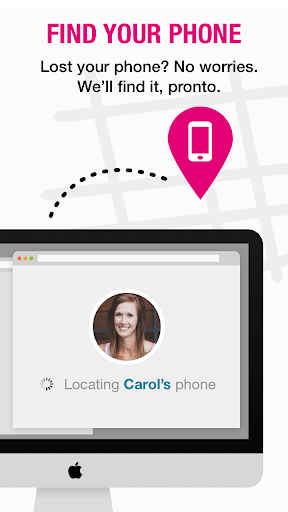
There is room for up to 10 lines on a FamilyWhere account. For a household with several T-Mobile phones, that means the same location tool can cover more than one person. The service can also be managed online through My.T-Mobile.com, which gives account holders an alternative to using the Android app.
A calmer family routine
A sensible routine might be to schedule a location check around the end of school or a regular practice, then use Check-In when plans change. I would avoid treating every small delay as a reason to request another location. Instead, the app can answer a specific coordination question while the family keeps ordinary communication in the loop.
For example, if I am finishing work while a family member is travelling home, a scheduled check could notify me by SMS or email. If they stop somewhere unexpected, they can share a check-in from their Android phone. The point is not to monitor every movement; it is to have a practical way to share or check a location when that information helps with the day’s plans.
Limits to keep in mind
Location precision is an important limitation. The description says results for iOS devices are less accurate than Android results; for iOS phones on the account, FamilyWhere displays only an approximate location, such as the nearest cell tower. I would not rely on it for fine-grained directions or assume that every map point identifies an exact address.
The phone must be powered on and connected to T-Mobile’s network for FamilyWhere to locate it. That makes the service dependent on both the device and its network connection. It is also described as optimized for smartphones and may not work with every tablet, so a tablet should not be assumed to have the same experience as a phone.
Finally, the app’s job is specific. The material describes location requests, scheduled alerts, check-ins and recent location history, not broader device controls. It can help a family coordinate, but it does not remove the need to talk about sharing expectations or make every location result definitive.
T-Mobile FamilyWhere offers a clear set of location tools for households with phones on a T-Mobile account. I like the choice between on-demand requests, scheduled notifications and voluntary check-ins, along with a short location history. The network requirement and the approximate results for iOS devices are meaningful limits, so I would treat it as a practical aid rather than a complete picture.
I would recommend it to T-Mobile families who want a simple way to coordinate arrivals and check recent phone locations. It is less suitable if you need precise results across every device or expect a full parental-control suite. If those expectations match the app’s narrower purpose, FamilyWhere is worth considering.
T-Mobile FamilyWhere Frequently Asked Questions
What is T-Mobile FamilyWhere used for?
T-Mobile FamilyWhere lets an account holder locate phones connected to a T-Mobile account on a map. It supports on-demand location requests, scheduled checks with SMS or email notifications, family check-ins, and a seven-day location history. The phone must be powered on and connected to T-Mobile’s network for a location request to work.
Which phones and devices work with T-Mobile FamilyWhere?
The app is for Android, and the service can locate mobile devices connected to a T-Mobile account. Family members can send Check-In messages from Android phones. The description says the service is optimized for smartphones and may not be compatible with every tablet. It also notes that iOS-device results are approximate, such as the nearest cell tower.
What Android version does T-Mobile FamilyWhere require?
The Android version requirement can vary by release and device. Check the Google Play store page for the current compatibility details before installing. The service also depends on the phone being powered on and connected to T-Mobile’s network, so compatibility alone does not determine whether a location request will return a result.
Does T-Mobile FamilyWhere cost money?
The app is free to download, and the store facts say it has no in-app purchases or ads. The service description separately mentions a 30-day free period for FamilyWhere Locate followed by a $10 monthly subscription billed to the account. Check Google Play and your T-Mobile account for current terms, since service pricing may vary.
Is T-Mobile FamilyWhere suitable for my family?
It may suit families with phones on a T-Mobile account who want location checks, scheduled alerts or voluntary check-ins. Up to 10 account lines can be located. It may not suit households on other networks or people who need precise results for every device: the service requires a T-Mobile connection, and iOS locations are approximate.
Pros
- Combines on-demand location requests with scheduled checks and SMS or email alerts.
- Family members can voluntarily share a location through the Check-In feature.
- Provides seven days of location history and supports up to 10 account lines.
- Offers a mobile web option alongside the Android app.
Cons
- Only locates phones powered on and connected to T-Mobile’s network.
- iOS-device location results are approximate rather than precise.
- Optimized for smartphones and may not work with every tablet.
- Category
- Lifestyle
- Version
- tmofw-10.10.5-b62-0c049ba7f