Athan: Prayer Times, Dua-Azkar
- 333.82K
- 4.9
- Installs
- 10.00M
- Price
- Free

Screenshots
Analysis by Reviewed APKs
Athan: Prayer Times, Dua-Azkar brings daily prayer times and a set of Islamic practice tools into one Android app. It suits people who want reminders alongside Quran audio, duas, a Qibla finder, and simple ways to track daily goals. After looking at how its features fit together, my impression is of a broad, practical companion: useful for building a routine, though it offers more than everyone will need.
Prayer Times in Daily Life
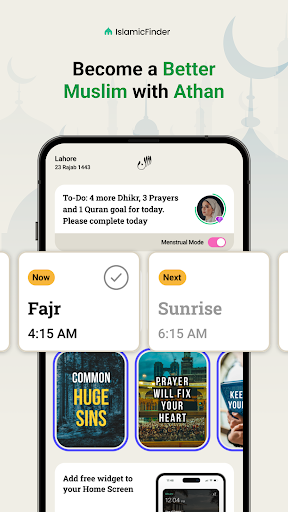
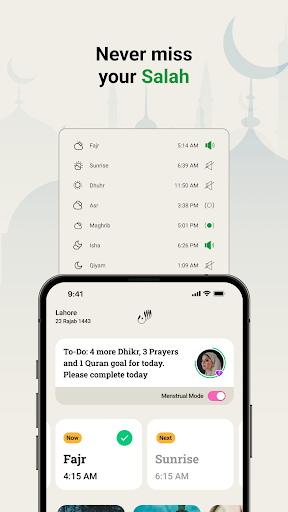
Picture a busy weekday: I check the day’s prayer times in the morning, then let Athan’s notifications help me keep those times in view as errands and work take over. The home-screen prayer widget can make the schedule accessible without opening the app, while an Azan alarm offers an audible reminder. That combination is the app’s central job, and it is easy to see why it would suit someone who wants prayer information close at hand.
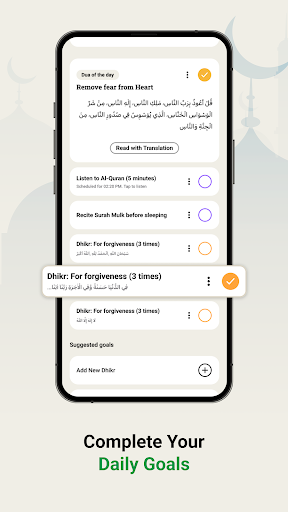
After a prayer, I can use the app to mark it in the daily log, then move on to a Quran goal or a short session with the Dhikr counter. Those tools make the app feel less like a clock that I check once and forget, and more like a place to support a few connected habits. Daily goals and streaks add a little structure, without making the core prayer-time function hard to understand.
More Than a Prayer Clock
A simpler prayer-times app may be the better choice if all I want is a schedule and a reminder. Athan goes further, gathering Quran reading and audio, duas and athkar, a Qibla finder, a Hijri calendar, and Hajj and Umrah guides. I can see the appeal of having those references in one place, especially when I already reach for my phone to check prayer times during the day.
That breadth also means Athan is not a dedicated Quran study tool, a standalone calendar, or a general productivity planner. Its daily goals and streaks focus on religious routines, rather than managing work tasks or appointments. If I only need one small function, the extra sections could feel like more app than necessary. For someone who values a combined toolkit, though, having these related features together is the point.
Small Habits That Help
Athan is likely to work best when I decide which parts belong in my actual routine. I might start by checking prayer times and enabling the reminder that fits my day, then add one modest daily goal, such as listening to Quran or completing an athkar. The app allows daily goals to be customized, so I can keep the routine manageable instead of treating every feature as something I must use.
I would also make a habit of checking the location-related settings before relying on the prayer schedule, since the app says to enable automatic settings for the most accurate local times. A quick look at the widget can then replace repeated trips into the app. For Dhikr, choosing a short counter session when I have a quiet moment gives the feature a natural place in the day rather than turning it into another task.
More From Our News Desk

Zoom Meetings, Google Meet, or Teams: Which Is Easiest to Join?

How I Build a Free Streaming Lineup With Tubi

Why Crunchyroll Is the Default Anime App for So Many Fans

YouTube TV: A Practical Guide to Cutting Cable

Rummikub and the Small Comfort of Phone Games

TeamViewer Remote Control or AnyDesk for Helping Family?
Who Might Find It Useful
I would recommend Athan to Muslims who want prayer times and Azan reminders alongside a few everyday religious resources. The combination of a prayer log, customizable goals, Quran audio, duas, and Dhikr counting gives it practical range. It may be especially handy for someone who prefers to keep a daily schedule and reference material together, rather than switching between several separate apps.
It may be less appealing to someone who wants a very minimal prayer alarm, or who does not expect to use the Quran, calendar, Qibla, and guidance sections. The range can take a little attention to sort through, and reminders only help if they fit the way a person prefers to organize their day. I’d approach its streaks and goals as optional supports, not obligations.
Athan: Prayer Times, Dua-Azkar is a Lifestyle app from IslamicFinder.org. On Google Play, it has over 10 million installs and a 4.9-star rating from around 334,000 ratings. It is free to download and contains ads. The app also offers in-app purchases, with items priced from $0.99 to $9.99. Its content rating is Everyone.
The supplied app details give version 11.0.7, a release date of July 19, 2012, and a last update date of November 4, 2026. The description identifies Athan Pro as an ad-free subscription option. A minimum Android version is not included among the available app details, so anyone checking device compatibility should consult the Google Play information for their device.
A Closer Look at the Daily Routine
Opening and Getting Started
When I first opened the idea of Athan, what stood out was its range: prayer times sit alongside Quran, goals, duas, and other references. That makes the app feel like a daily hub rather than a single-purpose alarm. I would begin with the essential setup—checking the location-related settings and deciding which reminders I want—before exploring the rest. The description specifically recommends automatic settings for local prayer-time accuracy.
The first useful decision is how much of the app to take on at once. Setting up a prayer schedule and choosing a daily goal gives the experience a clear starting point. The app also offers a home-screen widget, which can keep prayer times visible outside the app. I’d treat the other sections as resources to explore when a need comes up, instead of trying to configure every feature on day one.
The Everyday Experience
Day to day, the most straightforward loop is checking prayer times, receiving an Azan reminder, and logging the prayers I complete. The daily log and streaks give that routine a visible shape. I can see the value in having those pieces close together: the schedule prompts the action, and the log provides a simple record afterward. The app also includes a widget, so the schedule need not be buried behind multiple taps.
Beyond prayer, I can set a Quran listening goal or use the daily athkar and Dhikr counter as another small part of the routine. These are distinct activities, but Athan presents them as connected daily goals. I like that the goals are customizable, since a routine that works on a quiet weekend may not fit a crowded weekday. It makes more sense to choose a few useful habits than to chase every available marker.
Tools Beyond the Schedule
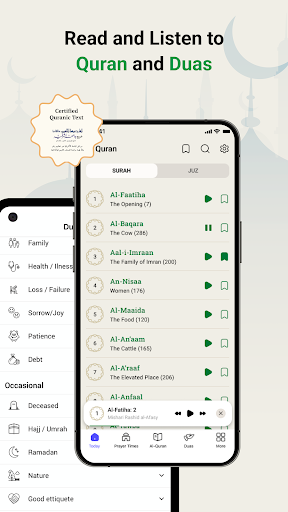
The Quran section supports reading and audio, with the description naming translations in more than 45 languages, bookmarks for Surahs and Ayahs, and the ability to share an Ayah. It also connects listening with a daily Quran goal. I can imagine using that feature during a quiet break, then returning to the prayer schedule later. Having both reading and listening options gives the section more than one natural place in a day.
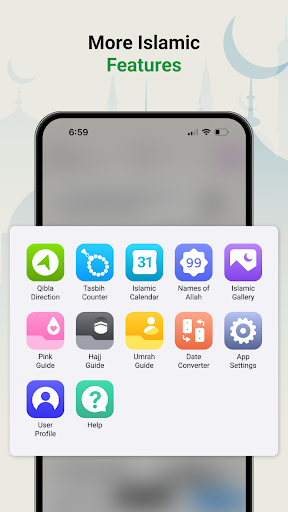
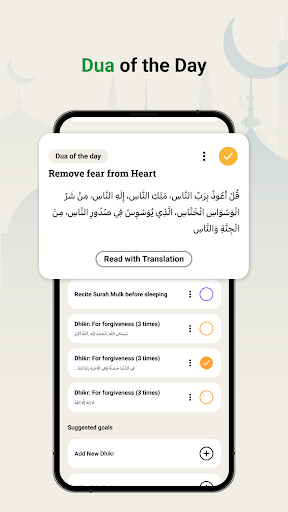
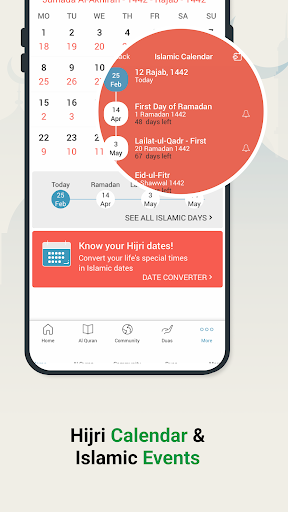
Other useful additions include a Qibla finder, a Hijri calendar with Islamic events, and step-by-step Hajj and Umrah guides. The app also includes duas and athkar with audio, plus a Tasbeeh counter that offers dark and light themes. These features serve different moments, from checking a direction to counting Dhikr. They make Athan broader than a reminder tool, without changing its main focus on prayer times.
A Routine That Sticks
A practical routine could begin with the widget as a quick morning reference, followed by prayer notifications during the day. After each prayer, I can update the daily log, then use a short spare moment for a Dhikr count or an athkar reminder. This keeps the app’s functions tied to moments that already exist, rather than requiring a separate block of time to manage the app itself.
For a quieter evening, I could listen to Quran and let that count toward a daily goal. On a day when I need a reference instead, the Qibla finder or Hijri calendar is available in the same app. I’d keep the goals realistic and adjust them when my schedule changes. The point of customization is to make these tools fit a personal rhythm, not to add pressure to complete a long checklist.
Limits to Keep in Mind
Athan’s wide selection is also its main trade-off. Someone who only wants a clean prayer schedule may find the Quran, calendar, goals, guides, and other sections unnecessary. I would start with the features I plan to use and ignore the rest until they become relevant. That approach keeps the app’s broad toolkit from making a simple daily check feel more involved than it needs to be.
Prayer times depend on the app’s location-related setup, and the description advises enabling automatic settings for the most accurate times. Reminders and daily goals also suit people who want those prompts; they are not essential to every routine. Finally, the app is free but contains ads and offers in-app purchases, so the free experience includes those commercial elements. The ad-free Athan Pro option is described as a subscription.
Athan: Prayer Times, Dua-Azkar makes the strongest case as a flexible daily companion: prayer schedules and reminders at its center, with Quran, Dhikr, duas, calendar information, and guides nearby. I like that users can choose daily goals rather than rely on one fixed routine. Its breadth is useful, but it does ask me to be selective about what I actually need.
I’d recommend giving it a try if you want prayer times and several related tools in one Android app. If your priority is only a minimal alarm, a simpler option may feel more focused. For the best fit, I’d begin with location settings, the schedule, and one or two goals, then add other features only when they serve a real part of the day.
Athan Frequently Asked Questions
What is Athan: Prayer Times, Dua-Azkar used for?
Athan is an Islamic lifestyle app centered on prayer times and Azan reminders. It also includes a prayer log, customizable daily goals, Quran reading and audio, duas and athkar, a Dhikr counter, a Qibla finder, an Islamic calendar, and Hajj and Umrah guides. The features support a range of daily religious routines.
Which devices can run Athan: Prayer Times, Dua-Azkar?
Athan is an Android app available through Google Play. A minimum Android version is not provided in the app details here, so compatibility can vary by device and Android release. Check the Google Play information for the app on your device to see whether it can be installed.
Does Athan: Prayer Times, Dua-Azkar cost money?
Athan is free to download and contains ads. It offers in-app purchases priced from $0.99 to $9.99 per item. Its description says Athan Pro provides an ad-free experience through monthly and yearly subscriptions. For current purchase details and subscription terms, check the Google Play page.
Does Athan: Prayer Times, Dua-Azkar need location setup?
The app provides local prayer times and recommends enabling automatic settings for the most accurate times for your location. I’d check those settings before relying on the schedule. The app also includes a Qibla finder, Quran resources, and other features that can be used as part of a daily routine.
Who is Athan: Prayer Times, Dua-Azkar best for?
It may suit Muslims who want prayer reminders alongside tools such as Quran audio, daily goals, a Dhikr counter, and an Islamic calendar. Someone looking only for a basic prayer alarm may prefer a more focused app. Athan’s broader set of features is most useful when several of them fit your routine.
Pros
- Combines prayer times and Azan reminders with a daily prayer log.
- Includes Quran reading and audio, duas, athkar, and a Dhikr counter.
- Customizable daily goals let users choose a manageable routine.
- A home-screen widget keeps prayer times easy to check.
Cons
- The many sections may feel like too much for someone wanting only prayer alerts.
- Local prayer-time accuracy depends on appropriate location-related settings.
- The free app contains ads, with in-app purchases also available.
- Category
- Lifestyle
- Version
- 11.0.7











