Stop Motion Studio
- 126.71K
- 4.1
- Installs
- 10.00M
- Price
- Free

Screenshots
Analysis by Reviewed APKs
Stop Motion Studio is a mobile animation app for turning small, carefully staged changes into a movie, one frame at a time. It suits curious beginners, families, and hobby animators who want more control than a simple slideshow offers. I like the balance it aims for: approachable capture tools alongside editing options for sound, titles, and image adjustments. The range is appealing, though some features require in-app purchases.
A tiny scene, frame by frame
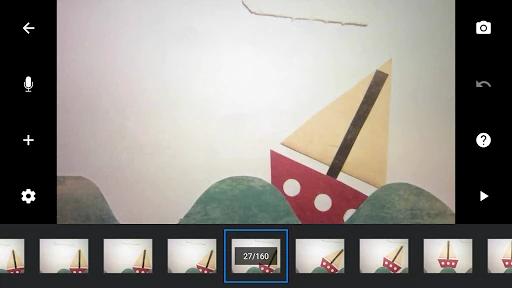
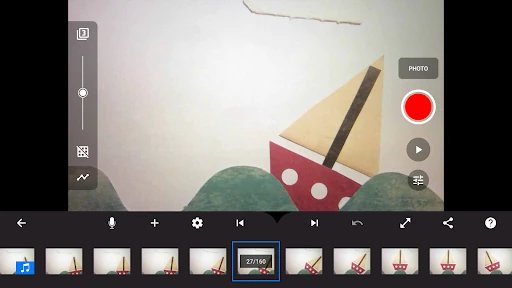
Imagine setting up a little figure beside a paper tree on the kitchen table. You take a picture, nudge the figure forward, and take another; played in sequence, those small movements become the scene. Stop Motion Studio is built around that hands-on process. Overlay mode helps compare the current setup with the previous frame, while animation guides can help keep a character or object on a planned path.
That setup also shows why this kind of animation rewards patience. A scene that looks unchanged to the eye can feel lively when the frames are played back, but a large repositioning between shots may look jumpy. The app gives you tools to review and adjust the sequence, including a timeline and frame editing. I would start with a short action, like a figure waving, before attempting a longer story.
More than a camera app
A regular camera app is for capturing a moment; Stop Motion Studio is for building a sequence from many moments and shaping them into a movie. That makes it a better fit for a Lego character crossing a desk or a drawing that changes over time than for quick snapshots. Its frame controls, guides, and editing tools serve a specific creative job rather than trying to be an all-purpose photo organizer.
It is not a substitute for a full desktop editing workflow in every situation, either. The app can support projects that move between a mobile device and a desktop computer, but the core appeal is making and refining stop-motion scenes. If I only wanted a fast video of an event, I would reach for a conventional camera. If I wanted objects to appear to move by themselves, this is the more relevant tool.
Small habits, smoother animation
A few careful habits can make a stop-motion session less frustrating. I would settle the camera and scene before capturing, use the overlay to check each new position, and review the timeline regularly rather than waiting until the end. When a frame is out of place, copy, paste, cut, and insert controls offer ways to adjust the sequence without rebuilding every part of it.
It also helps to plan sound and titles as part of the project, not as last-minute decoration. The app supports built-in music and sound effects, music from a library, narration, and editable title or credit cards. I would keep an early project short, try one effect at a time, and save a version I like before experimenting with filters, backgrounds, or aspect ratios.
More From Our News Desk

Zoom Meetings, Google Meet, or Teams: Which Is Easiest to Join?

How I Build a Free Streaming Lineup With Tubi

Why Crunchyroll Is the Default Anime App for So Many Fans

YouTube TV: A Practical Guide to Cutting Cable

Rummikub and the Small Comfort of Phone Games

TeamViewer Remote Control or AnyDesk for Helping Family?
Who may enjoy animating
I would recommend Stop Motion Studio to anyone who likes making things with their hands and is willing to work in small increments. It can suit a beginner learning how frame-by-frame animation works, a family making a playful short at home, or a hobbyist who wants controls for exposure, focus, and timing. The included tutorial videos, manual, and animation tips give newcomers a place to start when the tools feel unfamiliar.
It may not suit someone who wants a finished video with almost no setup, or who dislikes repeating a capture-and-adjust routine. Stop motion takes time, and the results depend on careful staging as much as on the app. The free download is a useful way to explore, but some features require in-app purchases. I would check the available tools against the kind of project I want before relying on a particular paid feature.
Stop Motion Studio is an Android photography app from Cateater. Google Play shows over 10 million installs and a 4.1-star rating from about 127,000 ratings. It is free to download, contains no ads, and offers in-app purchases. The listed price for an in-app item is $5.99. The content rating is Everyone.
The current listed version is 26.10.8583. The app was released on March 9, 2015, and was last updated on October 9, 2026. The available details do not give a minimum Android version, so check Google Play for compatibility with a particular device. Some features require in-app purchases; the Pro version includes all features.
Making Each Frame Count
A clear first step
When I first look at an animation app, I want to know whether it makes the basic loop understandable: capture a frame, change the scene a little, and capture again. Stop Motion Studio is presented as having a simple interface, with more involved controls available as a project grows. That gives a newcomer a natural way to begin without needing to understand every editing option before making a first clip.
The learning materials are useful in principle, too. Tutorial videos, a manual, and animation tips are included, which gives users more than trial and error when they want guidance. I would begin by choosing a stable, uncluttered subject and making just a few movements. That keeps the first experiment manageable and makes it easier to see how the frame sequence behaves.
The everyday capture loop
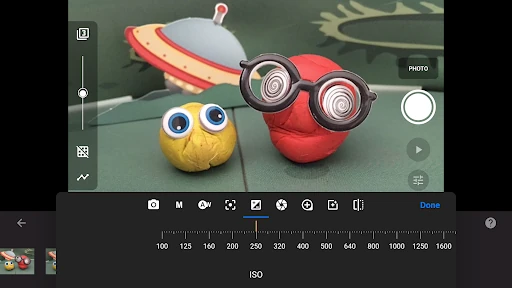
The core routine is deliberately repetitive: capture, adjust the object, capture again, and review. That repetition is the craft, not a flaw in the app. An adjustable time interval can help with capture, while manual or automatic controls for white balance, focus, and exposure offer ways to manage the image. The right choice depends on the scene and how much control the animator wants.
During editing, the interactive timeline helps keep track of a sequence, even as it grows to hundreds of frames. Overlay mode shows differences between frames, and animation guides can assist with positioning. Together, these tools address two common practical concerns: losing track of where a shot belongs and moving an object too far between captures. Reviewing frequently is still important; no guide can make the creative choices for you.
Tools for a finished short
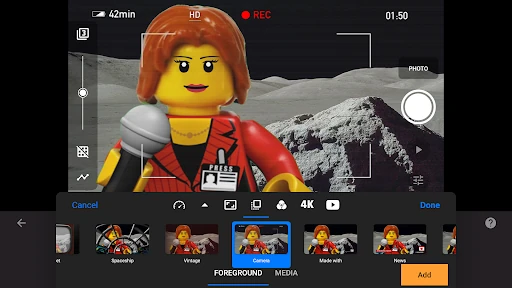
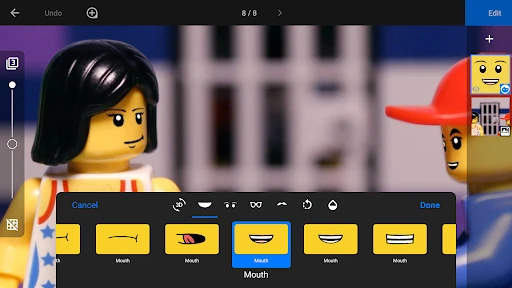
Once the movement works, Stop Motion Studio offers several ways to give a short its own look. Users can create titles, credits, and text cards, apply video filters, and adjust backgrounds, foregrounds, aspect ratios, or fade effects. The built-in editor can be used to make original title cards. I would treat these as finishing touches and avoid piling them all onto a first project.
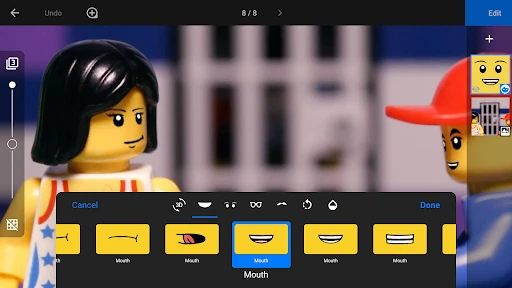
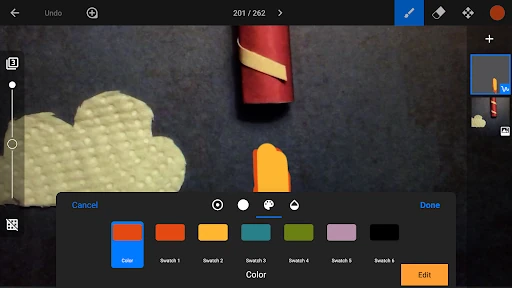
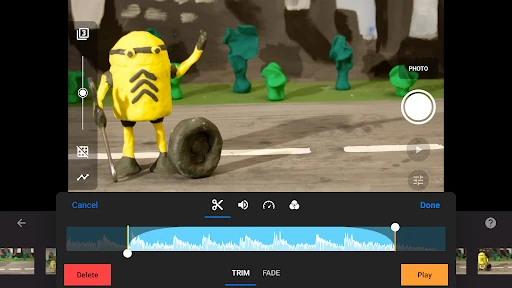
Sound is another part of the toolkit. A movie can use built-in music or sound effects, songs from a music library, or narration. The app also includes a layer-based image editor for tasks such as adding speech bubbles, drawing, painting, touching up images, or erasing unwanted objects. These options make it possible to add character and polish without changing the basic frame-by-frame workflow.
More ambitious projects have additional options. Green Screen can change a scene's background, and rotoscoping lets users import video clips and draw over them. Photos can also be imported into a movie. For capture, a second device can serve as a remote camera, and the app supports keyboard shortcuts when a keyboard is connected. These features broaden the possibilities, though not every project will need them.
A practical project routine
For a small weekend project, I would sketch a simple action first: a toy entering the frame, picking up an object, and leaving. I would arrange the scene, capture a few frames, then use the overlay and timeline to check whether the movement reads clearly. If it feels uneven, frame controls make it possible to revise the sequence. Keeping the first story brief gives me room to learn without turning it into a long editing session.
After the movement is in place, I would add narration or a sound effect, then consider a title or a filter. When sharing, the app can save a movie to the photo library, make an animated GIF, or share to YouTube in 4K or 1080p. Projects can also be transferred between devices using Dropbox or Google Drive, and work can continue on a desktop computer.
Keep the trade-offs in view
The biggest limitation is built into stop motion itself: each convincing movement takes planning and repeated capture. A stable scene and careful positioning matter, so this is not the quickest route to a casual video. The app provides guides and editing tools, but they cannot remove the time involved in making a sequence feel smooth. A short test scene is a sensible way to decide whether the process suits you.
There is also a distinction between the free download and the full set of tools. Some features require in-app purchases, while the Pro version includes all features; the listed in-app item price is $5.99. That is worth bearing in mind if a project depends on a specific capability. I would check what is included before planning around advanced options, rather than assuming every tool is available at no cost.
Finally, the breadth of features may feel like a lot when all you want is to capture a few frames. Titles, green screen, rotoscoping, image editing, and export choices are useful possibilities, but they are not necessary for a basic animation. Starting with the capture loop and adding tools only when a project calls for them keeps the experience focused.
Stop Motion Studio makes a specialized creative process approachable while still offering room to refine a project. The frame comparison, guides, timeline, sound options, and image tools support more than a bare sequence of photos. I especially like that beginners can start simply and explore the deeper features when they have a reason to use them.
I would recommend it to patient beginners, families, and hobby animators who enjoy making a scene piece by piece. If speed is the priority, a regular video camera will be a better fit. For anyone curious about stop motion, the free download offers a practical place to try the craft, with in-app purchases to consider for some features.
Stop Motion Studio Frequently Asked Questions
What is Stop Motion Studio used for?
Stop Motion Studio is used to create movies by capturing and editing individual frames. It includes tools for comparing frames, positioning objects, editing a timeline, adding titles and sound, and finishing a movie with effects. It can also export projects in formats such as animated GIF or share video to YouTube.
Which devices can run Stop Motion Studio?
The version covered here is the Android app available through Google Play. The description also mentions moving projects between a mobile device and a desktop computer, but device compatibility depends on the version and setup. Check the store information for the devices and systems supported by the version you plan to use.
What Android version does Stop Motion Studio require?
The minimum Android version can vary by app release and device. Check the Google Play page for the current requirement before installing, especially if you are using an older phone or tablet.
Is Stop Motion Studio free?
The app is free to download and contains no ads. It offers in-app purchases, with an in-app item listed at $5.99. Some features require a purchase, while the Pro version includes all features. Check Google Play for the current purchase options and details.
Is Stop Motion Studio suitable for beginners?
It can suit beginners who want to learn stop-motion animation, particularly because it includes tutorial videos, a manual, and animation tips. The process still takes patience: users need to capture many frames and make small adjustments between them. Someone looking for an instant, hands-off video tool may prefer a simpler camera app.
Pros
- Overlay mode, guides, and a timeline help manage frame-by-frame animation.
- Includes tools for titles, sound, image edits, backgrounds, and effects.
- Tutorial videos, a manual, and animation tips support newcomers.
- Can export as an animated GIF or share video to YouTube.
Cons
- Stop-motion capture takes patience and careful scene positioning.
- Some features require in-app purchases.
- The range of editing tools may feel extensive for a simple clip.
- Category
- Photography
- Version
- 26.10.8583











