FaceApp: Perfect Face Editor
- 5.33M
- 4.3
- Installs
- 500.00M
- Price
- Free

Screenshots
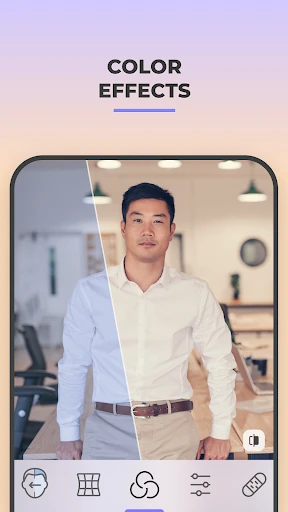
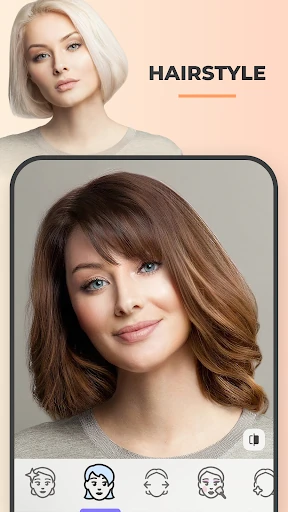
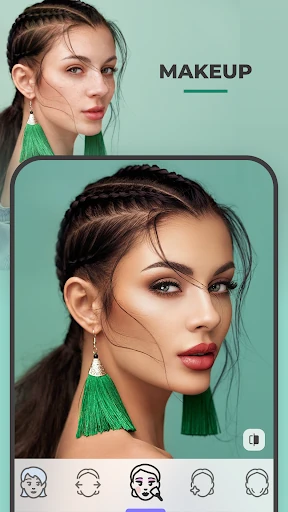
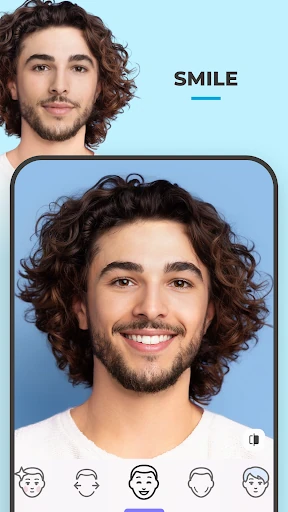
Analysis by Reviewed APKs
FaceApp: Perfect Face Editor is a portrait and selfie editor for people who want to try a different look without spending time on detailed manual edits. Its filters cover everything from hairstyles and makeup to aging effects and blemish cleanup. I found its appeal easy to understand: it makes playful, noticeable changes quickly, while the before-and-after comparison helps keep the results grounded in the original photo.
A quick selfie experiment
Imagine I have a selfie I like, but I’m curious whether a different hair color or a softer portrait look would suit it. FaceApp is made for that sort of small experiment. I can choose a photo, try a filter, and compare the edited version with the original. Rather than building an edit from scratch, I get a fast preview of a possible look and can decide whether it feels convincing.
That makes it an easy app to open during a spare moment: while getting ready to meet friends, for example, I might test a makeup effect or see how a different hairstyle changes the picture. The point is not to produce a polished studio portrait through careful editing. It is to explore a handful of visual ideas with very little effort, then keep or share the result if one of them works.
Playful, not a full studio
The obvious alternative is a general photo editor, where I might adjust color, exposure, and composition myself. FaceApp takes a more portrait-focused route, with one-tap effects for hair, facial details, makeup, and age. That narrower focus is useful when I want to see a particular change quickly. The comparison tool also gives me a simple way to judge the effect instead of relying on memory.
I would not treat FaceApp as a replacement for a full editing workflow or a source of reliable predictions about how I will look in the future. Its aging, gender-swap, and weight filters are ways to play with an image, not literal forecasts. It is also aimed at faces and portraits rather than every kind of photo task. If I want fine control over an entire scene, a broader editor may suit me better.
Small habits, better choices
I get more out of an editor like this by changing one thing at a time. I can try a hairstyle, compare it with the original, and then move on to a different filter rather than stacking changes just because they are available. That makes it easier to see what each effect contributes and helps me avoid losing track of what the starting photo actually looked like.
A useful habit is to treat the first result as a draft. FaceApp describes controls for temperature, saturation, and other adjustments, so I can make a broad filter feel more natural instead of accepting its default look. I would also save sharing for after comparing the image with the original. That quick pause helps me decide whether the edit suits the photo or is simply amusing for a moment.
More From Our News Desk

Zoom Meetings, Google Meet, or Teams: Which Is Easiest to Join?

How I Build a Free Streaming Lineup With Tubi

Why Crunchyroll Is the Default Anime App for So Many Fans

YouTube TV: A Practical Guide to Cutting Cable

Rummikub and the Small Comfort of Phone Games

TeamViewer Remote Control or AnyDesk for Helping Family?
Who will enjoy it
I’d recommend FaceApp to anyone who enjoys trying new looks in selfies, especially people who want a quick preview of different hair, makeup, or portrait effects. It also suits casual social sharing: the edits are designed to be easy to make, and the app can share them directly to social media accounts. If you like testing ideas without learning a complicated editing tool, its portrait-first approach is appealing.
It may be less satisfying for someone who wants precise, hands-on control over every part of an image or needs a dependable likeness for a serious purpose. The fun filters can change how a face appears, so I would not mistake them for objective guidance about appearance. People who rarely edit portraits may find the specialization unnecessary. For occasional curiosity, though, the low-effort approach is the main reason to give it a try.
FaceApp: Perfect Face Editor is developed by FaceApp Technology Ltd and is a photography app for Android. Google Play shows over 500 million installs and a 4.3-star rating from about 5.3 million ratings. The app is free to download, contains no ads, and offers in-app purchases. Listed in-app products range from $4.99 to $99.99 per item.
Google Play gives the app an Everyone content rating. Its release date is February 14, 2017, and its last update was January 30, 2026. Android requirements can vary, so I’d check the current Google Play details for compatibility with a particular device. The current version can also vary by device or store availability.
Trying FaceApp in Everyday Use
Opening with a clear purpose
My first impression is that FaceApp has a very specific job: change the look of a portrait without asking me to become an editor first. The filter collection includes both conventional touch-ups and more playful transformations, so it can serve a practical curiosity or just a few minutes of entertainment. The promise of quick edits is most appealing when I already have a photo in mind.
Getting started is easiest when I choose a clear, well-framed face. The app’s tools are built around selfies and portraits, so that kind of image gives the effects a natural starting point. I can then test a filter and use the before-and-after comparison to decide whether it improves the picture. That simple loop is less intimidating than opening a broad editor full of controls.
The everyday editing loop
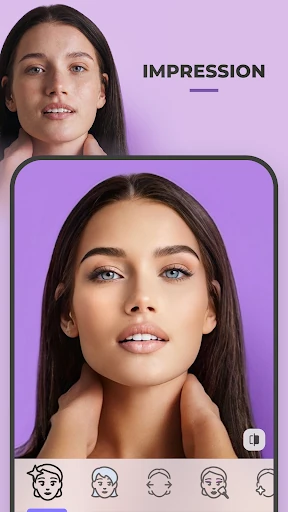
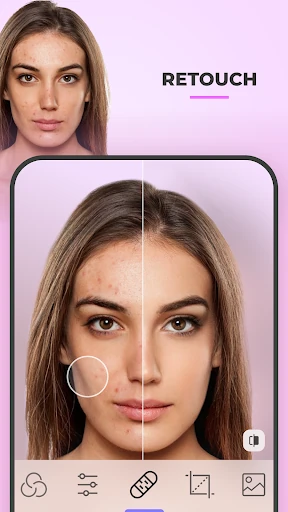
In day-to-day use, the central rhythm is straightforward: choose a portrait, explore a filter, and compare the change with the original. The options cover familiar requests such as removing blemishes or smoothing wrinkles, as well as changing hair color, hairstyle, or facial appearance. That range lets me shift between a subtle cleanup and a more obviously playful transformation without changing apps.
The comparison tool matters because a dramatic filter can be entertaining while still being a poor fit for the photo. I like having a way to check the edited face against the starting point rather than deciding only from the final image. For quick social pictures, that helps me keep an edit closer to the look I wanted. It also makes the app useful for testing ideas, even when I don’t plan to share the result.
Filters with different moods
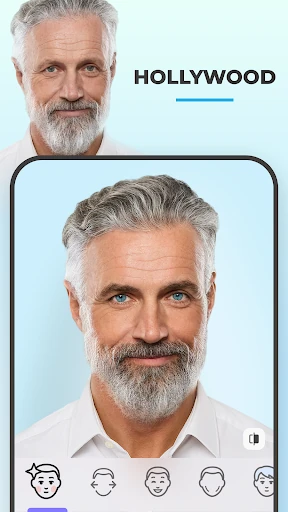
The standout feature is the variety of portrait changes in one place. I can explore hairstyles and hair volume, add facial hair, try makeup, adjust facial features, or test color lenses. Other tools cover acne and blemish removal, wrinkle smoothing, and creative lighting. This mix gives the app a practical side, but it never loses the sense that trying a new look can simply be for fun.
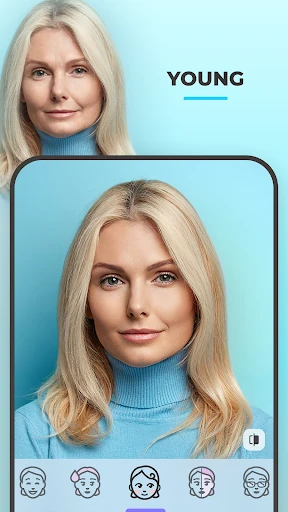
The more playful options include aging and gender-swap effects, along with filters that alter apparent size. FaceApp also offers a way to test younger and older versions of a face and to borrow a style from another photo. I’d approach these as imaginative edits, not precise simulations. They are useful for seeing a different visual direction, but the result is still an edited portrait.
I also appreciate that FaceApp describes controls for temperature, saturation, and more. Those adjustments give me some room to tune an effect instead of treating every filter as an all-or-nothing choice. The before-and-after comparison complements that control: I can check whether the extra adjustment is helping, or whether the original image already had the better balance.
A simple sharing routine
A practical routine is to start with one photo I would genuinely consider sharing, then try a couple of distinct edits rather than scrolling through every option. For instance, I might compare a hairstyle change with a more restrained portrait filter. Keeping the experiment focused makes it easier to choose a result and reduces the chance that I end up with an edit that looks different only because I kept adding effects.
Before sharing, I would return to the original and compare both versions at the same moment. If the edit still feels like the photo I meant to make, FaceApp supports direct sharing to social media accounts. If it feels too strong, I can make another selection or leave the image alone. That is a small but useful habit for an app whose filters can range from subtle cleanup to comic transformation.
Limits behind the quick edits
The convenience has a trade-off: a one-tap portrait effect is not the same as detailed retouching. If I want to control every area of a face or make a broader composition-level edit, FaceApp’s focused toolkit may feel narrow. Its main strength is getting to a visual result quickly, not replacing a full suite of photo-editing controls.
The most dramatic filters also need a little perspective. An aging effect or a change to facial features can be fun to inspect, but I would not read it as a dependable picture of real life. Even conventional beauty edits reflect a particular look rather than an objective standard. I find the app most enjoyable when I treat those options as creative choices and judge each result against my own taste.
Finally, the range of available tools does not mean every edit will suit every portrait. The source photo and the effect both shape the result, so comparing before and after is worth the extra moment. I’d check Google Play for device compatibility and current purchase details before downloading, since those practical details can vary.
FaceApp is a convenient portrait playground with enough practical cleanup tools to balance its more outlandish transformations. I like the quick filter-and-compare rhythm, and the focused selection of hair, makeup, facial, and age effects makes it easy to understand what the app is for.
I’d recommend it to selfie-takers who enjoy experimenting and want fast results without a complex editing process. I’d look elsewhere for deep manual control or treat its transformation filters as entertainment rather than prediction. For casual portrait edits, FaceApp makes a clear, approachable case for itself.
Face Frequently Asked Questions
What is FaceApp: Perfect Face Editor used for?
FaceApp is a photography app for editing selfies and portraits. Its tools include filters and effects for hairstyles, hair color, makeup, facial details, blemishes, wrinkles, lighting, and age transformations. It also has a before-and-after comparison tool and supports sharing edits to social media accounts. Some effects are playful transformations rather than realistic predictions.
Which devices can run FaceApp: Perfect Face Editor?
FaceApp is available for Android through Google Play. The Android version requirement can vary, so check the current Google Play information for the app and your device before installing. Device compatibility and the version offered may change over time.
What Android version does FaceApp require?
The Android requirement can vary by device or current app release. I’d check FaceApp’s Google Play page to see the requirement that applies to your phone. The version number may also vary, so the store is the best place to check the current details.
Is FaceApp: Perfect Face Editor free?
FaceApp is free to download and contains no ads. It offers in-app purchases, with listed products ranging from $4.99 to $99.99 per item. Prices and available purchases can vary, so check Google Play for the current options before buying.
Who is FaceApp: Perfect Face Editor best for?
It is best suited to people who like trying portrait filters, testing hairstyles or makeup, and making quick selfie edits. It may not suit someone looking for detailed manual editing or a reliable prediction of how a face will look in the future. Its transformation effects are best treated as creative experiments.
Pros
- Portrait filters cover practical touch-ups as well as playful changes to hair, makeup, and age.
- A before-and-after comparison makes it easier to judge whether an effect suits the original photo.
- One-tap effects offer a quick alternative to building portrait edits manually.
- Edited photos can be shared directly to social media accounts.
Cons
- Its portrait focus may feel limiting for broader photo-editing tasks.
- Dramatic transformation filters are entertaining, but should not be treated as realistic predictions.
- The quick effects offer less hands-on control than a detailed editing workflow.
- Category
- Photography
- Version
- VARY