Amazon Photos: Photo & Video
- 1.12M
- 4.7
- Installs
- 50.00M
- Price
- Free

Screenshots
Analysis by Reviewed APKs
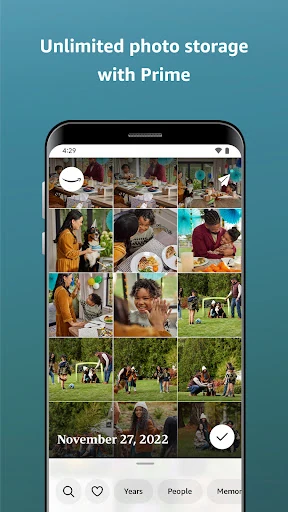
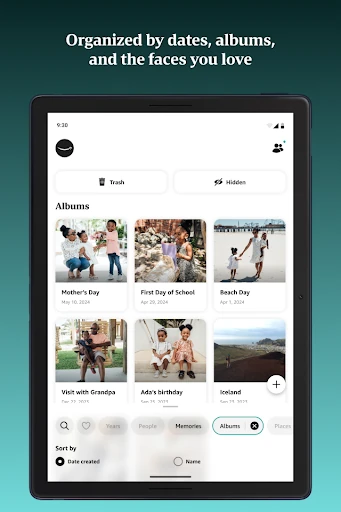
Amazon Photos: Photo & Video is a cloud library for keeping full-resolution pictures and videos, finding old moments, and sharing selected albums. I see it as a practical fit for people already using Amazon devices or services, especially anyone trying to keep a phone camera roll backed up. It handles everyday storage and rediscovery well, though the free space is limited and some of its best-known benefits depend on Prime.
A camera roll with a backup plan
When I first opened Amazon Photos, I thought about the ordinary mess that builds up on a phone: family snapshots, screenshots, and pictures from a weekend away all mixed together. Turning on Auto-Save gives the app a straightforward job: upload photos and videos to the cloud so they can be reached from other devices. It is the kind of setup that can quietly fit into a routine rather than demand a separate photo-organizing project.
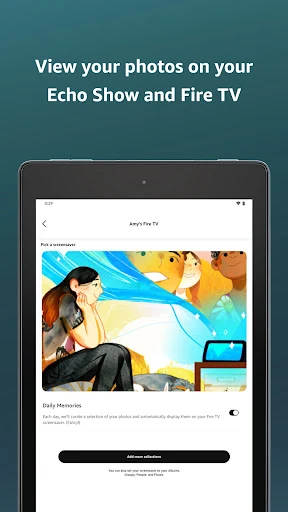
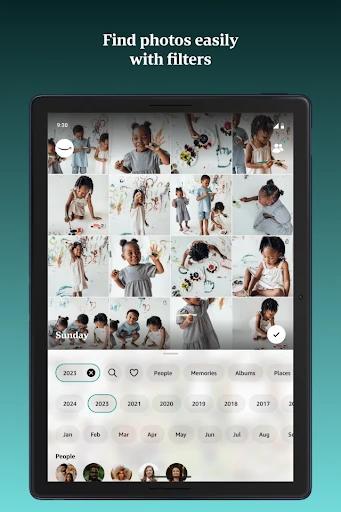
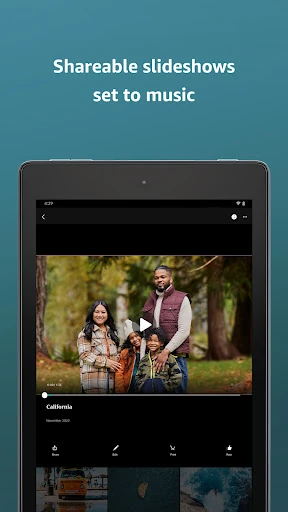
Imagine coming home from a trip and wanting to show a few pictures on the living-room television instead of passing a phone around. Amazon Photos can display memories on Fire TV and Echo Show, and it supports sharing selected photos, videos, and albums in private groups. Search by date or location can also help when the exact image is somewhere in a large collection. Those are useful everyday conveniences, not a replacement for taking the pictures in the first place.
Storage, not a photo editor
Compared with leaving everything in a phone’s camera roll, Amazon Photos adds cloud storage and access across supported Amazon devices. Its full-resolution approach is appealing if I want to retain the original image quality, and the app can help free phone space after a copy has been saved. It also offers prints and custom photo products in the U.S. That makes it more than a bare upload folder, but the central purpose remains storing, finding, and sharing memories.
I would not choose it expecting a full photo-editing studio or a general-purpose social network. The described strengths are backup, search, displays, private sharing, and prints, rather than advanced image adjustments or public posting. It also is not automatically unlimited for everyone: all customers get 5 GB of combined photo and video storage, while Prime members receive different storage benefits. That distinction matters if you have a large camera roll and want to avoid running out of room.
A few useful habits
The first habit I would build is checking Auto-Save in Settings and deciding whether I want both photos and videos uploaded. Once it is enabled, new pictures can be backed up without remembering to move them manually. I would still take a little time to check what has made it into the library before deleting anything from my phone; the app describes cloud storage as a way to free space after saving, so confirming the copy is a sensible step.
A second habit is using dates, locations, and albums to make later searches less frustrating. After an event, I would gather the pictures I want to share into an album or private group instead of sending a long stream one by one. If I use an Echo Show or Fire TV, choosing family or travel photos for display gives stored images a second life beyond the phone screen. These small routines make the app feel less like a dumping ground.
More From Our News Desk

Zoom Meetings, Google Meet, or Teams: Which Is Easiest to Join?

How I Build a Free Streaming Lineup With Tubi

Why Crunchyroll Is the Default Anime App for So Many Fans

YouTube TV: A Practical Guide to Cutting Cable

Rummikub and the Small Comfort of Phone Games

TeamViewer Remote Control or AnyDesk for Helping Family?
Who will get the most from it
I would recommend Amazon Photos to people who want a simple cloud backup for a growing camera roll, especially if they already use Prime, Fire TV, or an Echo Show. The combination of full-resolution storage, date and location search, private sharing, and device displays covers several common reasons to revisit a photo collection. It is also useful for families who want to gather pictures from a trip or celebration into a shared album.
It may be a weaker fit if you need a large free video archive, prefer a service unrelated to Amazon, or want extensive editing tools. The standard free allowance is 5 GB shared between photos and videos, so a large library can call for a paid storage plan. Prime members get unlimited photo storage and 5 GB dedicated to video, but benefits and availability vary by region. I would compare the storage terms with my actual needs before moving a whole collection.
Amazon Photos: Photo & Video is a photography app from Amazon Mobile LLC. On Google Play it has over 50 million installs and a 4.7-star rating from around 1.1 million ratings. It is free to download, contains in-app purchases, and has no ads. Google Play shows in-app items priced from $0.99 to $11.99. The app is rated Everyone.
The version varies with the device. The supplied app details give a release date of November 2, 2012, and a last update date of October 24, 2026. The app description says all customers receive 5 GB of combined full-resolution photo and video storage, while Prime members get unlimited photo storage and 5 GB of video storage. Some storage and print benefits are region-specific.
Making a Photo Library More Useful
A simple first impression
When I first opened the app, the most useful question was not how to decorate a library but how to get pictures into it. Auto-Save is the key starting point: it can upload photos and videos automatically when enabled in Settings. For someone with years of pictures already stored elsewhere, the description also says an existing collection can be moved to Amazon Photos in a few steps.
I would treat the first session as a setup check rather than a quick browse. Decide whether automatic saving suits your habits, look at how much of the available storage a collection may use, and make sure the account is the one you intend to use across devices. Because the free allowance is shared between photos and videos for non-Prime customers, it helps to have that limit in mind before relying on it for everything.
Finding and revisiting moments
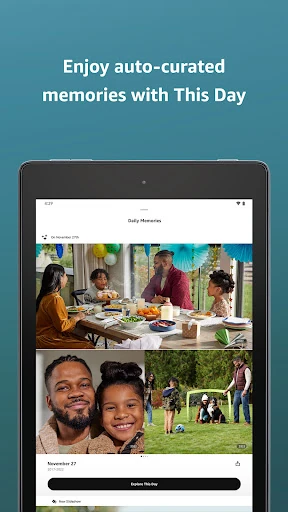
Day to day, the app’s practical appeal is that photos can be more than a long scroll in a phone gallery. Search by date or location gives me a couple of natural ways to narrow down a collection when I remember roughly when or where something happened. A resurfaced memory from the same date in a past year offers another route back to older pictures without needing to remember a search term.
I also like the idea of using a stored collection on a larger screen. Amazon Photos can show pictures on Fire TV and Echo Show, with options to customize the Fire TV screensaver and Echo Show photo display. That makes sense for a family room or a home display where travel and family pictures can be seen casually. It is a small feature, but it gives the library a purpose beyond backup.
Sharing and display options
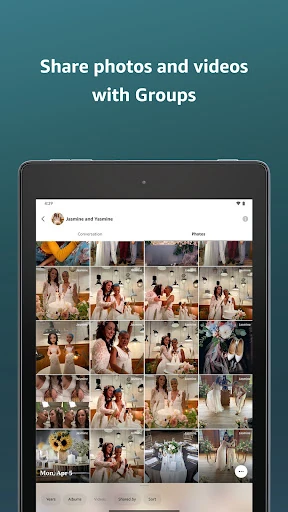
Private groups are one of the more useful social features described for the app. I can see the value after a graduation, vacation, or party: invite friends and family, bring selected pictures and videos together, and comment on shared material. It is a more focused arrangement than sending images individually, particularly when several people have their own pictures from the same event.
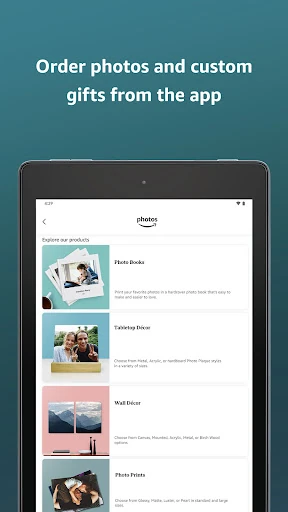
The app also connects photo storage to physical keepsakes. In the U.S., customers can order prints, custom gifts, and home décor through Amazon Photos; Prime members are described as receiving free print delivery. These options are not the reason I would install a backup app, but they give a saved image a straightforward route from screen to print. Availability is regional, so this part is most relevant to U.S. users.
A routine after an event
After a busy weekend, I would let Auto-Save handle the initial upload, then return to the collection when I have a few quiet minutes. I could search by the date or location, pick the images worth keeping together, and make an album for the people who were there. That sequence avoids trying to organize every picture while I am still taking them, but it gives the event a home before it disappears into the camera roll.
For a trip, I might then share the album privately with family and choose a handful of pictures for a Fire TV or Echo Show display. If a favorite shot deserves a physical copy, the U.S. print options provide another step. None of this requires treating every image as a project. The point is to make a few useful choices after the automatic backup, then let the rest remain available to find later.
Limits to keep in view
The main practical limit is storage. Five gigabytes of combined photo and video space can be enough to try the service, but a sizable collection may need more. Prime changes the equation for photos, with unlimited photo storage and a separate 5 GB video allowance, but that still does not mean unlimited video. Paid storage subscriptions are described, and Google Play shows in-app purchases, so it is worth checking the current plan options against the size of your library.
A few benefits also depend on location or other Amazon products. Unlimited photo storage is available in specified countries, and prints and custom products are described as U.S.-only. Echo Show and Fire TV display features are naturally most useful if those devices are part of your home. I would also remember that a cloud copy is not a reason to delete local photos until I have checked the upload and confirmed the pictures I care about are there.
Amazon Photos is a useful, practical place to back up and revisit pictures, with thoughtful touches for private sharing and Amazon device displays. Its strongest case is for people who already use Amazon services or have Prime. Search and automatic saving make the library easier to live with, while storage limits deserve attention before a large upload.
I would try it if I wanted a straightforward photo backup and a way to share event albums with family. I would be more cautious if video storage is the priority or I do not want another paid plan to consider. For the right routine, it makes a camera roll easier to keep and enjoy.
Amazon Photos Frequently Asked Questions
What is Amazon Photos: Photo & Video used for?
Amazon Photos is used to store full-resolution photos and videos online, back them up automatically, search by date or location, and share selected items in private groups. It can also display photos on Fire TV and Echo Show, and U.S. customers can order prints and photo products. The app is designed around managing and revisiting memories, rather than advanced photo editing.
Which devices can I use Amazon Photos on?
The app is available for Android through Google Play. The description also mentions accessing photos on Amazon devices such as Fire TV, Echo Show, and Fire tablets, as well as using Alexa features through the Alexa app on a mobile phone. Device availability and compatibility can vary, so check the Google Play page and the relevant device details before installing.
What Android version does Amazon Photos require?
The required Android version can vary with the device and the current app release. Check the app’s Google Play page on the Android device you plan to use for the latest compatibility details. The supplied app information identifies the version as varying by device, so a device-specific store page is the best place to confirm whether an installation is available.
Does Amazon Photos cost money?
Amazon Photos is free to download and includes in-app purchases. Google Play shows in-app items priced from $0.99 to $11.99. The description says all customers receive 5 GB of combined photo and video storage, while Prime members get unlimited photo storage and 5 GB for video. Plan terms and availability may vary, so check the current store information and storage options.
Is Amazon Photos a good fit for my family?
It may suit families who want to back up pictures, collect event photos in private groups, and display memories on compatible Amazon devices. It is less compelling if you need extensive editing tools or lots of free video space. Non-Prime customers share 5 GB between photos and videos, so consider your library size and the storage options before relying on it for a full collection.
Pros
- Auto-Save can back up photos and videos without repeated manual uploads.
- Date and location search offer practical ways to find older pictures.
- Private groups make sharing selected event albums with family more organized.
- Prime members receive unlimited photo storage and a separate 5 GB video allowance.
Cons
- The standard 5 GB allowance is shared between photos and videos.
- Some storage benefits and print options are limited by membership or region.
- It focuses on storage and sharing rather than advanced photo editing.
- Category
- Photography