Photo Editor
- 498.16K
- 4.4
- Installs
- 50.00M
- Price
- Free

Screenshots
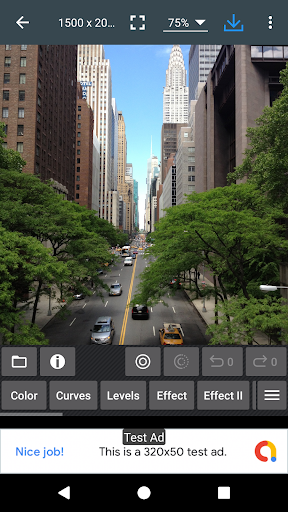
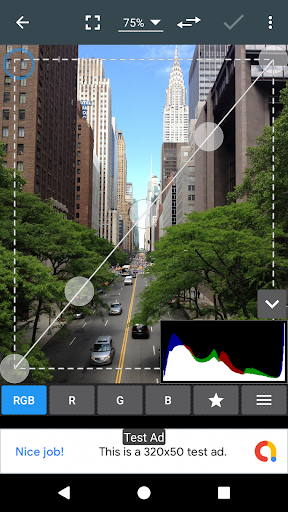
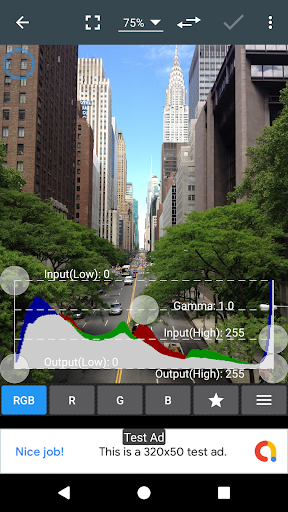
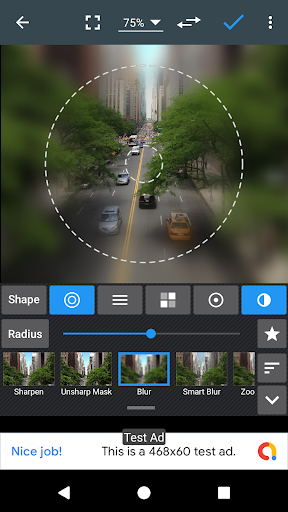
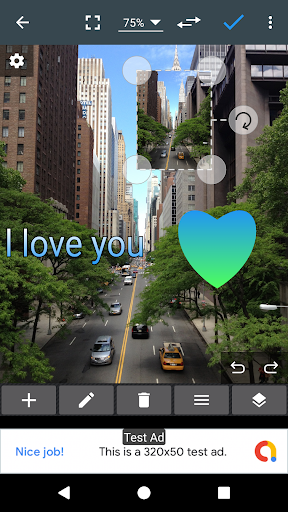
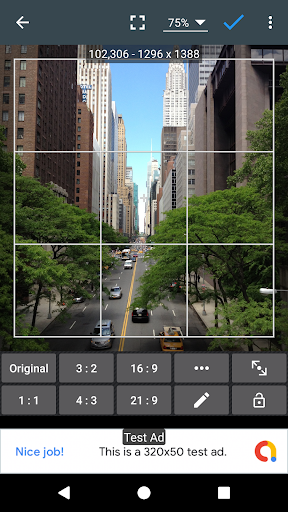
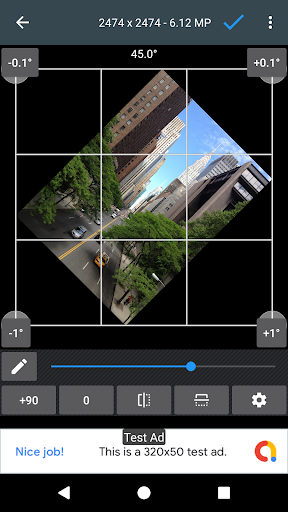
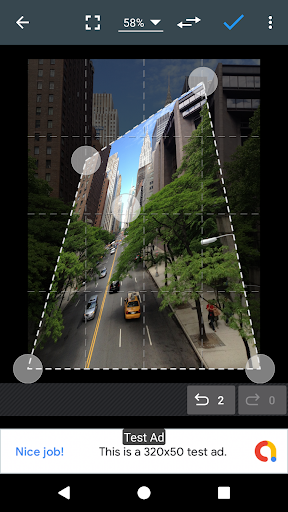
Analysis by Reviewed APKs
Photo Editor is a feature-rich Android photo tool for people who want more control than a quick filter provides, without moving every picture to a computer. It covers everyday adjustments, detailed color work, cropping, text and file conversion, so it can serve both casual edits and more deliberate projects. I like its breadth, though the number of tools makes it better suited to curious tinkerers than anyone seeking a bare-bones one-tap fix.
A quick edit after the day
When I get home with a photo that looks a little dim or crooked, Photo Editor gives me a practical place to start. I can adjust exposure and brightness, straighten the image, then crop away a distracting edge. If the colors feel flat, the controls for contrast, saturation and temperature let me shape the result instead of settling for a preset look. That makes it useful for small fixes before sharing a picture.
The same flow can go further when the photo needs more attention. I can zoom in with touch and pinch gestures, make a sharper crop, and try a correction such as white balance or backlight. For a casual social post, I might add text or a frame; for a cleaner image, I can leave those embellishments out. The appeal is having these choices together, rather than opening a separate app for every little adjustment.
More than a filter app
Compared with a simple filter-first editor, Photo Editor is much more about hands-on control. Its color sliders sit alongside curves and levels, while tools such as perspective correction, clone, cut out and denoise give it room for more involved work. I would reach for it when a photo needs shaping or correction, not just a quick mood change. It also handles tasks like resizing and changing file formats that many lightweight editors leave aside.
That range does not make it a substitute for every kind of creative software. The description presents mobile editing tools, not a full desktop workflow or a guided design service, and the app is aimed at working on photos rather than organizing an entire library. If all I want is one automatic improvement, the amount of choice could feel unnecessary. If I enjoy deciding how an image should look, the variety is the point.
Small habits, better results
I get more from an editor like this when I decide what needs fixing before I start tapping. A useful habit is to check the crop and straightness first, then work through exposure, contrast and color. That keeps me from polishing details in a composition I later change. For tricky lighting, I can try the listed backlight, white-balance or auto-tone options, then compare the result with the original before saving.
It also helps to treat the extra tools as occasional helpers rather than a checklist. I might add a short text overlay for an image meant to carry a message, or use a frame when it suits the subject. If I need a particular output, I can choose among JPEG, PNG, GIF, WebP and PDF. The app also offers batch work, compression to ZIP and PDF creation, so it can support practical file chores as well as visual edits.
More From Our News Desk

Zoom Meetings, Google Meet, or Teams: Which Is Easiest to Join?

How I Build a Free Streaming Lineup With Tubi

Why Crunchyroll Is the Default Anime App for So Many Fans

YouTube TV: A Practical Guide to Cutting Cable

Rummikub and the Small Comfort of Phone Games

TeamViewer Remote Control or AnyDesk for Helping Family?
Who will enjoy the control
I would recommend Photo Editor to Android users who take pictures regularly and like having options when a shot needs help. Someone comfortable experimenting with exposure, hue or curves can build a repeatable editing routine, while a more casual user can stick to cropping, rotation and basic color changes. Its combination of visual tools and file-related features is especially appealing if the phone is where you already handle photos.
It may be less satisfying for someone who wants an extremely simple editor with almost no decisions, or who expects every result to come from an automatic preset. The feature list is broad, and some tools assume a willingness to explore what they do. I would also look elsewhere if my main need were a full photo-management system or desktop-grade workflow; this app is centered on editing and related image tasks.
On Google Play, Photo Editor is published by dev.macgyver and has more than 50 million installs. It holds a 4.4-star rating from about 498,000 ratings. The app is free to download and contains ads, with in-app purchases available; the stated in-app item price is $3.49. An ad-free option is available through the app’s purchase items settings.
The content rating is Everyone. Its current version varies with device, and the supplied Android requirement does not specify a minimum version. Google Play gives the release date as November 25, 2011, and the last update date as November 3, 2026. Those figures are useful context for an established editing app, while the changing version label means the exact build depends on the device.
A Deep Toolkit for Phone Photos
First look and setup
My first impression is that Photo Editor wants to be a workbench, not a single-purpose filter button. The description spans basic corrections, creative effects and file handling, which gives me a lot to explore before I settle on a favorite routine. If I open it with one specific job in mind, such as straightening a picture, that breadth is less intimidating: I can focus on the relevant tool and ignore the rest.
The touch and pinch-to-zoom interface is a useful fit for close inspection on a phone. I can imagine checking a crop at a wider view, then zooming in to judge a small detail before applying a change. The app also supports saving to the gallery, as wallpaper or to an SD card. That gives an edit a few practical destinations instead of tying the result to one sharing path.
Everyday editing
For everyday work, the familiar adjustments are the natural starting point: exposure, brightness, contrast, saturation, temperature, tint and hue. I can use those to address a specific problem rather than piling on effects. A photo that is too warm calls for a different adjustment than one that is underexposed, and having separate controls gives me a way to make that distinction.
When a basic correction is not enough, the app includes curves and levels for finer color tuning, plus tools such as sharpen, blur and denoise. I would use those with restraint; a small correction can help a picture, while an effect used just because it is available can distract from it. The important point is that the app supports both simple fixes and more deliberate adjustments in the same editing space.
Tools beyond color
The standout feature is the range of work that goes beyond color correction. Photo Editor lists drawing, pixel effects, clone, cut out and shapes, as well as text and image overlays. For a simple announcement or a marked-up picture, text and shapes can make an image more informative. Clone and cut out are more specialized choices for people willing to spend time refining an edit.
There are also practical correction and composition tools: rotation, straightening, cropping, resizing, perspective correction, lens correction and red-eye correction. Effects include sepia, black-and-white high contrast, oil paint, sketch and vibrance, among others. I appreciate that the app does not force the experience into one visual style. The variety is useful, but it makes a little experimentation part of learning what works.
A useful weekly routine
A sensible routine for me would be to pick a handful of phone photos at the end of the week and give each one only the attention it needs. I could straighten and crop first, adjust light and color second, then decide whether a text overlay or effect belongs there. If a picture is already strong, I can stop early. That order keeps the editing focused and makes the app’s large toolbox feel manageable.
The utility features could come in handy when I am preparing images for different uses. The app can save in JPEG, PNG, GIF, WebP and PDF, and it includes batch processing, compression to ZIP, PDF creation and animated GIF tools. I can also compare photos or extract GIF frames. Those options make it more than a place to tweak a single snapshot, especially when a small image-related task appears alongside normal editing.
Limits to keep in mind
The main trade-off is complexity. A long list of adjustments and utilities is valuable only if I am willing to learn which tool fits the job. Someone who prefers a guided, automatic result may find the manual choices slower than expected. I would not treat every effect as an improvement, either; sharpening, blur and artistic filters can change the character of a photo quickly.
Ads are part of the free app, and an ad-free option is available as an in-app purchase. That is worth factoring into a routine if I expect to edit often. The app’s focus is photo editing and related image tasks, so it is not a replacement for a dedicated photo library or a complete desktop setup. It makes most sense when I want editing controls on the phone itself.
Photo Editor stands out for its unusually broad mix of image adjustments, creative tools and practical file options. I like that a simple crop and a more careful color correction can both fit into the same app. The trade-off is a busier toolkit and ads in the free version, so it rewards patience more than instant results.
I would try it if I want to edit photos directly on Android and value control over a narrow, automatic workflow. People who only need a quick filter may prefer something simpler, but anyone curious about refining images, adding details or converting files will find plenty to explore.
Photo Editor Frequently Asked Questions
What is Photo Editor used for?
Photo Editor is an Android app for editing and working with images. It includes color and lighting adjustments, cropping, resizing, correction tools, effects, text and shapes, plus options such as PDF creation and GIF tools. I would use it for both ordinary photo fixes and more involved image tasks, depending on how much control I want.
Which devices can run Photo Editor?
Photo Editor is available for Android through Google Play. The minimum Android version is not specified in the supplied app details, so check the Google Play page on your device for the requirement that applies to the current release. The app’s version varies with device.
Does Photo Editor cost anything?
The app is free to download and contains ads. It offers in-app purchases, with the stated item price at $3.49, and an ad-free option is available through the purchase items settings. Purchase details can vary, so check Google Play or the app’s purchase screen for current terms.
Does Photo Editor support different image formats?
Yes. The app can save images as JPEG, PNG, GIF, WebP and PDF. Its listed tools also include batch processing, ZIP compression, PDF creation and animated GIF options. Those features make it useful for some file-preparation tasks in addition to adjusting how a photo looks.
Who is Photo Editor best suited to?
I think it suits Android users who want a broad set of editing controls and are willing to explore them. It can handle basic corrections as well as more detailed work, but its range may feel like too much if you only want an automatic filter. The Google Play page is the place to check current device compatibility and purchase details.
Pros
- Wide range of color, composition and correction tools for everyday edits.
- Supports several output formats, including JPEG, PNG, GIF, WebP and PDF.
- Includes text, shapes, drawing and other creative options alongside basic adjustments.
- Useful image utilities such as batch processing, PDF creation and GIF frame extraction.
Cons
- The large selection of tools may feel overwhelming to casual editors.
- Ads are included in the free app, with an in-app purchase for an ad-free option.
- Manual controls may take more time than a simple one-tap editing workflow.
- Category
- Photography