Picsart AI Photo Editor, Video
- 12.25M
- 4.1
- Installs
- 1.00B
- Price
- Free

Screenshots
Analysis by Reviewed APKs
Picsart AI Photo Editor, Video is a broad creative toolkit for people who want to clean up photos, make collages, build simple graphics, or edit short videos on Android. I found its appeal in having many kinds of projects under one roof, from removing an object to adding text or changing a background. It is flexible and approachable, though its many options can feel like a lot when you only need one quick edit.
A Quick Photo Cleanup
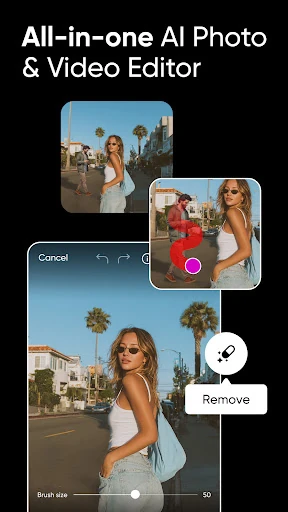
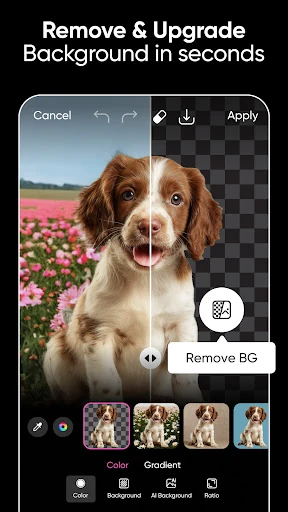
When I first opened Picsart, I pictured the familiar problem of a decent photo with one distracting detail: a bin at the edge, an awkward background, or an object that pulls the eye away from the subject. The app is built for that kind of practical fix. Its Remove Object tool can clean up unwanted items, while Background Remover lets me separate a subject and try a different setting.
For a small business owner, the same tools can help turn a product photo into a cleaner-looking image. I could imagine removing a busy backdrop, placing the item against a more suitable scene, then adding a short label or decorative touch. For a personal photo, I might instead start with a filter or use a collage layout. The key is that Picsart supports both quick corrections and more expressive edits.
A Flexible Creative Alternative
Picsart sits between a focused photo fixer and a general design studio. A simple gallery editor is often quicker when I only want to crop or make a basic adjustment. Picsart makes more sense when I want to combine steps, such as cleaning up a picture, adding text, and arranging it with other images. Templates, stickers, collages, and video tools give it a wider creative range than a one-purpose utility.
That range does not make it a replacement for every specialist tool or a full desktop design workflow. I would not choose it for a complex, highly controlled production job just because it includes many editing options. It is aimed at approachable photo, video, and graphic projects, including social posts and product imagery. If my goal is simply to view pictures or make one tiny change, the breadth may be unnecessary.
Small Habits, Better Results
I get more from an app like this when I start with a clear goal rather than browsing every effect. For a product shot, I would first choose the image, remove or replace its background, and only then add text or a sticker if the design needs it. For a personal photo, I would decide whether I want a natural cleanup or a deliberately stylized look before trying filters and AI effects.
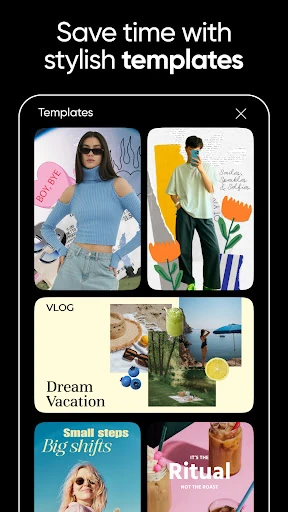
Templates can also be a useful starting point when a blank canvas feels daunting. I can choose a design for a social story or business card, then adjust its text and images to fit what I actually need. For a set of related pictures, a grid or freestyle collage keeps them together. These habits do not require a complicated process; they simply help keep the app's many choices from taking over the project.
More From Our News Desk

Zoom Meetings, Google Meet, or Teams: Which Is Easiest to Join?

How I Build a Free Streaming Lineup With Tubi

Why Crunchyroll Is the Default Anime App for So Many Fans

YouTube TV: A Practical Guide to Cutting Cable

Rummikub and the Small Comfort of Phone Games

TeamViewer Remote Control or AnyDesk for Helping Family?
Who Might Enjoy Picsart
I would recommend Picsart to casual creators who like experimenting with photos and want more than basic filters. It suits someone making a collage after a trip, preparing a social story, adding a caption to an image, or trying to make a product picture look tidier. The mix of templates, text, stickers, and AI-assisted tools is especially handy for people who have ideas but do not want to begin every design from scratch.
It may be less appealing if you prefer a minimal editor with only a few obvious controls, or if your usual routine is limited to simple photo adjustments. Picsart has a lot to explore, and its ads and optional in-app purchases are worth bearing in mind. I see it as a versatile creative workspace for everyday projects, rather than a quiet, stripped-down utility or a substitute for every professional editing setup.
Picsart AI Photo Editor, Video is developed by PicsArt, Inc. On Google Play it has over one billion installs and a 4.1-star rating from about 12.3 million ratings. The app is rated Teen. The listed Android requirement is Android 6.0 or later, which gives a clear baseline for checking compatibility with a device.
The app is free to install and contains ads, with optional in-app purchases. Google Play gives an in-app product price range of $0.99 to $119.99 per item. The listed version is 29.2.7, released on November 4, 2011, and last updated on February 9, 2026. Pricing and availability for individual purchases can change, so I would check Google Play for current details.
A Creative Toolkit for Everyday Edits
First Look and Setup
When I first opened Picsart, the breadth of its purpose was immediately apparent: this is not just a filter app. Photos, videos, templates, collages, text, stickers, and AI-assisted editing all belong to its creative mix. That can be exciting if I arrive with a project in mind, but it also means the first few minutes are better spent choosing one task than trying to understand every possible tool.
I would begin with a picture I already know I want to improve. That gives me a straightforward way to judge the editor, whether I am removing an unwanted object or changing a background. The app's tools are described as intuitive, but a large selection still takes a little browsing. My first impression is of a capable, inviting workspace that rewards a focused starting point.
The Everyday Editing Flow
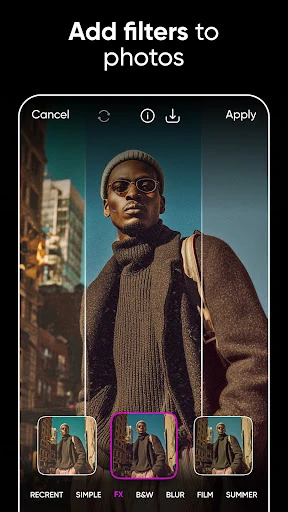
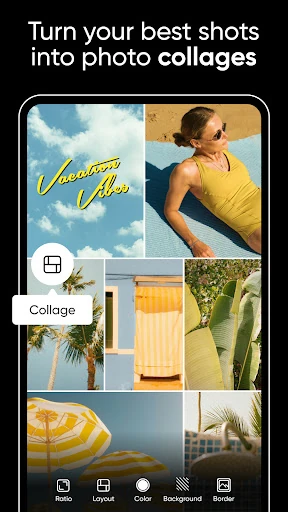
The day-to-day appeal is the ability to take a photo in several directions. I can keep an edit restrained with a cleanup or enhancement, or build it into a more designed image with text, effects, and stickers. Filters and photo effects provide a quick way to change the mood, while the collage options give multiple pictures a shared layout.
Video editing extends the same creative approach beyond still images. Picsart describes tools for editing clips with music and applying filters or retouch effects. That makes it a reasonable place to prepare a short social video alongside a matching photo or story design. I would treat it as a convenient creative app for such projects, rather than assume every video job needs to be handled there.
Tools That Stand Out
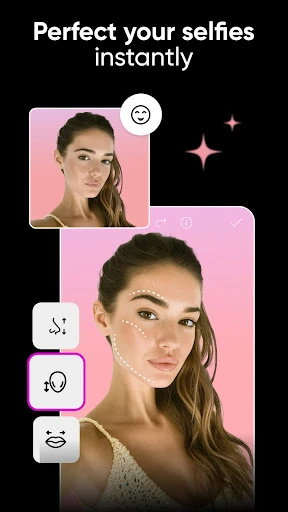
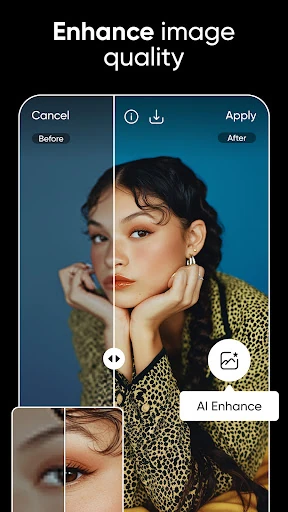
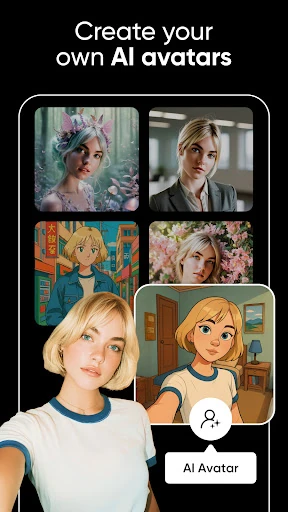
Background Remover and Remove Object are among the most practical tools in Picsart's lineup. One helps isolate a subject so I can change the scene behind it; the other is meant to clear unwanted items from a picture. AI Enhance offers another route for improving an image, while AI Replace can transform selected aspects such as hair color or a face. These tools bring playful experimentation and useful cleanup into the same app.
I also like how the design features connect to everyday output. Templates can kick-start social stories, logos, or business cards, while the text editor offers ways to add and customize words on an image. Stickers and collage layouts give a project more personality without needing to start from a blank canvas. The AI Image Generator and AI Expand broaden the possibilities when a project calls for generated imagery or a larger composition.
A Simple Project Routine
For a small product-image task, I would start by choosing a clear photo and removing its existing background. I would then try a more suitable backdrop and check that the product remains the focus. If the image is meant to communicate something specific, I could add a short text element or a sticker, using a template if I wanted a ready-made design direction.
For a personal project, I might gather a few favorite pictures into a grid collage, or choose a freestyle arrangement for a mood board. I can then adjust the look with effects and text instead of treating each image as a separate finished product. Keeping the project small makes it easier to explore without getting sidetracked by the full menu of creative options.
Limits to Keep in Mind
The biggest trade-off is the same thing that makes Picsart useful: there is a lot here. If I only want to make a quick basic adjustment, navigating a broader set of creative tools may feel like extra work. It helps to arrive with a task in mind and stop once the image does what I need, rather than treating every edit as an invitation to try another effect.
The app is free to install, but it contains ads and offers in-app purchases. Some premium possibilities are described through Picsart Plus and Picsart Pro, including premium content or additional AI tools. That does not mean every project requires an upgrade, but it is sensible to keep the optional paid layer in view. The right fit depends on how often I use the wider set of tools and content.
Picsart works best for me as a flexible creative companion: it can clean up a photo, reshape its background, make a collage, or help put together a short video. Its range is impressive for everyday projects, and templates make it easier to get started. The main compromise is that a broad toolkit takes more browsing than a simple single-purpose editor.
I would try Picsart if I regularly make social graphics, playful edits, collages, or product images and want those jobs in one app. If I prefer a minimal interface or only need basic photo fixes, a smaller editor may suit me better. For curious creators willing to explore, Picsart offers plenty of ways to turn an ordinary image into a more personal design.
Picsart AI Photo Editor, Video Frequently Asked Questions
What is Picsart AI Photo Editor, Video used for?
Picsart is used to edit photos and videos and make graphic designs. Its tools include background removal, unwanted-object removal, filters, text, stickers, templates, and collages. It also offers AI features such as image enhancement, AI Replace, AI Expand, and an image generator. People can use it for personal edits, social designs, and product imagery.
Which devices can run Picsart AI Photo Editor, Video?
Picsart is an Android app on Google Play, and its listed minimum requirement is Android 6.0. Whether it works on a particular device depends on that device and its software. For the latest compatibility information and supported devices, check the app's Google Play page.
Does Picsart AI Photo Editor, Video cost money?
Picsart is free to install and contains ads. It also offers in-app purchases; the listed price range is $0.99 to $119.99 per item. Individual purchase options and prices may vary over time, so check Google Play for the current choices before buying.
What Android version does Picsart require?
The listed minimum is Android 6.0. A device must meet that requirement to be within the stated compatibility baseline, though availability can also depend on the device and current store information. Check Google Play for the latest compatibility details.
Who is Picsart AI Photo Editor, Video best for?
Picsart may suit people who enjoy making collages, social graphics, photo edits, or short creative videos and want a broad selection of tools. Its many options may be less comfortable for someone who wants only a very simple editor. The app is rated Teen on Google Play; check the store for current details.
Pros
- Combines photo editing, collage creation, graphic design, and video tools in one app.
- Background and object removal support practical cleanup as well as creative changes.
- Templates, stickers, and text tools offer approachable starting points for designs.
- AI features add options for enhancement, image generation, and creative transformations.
Cons
- The broad selection can feel overwhelming when all you need is a quick adjustment.
- The free app contains ads and offers in-app purchases.
- A focused photo editor may be simpler for basic everyday corrections.
- Category
- Photography
- Version
- 29.2.7