SnoreLab : Record Your Snoring
- 52.89K
- 4.3
- Installs
- 5.00M
- Price
- Free

Screenshots
Analysis by Reviewed APKs
SnoreLab : Record Your Snoring is a sleep sound-tracking app for people who snore, share a room with someone who does, or simply want a clearer picture of what happens overnight. I like that its basic routine is straightforward: place the phone nearby, record a night, then review the results in the morning. It’s a practical way to notice patterns, though it isn’t a medical test.
A Morning-After Check
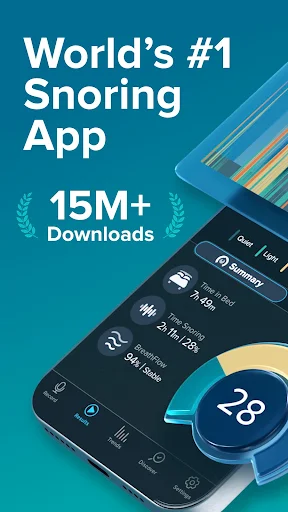
Imagine waking up after a night when your partner says the snoring was especially loud. Instead of relying on a sleepy recollection, you can run SnoreLab beside the bed and check the recording the next morning. It identifies snoring, captures sound samples, and gives you a Snore Score representing its intensity. I found the appeal easy to understand: the app turns a vague household complaint into something you can review.
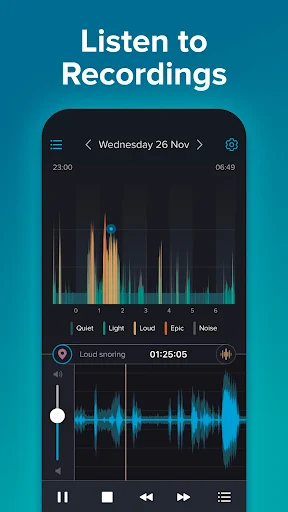
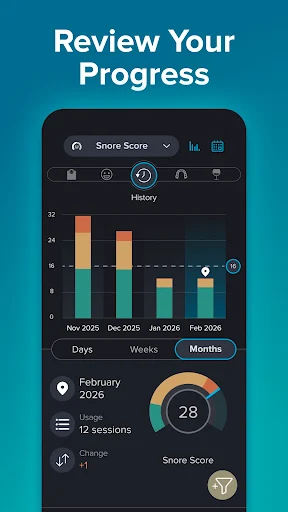
The useful part is the comparison over time, not any single score. A recording can show when snoring occurred and offer highlights to listen to, while nightly comparisons make it easier to see whether one night differed from another. You can also log lifestyle factors and remedies, then look for possible relationships with the results. That gives an ordinary morning check-in more context than simply asking, “Was I loud last night?”
A Tracker, Not A Diagnosis
Compared with a basic voice recorder, SnoreLab is built specifically around snoring: it detects sounds, assigns a score, tracks changes, and lets you test remedies or lifestyle factors against the results. A plain recording app can capture audio, but it doesn’t provide this snoring-focused structure. That makes SnoreLab more useful for someone who wants repeated observations than for someone who only needs to save one sound clip.
It also isn’t a sleep clinic, a diagnosis, or a replacement for professional advice. Its breathing analysis and breathing-rate features can help you review patterns, but the app itself says it is not intended to diagnose or treat sleep apnea or another condition. I’d treat the results as information to discuss with a healthcare professional if you have concerns, rather than as a verdict about your health.
Make The Notes Useful
A small habit makes the tracking more informative: add a note about relevant lifestyle factors or a remedy you tried, rather than expecting the recording alone to explain a change. SnoreLab supports logging these details and comparing results across nights. If you make several changes at once, it may be harder to tell which one coincided with a different score, so keeping your routine and notes simple can make the comparisons easier to interpret.
I’d also make reviewing the app a short morning routine instead of listening to every recording in full. Check the score, compare it with recent nights, and sample the highlights if something looks different. The app can capture sound throughout the night, but the highlights give you a quicker way to inspect what it detected. Over time, those brief check-ins can build a more useful record than an occasional one-off test.
More From Our News Desk

Zoom Meetings, Google Meet, or Teams: Which Is Easiest to Join?

How I Build a Free Streaming Lineup With Tubi

Why Crunchyroll Is the Default Anime App for So Many Fans

YouTube TV: A Practical Guide to Cutting Cable

Rummikub and the Small Comfort of Phone Games

TeamViewer Remote Control or AnyDesk for Helping Family?
Who Might Find It Useful
I’d recommend SnoreLab to people who want to understand their snoring with more than a partner’s recollection or a single recording. Its score, sound samples, nightly comparisons, and lifestyle-factor logs suit anyone willing to run it repeatedly and review the results. It may also be useful to bring recordings or observations into a conversation with a healthcare professional, while keeping in mind that the app does not provide a diagnosis.
It may be less appealing if you want a comprehensive sleep tracker, a clinical assessment, or an app that works without leaving a phone near the bed. The focus here is snoring and related sound patterns, not a complete account of sleep. People who dislike audio recording or don’t want to make a habit of checking results may not get much from it. I’d choose it for curious, consistent tracking, not instant answers.
SnoreLab : Record Your Snoring is a Health & Fitness app from Reviva Softworks Ltd. On Google Play, it has over 5 million installs and a 4.3-star rating from about 52,900 ratings. The app is free to download, contains ads, and offers in-app purchases. Google Play gives its content rating as Everyone.
The listed Android version is 2.33.5.7814. Google Play shows a release date of September 21, 2015, and a last update date of November 2, 2026. In-app products are priced from $2.99 to $49.99 per item. The available facts do not specify a minimum Android version, so check Google Play for device compatibility.
What A Night Of Tracking Feels Like
A Simple First Setup
When I first opened SnoreLab, the basic idea made sense without much explanation: leave the phone near the bed, let it run while you sleep, and review the night afterward. That low-effort routine is a good fit for a tool meant to gather repeated observations. It doesn’t ask you to make a complicated plan before you can find out whether it is picking up snoring.
The first useful result comes in the morning, when the app presents a Snore Score and sound highlights. I’d give it a few nights before forming an opinion, since one recording is only one night’s snapshot. The app’s value depends on having results to compare, so a little consistency at the start helps make the experience feel less like a novelty and more like a tracker.
The Nightly Experience
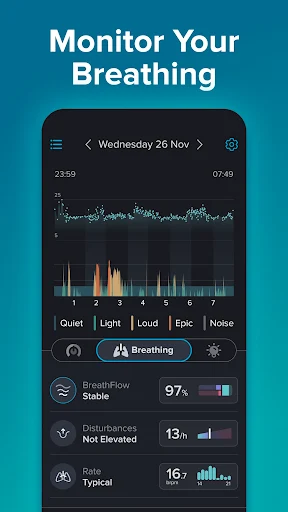
Day to day, the main task is simply to start a recording before bed and check it later. SnoreLab detects snoring and captures sound samples during the night; it can also record continuously for full-night analysis. In the morning, I can review the score, see when and how loudly snoring was detected, and listen to selected highlights rather than treating the phone as a recorder I have to monitor.
The score gives the night a quick summary, while the audio adds detail that a number cannot convey on its own. Nightly comparison is especially useful when you have several entries, because it gives you a way to notice changes rather than overreact to a single result. I’d use both views together: check the overall score first, then listen to a clip if the pattern seems unusual.
More Than Sound Samples
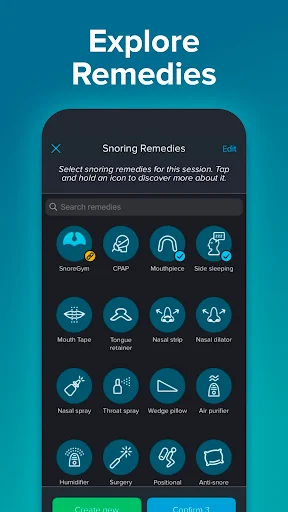
The standout feature is the link between recordings and tracking. SnoreLab lets you log lifestyle factors and remedies, then compare those notes with snoring results. That gives the app a more practical role than simply letting you replay an embarrassing sound. If you are trying a snoring remedy or changing a habit, the record can help you see whether the nights around that change look different.
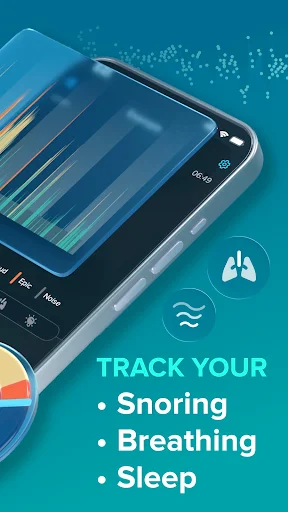
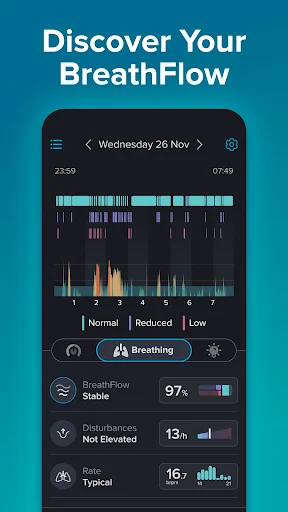
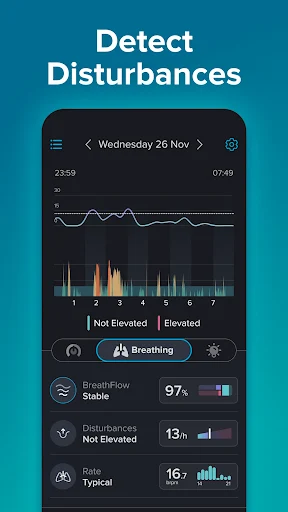
The app also includes Breathing Analysis, called BreathFlow, which examines sound patterns for indicators of irregular breathing, and a breathing-rate feature that identifies possible interruptions. Those details may be useful context, but they should not be mistaken for a medical conclusion. SnoreLab explicitly says it is not a medical device and is not intended to diagnose or treat sleep apnea or other conditions.
Other supported tools include sleep statistics and trends, expert information about snoring remedies, and the ability to email sound files. I like that these features connect to a clear purpose: reviewing snoring and sharing relevant observations. They don’t turn the app into a general-purpose sleep or health platform, and that narrower focus is worth understanding before downloading it.
A Practical Weekly Routine
A manageable routine would be to record several nights during a fairly typical week, then check the scores and highlights each morning. If you try a remedy or make a lifestyle change, log it so you can compare the surrounding nights. This doesn’t prove that a particular change caused a result, but it can make your own record more organized and give you better questions to ask.
At the end of the week, look for broad patterns instead of judging every small fluctuation. You might notice that some nights differ from others or that a logged factor tends to appear alongside a different score. The app’s nightly comparisons and trends are intended to help with this kind of review. If the breathing-related results worry you, take that concern to a healthcare professional rather than relying on the app to interpret it.
Limits To Keep In Mind
SnoreLab’s central limitation is also its boundary: it tracks snoring-related sounds, not every aspect of sleep. A Snore Score is a way to summarize detected snoring intensity, not an overall sleep-quality grade or a diagnosis. The breathing features may add context, but they do not change the app’s stated role. I’d be careful not to treat a reassuring score as proof that everything is fine.
The routine also requires a phone placed near the bed and a willingness to record sound overnight. That may not suit everyone’s bedroom habits, and people looking for a hands-off clinical assessment should look elsewhere. The app contains ads and offers in-app purchases, so the free download does not mean every part of the experience is necessarily without cost.
Finally, tracking is most useful when repeated, but nightly results can be easy to overread. Lifestyle notes and remedy testing help add context, yet a change in score alone cannot establish why a night was different. I’d use SnoreLab as a personal record and a conversation aid, while keeping medical questions with a qualified professional.
SnoreLab makes a specific, everyday problem easier to observe. Its combination of sound samples, Snore Scores, comparisons, and notes gives curious users a structured way to follow snoring across multiple nights. I appreciate that the basic routine is simple, while the app also makes clear that its results are not a diagnosis.
I’d recommend it to someone willing to record consistently and use the results as a starting point for understanding patterns. It’s less suitable for anyone expecting a complete sleep assessment or medical answers from a phone. If you want a focused snoring tracker and can live with ads and optional purchases, SnoreLab is worth considering.
SnoreLab Frequently Asked Questions
What is SnoreLab : Record Your Snoring used for?
SnoreLab records and detects snoring sounds, gives each night a Snore Score, and lets you compare results over time. You can listen to sound highlights and log lifestyle factors or remedies alongside your results. Its breathing-related features offer additional sound-pattern information, but the app is not intended to diagnose or treat sleep apnea or another medical condition.
Which devices can run SnoreLab : Record Your Snoring?
SnoreLab is available on Android through Google Play, and the app description also identifies it as available on iOS. The Android minimum version is not provided in the available store facts, so check the Google Play entry for compatibility with your device. Requirements and availability can vary by device and store.
Does SnoreLab : Record Your Snoring cost money?
The app is free to download and contains ads. It also offers in-app purchases, with listed items ranging from $2.99 to $49.99 each. Prices and available purchases may vary by region or over time, so check the Google Play store entry for the current details before buying anything.
What Android version does SnoreLab : Record Your Snoring require?
The minimum Android version is not specified in the available app facts. The current listed version is 2.33.5.7814, but that number does not tell you which Android releases are supported. Check SnoreLab’s Google Play store entry on your device for the current compatibility requirements, which can vary.
Is SnoreLab : Record Your Snoring right for me?
It may suit you if you want to record snoring, compare nights, and keep notes about lifestyle factors or remedies. It may not suit someone seeking a clinical assessment or a complete sleep tracker. SnoreLab says it is not a medical device and does not diagnose or treat conditions; consult a healthcare professional about health concerns.
Pros
- Combines snoring detection, sound highlights, and a nightly intensity score.
- Nightly comparisons help put individual recordings in context.
- Lifestyle and remedy logs add useful context to repeated tracking.
- Can email recordings for sharing with others.
Cons
- Requires a phone near the bed and repeated overnight recording.
- Breathing analysis is not a medical diagnosis or treatment.
- The free app contains ads and offers in-app purchases.
- Category
- Health & Fitness
- Version
- 2.33.5.7814











