Snapfish: Prints + Photo Books
- 98.67K
- 4.5
- Installs
- 5.00M
- Price
- Free
Screenshots
Analysis by Reviewed APKs
Snapfish: Prints + Photo Books turns phone photos into prints, photo books, cards, calendars and personalized gifts. I see it as a practical choice for anyone who wants a physical keepsake without moving the project to a computer. Its broad product range is appealing, though the number of choices can make it feel more like a shopping and ordering app than a simple photo viewer.
From Camera Roll to Keepsake
After a family gathering, I often have more good phone photos than I know what to do with. Snapfish gives those pictures a next step: I can browse by album or date, select a set, and turn it into prints or a photo book. That makes sense for the ordinary moments that otherwise stay buried in the camera roll, from a weekend visit to a child’s school celebration.
For a quick print order, I can choose sizes, adjust how a picture sits in the crop, set quantities and select glossy or matte paper. If I want something more substantial, the same basic idea extends to books, cards and gifts. The useful part is that I can start with the photos I already have and decide what form suits them, rather than committing to a single kind of project.
More Than a Print Shop
Snapfish sits between a basic photo-printing service and a personalized-gift catalog. A straightforward print app is the better fit if all I want is to send a handful of images to paper with minimal decisions. Snapfish covers that job, but also lets me browse options such as canvases, mugs, blankets, ornaments, cards and calendars when I want to make a gift or a display piece.
That range is useful, but it also defines what the app is not: it is not a general photo editor or a social photo-sharing space. Its editing tools described here focus on preparing pictures for products, especially cropping and layout. I would open it to make something from photos, not to retouch a portrait, organize every part of my digital library or share an album as the main goal.
A Few Helpful Habits
I would start by narrowing a project to a particular event or theme before browsing products. Snapfish’s album and timeline views can help me locate a group of pictures without endlessly scrolling through the camera roll. A short selection also makes it easier to compare images and avoid turning a small book or print order into a catch-all for every photo from the month.
Before ordering prints, I would check the crop preview and confirm both the size and quantity. The app offers several print dimensions, including a size intended to fit phone photos without cropping and square prints. For a book, I would review each page and change layouts where needed. Those small checks are worthwhile because the final product depends on how each picture fits its chosen format.
More From Our News Desk

Zoom Meetings, Google Meet, or Teams: Which Is Easiest to Join?

How I Build a Free Streaming Lineup With Tubi

Why Crunchyroll Is the Default Anime App for So Many Fans

YouTube TV: A Practical Guide to Cutting Cable

Rummikub and the Small Comfort of Phone Games

TeamViewer Remote Control or AnyDesk for Helping Family?
Who Will Enjoy Snapfish
I would recommend Snapfish to people who already take plenty of phone pictures and like the idea of seeing a few of them off-screen. It has practical appeal for someone assembling a photo book, ordering prints for a family visit or making a personalized card or gift. The breadth of products means the same app can serve a casual print order one day and a more considered occasion project another.
It may be less satisfying for someone who wants a very lean, one-purpose printing flow or detailed photo-editing controls. Browsing a wide range of products is part of the experience, so users who find shopping catalogs distracting may prefer a simpler alternative. I would also keep in mind that product choices, print offers and fulfillment options can depend on location, so the US-specific monthly print deal is not a universal reason to choose it.
Snapfish: Prints + Photo Books is a free Android photography app from Snapfish Mobile. Google Play shows over 5 million installs and a 4.5-star rating from about 99,000 ratings. The app is rated Everyone and requires Android 8.0 or later. The supplied version is 17.0.0; it was released on April 13, 2012, and last updated on January 22, 2026.
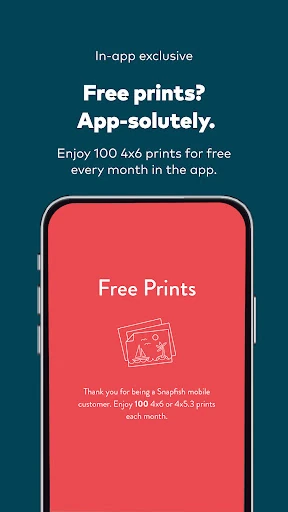
The app is free to install, and the supplied facts say it contains no ads and offers no in-app purchases. Orders are a separate consideration: the US app description promotes an allocation of 100 free 4x6 prints each month, with shipping to pay, subject to the offer’s details. Prices and shipping for other products or locations can vary, so I would check the relevant product and cart before placing an order.
A Closer Look at Making Memories
A Product-Focused First Look
When I first open Snapfish, the clearest idea is that it is built around what I can make from my photos. Prints, books and personalized products are the point, rather than a gallery experience in its own right. That makes the app’s purpose easy to understand, even if browsing a variety of possible keepsakes can feel like a lot when I only came in for a few prints.
The photo-finding choices are useful from the start. I can view pictures by album or by date, which offers a more manageable way into a large camera roll than treating every image as one long stream. Once I have a set in mind, I can move toward a product and begin shaping the order around that group.
The Everyday Ordering Flow
For prints, the app’s builder covers several practical decisions in one place. I can choose a print size, change the quantity and use zoom and pan controls in the crop area to decide what stays in frame. I can also select glossy or matte paper for the order. These are modest tools, but they address the decisions that matter when a phone picture has to fit a physical print.
I appreciate that print sizes are not limited to one standard option. Snapfish describes sizes ranging from wallet prints to larger formats, along with a 4x5.3 option designed to avoid cropping mobile-phone photos and square prints. Combined print-size orders are also supported. That flexibility can help when I am ordering a mix of snapshots rather than making every image the same size.
Products Beyond Prints
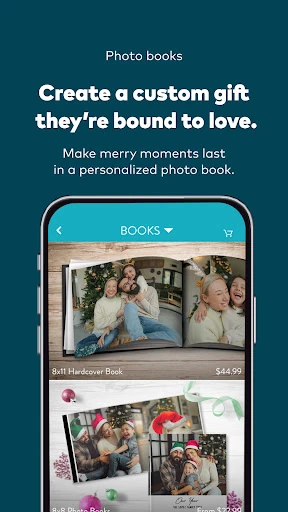
Photo books are one of the more compelling reasons to spend time in the app. I can choose from collage layouts or design my own, and the book pages have layout options that can be changed individually. That kind of page-by-page flexibility is useful when a set of photos includes a few portraits, a group shot and some wider scenes that do not all suit the same arrangement.
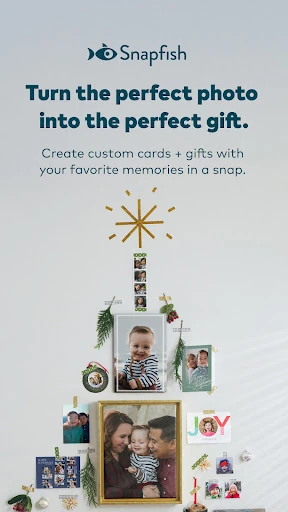
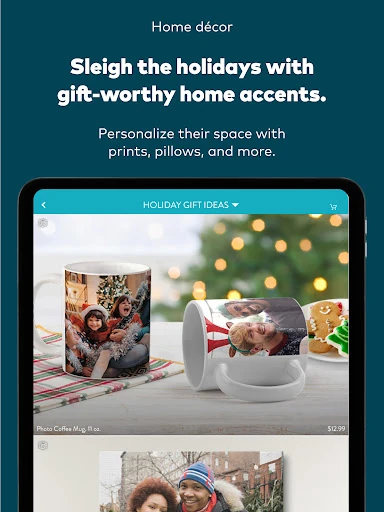
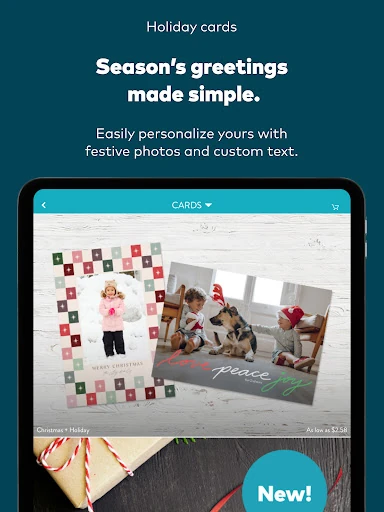
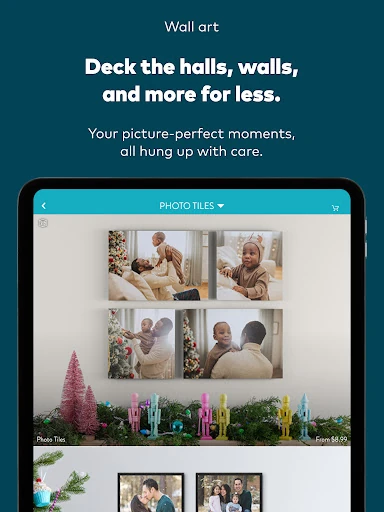
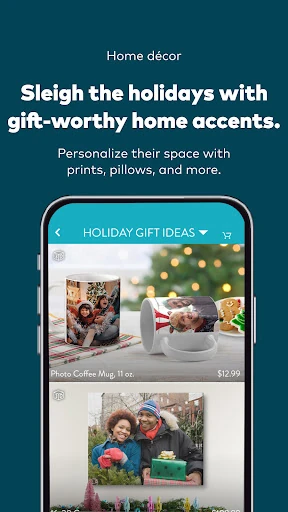
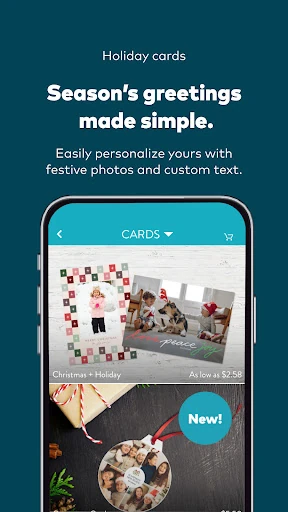
The catalog reaches well beyond books. Snapfish describes cards, calendars, canvases, framed pictures, blankets, pillows, mugs, ornaments, puzzles and other personalized products. There are also options such as acrylic desk accessories, photo blocks and glass prints. I would not expect every user to need that range, but it gives the app a clear role when I am looking for a photo-based gift rather than another digital copy.
A Simple Project Routine
For a small photo book, I would begin with an album or a date range, then choose only the pictures that tell the story I want to keep. Next I would compare layouts and check how each image sits on its page. It is a calmer approach than starting with every photo on my phone, and it gives the finished book a more intentional feel without requiring a complicated planning process.
For a print run, I would decide whether I want standard, square or another size before reviewing the crops. I would double-check quantities and paper finish, then look through the cart before completing the order. The app description also says prints can be mailed or, in some cases, collected at CVS, Walgreens or Walmart within an hour. That can be handy when speed matters, though availability depends on the order and location.
Keep the Details in View
The main limitation is choice. Snapfish offers many kinds of products and variations, which is great when I have a specific gift in mind but can slow down a simple task. The app is more useful when I arrive with a rough plan—prints for a frame, a book from a trip, or a card for an occasion—than when I want it to decide what to do with my photos.
Cropping deserves attention, especially when changing from one print dimension to another. The app explains that crop options fit the selected print dimensions, so I would inspect the preview rather than assume every image will retain its full composition. Pricing is another practical check: the monthly free-print promotion applies to the US app and still involves shipping, while other products and delivery choices have their own costs.
Finally, the experience is centered on creating and ordering physical items. Someone looking for sophisticated image adjustments or a place to share and discuss photos will likely need another app alongside it. Snapfish is at its best when I want a straightforward route from a chosen set of phone pictures to a tangible result.
Snapfish is a capable option for turning phone photos into prints, books and personalized gifts. Its album and timeline browsing, adjustable print crops and range of formats make it more flexible than a bare-bones print order tool. The trade-off is a catalog-heavy experience that rewards arriving with a clear project in mind.
I would try it if I regularly order prints or enjoy making photo keepsakes for family and friends. It is less compelling if I only need editing tools or want the shortest possible route to a tiny print order. Before buying, I would review crops, product pricing and shipping in the cart.
Snapfish Frequently Asked Questions
What is Snapfish: Prints + Photo Books used for?
Snapfish is used to turn phone photos into physical prints and personalized products. The app supports projects such as photo books, cards, calendars, canvases, mugs, blankets and other photo gifts, as well as print orders in different sizes. It also lets users browse pictures by album or date and adjust print crops before ordering.
Which devices can run Snapfish: Prints + Photo Books?
Snapfish: Prints + Photo Books is an Android app and requires Android 8.0 or later. It is available through Google Play. The supplied facts do not describe versions for other platforms, so anyone planning to use it on a different device should check the store or relevant product information for current availability.
How much does Snapfish: Prints + Photo Books cost?
The app is free to install, and the supplied app facts indicate no in-app purchases or ads. Physical products and delivery are separate considerations. The description promotes 100 free 4x6 prints each month in the US app, with shipping to pay; offer conditions and prices for other orders can vary, so check the current Google Play details and cart.
What Android version does Snapfish require?
Snapfish: Prints + Photo Books requires Android 8.0 or later according to the supplied app information. The available version is 17.0.0, and the app was last updated on January 22, 2026. Requirements can change with future releases, so it is worth checking Google Play before installing if device compatibility is a concern.
Is Snapfish: Prints + Photo Books right for me?
It is a good fit if you want to order prints or make photo books, cards, calendars and personalized gifts from pictures on your phone. It may be less suitable if you mainly want advanced photo editing, social sharing or a very minimal print-order experience. The wide product selection is helpful for planned projects but can feel like extra browsing for a quick task.
Pros
- Print builder includes crop controls, quantity changes, multiple sizes and glossy or matte finish choices.
- Album and timeline browsing help narrow down photos for a specific project.
- Supports photo books, cards, calendars, prints and a broad range of personalized gifts.
- US app promotion offers 100 free 4x6 prints monthly, with shipping to pay.
Cons
- The wide product catalog can add browsing when all you need is a quick print order.
- Print crops need careful review to ensure important parts of a photo remain in frame.
- The monthly free-print promotion is limited to the US app and still requires shipping.
- Category
- Photography
- Version
- 17.0.0











