Sleep Cycle: Sleep Tracker
- 214.75K
- 4.3
- Installs
- 10.00M
- Price
- Free
Screenshots
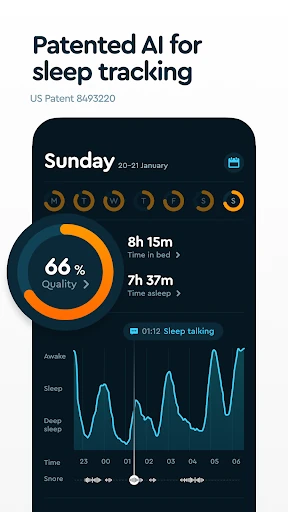
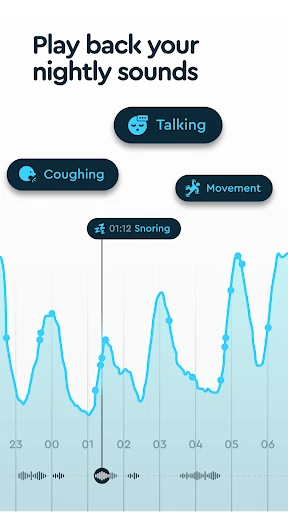
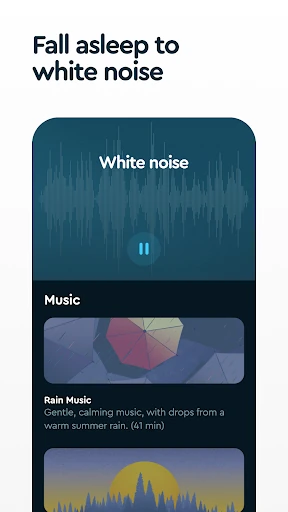
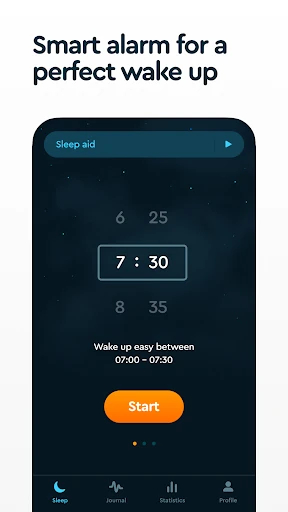
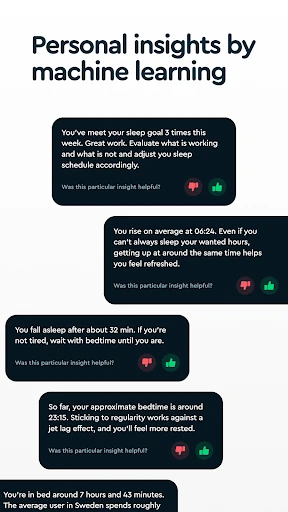
Analysis by Reviewed APKs
Sleep Cycle: Sleep Tracker combines overnight sleep recording with a smart alarm, sleep sounds, and tools for noticing patterns over time. I see it suiting people who want a clearer picture of their nights or a gentler way to start the morning, without placing a phone under the pillow. After spending time with its mix of tracking and bedtime features, I’d call it a useful routine companion, not a medical sleep assessment.
A Morning With More Context
On a work night, I can put my phone on the nightstand, set a wake-up window, and let Sleep Cycle record sounds while I sleep. In the morning, the smart alarm is designed to wake me within that window, and the app gives me a sleep quality score and a record of nighttime sounds. That makes the routine more informative than simply setting a fixed alarm and trying to guess why I feel tired.
The appeal is in connecting a few ordinary details. I can add sleep notes about things such as coffee or stress, then look back for patterns alongside sleep statistics and trends. If I wake up wondering whether a noisy night or snoring interrupted my rest, the recording can offer clues. I’d treat those observations as personal tracking, rather than a diagnosis, but they can make a sleep routine easier to reflect on.
More Than an Alarm
A standard clock app is simpler if all I need is a dependable time to wake up. Sleep Cycle adds a sleep tracker, a configurable wake-up window of up to 90 minutes, and sound recording, so it makes more sense when I want those extra pieces in one nightly routine. It also offers sleep sounds and guided meditation for bedtime, rather than focusing only on the moment the alarm rings.
It is not a substitute for professional assessment or a promise that I’ll feel rested every morning. The score and sound recordings are tools for noticing what happened, not a complete explanation of sleep or health. I also need to keep the phone charged and place it near the bed. If I prefer no phone in the bedroom, or just want a basic alarm, this may be more app than I need.
Small Habits That Help
I’d get more from the app by keeping bedtime and wake-up routines reasonably consistent and recording a short sleep note when something changes. A late coffee, a stressful day, or an unusually noisy evening gives the later trends something useful to compare. The point is not to log every detail; a small, repeatable note is easier to maintain than turning bedtime into a data-entry task.
It also helps to decide what I want from the app before opening its many options. I might use the smart alarm and a rain sound on weekdays, then check the weekly trend when I have time. If snoring or other nighttime noise is my focus, I can review recordings for that purpose. A simple routine keeps the tracking from becoming another thing to fuss over before sleep.
More From Our News Desk

Zoom Meetings, Google Meet, or Teams: Which Is Easiest to Join?

How I Build a Free Streaming Lineup With Tubi

Why Crunchyroll Is the Default Anime App for So Many Fans

YouTube TV: A Practical Guide to Cutting Cable

Rummikub and the Small Comfort of Phone Games

TeamViewer Remote Control or AnyDesk for Helping Family?
Who May Find It Useful
I’d recommend Sleep Cycle to people who are curious about their sleep habits and want a combined tracker, sound recorder, and alarm. It can suit someone trying to keep a more regular schedule, notice whether daily habits seem connected with rest, or make bedtime feel calmer with sleep sounds or meditation. The option to place the phone on a nightstand or nearby floor also works for people who do not want it under a pillow.
It may not suit someone who wants only a basic alarm, dislikes keeping a charged phone by the bed, or would rather avoid overnight recording. Those who expect a medical explanation from a sleep score should keep their expectations modest: the app offers tracking and patterns, not a diagnosis. Since some features are paid, anyone who wants the full set of tools should check the current in-app options before settling into a routine.
Sleep Cycle: Sleep Tracker is a Health & Fitness app from Sleep Cycle AB. On Google Play it has over 10 million installs and a 4.3-star rating from about 215,000 ratings. It is free to download, with in-app purchases priced from $0.99 to $59.99 per item. Google Play gives it an Everyone content rating, and it does not contain ads.
The app was released on June 16, 2014, and its most recent update was February 2, 2026. Android compatibility and the current app version can vary, so it is worth checking the Google Play page for the device-specific details. Recent changes mention bug fixes and performance improvements.
A Bedside Routine, From Night to Morning
Getting Started at Bedtime
My first impression is that Sleep Cycle is built around a clear nightly ritual: keep the phone close to the bed, set an alarm, and let the app collect information overnight. It does not require putting the device under the pillow; a nightstand or nearby spot on the floor is described as suitable. I do need to plan for charging, which makes the phone’s place in the bedroom part of the setup.
There is more to explore than the alarm alone. Sleep sounds, meditation, music, bedtime stories, and sleep programs give the app several ways to support winding down. I’d start with one or two options rather than browsing the whole collection when I’m already ready for bed. A short setup routine is more likely to stick than trying to optimize every setting on the first night.
The Nightly Tracking Loop
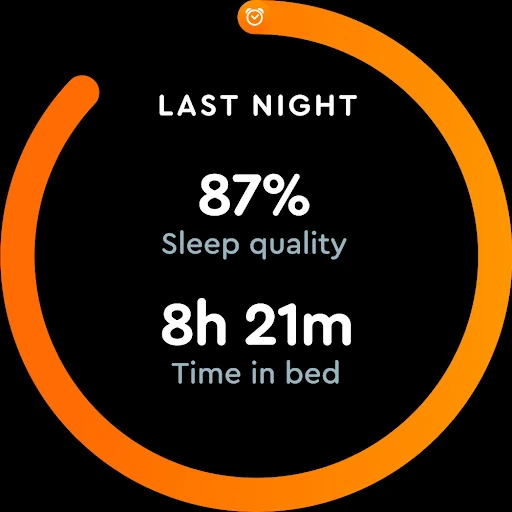
The everyday loop is straightforward: place the phone near the bed, use the alarm, and review the night afterward. Sleep Cycle provides a score from 1 to 100, along with statistics, trends, and graphs. Sound recording can capture snoring, talking, coughing, sneezing, and other noises, giving me a way to revisit what happened instead of relying only on a vague morning impression.
The useful part is watching for repeated patterns, not treating one night’s number as a verdict. Sleep notes let me add context such as coffee or stress, and the app can show how sleep relates to mood. I’d look at that information over time and keep conclusions tentative. An occasional rough night is normal, and a tracker cannot tell me everything about why it happened.
Features With a Clear Purpose
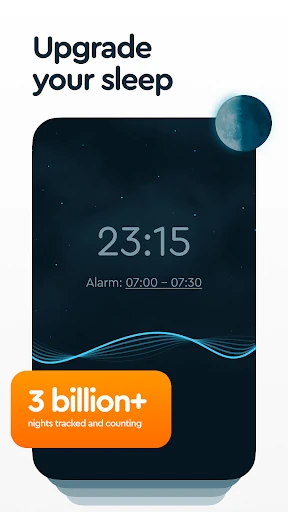
The smart alarm is the most distinctive daily feature. I can choose a wake-up window of up to 90 minutes, and the app aims to wake me at a suitable point within it. Alarm sounds are available, and snoozing can be done by lightly shaking or double-tapping the phone. That gives mornings a little flexibility while keeping the basic job recognizable: get me up on time.
The sound tools cover both falling asleep and understanding the night. The library includes white, pink, and green noise, rain sounds, ASMR, relaxing music, guided meditation, and bedtime stories paired with sounds. Sleep programs offer guides on subjects such as stress relief, bedroom habits, and screen use. Together, those options make the app broader than a tracker, though I’d choose based on what I actually use.
A Routine I Can Maintain
For a practical weekday routine, I’d pick a wake-up window that leaves enough room before the day begins, place the phone on its charging spot, and start a familiar sound if I want one. In the morning, I’d check the summary and add a brief note only when there is something worth remembering. That keeps the app in the background of the routine instead of making it the main event.
At the end of a week, I could compare the sleep trends and notes for recurring changes, such as a different bedtime or more stress. The sleep goal and reminder can support a more regular schedule, while Google Fit integration is available for people who use it. I would focus on a couple of habits at a time; changing everything at once makes it harder to tell what seems helpful.
Limits to Keep in Mind
The setup has practical requirements: the phone needs to be near the bed and able to charge there. That will be easy for many people, but less convenient if the bedroom has limited outlets or I prefer to leave my phone elsewhere overnight. The app also relies on sound recordings for some of its tracking, so anyone uncomfortable with that kind of monitoring should consider whether those features fit their routine.
Sleep Cycle offers many tools, but not every user needs a library of sounds, programs, a recorder, and a smart alarm in one place. Some features are behind in-app purchases, and the range of purchase prices is broad. I’d check the current options in Google Play and decide whether the free experience covers my needs before paying. Most importantly, I’d use its reports as personal context, not medical conclusions.
Sleep Cycle brings the alarm, overnight sound recording, sleep trends, notes, and bedtime audio together in a fairly practical package. I like that its basic routine can be simple, while the extra tools are there when I want to look more closely at a pattern. The phone-by-the-bed requirement and paid features are the main considerations before making it a nightly habit.
I’d suggest trying Sleep Cycle if you want more context around your sleep and are comfortable keeping a charged phone nearby. It is less compelling if you only need a basic alarm or expect definitive answers about your health. Used as a gentle routine and reflection tool, it gives curious sleepers plenty to explore without requiring a complicated setup.
Sleep Cycle Frequently Asked Questions
What is Sleep Cycle: Sleep Tracker used for?
Sleep Cycle combines a sleep tracker, sound recorder, and smart alarm. It provides sleep scores, statistics, trends, and recordings of nighttime sounds such as snoring or talking. It also includes sleep sounds, meditation, music, bedtime stories, and sleep programs. The app is intended to help users follow sleep habits and build a bedtime routine, rather than provide a medical diagnosis.
Which devices can run Sleep Cycle: Sleep Tracker?
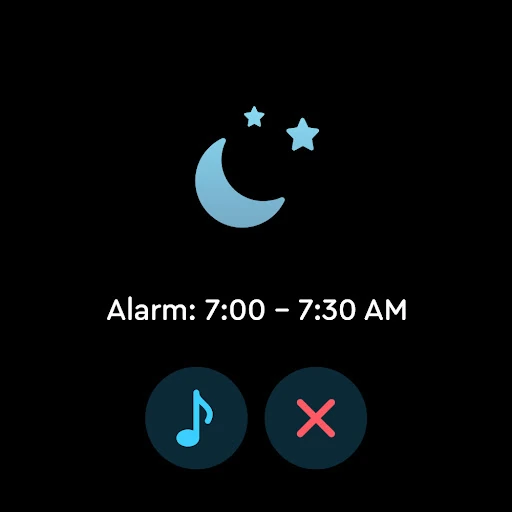
Sleep Cycle is an Android app available through Google Play. The app description also mentions availability on Wear OS, including watch vibrations and a quick summary of recent sleep. For phone compatibility, Android version requirements can vary by device and current release, so check the Google Play page for the requirements that apply to your phone.
What Android version does Sleep Cycle require?
The minimum Android requirement can vary, so I’d check Sleep Cycle’s Google Play page before installing it on an older phone. The app’s current version can vary as well. Its stated setup needs include being able to charge the phone by the bed and place it nearby, such as on a nightstand or the floor.
Is Sleep Cycle: Sleep Tracker free?
Sleep Cycle is free to download and offers in-app purchases. Google Play shows purchase prices ranging from $0.99 to $59.99 per item, so the cost depends on what is available and which features you choose. Check the current Google Play page and in-app purchase details if you want to know the latest options before subscribing or buying.
Is Sleep Cycle: Sleep Tracker right for me?
It may suit you if you want a smart alarm, sleep trends, overnight sound recordings, or audio to use at bedtime. It may be less suitable if you want only a basic alarm, do not want a phone near the bed, or are uncomfortable with recording nighttime sounds. Sleep scores and trends are personal tracking tools, not medical assessments.
Pros
- Combines sleep tracking, sound recording, and a configurable smart alarm in one routine.
- Phone can sit on a nightstand or nearby floor instead of under the pillow.
- Includes sleep notes, trends, bedtime audio, meditation, and sleep programs.
- Offers a 90-minute wake-up window and several snooze options.
Cons
- Requires a charged phone placed near the bed overnight.
- Some features require in-app purchases, with a broad range of item prices.
- Sleep scores and recordings provide context, not medical explanations.
- Category
- Health & Fitness
- Version
- VARY











