Sentara MyChart
- 7.36K
- 4.3
- Installs
- 100.00K
- Price
- Free

Screenshots
Analysis by Reviewed APKs
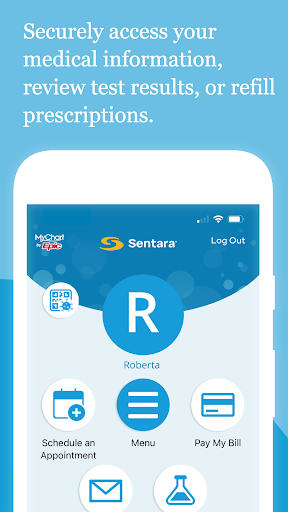
Sentara MyChart is a patient portal app for keeping track of care connected with Sentara. I found its appeal in the practical details: checking test results, reviewing visit notes, managing appointments, and handling bills without digging through paperwork. It suits patients and families who want those tasks close at hand. It is not a replacement for medical care, but it can make the administrative side of care easier to follow.
A calmer appointment day
Imagine getting home after a clinic visit and wanting to check what the provider wrote down. With Sentara MyChart, I can look up the After Visit Summary and any clinical notes the provider shared, rather than rely on memory or search through a folder. The same app brings together test results, medications, and immunization history, so routine follow-up can start with one place to check.
Before another appointment, I can use the app to view and manage visits, including in-person and video appointments. If a new result or other information becomes available, push notifications can flag it when enabled. That makes the app useful in the small gaps of a busy day: a quick check while waiting for a ride, or a look at the next appointment before planning the week.
A portal, not a health guide
The obvious alternative is trying to keep track of care through calls, paper summaries, and separate reminders. Sentara MyChart brings several Sentara-related tasks together: records, appointments, communication with the care team, and medical bills. I see it as a more convenient front door to those parts of care, especially for someone who already uses Sentara services and wants to check information from a phone.
That focus also sets a boundary. This is a patient portal for managing care and viewing information, not a general wellness tracker or a source of medical interpretation. The app can show results and notes, but the description does not make it a substitute for talking with a care team. Its usefulness depends on having a Sentara account and wanting access to the connected health information.
Small habits that help
A little setup makes repeat visits less fussy. After creating a Sentara account, I can enable fingerprint authentication or set a four-digit passcode for quicker sign-in. I would also check the notification setting in Account Settings, since a prompt is only useful if notifications are enabled on the app and device. These are modest steps, but they make it easier to check for updates without repeatedly entering account credentials.
I would make a quick review part of the routine after appointments: open the visit summary, scan the shared notes, then check whether the next appointment is in place. When a result or medication detail needs attention, it is helpful to have the relevant information gathered in the same app before contacting the care team. The app supports communication, but it is still worth keeping personal questions clear and specific.
More From Our News Desk

Zoom Meetings, Google Meet, or Teams: Which Is Easiest to Join?

How I Build a Free Streaming Lineup With Tubi

Why Crunchyroll Is the Default Anime App for So Many Fans

YouTube TV: A Practical Guide to Cutting Cable

Rummikub and the Small Comfort of Phone Games

TeamViewer Remote Control or AnyDesk for Helping Family?
Who may find it useful
I would recommend Sentara MyChart to Sentara patients who want a convenient way to review health information and keep appointments, visit summaries, and bills within reach. It can also suit someone helping manage care for family members, since the app is described as supporting care management for yourself and family. People who prefer checking a phone over keeping paper records may especially appreciate having several practical tasks together.
It may be less useful to someone who does not have a Sentara account or whose care is not connected to Sentara. People looking for a general fitness app, broad health education, or a standalone medication reminder should look elsewhere; those are not the app's stated purpose. And if you prefer handling appointments and records by phone or in person, the portal may add little to your routine.
Sentara MyChart is developed by Sentara and is available on Google Play for Android. It is free to download, has no listed in-app purchases, and contains no ads. Google Play shows a 4.3-star rating from about 7,400 ratings, with over 100,000 installs. Its content rating is Everyone.
The listed app version is 11.7.3. It was released on June 23, 2014, and the listed last update is April 28, 2026. An Android minimum version was not provided in the supplied app details, so check Google Play for the device requirement that applies to your phone.
A closer look at everyday care
Getting started
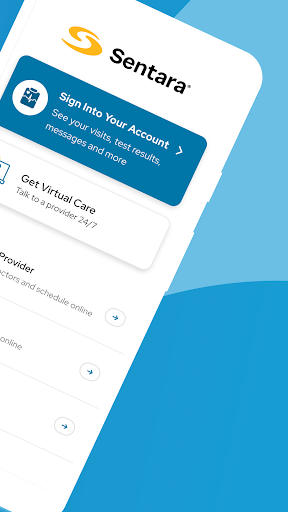
When I first opened Sentara MyChart, the important first step was clear: access requires a Sentara account. Someone can sign up through Sentara.com or choose Sign Up in the app. That requirement gives the app a specific audience, but it also means the experience is not simply a browse-first health reference. The portal becomes relevant once an account is in place.
After signup, the app offers a choice of fingerprint authentication or a four-digit passcode for quicker logins. I like that the suggested setup is practical rather than elaborate; it aims to make returning to the app easier. I would also take a moment to review the notification setting, since updates are more useful when the app can alert me that new information is available.
The daily check-in
The day-to-day value is less about spending a long time in the app and more about being able to check a specific detail when it comes up. I might want to confirm an appointment, review a medication list, or look at a test result. Sentara MyChart groups those kinds of health information with visit summaries and shared clinical notes, which can cut down on searching across different records.
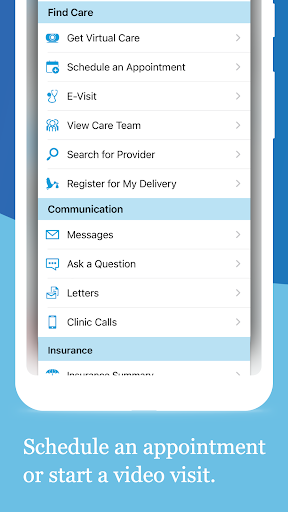
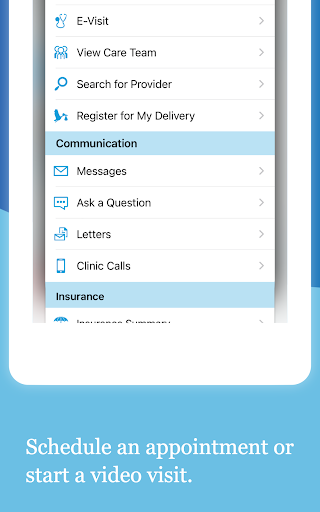
I also like that appointments include both in-person and video visits. That makes the schedule view relevant beyond a single kind of appointment. The app supports communicating with the care team, too, so it can be a useful place to follow up on care-related questions. It is still a portal rather than an urgent-response service, so I would use it for routine management rather than assume every message is immediate.
Useful details in one place
The strongest feature set is the combination of health records and practical administration. The app lets me review test results, medications, immunization history, and other health information. It also provides access to After Visit Summaries for past visits and hospital stays, along with clinical notes a provider has recorded and shared. Those details are particularly helpful when I want to revisit what happened after leaving an appointment.
Appointments and bills round out the experience. Users can schedule and manage in-person and video visits, and view and pay medical bills. Push notifications can signal when new information becomes available, with their status checked under Account Settings. I appreciate that the listed features address several common patient tasks without presenting the app as a tool for interpreting a diagnosis.
A simple care routine
One realistic way to use the app is to check it after each visit. I would read the After Visit Summary while the appointment is still fresh in my mind, then review any shared notes and check what is scheduled next. If I have a question, I can use the care-team communication feature and refer to the relevant information already in the portal.
Between appointments, a short weekly glance can help keep the practical side of care organized. I could confirm upcoming visits, check whether new results or other information have appeared, and take care of a bill through the app. Notifications offer another prompt, but I would treat them as a convenience and check the app directly when I need a particular record or appointment detail.
Things to keep in mind
The account requirement is the main hurdle. Without a Sentara account, the app cannot serve as a personal portal; signup is available through Sentara.com or within the app. Its usefulness is also tied to Sentara care, so it is not a universal place to combine records from every provider. That is a sensible limitation for a provider-specific app, but worth knowing before downloading.
The app makes information accessible, but it does not remove the need to ask the care team about anything confusing in a result or note. The listed features include communication, which gives users a way to stay in touch, but I would not treat the portal as a replacement for a conversation when one is needed. Notification settings also need attention if users want alerts about newly available information.
Finally, the supplied details do not give a minimum Android version. Device compatibility can depend on the current store requirements, so I would check Google Play before installing on an older phone. That practical check matters more than the app's broad feature list if the device cannot run the current version.
Sentara MyChart does a useful job of bringing everyday patient tasks together: records, appointments, care-team communication, visit summaries, and bills. I like it best as a quick reference between visits, not as a substitute for direct care or a general-purpose health app. The account setup and Sentara-specific focus make its audience clear.
If you already use Sentara and want a simpler way to keep track of care on Android, I think it is worth trying. If you need a portal for another provider or want broader wellness tools, it is probably not the right fit. Before installing, check Google Play for the Android requirement for your device.
Sentara MyChart Frequently Asked Questions
What is Sentara MyChart used for?
Sentara MyChart is a patient portal for accessing health information and managing care connected with Sentara. It can show test results, medications, immunization history, shared clinical notes, and visit summaries. Users can also manage in-person and video appointments, communicate with the care team, and view and pay medical bills.
Which phones can run Sentara MyChart?
Sentara MyChart is available on Google Play for Android devices. The supplied details do not give a minimum Android version, and requirements may vary as the app changes. Check the Google Play store page for the current compatibility information for your particular phone or device.
Does Sentara MyChart cost anything?
The app is free to download, and the supplied Google Play details show no in-app purchases or ads. Users need a Sentara account to access the portal. Store details can change, so check the Google Play page for current information before installing.
Do I need an account for Sentara MyChart?
Yes. Access requires a Sentara account. You can sign up through Sentara.com or by choosing Sign Up in the app. After signup, the app offers fingerprint authentication or a four-digit passcode for quicker logins. You can also check Account Settings to see whether push notifications are enabled.
Who is Sentara MyChart best suited to?
It is best suited to Sentara patients who want to check health information, manage appointments, communicate with their care team, and handle bills in one app. The description also says it can help manage care for family members. It may not suit people without a Sentara account or those seeking general wellness tools.
Pros
- Combines test results, medication information, visit summaries, and shared clinical notes.
- Supports management of both in-person and video appointments.
- Includes care-team communication, bill access, and bill payment.
- Offers fingerprint or passcode sign-in and optional push notifications.
Cons
- Requires a Sentara account, limiting its usefulness to connected patients.
- Its provider-specific focus is not a general health or wellness portal.
- The minimum Android version is not provided in the supplied details.
- Category
- Health & Fitness
- Version
- 11.7.3











