Samsung Internet Browser
Listed on Google Play as “Samsung Browser”
- 5.91M
- 3.6
- Installs
- 1.00B
- Price
- Free

Screenshots
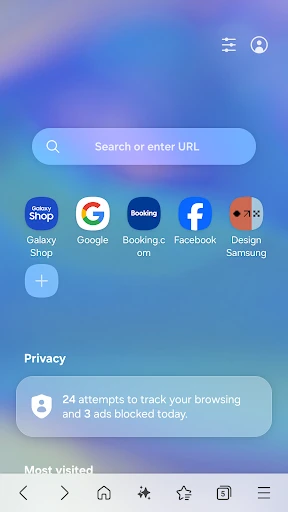
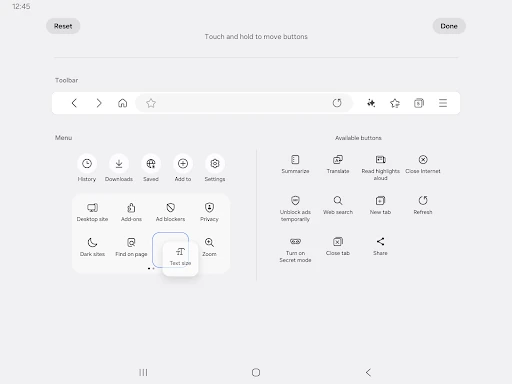
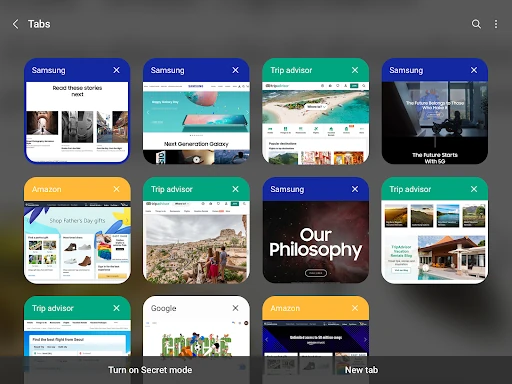
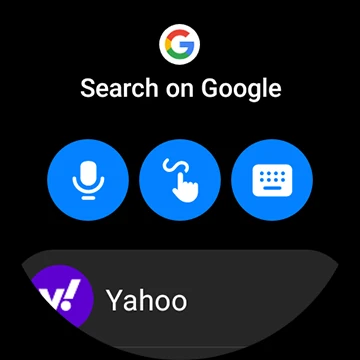
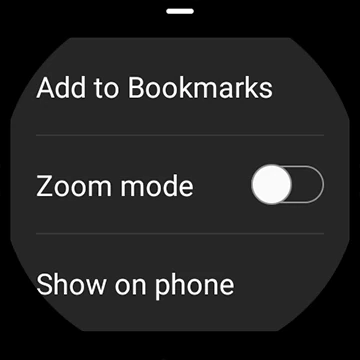

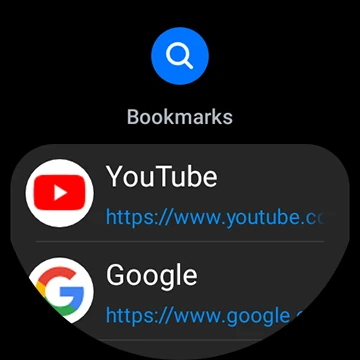
Analysis by Reviewed APKs
Samsung Browser is a mobile web browser for people who want to read, shop, watch video, and manage everyday browsing from a Samsung app. I like that it combines familiar browser basics with privacy tools, dark mode, and options such as extensions and content blockers. Its broad feature set makes it useful for regular browsing, though some extras will matter more to certain users than others.
A Typical Browsing Day
When I first opened Samsung Browser, I thought about the small searches that fill a normal day: checking a recipe while making dinner, looking up a product, then returning to a page I had opened earlier. The browser’s window-management tools are useful when those activities start to pile up. Instead of treating every page as a one-off, I can keep multiple windows organized and switch between them when I need to.
For a shopping detour, Smart Shopping can recommend coupons on supported shopping sites, and some sites may apply the best available coupon at checkout. I would still compare prices and review the final total myself, but it is a handy extra when I am already browsing. Later, for a long read, Dark Mode can make the screen feel more comfortable in a dim room.
Browser, Not a Shopping App
Samsung Browser makes most sense as a general-purpose web browser: I can use it to visit sites, watch video, manage windows, and adjust privacy settings. That puts it in the same everyday category as other mobile browsers, rather than in the category of a dedicated shopping, video, or security app. Its distinctive appeal is the mix of browsing tools and Samsung’s built-in privacy features.
I would not choose it expecting a full coupon service or a standalone protection suite. Smart Shopping depends on country and supported sites, while content blocking relies on third-party apps that provide filters. The browser can warn about known malicious sites and limit some cross-site tracking, but those features do not make every site safe. It is best treated as a browser with useful safeguards, not a substitute for careful judgment.
Small Habits That Help
A little organization goes a long way when I am researching something across several pages. I can use the window-management menu to review open browser windows and keep separate tasks apart instead of letting unrelated pages blur together. That is particularly helpful for an evening of comparing products or planning a trip, when I may want to move between reference pages without losing my place.
I would also check the privacy and appearance options early, rather than waiting until a specific annoyance appears. Dark Mode is easy to appreciate after sunset, while Secret mode is there for browsing sessions I want kept separate. If I often visit pages in another language, the Translator extension is another feature worth exploring. These small choices help the browser fit a routine without requiring a complicated setup.
More From Our News Desk

Zoom Meetings, Google Meet, or Teams: Which Is Easiest to Join?

How I Build a Free Streaming Lineup With Tubi

Why Crunchyroll Is the Default Anime App for So Many Fans

YouTube TV: A Practical Guide to Cutting Cable

Rummikub and the Small Comfort of Phone Games

TeamViewer Remote Control or AnyDesk for Helping Family?
Who May Enjoy It
I would recommend Samsung Browser to Android users who want a capable everyday browser with privacy controls, dark mode, extensions, and a way to manage multiple windows. It should be especially appealing to people who already use Samsung devices and would like a browser from the same company. The combination of ordinary web access and optional extras means it can serve as a regular starting point for browsing.
It may be less compelling for someone who wants a browser focused on one particular job, such as shopping or video playback, or who does not need its added options. Smart Shopping is not available everywhere, and content blockers depend on third-party apps. People who prefer a very simple browser may find the range of tools unnecessary. I would compare its features with my own browsing habits before making it my default.
Samsung Browser is made by Samsung Electronics Co., Ltd. On Google Play, it has over a billion installs and a 3.6-star rating from around 5.9 million ratings. It is free to download, with no in-app purchases or ads. Its content rating is Everyone, and the listed release date is August 24, 2015.
The app’s current version varies with device. The supplied store information gives October 23, 2026, as its last update date. No minimum Android version is included in the available details, so check Google Play on your device for compatibility information. Samsung Browser is also described as available on supported Galaxy Watch devices running Wear OS, including Galaxy Watch 4 series and later models.
A Closer Look at Everyday Browsing
First Look and Setup
My first impression is that Samsung Browser is trying to cover the full range of ordinary browsing rather than making one feature its whole identity. Privacy protection, dark mode, extensions, video tools, and window management sit alongside the basic job of opening websites. That gives new users several things to explore, but it also means the browser is more interesting if I take a few minutes to find the options I care about.
The browser does not require permissions just to provide its core service, according to its description. Optional permissions are used for particular webpage requests and functions, such as location-based content, camera or QR-code use, microphone recording, and uploading files. I would allow those only when a page feature I want to use calls for them, rather than assuming every permission is necessary for routine browsing.
The Day-to-Day Experience
Most of my time with a browser is spent moving between small tasks, and Samsung Browser’s window-management feature is a practical fit for that rhythm. When I have several browsing windows open, the menu in the tab manager gives me a place to view and manage them. That is more useful than it sounds on a phone, where switching between a work search and a personal read can otherwise become untidy.
The familiar browsing use cases are supported by a few thoughtful options. Dark Mode is there for reading later in the day, and Video Assistant is included for video browsing. I also like having a Translator extension available for pages I cannot easily read. None of these turns the app into a specialist tool, but together they make it a flexible choice for ordinary web sessions.
Privacy and Extra Tools
The privacy features are among the browser’s clearest points of difference. Smart Anti-Tracking identifies domains with cross-site tracking capability and blocks their access to storage such as cookies. Protected Browsing can warn before a user visits known malicious sites. Those are useful layers to have while browsing, although I would not interpret a warning system as a promise that every risky page will be caught.
Samsung Browser also supports content blockers supplied by third-party apps. That flexibility can make pages more streamlined, but it means the blocking filters come from outside the browser itself. Secret mode gives users a separate private-browsing option, while the broader set of extensions adds room to tailor the experience. I appreciate that these are optional tools, not requirements for simply opening a website.
A Practical Evening Routine
Imagine I am planning a weekend purchase after dinner. I open a few relevant pages, use the window-management menu to keep the browsing session in order, and check whether Smart Shopping offers a coupon on a supported shopping site. Since availability varies by country and site, I would treat any recommendation as a useful possibility rather than the reason to choose the browser.
After comparing options, I might switch to a different page for a recipe or a video, then use Dark Mode if I am still browsing in a dim room. If I need to understand a foreign-language page, I can look to the Translator extension. This routine shows where the browser’s variety helps: it keeps several everyday web tasks within one app, without pretending to replace dedicated services.
Limits to Keep in Mind
Some features depend on circumstances outside the browser. Smart Shopping is available only in certain countries and on specific shopping sites, and content blocking requires a compatible third-party app. That means two people can install the same browser and get different value from those extras. I would focus first on the core browsing, privacy, and window tools, then see whether the optional features fit my own habits.
The app’s description also outlines optional permissions for capabilities such as location, camera, microphone, nearby devices, media uploads, and notifications, with some permission details depending on Android version. A webpage may request access when its feature needs it. I would review each prompt in context. The app is rated Everyone, but that rating does not remove the need to think about what information a particular website requests.
Samsung Browser is a solid all-purpose option with more to offer than simply loading pages. I especially value its window management and the combination of privacy tools, dark mode, and extensions. Smart Shopping is a pleasant extra when it applies, but it is not the main reason I would install the app.
I would try it if I want a flexible browser, particularly on a Samsung device, and am willing to explore its settings. People who prefer a bare-bones browser or need a specialized shopping tool may be happier elsewhere. For everyday web use, though, its mix of practical features makes it worth considering.
Samsung Internet Frequently Asked Questions
What is Samsung Browser used for?
Samsung Browser is used for everyday web browsing, including visiting websites, managing multiple browser windows, and watching video. It also offers Dark Mode, extensions such as Translator, Secret mode, anti-tracking, and warnings about known malicious sites. Smart Shopping can recommend coupons on some shopping sites, depending on country and site availability.
Which devices support Samsung Browser?
Samsung Browser is an Android app. Its description also says it is available on Galaxy Watch devices running Wear OS that support the app, including Galaxy Watch 4 series and models released later. Device and software compatibility can vary, so check the Google Play store on the device you plan to use.
What Android version does Samsung Browser require?
The minimum Android version is not included in the supplied app details. Requirements can change with app updates and device compatibility, so check the Samsung Browser page on Google Play for the current requirement before installing or updating.
Is Samsung Browser free, and does it have purchases?
Samsung Browser is free on Google Play, and the supplied details say it has no in-app purchases or ads. Features such as Smart Shopping may vary by country and supported shopping site. Check Google Play for current availability and any changes to the app’s terms.
Is Samsung Browser a good fit for me?
It may suit you if you want a general-purpose browser with privacy options, dark mode, extensions, and tools for managing multiple windows. It may be less appealing if you want a very simple browser or a dedicated shopping app. Coupon recommendations and content-blocking options depend on availability and third-party apps.
Pros
- Combines anti-tracking, Secret mode, and warnings about known malicious sites.
- Window management helps keep several browsing tasks organized.
- Includes Dark Mode, video tools, and a Translator extension.
- Free to download, with no ads or in-app purchases.
Cons
- Smart Shopping is limited to supported countries and shopping sites.
- Content blocking depends on third-party apps that supply filters.
- The range of features may feel unnecessary to users who prefer simplicity.
- Category
- Communication