Runmefit
- 5.10K
- 4.2
- Installs
- 500.00K
- Price
- Free

Screenshots
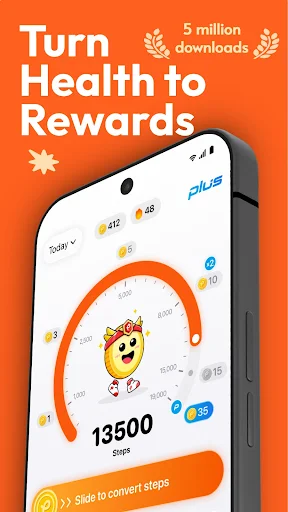
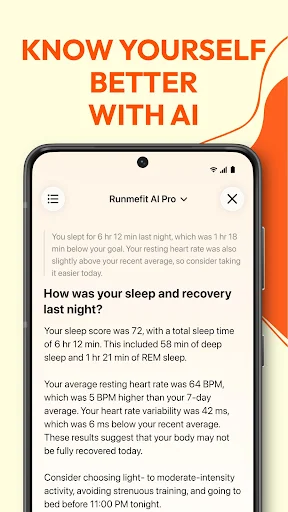
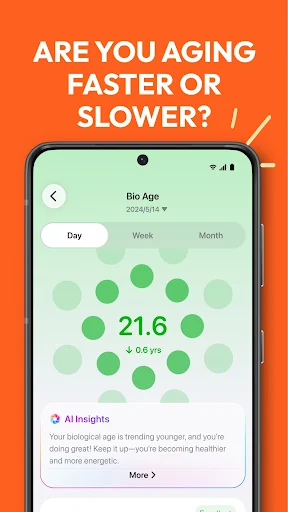
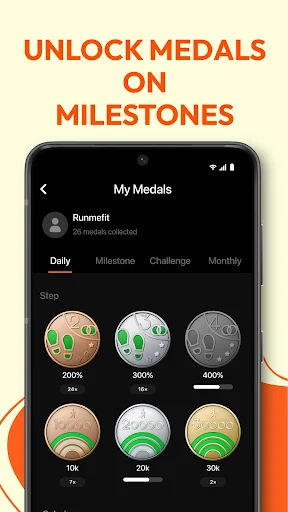
Analysis by Reviewed APKs
Runmefit is a health and activity app for people who want one place to review sleep, daily movement, workout records, and information from a supported device. I see it as a practical companion for building awareness and keeping everyday goals visible, rather than a substitute for a dedicated coaching program. Its mix of tracking, device management, and AI-powered analysis gives it a broad scope, though the experience depends on having compatible Runmefit hardware for some features.
A Day With Runmefit
When I picture using Runmefit through an ordinary weekday, the appeal is having a single place to check movement and sleep instead of treating each as a separate project. I might look at my activity after a walk, then review sleep patterns the next morning. With a supported Runmefit device connected, the app can sync activity and sports records, giving those quick check-ins a useful thread from one day to the next.
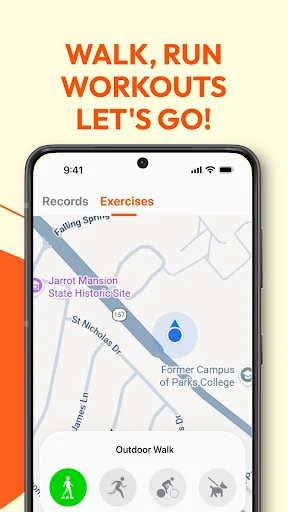
The workout range also makes the app less tied to one kind of exercise. Runmefit supports more than 100 workout types, and its description includes route mapping for outdoor running, walking, and cycling. I can imagine setting a modest activity goal, logging a walk, and checking progress later without turning the routine into a training plan. Medals for milestones add a small celebratory touch when a goal or personal best arrives.
A Companion, Not a Coach
Runmefit sits between a basic activity log and a more specialized training tool. Its scope includes sleep, daily activity, health data, workouts, goals, and supported-device management, so it makes sense for someone who wants these pieces together. The AI-powered analysis is presented as a way to surface personalized recommendations, while manually added health data can help create a fuller record. That combination is broader than simply counting a walk.
I would not approach it as a replacement for expert instruction or a highly focused coaching program. The supplied description does not present structured training plans or nutrition guidance, so those should not be assumed. Some features also rely on a supported Runmefit device, particularly syncing records, device settings, and phone notifications. If a person only wants an occasional running route or a single-purpose workout log, this all-in-one approach may feel broader than necessary.
Make the Checks Routine
The most useful habit is likely a quick, regular review rather than an intensive session in the app. I would check daily activity at a consistent time, keep an eye on sleep patterns over several nights, and use personal goals as a gentle reference point. That rhythm makes the data easier to place in everyday context, instead of treating one unusually active or short-sleep night as the whole story.
For a more complete picture, the description says users can manually add health data, and supported devices can sync activity records. I would keep those inputs consistent and use the app's analysis as a prompt for reflection, not a definitive judgment. Medals can mark milestones, while checking device settings or firmware through the app is a practical occasional task. A little regularity should make the history more useful than sporadic checking.
More From Our News Desk

Zoom Meetings, Google Meet, or Teams: Which Is Easiest to Join?

How I Build a Free Streaming Lineup With Tubi

Why Crunchyroll Is the Default Anime App for So Many Fans

YouTube TV: A Practical Guide to Cutting Cable

Rummikub and the Small Comfort of Phone Games

TeamViewer Remote Control or AnyDesk for Helping Family?
Who May Find It Useful
I would recommend Runmefit to people who already use a supported Runmefit device or are considering one, and who want a companion for sleep, everyday activity, and a range of workouts. It also suits beginners who prefer simple goals and progress checks over a demanding training structure. The ability to manually add health data and view AI-powered analysis may appeal to anyone who likes having several kinds of wellness information in one app.
It may be less appealing to someone who wants detailed coaching, nutrition planning, or a community-based challenge experience; those features are not part of the supplied description. People who do not have a supported device can still find app functions such as goals and manual data entry, but device-dependent syncing and wrist notifications will not be the focus. Anyone who prefers a narrowly specialized tracker may also find Runmefit's broad mix more than they need.
Runmefit is developed by Runmefit and is available on Google Play for Android. It has over 500,000 installs and a 4.2-star rating from around 5,100 ratings. The app is rated Everyone. Its current version is 5.2.0, and its release date was October 18, 2021.
Runmefit is free to download and contains no ads. It offers in-app purchases, with individual items priced from $0.99 to $49.99. The app was last updated on October 28, 2026. An Android minimum version is not included in the supplied app facts, so check Google Play for device compatibility before installing.
How Runmefit Fits Everyday Health Tracking
Getting Started
My first impression is that Runmefit is designed to cover several parts of a routine, not just workouts. Sleep, daily activity, health data, and sports records all sit within its stated scope. That breadth can be reassuring if I want a continuing record, but it also means the app's value is easiest to understand when I decide what I actually want to follow first.
For someone with a supported Runmefit device, setup includes connecting it so the app can sync activities and sports records. The app can also manage device settings, check usage, and update firmware. I would start by pairing the device and choosing a simple goal, then explore other areas as needed rather than trying to make sense of every category on day one.
The Daily Experience
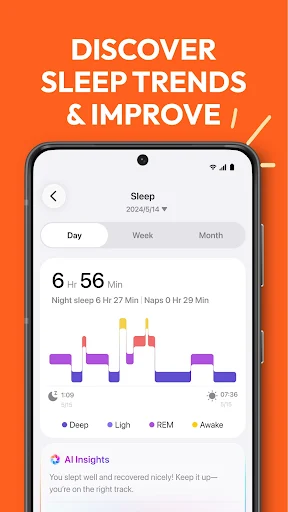
The everyday appeal is in bringing routine movement and longer-term patterns into view. I can use a goal to give a walk or workout some context, then return later to see how progress is developing. Sleep tracking adds a separate overnight view, while the ability to enter health data manually means the app is not limited entirely to synced records.
Runmefit's description emphasizes AI-powered analysis and recommendations, but I would treat those as another way to review information rather than as an authority. A useful routine might be to check patterns across multiple days and consider them alongside how I feel. The app's role is to organize and interpret data; it should not be mistaken for medical advice.
Features With Range
Supporting more than 100 workout types gives Runmefit a wider reach than an app built only around running. The description specifically calls out outdoor route mapping for running, walking, and cycling, as well as tracking personal bests. That leaves room for different activities to live in the same progress record, rather than asking me to use a separate tracker every time my exercise changes.
I also like the small motivational layer: users can set personal goals and earn medals for challenges and milestones. Those details do not need to dominate the experience. They can simply give a regular routine a sense of progress. Combined with sleep insights and supported-device syncing, they make Runmefit feel like a general activity companion rather than a single-workout stopwatch.
A Practical Weekly Rhythm
A low-pressure way to use Runmefit would be to set a realistic activity goal at the start of the week, then log or sync movement as it happens. After an outdoor walk or ride, I could review the mapped route where that activity is supported, and check progress against the goal later. A milestone medal can be a pleasant marker, but the main point is seeing a routine take shape.
At the end of the week, I would look at sleep patterns and activity together, while avoiding big conclusions from a single entry. If I use a supported device, I would also check that records are syncing and occasionally review its settings or firmware through the app. This gives the app a few useful touchpoints without making health tracking feel like another full-time task.
Keep Expectations Grounded
The clearest limitation is that some of Runmefit's connected features depend on supported hardware. Device syncing, settings, firmware updates, and wrist-based calls or notifications are not general phone features; they are described in connection with Runmefit-supported devices. A person without compatible hardware may still use app functions, but should not expect the same connected experience.
The app also covers a lot of ground, which can be a drawback for someone who wants one very specific tool. Its description does not promise nutrition advice, detailed training plans, or a social community, so I would not choose it for those needs. The AI analysis may be useful for reviewing trends, but personal recommendations are best treated as prompts, not a replacement for professional guidance.
Runmefit makes the most sense as a broad companion for people who want to connect everyday activity, sleep, goals, and workout records, especially alongside a supported device. I like that its scope includes more than one kind of exercise and leaves room for manual health-data entry. The medals and analysis add interest without needing to define the whole routine.
I would try Runmefit if I wanted a general health and activity overview and was comfortable checking the app for patterns over time. I would look elsewhere for structured coaching or features beyond the described scope. Before relying on device syncing, I would confirm that my hardware is supported and check Google Play for current compatibility details.
Runmefit Frequently Asked Questions
What is Runmefit used for?
Runmefit is a health and activity app for tracking sleep, daily activity, health data, and workouts. It supports more than 100 workout types, lets users set goals, and can map outdoor running, walking, and cycling routes. It also offers AI-powered analysis and can sync records from supported Runmefit devices.
Which phones and devices work with Runmefit?
Runmefit is an Android app available through Google Play. Some functions, such as syncing sports records, managing device settings, and receiving calls or notifications on a wrist device, require a supported Runmefit device. Check the Google Play page and device information for current compatibility details.
What Android version does Runmefit require?
The minimum Android version can vary with app updates and device compatibility. Check the Runmefit page on Google Play for the requirement that applies to your phone before installing or updating. Runmefit's supported-device features may also depend on whether your wearable can connect to your particular device.
Does Runmefit cost money?
Runmefit is free to download and contains no ads, but it offers in-app purchases. Individual in-app items are priced from $0.99 to $49.99. Prices and purchase options can change, so check Google Play for the current details before buying anything.
Is Runmefit suitable for beginners?
It can suit beginners who want to set personal goals and keep an eye on activity, sleep, and workout progress without focusing on a single sport. Runmefit also covers a wide range of workouts. It may not suit someone looking for structured coaching or features outside the app's described tracking and device-companion role.
Pros
- Covers sleep, daily activity, health data, and more than 100 workout types.
- Supports route mapping for outdoor running, walking, and cycling.
- Goals and milestone medals offer simple ways to mark progress.
- Manual health-data entry can complement supported-device syncing.
Cons
- Several connected features depend on owning a supported Runmefit device.
- The broad scope may feel excessive for someone seeking a single-purpose tracker.
- The described feature set does not include structured training plans or nutrition guidance.
- Category
- Health & Fitness
- Version
- 5.2.0











