PulsePoint Respond
- 33.05K
- 4.6
- Installs
- 1.00M
- Price
- Free
Screenshots
Analysis by Reviewed APKs
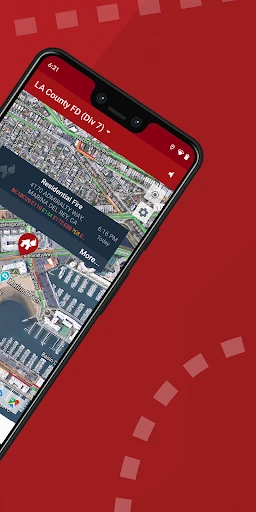
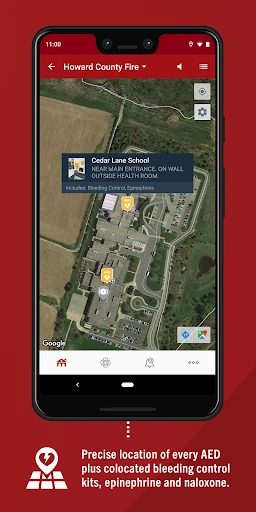
PulsePoint Respond connects people with emergency information in communities served by participating public-safety agencies. Its most distinctive purpose is to alert CPR-trained volunteers when CPR is needed nearby, while also offering notices about significant local threats and access to live dispatch radio traffic in many connected areas. I see it as a focused community-response tool, not a general-purpose medical reference, and its usefulness depends on local coverage.
When an Alert Comes Through
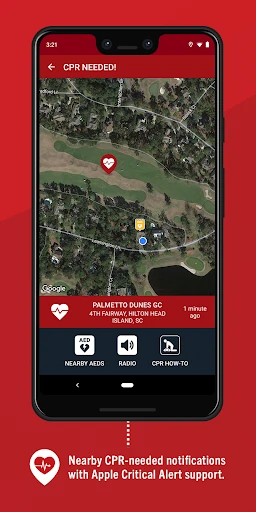
Picture an ordinary afternoon: I am at home, going about my routine, when a CPR-needed notification arrives for a nearby incident. PulsePoint Respond is designed to put that request in front of nearby users who have registered as CPR responders. The point is to make trained community members aware that help may be needed before professional responders arrive. It is a serious prompt, not a casual notification to investigate.
That distinction matters in everyday use. I would only treat an alert as an invitation to help if I had the relevant CPR skills and could respond appropriately; the app’s description does not promise that every alert will be actionable for every person. If no CPR request is active, the app can still provide information about significant local events, such as wildland fires, flooding, or utility emergencies.
A Local Response Tool
Compared with a general news app, PulsePoint Respond is much more focused on public-safety incidents and CPR-needed notifications. It can also provide live dispatch radio traffic for many communities connected to PulsePoint. That gives it a practical local-information role, but it is not simply another feed for national headlines or broad wellness advice. Its relevance is tied to the emergency information and services available in your area.
It is also not a replacement for emergency services, CPR training, or a medical reference. The app’s central idea is to inform and potentially mobilize nearby trained volunteers, while professional responders remain part of the emergency response. Local availability is an important caveat: PulsePoint says coverage is present in thousands of communities, but a particular area may not be connected. That makes it worth checking whether it fits your location before relying on it.
Small Readiness Habits
A useful habit is to make sure the app’s responder registration, notification choices, and location sharing are set as intended. The current release includes a CPR-Needed Alert Readiness Widget that monitors key settings and can show whether the device appears configured to receive alerts, or flag an issue. I like that idea because emergency tools are easy to install once and then forget about until the moment they matter.
I would also take a moment to understand what kinds of notifications I have selected, rather than leaving every alert setting unexplored. If PulsePoint is connected in my community, its notices about local threats may help me stay aware of events affecting my area, while dispatch radio traffic offers another way to follow local activity. These are information tools, though, not instructions for entering an incident or taking action beyond my training.
More From Our News Desk

Zoom Meetings, Google Meet, or Teams: Which Is Easiest to Join?

How I Build a Free Streaming Lineup With Tubi

Why Crunchyroll Is the Default Anime App for So Many Fans

YouTube TV: A Practical Guide to Cutting Cable

Rummikub and the Small Comfort of Phone Games

TeamViewer Remote Control or AnyDesk for Helping Family?
Who May Find It Useful
I would recommend PulsePoint Respond to people with CPR training who want a way to hear about nearby CPR-needed incidents in participating communities. It may also suit residents who want a more direct view of significant local emergencies, including certain fire, flood, or utility events. The app’s combination of responder alerts and community information gives it a clear purpose for people who are interested in local preparedness.
It may be a poor fit for someone expecting a complete medical guide, a universal emergency-alert service, or a steady stream of information in every location. Its core CPR alert depends on local coverage and the relevant settings being in place, and responding requires appropriate training and judgment. If your community is not connected, much of the app’s central appeal may not apply to your everyday routine.
PulsePoint Respond is developed by PulsePoint Foundation. On Google Play, it has over one million installs and a 4.6-star rating from about 33,000 ratings. The app is free to download, has no in-app purchases, and contains no ads. Google Play gives it an Everyone content rating, which describes the store’s rating category rather than the seriousness of the emergencies the app covers.
The listed Android requirement is Android 9 or later, and the current version is 4.27. PulsePoint Respond was released on December 22, 2011, and was last updated on January 16, 2026. The latest update adds a CPR-Needed Alert Readiness Widget that checks key responder and notification settings, along with general performance and stability improvements.
A Closer Look at Local Readiness
First Open and Setup
When I first opened PulsePoint Respond, what stood out was the narrow, purposeful idea behind it: connect community emergency information with people who may be able to help. This is not an app I would install just to browse for entertainment. Its value starts with whether local agencies are connected and whether the user has the relevant responder setup and notifications in place.
The latest update’s readiness widget addresses a practical setup concern. Rather than leaving key settings buried in the background, it is designed as a glanceable interactive tile that can confirm the device is configured or warn of an issue that could prevent an alert. I appreciate that kind of reminder in an app where notification readiness is central to its purpose.
The Day-to-Day Experience
Most days, an emergency-response app should be something I check occasionally rather than constantly. PulsePoint’s role is to bring an important local event to my attention when relevant, including a nearby CPR-needed notification for registered responders. It can also provide significant-event notices that may affect a household, such as flooding, wildland fires, or utility emergencies.
That makes the experience different from a social feed that rewards frequent scrolling. The app is oriented toward awareness and timely notices, so the day-to-day value depends on what is happening nearby and what local coverage supports. I would keep its notifications purposeful and remember that receiving information does not itself establish that I can safely or appropriately respond.
Alerts, Threats, and Radio
The CPR-needed alert is the feature that gives PulsePoint Respond its most specific identity. The description frames it as a way to notify nearby CPR volunteers when help is needed. That is a meaningful use of a phone notification, but it is not a promise that a volunteer will always be available or that every alert will lead to a response.
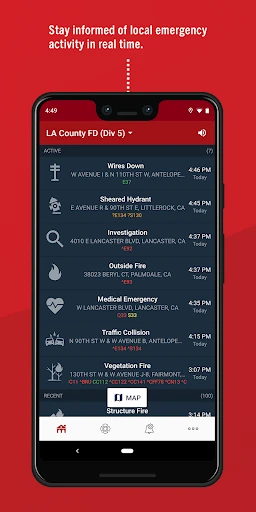
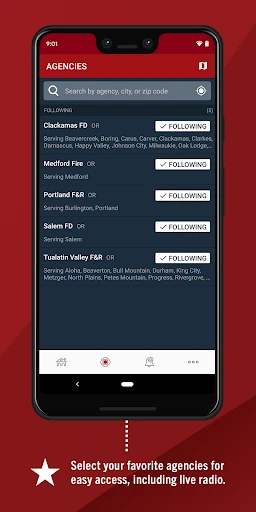
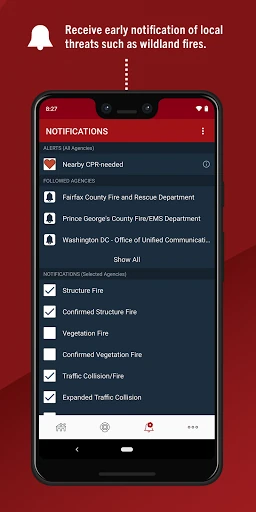
There is a broader local-awareness side too. Users can choose notices about significant events that may affect them and their families, with wildland fires, flooding, and utility emergencies given as examples. For many PulsePoint-connected communities, the app also offers live dispatch radio traffic through a speaker control. These features make it more than a single-purpose alert, while keeping it centered on local public safety.
A Sensible Routine
If I were using PulsePoint Respond regularly, I would establish a simple routine: review the readiness widget now and then, make sure my responder type registration and notification selections still match my intentions, and pay attention to any setting issue it flags. That is a modest amount of maintenance, but it is more useful than assuming an app installed months ago is automatically ready.
I would then treat each kind of information according to its purpose. A CPR-needed notification is relevant to a trained responder who can appropriately assist; a local-threat notice is a prompt to stay informed; and dispatch radio traffic is a way to monitor activity in supported communities. Keeping those uses distinct helps prevent the app from feeling like a blanket instruction to intervene in every incident.
Coverage and Other Limits
The largest limitation is geographic. PulsePoint describes coverage across thousands of cities and communities, but its usefulness in a particular place depends on local participation. Someone outside a connected community may not get the central CPR alert experience or the same local information. I would check local availability before building a routine around the app.
The other limit is that notifications are not a substitute for training or professional emergency response. PulsePoint is intended to inform and request help when CPR is needed nearby; it does not make a user qualified to respond. The app’s community notices and radio access can improve awareness, but the information still needs to be understood in context and used with good judgment.
PulsePoint Respond has a clear and unusually practical purpose: connect local emergency information with people who may be able to help, especially CPR-trained volunteers. Its threat notices, dispatch radio access in many connected communities, and readiness widget add useful context without turning it into a general medical app.
I recommend it to trained responders and locally minded residents who live in a participating community and are comfortable managing alert settings. I would not install it expecting universal coverage or a replacement for emergency services. Check local availability, keep the device configured, and treat alerts as information that calls for judgment.
PulsePoint Respond Frequently Asked Questions
What is PulsePoint Respond used for?
PulsePoint Respond informs users about emergencies in participating communities and can notify registered CPR responders when CPR is needed nearby. It also offers optional notices about significant local events, such as wildland fires, flooding, and utility emergencies. In many connected communities, users can listen to live dispatch radio traffic. Its usefulness depends in part on local coverage.
Which devices support PulsePoint Respond?
PulsePoint Respond is an Android app available through Google Play. The listed minimum requirement is Android 9. The information provided here does not establish support for other platforms, so anyone looking for a different device version should check the app’s store information. Local availability and the information shown can also depend on whether a community is connected.
What Android version does PulsePoint Respond require?
The listed minimum is Android 9 or later. The current version is 4.27, last updated on January 16, 2026. Requirements can change with later releases, so it is sensible to check Google Play for the current compatibility details before installing or updating, especially if your device is running an older version of Android.
Does PulsePoint Respond cost money?
PulsePoint Respond is free to download on Google Play. The provided store facts say it has no in-app purchases and contains no ads. Store details may change over time, so check Google Play for the current terms before downloading. Local coverage is a separate consideration: the app’s core alerts depend on participating communities.
Is PulsePoint Respond suitable for everyone?
The app has an Everyone content rating on Google Play, but its CPR-needed alerts are most relevant to people with CPR training who are prepared to consider an appropriate response. It may also interest residents who want local emergency notices. It is not a medical guide or a substitute for professional emergency services, and coverage varies by community.
Pros
- Connects nearby CPR-needed notifications with registered responders in participating communities.
- Offers optional notices about significant local threats and emergencies.
- Live dispatch radio traffic is available in many connected communities.
- Readiness widget can flag issues with key alert settings.
Cons
- Core usefulness depends on local agencies participating in PulsePoint.
- Responding to alerts requires appropriate training and personal judgment.
- It is focused on local public safety, not general medical guidance.
- Category
- Medical
- Version
- 4.27











