Patient Gateway
- 2.36K
- 4.6
- Installs
- 100.00K
- Price
- Free

Screenshots
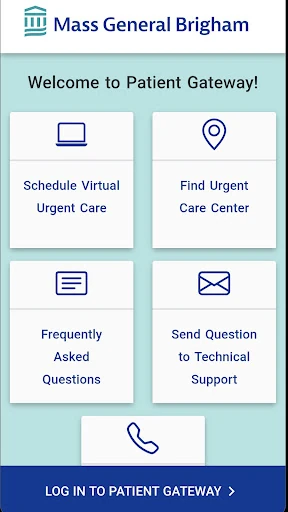
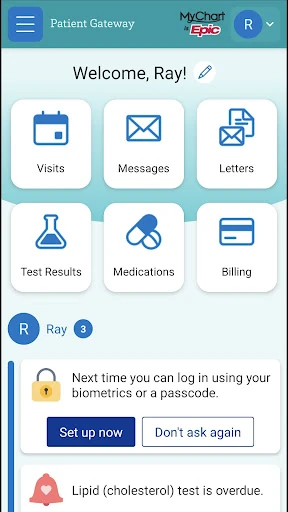
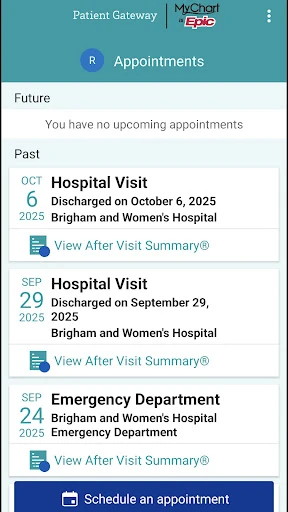
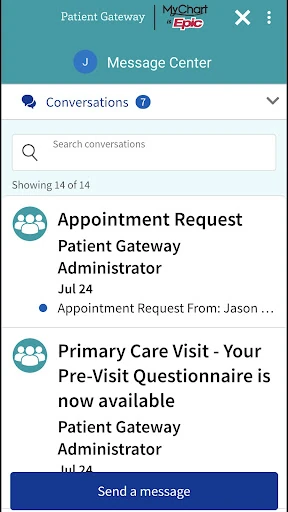
Analysis by Reviewed APKs
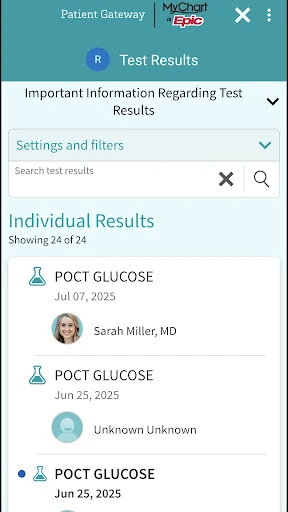
Patient Gateway is a healthcare companion for checking test results, managing appointments, messaging your doctor, renewing prescriptions, and paying bills. I see it as most useful for people who want those routine tasks in one place rather than spread across calls and paperwork. Its appeal is practical, not flashy: when your care already involves the services it supports, having a simple way to check in can make the day-to-day feel more organized.
A Routine Check-In
Imagine I have a quiet moment after work and want to check whether a test result is ready. Instead of trying to remember which office to call, I can open Patient Gateway and review results, then use the app to message my doctor if I have a follow-up question. That kind of small, focused visit is where the app makes sense: it gives me a place to handle a few practical healthcare tasks without turning them into a full afternoon of phone calls.
The same idea applies when an appointment is coming up, a prescription needs renewing, or a bill needs attention. I can use the app to manage appointments, renew prescriptions, and pay a bill from the same general hub. Those jobs are different, but they all tend to get postponed when they require a separate conversation or a paper statement. Patient Gateway brings the listed tasks together, making it easier to remember what I meant to take care of.
A Healthcare Hub, Not a Doctor
Compared with calling an office for every update, Patient Gateway offers a more self-directed way to handle common account tasks. It is also more focused than a general calendar or notes app: those can remind me about an appointment, but they do not provide the listed options to review test results, message a doctor, renew prescriptions, or pay a bill. The useful distinction is that this app is meant for healthcare interactions, rather than general organization.
That focus also defines what it is not for. Patient Gateway is not a replacement for talking with a clinician when I need a real conversation, and it is not a general health encyclopedia or a tool for diagnosing symptoms. Its described role is to help me view information and communicate with my doctor. I would treat it as a convenient companion for routine tasks, not as a substitute for care or urgent help.
Small Habits That Help
I would get the most from Patient Gateway by making it part of a simple routine: check it when I am sorting out the week, rather than waiting until a task becomes urgent. I could look over appointments, see whether a result is available, and note anything I want to ask my doctor. Keeping those tasks together can reduce the mental juggling that happens when each one lives in a different place.
Messaging also works best when I use it for a clear, specific question. Before writing, I would gather the detail I want to mention and make the request easy to understand. For prescription renewals or a bill, I would open the app when I have enough time to complete the task rather than tapping around in a rush. These are modest habits, but they make a task-based app more useful in everyday life.
More From Our News Desk

Zoom Meetings, Google Meet, or Teams: Which Is Easiest to Join?

How I Build a Free Streaming Lineup With Tubi

Why Crunchyroll Is the Default Anime App for So Many Fans

YouTube TV: A Practical Guide to Cutting Cable

Rummikub and the Small Comfort of Phone Games

TeamViewer Remote Control or AnyDesk for Helping Family?
Who May Find It Useful
I would recommend Patient Gateway to people who want a single mobile place for the healthcare tasks it supports. If I regularly check results, keep track of appointments, need to contact my doctor, renew prescriptions, or pay bills, the app has a clear practical purpose. It may be especially appealing to someone who prefers handling straightforward tasks on a phone when there is a convenient moment, instead of relying on a call for each one.
It may be less useful if I do not need these particular services or prefer to handle every healthcare matter by phone or in person. The app also should not be mistaken for a source of medical advice or emergency support; its described tools focus on access and communication. I would choose it for routine coordination, while keeping direct conversations with healthcare professionals for questions that need more than a message.
Patient Gateway is developed by Mass General Brigham, Inc. On Google Play, it has more than 100,000 installs and a 4.6-star rating from 2,361 ratings. The app is free to download, with no in-app purchases or ads. Its content rating is Everyone, and the listed minimum requirement is Android 9.
The listed version is 11.5.100. Patient Gateway was released on March 16, 2017, and its most recent update was November 4, 2025. The update notes describe miscellaneous bug fixes and improvements. The app’s core listed tasks include reviewing test results, managing appointments, messaging a doctor, renewing prescriptions, and paying a bill.
Making Healthcare Tasks Easier to Handle
A Practical First Impression
When I first opened the idea of Patient Gateway, what stood out was how clearly its purpose is defined. The app is about getting to health information and communicating with a doctor, with a short list of tasks that are easy to understand. I do not need to imagine a complicated wellness platform; the value is in having several routine interactions collected in one mobile app.
That straightforward scope is a strength for anyone who wants a practical tool rather than a lot of extra content. I can think of why I would open it: to check a result, look after an appointment, send a message, renew a prescription, or pay a bill. Those familiar needs give the app an immediate role in a healthcare routine.
Useful in Everyday Moments
Day to day, Patient Gateway seems best suited to short visits. I might open it while planning the week, take a look at an appointment, then return later when I have a question for my doctor. Another time, I might check for a test result or handle a bill. The app’s described tools support these separate moments without requiring me to treat healthcare management as one long session.
I also like that messaging sits alongside the other practical jobs. If I notice something while reviewing information, I can use the app to message my doctor rather than leaving the thought in a note and forgetting it. I would still keep expectations sensible: messaging is a way to communicate, not a promise of an immediate response or a replacement for a conversation that needs more context.
The Standout Tasks
The feature set covers several steps that often come up around care. I can review test results, manage appointments, message my doctor, renew prescriptions, and pay a bill. The breadth is useful because these jobs tend to arrive at different times, yet they all relate to keeping up with care. Having them together gives Patient Gateway a more specific role than a general reminder app.
The combination also makes the app feel like a practical front door to routine interactions. A result may prompt a question; an appointment may be part of a busy week; a prescription may need renewing. Patient Gateway brings those needs into the same place, while keeping its stated purpose focused on health information and communication rather than trying to cover every part of a person’s health.
A Weekly Check-In
A useful way I would work Patient Gateway into my routine is to set aside a few minutes once a week to check what is coming up. I could review appointments, see whether there is a result I need to look at, and make a note of any question I want to send my doctor. If a bill or prescription task needs attention, I can address it during that same check-in instead of letting it slip from memory.
The point is not to spend more time in an app; it is to make a small, repeatable check easier. I would avoid opening it without a reason, especially when I am distracted, and instead use it when I can focus on the task in front of me. That simple rhythm suits an app built around a handful of practical healthcare actions.
Keep Its Role in Mind
Patient Gateway’s usefulness depends on whether its listed tasks match what I need. It is a focused healthcare tool, not an all-purpose organizer, and the description does not position it as a medical reference or an emergency service. I would not rely on messaging for something that needs immediate attention, and I would not expect the app to replace a clinician’s judgment or a direct conversation.
It is also worth approaching results and other health information thoughtfully. The app can help me review information and communicate with my doctor, but the most helpful next step for a concern may be a discussion with that doctor. Used with that boundary in mind, Patient Gateway can make routine coordination more manageable without asking it to do more than its stated job.
Patient Gateway has a clear, useful purpose: it brings several everyday healthcare tasks into one mobile app. I like the practical mix of results, appointments, messaging, prescription renewals, and bill payment. It is not a substitute for medical care, but it can make routine interactions easier to keep track of.
I would recommend it to people who want a convenient way to handle those tasks and communicate with their doctor. If that matches how I manage care, Patient Gateway is worth trying. If I mainly need broader health information or urgent guidance, this is not the tool I would turn to for that.
Patient Gateway Frequently Asked Questions
What is Patient Gateway used for?
Patient Gateway is used to view health information and communicate with a doctor. Its listed features include reviewing test results, managing appointments, messaging a doctor, renewing prescriptions, and paying a bill. I would think of it as a place for routine healthcare tasks, rather than a general medical reference or a replacement for speaking directly with a healthcare professional.
Which devices can run Patient Gateway?
The supplied store details cover Patient Gateway for Android, with a minimum requirement of Android 9. The app is available through Google Play. Device compatibility can depend on the device and its software, so I would check the Google Play store page on the phone I plan to use before installing it.
What Android version does Patient Gateway require?
Patient Gateway lists Android 9 as its minimum Android version. If my device runs an older version, I would check the Google Play store page for current compatibility details before relying on it. The listed app version is 11.5.100, and the most recent update date shown is November 4, 2025.
Does Patient Gateway cost money?
Patient Gateway is free to download on Google Play, and the supplied app details indicate that it has no in-app purchases or ads. The app can help with tasks such as reviewing results, messaging a doctor, and paying a bill. Any charges related to healthcare services or bills are separate from the app download.
Is Patient Gateway a good fit for me?
It may be a good fit if I want a mobile place to manage appointments, review test results, message my doctor, renew prescriptions, or pay a bill. It may be less useful if I do not need those tasks or prefer other ways of handling them. I would use it for routine coordination, not urgent concerns or medical advice.
Pros
- Brings test results, appointments, doctor messaging, prescription renewals, and bill payment into one app.
- Offers a practical mobile option for routine healthcare tasks.
- Free to download, with no ads or in-app purchases.
- Has a clear focus on health information and doctor communication.
Cons
- Its focused task list may not suit people looking for broader health tools.
- Messaging should not be treated as a substitute for urgent or detailed care.
- Requires Android 9 or later.
- Category
- Medical
- Version
- 11.5.100











