OptumRx
- 54.92K
- 4.2
- Installs
- 1.00M
- Price
- Free

Screenshots
Analysis by Reviewed APKs
OptumRx is a pharmacy benefits app for members who want to check medication prices, keep track of prescriptions, and handle eligible orders from their phone. I found its appeal is practical rather than flashy: it brings several common prescription tasks together, including home delivery and order tracking. It suits people already using OptumRx benefits, though it is less useful as a general medication or health-management app.
A prescription errand, simplified
When I first opened OptumRx, I thought about the small prescription errands that can otherwise turn into a phone call or a trip: checking what a medication might cost, finding a member ID card, or seeing what is happening with a home delivery order. The app is built around those practical jobs. For someone managing prescriptions through OptumRx, having these details available on a phone can make a routine check easier to fit into the day.
A plausible use is checking a prescription before the next refill is due. I can compare drug prices, look over the medications associated with my account, and see whether home delivery is an option for an eligible medication. If I already have a home delivery order, I can check its status or address a hold. These are focused tasks, not a substitute for a pharmacist or a place to get medical advice.
Benefits, not a general health hub
OptumRx makes the most sense alongside the pharmacy benefits it is designed to help members manage. Compared with calling about an order or relying on a pharmacy visit for every update, the app offers self-service access to price comparisons, medication information, and home delivery tasks. It can also keep a member ID card and account information handy. Those features are most relevant when your prescription benefits and orders are connected to OptumRx.
That focus also defines what the app is not. It is not a broad health tracker, a general-purpose medicine encyclopedia, or a replacement for a local pharmacy relationship. The description centers on benefits, prescriptions, and home delivery rather than symptom tracking or clinical guidance. If you do not use OptumRx for pharmacy benefits, its tools may have little everyday value; if you need medical advice, the app's listed functions are not that service.
Small habits that help
I would get the most from OptumRx by checking it before a refill becomes urgent. A quick look at the medication list and any existing order can help me understand what needs attention, while price comparison gives me a chance to review available options before making a decision. The app also supports automatic refills for home delivery, which may suit a steady routine when that option is available for a prescription.
It is also worth treating the app as a handy reference rather than something that needs constant attention. I could check an order status while planning the week, keep the member ID card available for a pharmacy visit, and review account information when something changes. If an order is held, the ability to resolve eligible home delivery holds gives the app a specific follow-up role. The best routine is simple: check when a prescription or order calls for it.
More From Our News Desk

Zoom Meetings, Google Meet, or Teams: Which Is Easiest to Join?

How I Build a Free Streaming Lineup With Tubi

Why Crunchyroll Is the Default Anime App for So Many Fans

YouTube TV: A Practical Guide to Cutting Cable

Rummikub and the Small Comfort of Phone Games

TeamViewer Remote Control or AnyDesk for Helping Family?
Who may find it useful
I would recommend OptumRx to members who want a phone-based way to manage pharmacy-benefit tasks. It is especially relevant if you compare prescription prices, use home delivery, refill prescriptions through that service, or want to check an order without making it a separate errand. The member ID card and medication list also make it useful as a practical reference when you are away from home or preparing for a pharmacy visit.
It may not suit someone looking for a full medication reminder system, detailed health records, or advice about symptoms and treatment. The described tools are tied to prescription benefits and eligible home delivery, so their usefulness depends on whether those services match your situation. I would also expect the app to be less compelling for people who prefer handling every prescription interaction in person or do not need to manage orders through OptumRx.
OptumRx is developed by Optum Inc. On Google Play, it has over one million installs and a 4.2-star rating from about 55,000 ratings. The app is free to download, and the store facts show no in-app purchases or ads. Its content rating is Everyone, which describes the store rating category rather than the app's usefulness for any particular member.
The listed version is 4.61.0. OptumRx was released on January 28, 2015, and its recorded last update is November 3, 2026. The supplied store facts do not give a minimum Android version, so Android compatibility is best checked on Google Play for the device you plan to use. That is the practical detail to verify before installing.
Making Prescription Tasks Easier to Handle
A focused first impression
When I first considered OptumRx, the clearest impression was its narrow purpose. The app is not trying to cover every part of personal health; its listed tools cluster around pharmacy benefits, medications, and orders. That makes the promise easy to understand. If I need to find a member ID card or check the status of home delivery, I know why I would open it.
Getting started is most meaningful for someone whose pharmacy benefits are already managed through OptumRx. From there, the app describes access to account information and medication details, along with order and refill functions. I would approach setup as a practical account-management step, then return when a prescription needs attention, rather than expecting a daily destination packed with unrelated features.
Useful between refills
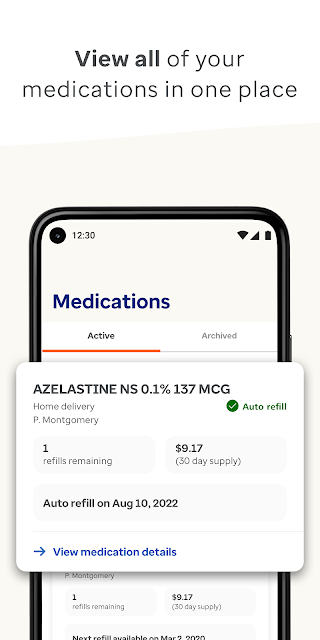
Day to day, the strongest idea is having a few prescription tasks in one place. I can compare medication prices, view my medications, and check a home delivery order without treating each question as a separate errand. When a delivery order is held, the app also offers a way to resolve home delivery holds. That makes it relevant not just at refill time, but when an order needs follow-up.
The app's usefulness naturally comes in bursts. I may not need to open it every day, but it could be helpful when I am checking an upcoming refill, confirming an order's progress, or looking for my member ID card. That is a sensible pattern for a benefits tool: available when the task comes up, without requiring a daily habit just to get value from it.
Standout prescription tools
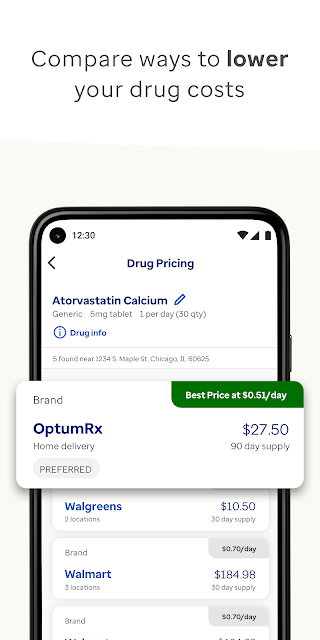
Price comparison is one of the more concrete features because it gives members a way to review drug pricing options before handling a prescription. I like that this sits beside the medication list and order tools rather than being presented as an isolated function. The app's description says its tools help members find pricing information, but the actual options available will depend on the medication and benefits involved.
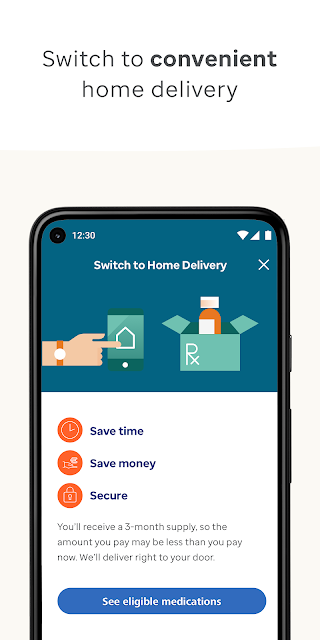
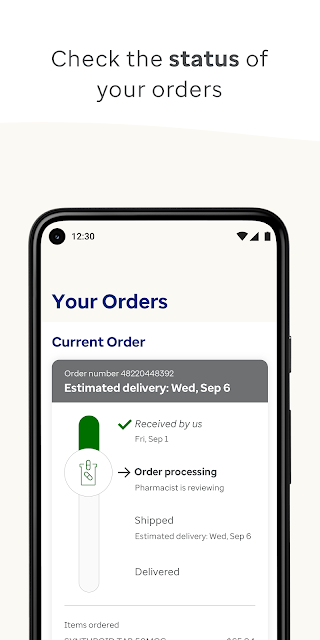
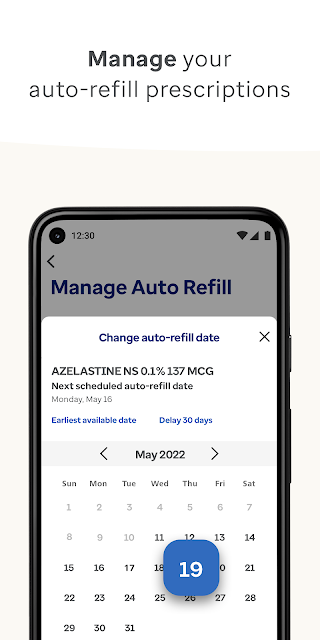
Home delivery is another central feature. Eligible medications can be transferred to home delivery, and members can refill home delivery prescriptions, check order status, set up automatic refills, and resolve certain order holds. I would not assume every prescription qualifies; the app explicitly frames the transfer option around eligibility. Still, for people who use the service, these are useful steps to have on a phone.
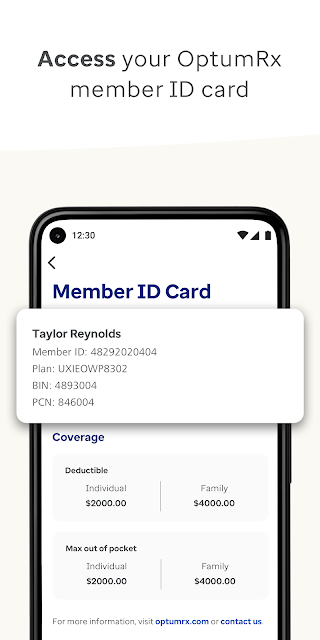
A member ID card and account management round out the feature set. They are not flashy additions, but they fit the same everyday purpose: putting benefit information and prescription tasks within reach. Taken together, the app is most compelling as a compact companion for managing pharmacy-benefit details, rather than as a source of broad health content.
A low-effort routine
A routine I can picture is checking OptumRx when I have a few minutes before a refill is due. I would review the medication information, compare available prices, and see whether home delivery is an eligible option. If I had already placed an order, I could check its status instead of wondering whether anything had changed. The point is not to monitor constantly, but to handle the next useful task in one sitting.
For prescriptions already using home delivery, automatic refills may help make the routine less hands-on. I would still check the order and account when something needs attention, especially if a hold appears. Keeping the member ID card accessible is another small convenience, particularly when heading to a pharmacy. These habits make more sense than opening the app out of obligation: each visit can be tied to a clear prescription or benefit question.
Limits to keep in view
The main limitation is that OptumRx is built around a particular pharmacy-benefit relationship. Its tools will be most useful when a member's benefits, medications, and eligible orders fit the services described. People outside that context may find little reason to use it. The app also does not present itself as a comprehensive health organizer, so users seeking a wider set of wellness or medical tools should not expect that from this focused product.
Home delivery features are described for eligible medications, so they should not be read as a promise that every prescription can be transferred or refilled that way. Price comparisons are useful for reviewing options, but the app is not described as a source of medical recommendations. I would keep the app's role clear: it helps with benefit and order logistics, while questions beyond those tasks may require another resource.
OptumRx is a practical, purpose-built app for people managing prescriptions through its pharmacy benefits. I like that the feature set covers useful chores—price checks, medication details, member ID access, and home delivery orders—without pretending to be a complete health platform. Its value depends on whether those services fit your situation, but the core job is easy to understand.
I would recommend giving it a try if you are an OptumRx member who wants to handle prescription tasks from a phone, particularly around home delivery and refills. If you want medication advice, broad health tracking, or tools unrelated to pharmacy benefits, it is probably not the right fit. For its intended audience, it can make routine administration more convenient.
OptumRx Frequently Asked Questions
What is the OptumRx app used for?
OptumRx helps members manage pharmacy benefits and prescription tasks. Its described tools include comparing drug prices, viewing medications, accessing a member ID card, managing account information, and handling eligible home delivery prescriptions. Members can also check order status, resolve certain delivery holds, and set up automatic refills for home delivery.
Which devices can I use OptumRx on?
OptumRx is available as an Android app on Google Play. The supplied information does not specify a minimum Android version, so check the Google Play page for compatibility with your device before installing. Its listed features are designed for managing medication and order information on a device, including when away from home.
What Android version does OptumRx require?
The minimum Android version is not provided in the app facts here. Requirements can vary as the app changes, so check OptumRx's Google Play page for the current compatibility information before downloading. The listed version is 4.61.0, but that does not by itself establish which Android versions a device needs.
Does OptumRx cost money or include purchases?
OptumRx is free to download on Google Play. The supplied store facts say it contains no ads and offers no in-app purchases. Some features relate to a member's pharmacy benefits and eligibility for home delivery, so the app's availability of a particular prescription service may depend on the member's situation.
Is OptumRx suitable for everyone managing medication?
It is best suited to people who manage pharmacy benefits through OptumRx and want to check prices, medications, or home delivery orders. It is not described as a general health tracker or a source of medical advice. If you do not use the relevant benefits or services, its prescription-management tools may be less useful.
Pros
- Brings price comparisons, medication details, and prescription orders together in one app.
- Supports home delivery refills, order tracking, and automatic refills for eligible prescriptions.
- Keeps a member ID card and account management tools accessible on a phone.
- Free to download, with no ads or in-app purchases according to store facts.
Cons
- Most useful to people whose pharmacy benefits and prescriptions fit OptumRx services.
- Home delivery features apply to eligible medications, rather than necessarily every prescription.
- Focused on benefit and order tasks, not broad health tracking or medical guidance.
- Category
- Medical
- Version
- 4.61.0











