Node Video
- 63.82K
- 4.5
- Installs
- 10.00M
- Price
- Free

Screenshots
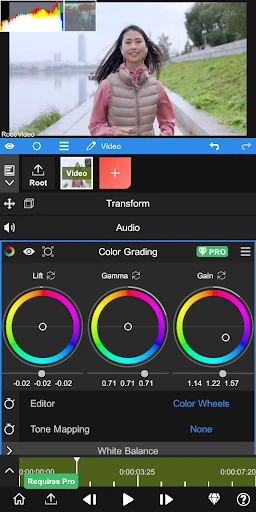
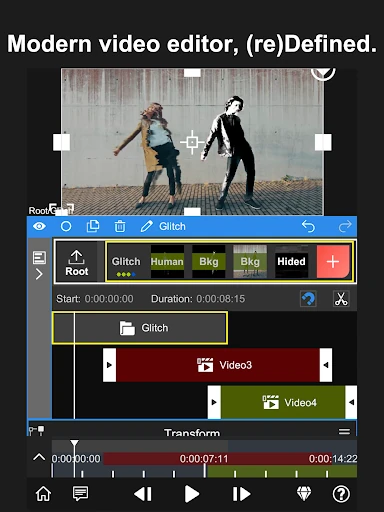
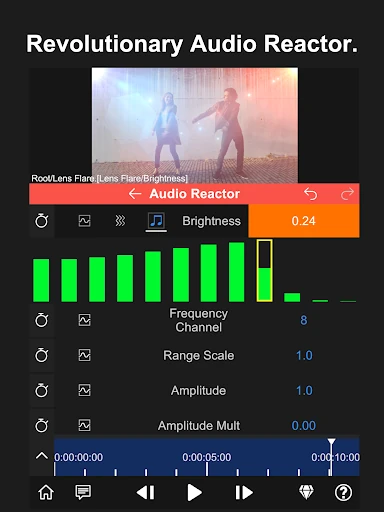
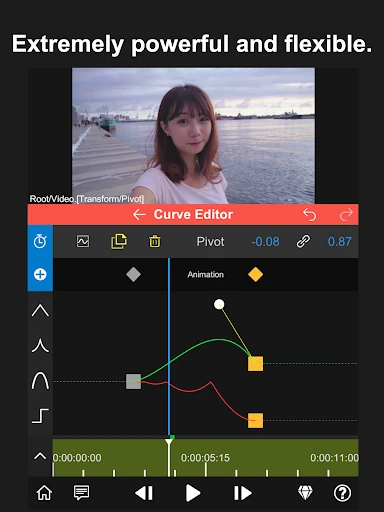
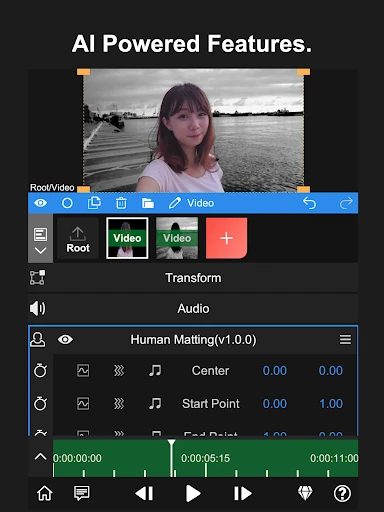
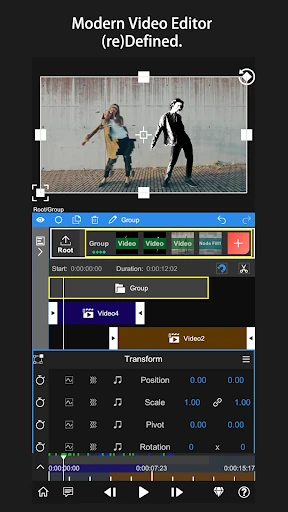
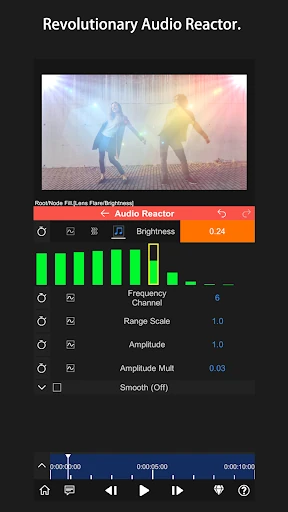
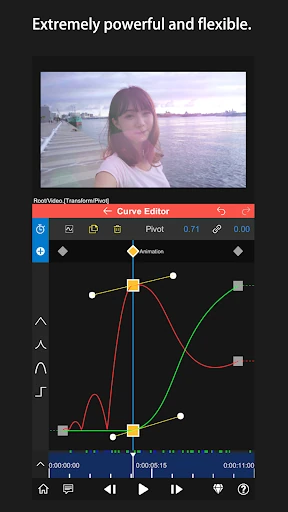
Analysis by Reviewed APKs
Node Video is a mobile video editor for people who want more room to shape footage than a quick social-media edit usually allows. I see its appeal for creators who enjoy experimenting with visual effects and are willing to learn a more involved tool. Its advanced options are the draw, while offline editing and an ad-free experience make it feel focused. It is powerful, but not the simplest place to start.
A More Hands-On Edit
When I have a short clip that feels almost right but needs a more deliberate visual treatment, Node Video is the kind of app I would open instead of settling for a preset. The focus is on editing tools that let creators work directly with their footage, including advanced options such as 3D camera tracking and optical flow frame interpolation. That gives an ambitious phone edit room to go beyond a quick trim-and-share job.
The trade-off becomes clear during an ordinary evening edit: this is a tool to spend time with, not just tap through while waiting for a coffee. I would start with one small goal, such as testing a visual effect or refining a section of a clip, rather than trying to learn everything at once. The app’s tutorials can help, and recent improvements to some tutorial videos suggest they are part of the intended learning path.
Beyond Quick-Fix Editors
Compared with a basic editor built around fast templates and a few one-tap changes, Node Video is better suited to someone who wants detailed creative control on a phone. Its headline tools, including camera tracking and frame interpolation, point toward projects where the look or motion matters as much as getting the clip finished. It can be a useful middle ground for creators who want sophisticated tools without moving the whole task to a desktop.
That does not make it the right choice for every edit. If I only wanted to trim a clip and post it immediately, I would probably choose a simpler workflow with fewer controls to learn. Node Video is also not a substitute for a desktop setup when a project depends on a larger work surface or a specific desktop process. Its purpose is to bring substantial editing options to mobile, not to make every editing task effortless.
Small Habits That Help
I would get more out of Node Video by approaching it in short, focused sessions. Pick one effect or tool to explore, apply it to a short section, and check whether it serves the clip before building the rest of an edit around it. This keeps experimentation manageable and makes it easier to learn what a tool changes. When an option feels unfamiliar, the in-app tutorial videos offer a sensible place to pause and get oriented.
It also helps to treat the phone as a portable editing space rather than a place to rush through every decision. I would make a rough plan for the result I want, then use the advanced tools only when they solve a real problem in the footage. Since the app describes its editing experience as offline and ad-free, it can suit a focused session away from a constant stream of interruptions.
More From Our News Desk

Zoom Meetings, Google Meet, or Teams: Which Is Easiest to Join?

How I Build a Free Streaming Lineup With Tubi

Why Crunchyroll Is the Default Anime App for So Many Fans

YouTube TV: A Practical Guide to Cutting Cable

Rummikub and the Small Comfort of Phone Games

TeamViewer Remote Control or AnyDesk for Helping Family?
Who Will Enjoy Node Video
I would recommend Node Video to mobile creators who like experimenting and want more than a basic set of editing options. It makes sense for someone prepared to learn unfamiliar tools, especially if tracking or frame interpolation sounds useful for a project. The free offering is also a reason to try it before deciding whether paid items fit your workflow. Its ad-free approach keeps the editing session centered on the work.
It may not suit someone who values speed and simplicity above creative control. A beginner can still explore it, but should expect to spend time understanding the tools rather than finding an instant template for every job. People who prefer working on a desktop, or who need a very specific workflow not described here, may be happier elsewhere. The best fit is a curious phone editor with patience and a clear creative goal.
Node Video is a video editing app from Shallway Studio. On Google Play, it has over 10 million installs and a 4.5-star rating from around 63,800 ratings. The app is free to download and contains no ads. It offers in-app purchases, with listed items ranging from $1.99 to $29.99.
The app is rated Everyone and requires Android 7.0 or later. The current version is 8.4.2. It was released on February 20, 2020, and was last updated on February 9, 2026. Those details make it accessible to a broad range of Android users, though the more demanding creative tools are likely to appeal most to people already interested in hands-on editing.
A Mobile Editor With Room to Experiment
First Steps
My first impression of Node Video is that it aims higher than a casual clip editor. The emphasis on professional-grade tools makes the app sound like a portable workspace for creators, rather than a shortcut to a ready-made result. That distinction matters: I would open it expecting to explore and make decisions, not simply choose a preset and be done.
I would begin by setting a modest goal for the first session. Try a tool that relates directly to the footage, then give yourself time to see what it does. The app includes tutorial videos, and some of those have received optimization in a recent update. That is a useful sign for anyone who would rather learn by following an in-app example than guessing at every control.
The Everyday Experience
Day to day, Node Video seems best approached as an editing tool for deliberate projects. I can picture opening it after filming, choosing a section that needs attention, and spending a little time shaping the result. The wide scope is its advantage: instead of being limited to the most basic treatment, creators have access to advanced options such as 3D camera tracking and optical flow frame interpolation.
The same depth can slow down an edit when I only have a few minutes. A tool-rich app asks for more attention than a quick editor, and that may be a poor fit when the goal is simply to post something immediately. I would keep a simple task simple and save Node Video for clips where its added creative control is worth the time.
Tools With a Point
Two features help explain Node Video’s identity. 3D camera tracking is aimed at edits where tracking movement through a scene matters, while optical flow frame interpolation gives creators an advanced way to work with motion between frames. These are not everyday necessities for every short clip, but they offer a reason to choose a more capable editor when a project calls for something beyond a basic adjustment.
Smaller improvements also show up in the recent changes. Long Shadow now supports angle adjustment, Mosaic can be sized down to zero, and a fix addressed saving colors in the Paint tool. I like seeing updates that touch practical details rather than only headline features. They suggest that the app’s editing tools are being refined in ways that can matter during hands-on work.
A Focused Editing Routine
For a routine project, I would start by deciding what is not working in the footage. Maybe the movement needs attention, or I want to try a particular visual treatment. Then I would use the relevant tool on a short portion before committing to a broader edit. This keeps the session organized and makes it easier to judge whether an advanced feature actually improves the result.
If I hit a point where I am unsure how to proceed, I would turn to the tutorial videos instead of cycling through options at random. After learning one tool, I would use it on a small project and note what I want to try next time. Node Video’s offline, ad-free positioning also suits a quiet editing session when I want to concentrate without ads breaking the flow.
Keep Expectations Grounded
Node Video’s depth is also its main limitation for casual users. Advanced features can be appealing, but they do not automatically make editing faster or simpler. If I am in a hurry, learning a new tool may cost more time than the result is worth. A basic editor remains the more practical choice for quick jobs that need little beyond a straightforward finish.
The app is made for mobile, so I would also think about how comfortable I am doing detailed creative work on a phone. Some people enjoy that portability; others would rather work on a desktop. Finally, the free app includes paid in-app items. The core description says most features are free, but anyone considering a particular paid option should check its current price and details in Google Play.
Node Video stands out as a serious mobile editing option for people who want to experiment with advanced tools rather than rush through a basic edit. Its offline, ad-free approach is welcome, and its specialized features give it a clear identity. The learning curve is part of the deal, so I would not choose it just to make every edit faster.
I would recommend giving it a try if you enjoy hands-on creative work and want room to grow beyond quick edits. If convenience is your main priority, a simpler editor may suit you better. For patient Android creators, Node Video offers a compelling set of tools to explore on a phone.
Node Video Frequently Asked Questions
What is Node Video used for?
Node Video is a mobile video editing app for creators who want hands-on tools to shape footage. Its described features include 3D camera tracking and optical flow frame interpolation, alongside editing tools such as Long Shadow, Mosaic, and Paint. It is best suited to deliberate creative projects rather than only quick, simple edits.
Which devices can run Node Video?
Node Video is available for Android, and it requires Android 7.0 or later. The app description focuses on using a phone as a portable editing space. For current compatibility and device-specific details, check the Google Play store page for Node Video.
Does Node Video cost anything?
Node Video is free to download and contains no ads. It offers in-app purchases, with listed prices ranging from $1.99 to $29.99 per item. The app description says most features are free, but specific purchase details can vary, so check the Google Play store page before buying.
Is Node Video suitable for beginners?
A beginner can try Node Video, but its advanced editing focus means there may be tools to learn before the workflow feels comfortable. The app includes tutorial videos, which can help with getting oriented. I would recommend it most to beginners who enjoy experimenting, rather than anyone looking for the simplest possible editor.
Is Node Video a good choice for quick edits?
It can handle mobile editing, but its strongest appeal is the range of creative tools, not necessarily speed for a one-minute task. If you only need a very basic edit, a simpler app may be more convenient. Node Video suits people who are willing to spend time exploring options for a particular result.
Pros
- Advanced mobile tools include 3D camera tracking and optical flow frame interpolation.
- The app is ad-free and describes its editing experience as offline.
- Most features are described as free, with in-app tutorials available.
- Recent updates refine practical tools such as Long Shadow, Mosaic, and Paint.
Cons
- Its advanced focus may feel like too much for quick, casual edits.
- Learning the tools can take time before a workflow feels comfortable.
- Some in-app items cost extra, with purchases priced up to $29.99.
- Category
- Video Players & Editors
- Version
- 8.4.2











