Video Player All Format
- 1.92M
- 4.8
- Installs
- 100.00M
- Price
- Free

Screenshots

Analysis by Reviewed APKs
Video Player All Format is an Android player for watching videos stored on a phone or SD card, including formats that a basic player may not handle. It suits people who want playback controls, subtitle support, casting, and a private folder in one place. After looking at what it offers, my take is that it is a practical, feature-rich option, though its extra tools may be more than a casual viewer needs.
A player for saved videos
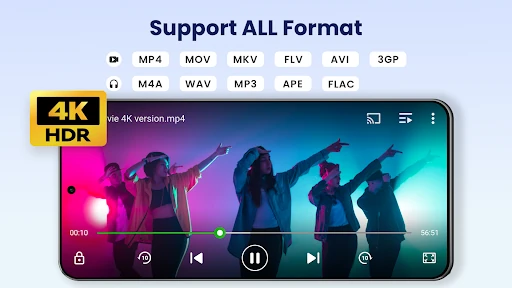
Picture settling in after a long day and opening a video someone sent you, only to find that your usual player will not handle its format. Video Player All Format is designed for that sort of library: it can identify videos on the device and SD card, and supports formats such as MKV, MP4, AVI, MOV, and FLV. That makes it useful when your collection has come from different sources.
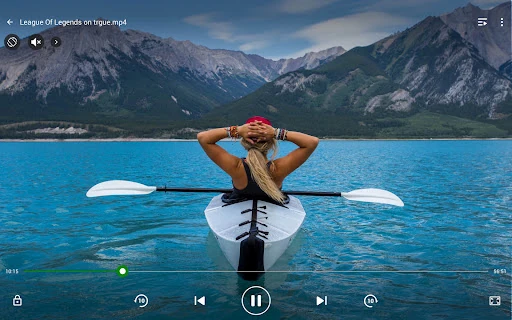
When I think about a typical evening with it, the appeal is straightforward: choose a saved clip, adjust brightness or volume with on-screen controls, and get back to watching. Playback options include screen lock, aspect ratio, and auto-rotation, so there are ways to adapt the picture and controls to the moment. The app also supports HD and 4K files, provided the device and video can handle playback.
More than a default player
Compared with a basic built-in player, this app puts more emphasis on format support and playback flexibility. It can play a broad range of file types, handle subtitles, adjust playback speed, and cast videos to a TV with Chromecast. The floating window and background playback are other useful distinctions. Those tools make it feel aimed at people who watch locally stored videos often, rather than someone who only taps a clip now and then.
It is still a video player, not a general-purpose streaming service or a replacement for a music library. Its described job centers on files already on the device or SD card, with tools to manage or share those videos. If your main routine is browsing online catalogs for new shows, this is not presented as the place to do that. I would choose it for local playback, not for finding content.
Small habits that help
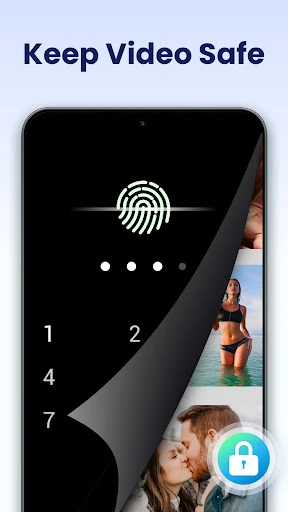
A little organization can make a large video collection easier to use. Since the app identifies video files on the device and SD card, I would start by letting it surface the clips I actually watch, then use its file-management or sharing options as needed. For a video I want to keep private, the private folder is worth exploring. It is described as password-protected and intended to protect videos from being seen or deleted by others.
For a long clip, it helps to remember that playback speed can be adjusted from 0.25 to 8 times normal speed. I would use a slower setting for detail or a faster one to move through familiar footage, rather than changing speed constantly. Subtitles, quick mute, and screen lock are similarly situational controls: they are handy when needed, but the app does not require a complicated routine to use its basic player.
More From Our News Desk

Zoom Meetings, Google Meet, or Teams: Which Is Easiest to Join?

How I Build a Free Streaming Lineup With Tubi

Why Crunchyroll Is the Default Anime App for So Many Fans

YouTube TV: A Practical Guide to Cutting Cable

Rummikub and the Small Comfort of Phone Games

TeamViewer Remote Control or AnyDesk for Helping Family?
Who may enjoy it
I would recommend Video Player All Format to Android users with a mixed collection of saved videos, especially anyone who has run into format compatibility issues or wants more playback controls than the default option provides. The combination of local file discovery, subtitle support, speed controls, and Chromecast casting covers several everyday situations without making the app’s main purpose hard to understand.
It may be less appealing if you only watch an occasional clip and already get everything you need from your phone’s default player. The private folder, pop-up playback, and casting features are useful extras, but not essential for everyone. The app contains ads and offers in-app purchases, which are worth weighing if you prefer a player with no advertising or optional spending.
Video Player All Format is made by InShot Inc. On Google Play, it has over 100 million installs and a 4.8-star rating from around 1.9 million ratings. It is free to download and contains ads, with in-app purchases priced from $0.99 to $39.99 per item. Google Play gives it an Everyone content rating.
The supplied app details identify version 2.9.2, released on February 10, 2017, and last updated on October 23, 2026. The listed Android requirement is not included in the available app facts, so check Google Play for device compatibility. The app is described for Android phones and tablets.
A closer look at everyday playback
Starting with your library
My first impression is that this is built around the videos you already have, rather than around a catalog of online content. It automatically identifies video files on the device and SD card, giving the player a practical starting point for a scattered collection. The supported formats include common choices such as MP4 and AVI as well as MKV, MOV, WMV, and several others.
The app is described as supporting Android phones and tablets, with HD and 4K playback. That support is useful in principle, but the actual viewing experience still depends on the device and the video file. I would treat 4K support as compatibility with suitable content, not as a promise that every phone will play every large file smoothly.
Controls for regular viewing
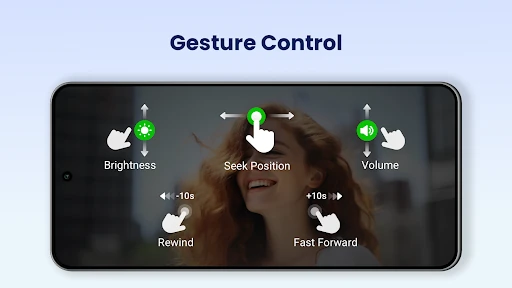
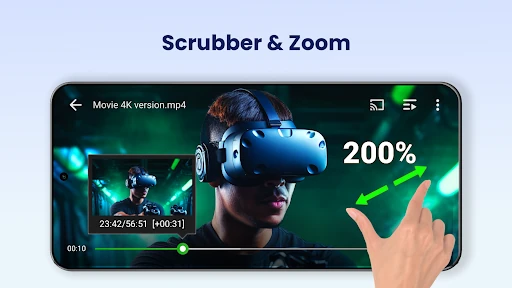
The playback controls cover the small adjustments that tend to matter once a video is underway. Volume, brightness, and playback position can be controlled by sliding on the playback screen. There are also options for aspect ratio, auto-rotation, and screen lock, letting you adapt the presentation or avoid unwanted touches while watching.
Night Mode and Quick Mute add a couple of convenient choices for different settings. Playback speed is another practical control, with settings from 0.25 to 8 times normal speed. I like that these features have clear everyday uses: dimmer viewing, silencing a clip quickly, or moving through a recording at a pace that suits it.
Features beyond the basics
The private folder is one of the app’s more distinctive additions. It is described as a password-protected space for videos, with protection against other people seeing or deleting them. That can help separate personal clips from the rest of a library, although the feature’s description is not a substitute for making broader decisions about what to store on a device.
For watching on a larger screen, the app supports casting videos to a TV with Chromecast. It also offers subtitle downloading, though the exact availability of subtitles depends on the video and the source. These features extend the player beyond pressing play on a file: one supports shared viewing, while the other can make a clip easier to follow.
A flexible viewing routine
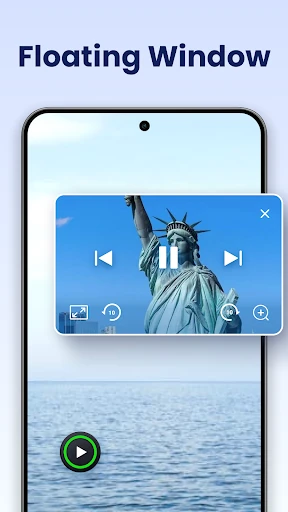
One useful routine would be to keep a few saved videos on the phone or SD card, open the player when you have a quiet stretch, and use the playback controls that fit the setting. At home, casting with Chromecast can move viewing to a TV. When you want to use another app at the same time, the floating window can be moved and resized over other apps.
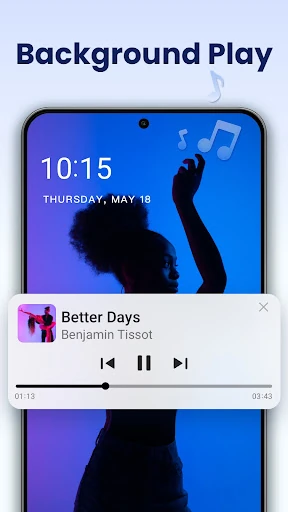
Background playback is another option for listening to video audio while doing something else. The app describes this as a way to use video much like audio playback, which could suit spoken material. Split-screen playback offers a related approach when you want the video visible alongside another app. These are alternatives for different situations, rather than features every viewer needs to use daily.
What to keep in mind
The breadth of features is also a reason to be realistic about fit. Someone who only plays a few familiar formats may not need a separate player with a private folder, casting, floating playback, and speed controls. The app also contains ads, and optional in-app purchases are available. Those are practical trade-offs to consider alongside its broad playback support.
The app’s description supports a wide range of formats and HD or 4K playback, but individual results can depend on the file and device. Likewise, casting requires Chromecast support for the TV setup, and the benefit of subtitle tools depends on the video. I would judge it by the files and viewing habits I actually have, rather than by treating every listed feature as essential.
Video Player All Format makes a strong case for itself as a local video player with more flexibility than the bare minimum. Format support, practical playback controls, casting, and floating or background playback give it several ways to fit into a routine. The private folder is a useful extra for people who want a separate place for selected videos.
I would try it if I regularly watch saved clips or need broader playback options on Android. If my needs were limited to occasional videos, I would probably stick with a simpler player. The ads and optional purchases are worth noting, but the feature set is substantial for people who will use it.
Video Player Frequently Asked Questions
What is Video Player All Format used for?
Video Player All Format is an Android app for playing videos stored on a phone or SD card. It supports a range of video formats and includes playback controls, subtitle downloading, Chromecast casting, floating and background playback, and a password-protected private folder.
Which devices support Video Player All Format?
The app is described for Android phones and tablets. The available details do not specify a minimum Android version, so check its Google Play page for the current device requirements and compatibility information before installing.
Is Video Player All Format free?
It is free to download and contains ads. It also offers in-app purchases, with listed prices ranging from $0.99 to $39.99 per item. Prices and purchase options can vary, so check Google Play for the current details.
Can Video Player All Format play different video types?
The app supports formats including MKV, MP4, M4V, AVI, MOV, 3GP, FLV, WMV, RMVB, and TS, and is described as supporting HD and 4K video. Playback can depend on the particular file and device.
Who should use Video Player All Format?
It may suit Android users who watch saved videos, want support for a range of formats, or would use features such as speed controls, Chromecast casting, and floating playback. Someone who only watches occasional clips may find a basic player sufficient.
Pros
- Supports a broad selection of local video formats, including MKV, AVI, and MOV.
- Offers useful playback controls such as speed adjustment, quick mute, and screen lock.
- Includes Chromecast casting, floating playback, and background playback.
- Provides a password-protected private folder for selected videos.
Cons
- Contains ads, with optional in-app purchases available.
- Its many playback features may be unnecessary for casual video watching.
- Actual HD and 4K playback depends on the video and device.
- Category
- Video Players & Editors
- Version
- 2.9.2