YouCut - Video Editor & Maker
- 8.64M
- 4.8
- Installs
- 100.00M
- Price
- Free

Screenshots



Analysis by Reviewed APKs
YouCut - Video Editor & Maker is a phone-based editor for turning clips and photos into finished videos. It suits people who want to trim footage, add music or text, make a slideshow, and prepare a social post without moving to desktop software. I like its broad set of practical tools; it can handle quick edits and more layered projects, though its many options take a little exploring.
A Quick Clip After Work
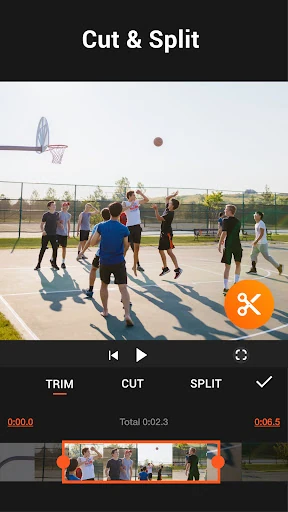
When I first opened YouCut, I thought about the small edits that tend to pile up on a phone: cutting the dead air from a clip, joining a couple of moments, and choosing music before sharing. YouCut is built for that kind of job. I can trim or split footage, adjust its speed, and put several clips together, then add a filter or text if the video needs a little more shape.
A practical example is a short weekend recap. I might combine a few phone videos with photos, trim the starts and finishes, and adjust the framing for a square or widescreen post. YouCut also supports slideshows, so still images can become part of the same project. The appeal is having these common jobs in one editor rather than switching between separate trimming, slideshow, and audio apps.
Phone Editor, Not Desktop Suite
YouCut makes the most sense as a flexible mobile editor for personal videos and social posts. Compared with a very basic cutter, it offers more room to shape a project: a multi-layer timeline, transitions, effects, music, text, and tools for changing the background. If I want to make a video from clips during a commute or tidy one up at home, that range is more useful than a single-purpose trimming tool.
That breadth does not make it a replacement for every editing setup. The app is designed around creating and adjusting videos on a phone, not managing a large production workflow on a desktop. I would choose it for short edits, slideshows, or a quick change of speed, rather than assuming it is the right place for every complex project. Its feature list is extensive, so people seeking only one simple cut may find more choices than they need.
Small Habits That Help
I get more from an editor like this when I make a rough plan before tapping through effects. First I decide which moments belong in the video, then trim and arrange them. After that, I check the aspect ratio and audio, and only then adjust filters, color, or text. That order keeps decoration from distracting me while I am still deciding what the edit is meant to say.
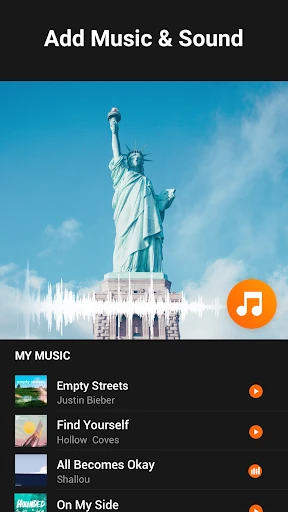
It also helps to treat music and original sound as separate decisions. YouCut can add music and adjust the original video volume, so I can keep a speaker audible while using a track underneath, or let the music carry a montage. For a batch of photos, I can use the slideshow tools and add music after choosing the images. A final preview is worthwhile before saving or sharing.
More From Our News Desk

Zoom Meetings, Google Meet, or Teams: Which Is Easiest to Join?

How I Build a Free Streaming Lineup With Tubi

Why Crunchyroll Is the Default Anime App for So Many Fans

YouTube TV: A Practical Guide to Cutting Cable

Rummikub and the Small Comfort of Phone Games

TeamViewer Remote Control or AnyDesk for Helping Family?
Who Might Enjoy YouCut
I would recommend YouCut to anyone who regularly turns phone footage into short videos and wants more than a bare-bones trim tool. It covers joining clips, splitting them, changing speed, adding music, and making photo slideshows, with filters and color adjustments available when a project needs extra polish. The range should suit casual creators who like to experiment but prefer to work directly on a mobile device.
It may be less appealing if all you want is to cut one clip once in a while and avoid learning a broader editor. The number of tools can make the first session feel busy, and people who need a desktop-focused production environment should look elsewhere. I also would not assume every feature is necessary for every project: a straightforward family clip may only need a trim, a sensible frame, and a quick check of its sound.
YouCut - Video Editor & Maker is made by InShot Video Editor and is listed in Google Play's Video Players & Editors category. The app has over 100 million installs and a 4.8-star rating from about 8.6 million ratings. Google Play gives it an Everyone content rating. Its listed version is 1.722.1225, and the recorded release date is October 15, 2014.
The app is free to install and contains ads, with in-app purchases priced from $2.99 to $59.99 per item. YouCut's description says there are no banner ads on the editing screen and that exported videos do not receive a watermark. The recorded last update is October 10, 2026. Check Google Play for current compatibility and purchase details, which may change.
A Closer Look at Editing on a Phone
Opening the Editor
My first impression of YouCut is that it aims to be a general-purpose editing bench rather than a one-button utility. The description brings together cutting, joining, music, filters, slideshows, and effects, so even a simple project has several possible next steps. That is appealing when I have a specific result in mind, but it means I do not expect every tool to be immediately obvious on the first visit.
I would start with a small project instead of trying to explore the full feature set in one sitting. A short clip gives me a low-stakes way to test trimming, framing, and sound before I work on a longer montage. The app is described as free and says it does not add a watermark to exports, two practical points for someone deciding whether to try it for a casual edit.
The Everyday Edit
The core routine is familiar: choose footage, remove unwanted sections, and combine what remains. YouCut includes tools to trim, split, and merge videos, then adjust their speed from 0.2× to 100×. That range can serve both a gentle slow-motion moment and a fast montage. I like that these are useful editing decisions, not just decorative extras, because they help set the pace of a video.
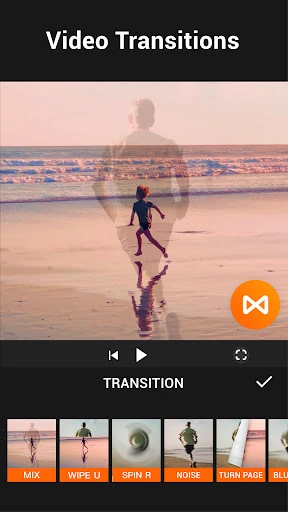
Once the sequence feels right, I can add music, change the original clip volume, and use transitions, filters, or effects. Aspect-ratio controls cover formats such as 1:1 and 16:9, with cropping and zoom options for reframing. This is the point where I would check that the picture and sound work together, rather than layering on effects simply because they are available.
Tools Beyond Trimming
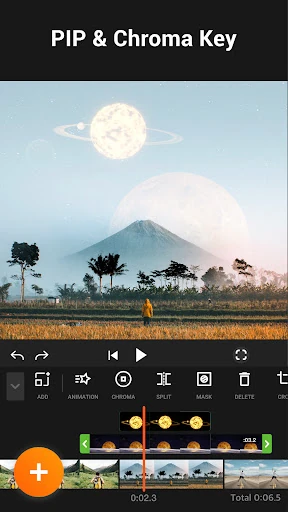
The multi-layer timeline, chroma key, and green-screen tools give YouCut options beyond straightforward clip assembly. The description also includes background changes and blur, which can help a project look more deliberate when the original setting is distracting. These features suggest room for more involved edits, though I would still approach them as mobile tools for individual projects rather than as a promise of studio-level results.
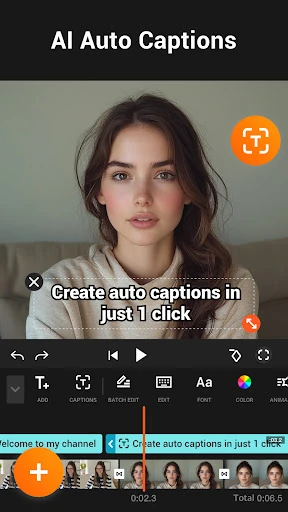
AI features broaden the menu further. YouCut describes automatic captions using speech-to-text, background removal, video and photo enhancement, and smoother slow motion. Other useful additions include text, color controls for brightness, contrast, and saturation, plus a video compressor and converter. The app says it can export at resolutions up to 4K, but the result will depend on the source footage and device.
A Repeatable Sharing Routine
For a social video, I would begin by deciding where it is headed and set the aspect ratio before fine-tuning the crop. Then I would trim the clip, split out any section that does not belong, and arrange the remaining moments. If I am mixing video and still images, the slideshow tools can help bring them into one project instead of leaving the photos as a separate post.
Next I would balance the music against the original audio, add text only where it helps, and preview the whole edit for abrupt cuts or framing issues. YouCut supports sharing to services including YouTube, Instagram, and Twitter, but I would still review the saved result before posting. This simple sequence keeps the project focused and gives me a chance to catch small mistakes before it leaves my phone.
Trade-Offs to Consider
A wide feature set can make a quick task feel less direct. Someone who only wants to shorten a clip may not need AI captions, green-screen tools, multiple layers, or color controls, and having them nearby can add decisions. My advice is to learn the handful of tools you actually use first, then explore the rest when a project calls for them.
There are also practical limits to keep in mind. YouCut is a mobile app, so the scale and style of work it suits are different from a desktop editing setup. Its description says it supports exports up to 4K and compression, but those options do not remove the need to check the final image and sound. The app contains ads and offers in-app purchases, even though its description says there are no banner ads while editing.
YouCut is a capable phone editor with a useful mix of everyday tools and more ambitious options. I like that trimming, merging, slideshows, audio, aspect ratios, speed controls, and effects all sit within one app, and the no-watermark claim is welcome for casual creators. Its breadth is its main strength, though it can feel like more than a basic edit requires.
I would try it if I often make short videos or want to turn photos and clips into shareable projects without switching apps. If I only need occasional cuts or prefer working on a desktop, its larger toolkit may be unnecessary. For most mobile editing routines, though, YouCut offers a practical place to start and plenty to explore.
YouCut Frequently Asked Questions
What is YouCut - Video Editor & Maker used for?
YouCut is for editing videos and making photo slideshows on a mobile device. Its described tools include trimming, splitting, joining clips, changing speed, adding music and text, adjusting color, applying effects, and changing aspect ratios. It also describes AI features such as automatic captions and background removal. The exact tools and availability may change, so check its Google Play page for current details.
Which devices can run YouCut - Video Editor & Maker?
YouCut is an Android app distributed through Google Play. The available facts do not give a minimum Android version, so check the Google Play page on your device for compatibility requirements. The description discusses editing and exporting videos on a phone, including sharing to services such as YouTube, Instagram, and Twitter.
Does YouCut - Video Editor & Maker cost money?
YouCut is free to install and includes ads. It also offers in-app purchases, with listed items ranging from $2.99 to $59.99 each. The app's description says there are no banner ads while editing and that it does not add a watermark to videos. Prices and purchase options can change, so check Google Play for current details.
What Android version does YouCut - Video Editor & Maker require?
The minimum Android version is not provided in the available app details. Because compatibility requirements can vary as the app changes, check the YouCut page in Google Play before installing it. The store page is also the right place to review current device compatibility and the latest version information.
Who is YouCut - Video Editor & Maker best for?
YouCut may suit people who want to edit clips, make slideshows, add music, and prepare videos for sharing directly on a phone. Its broad toolset is useful if you want more than a simple cutter. If you only need an occasional trim or prefer a desktop workflow, the range of mobile editing options may be more than you need.
Pros
- Combines trimming, splitting, merging, slideshows, music, and effects in one mobile editor.
- Offers aspect-ratio, speed, color, and background tools for shaping a project.
- Description says exports have no watermark and editing screens have no banner ads.
- Includes AI-described options such as automatic captions and background removal.
Cons
- The broad selection of tools may feel busy for someone who only needs a quick trim.
- Contains ads and offers in-app purchases, despite the free installation.
- Designed for mobile editing rather than a desktop production workflow.
- Category
- Video Players & Editors
- Version
- 1.722.1225