Alight Motion
- 1.26M
- 3.1
- Installs
- 100.00M
- Price
- Free

Screenshots
Analysis by Reviewed APKs
Alight Motion is a mobile video and animation editor for people who want detailed control over moving graphics, layered compositions, and visual effects. I see it suiting hobbyist editors and creators willing to learn a more involved workflow, rather than anyone looking for a one-tap social clip maker. Its range is impressive, though the watermark on free exports and the depth of its tools are worth weighing up.
A Small Edit After Work
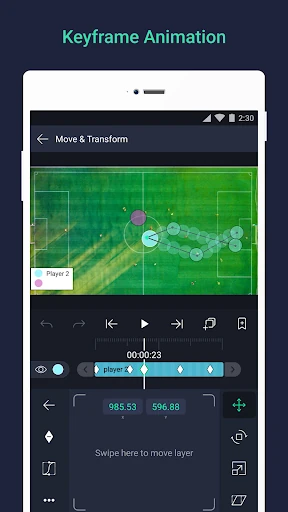
When I picture using Alight Motion in an ordinary routine, it is after recording a short clip and wanting to give it more personality before sharing it. I can build a composition from video, graphics, and audio layers, then animate their settings with keyframes. That makes a title that slides in or an image that changes position feel like a project I shape deliberately, rather than a preset I simply apply.
I would start with one manageable idea: a photo, a few words, and a simple movement. From there, I could adjust color, add an effect, or use easing to make the motion feel less abrupt. The useful part is that the same project can grow in stages. I do not have to decide on every visual detail at the beginning, though the many controls can make a first session feel like a learning exercise.
More Than Quick Trimming
Compared with a basic editor built around trimming footage and applying a ready-made look, Alight Motion is aimed at making motion graphics and layered visual compositions. Vector and bitmap support, masks, grouped layers, and keyframe animation give me room to build something more tailored. It is closer to a creative workbench than a quick finishing step, which is a strength when I want control and a slower route when I just want a clip done.
I would not choose it as a substitute for every kind of video workflow. The description emphasizes animation, compositing, visual effects, and editing, not a simple catalog of automatic social templates or a general photo-organizing tool. Its free use also puts a watermark on created videos. So I would treat it as an editor for hands-on visual work, not as a promise of effortless, watermark-free exports.
Make Projects Easier to Reuse
A few small habits can make a layered editor less intimidating. I would bookmark useful points in a project, keep related elements grouped, and save favorite elements for future work. Copying a whole layer or just its style is another practical shortcut when I want to repeat a look. Those options are especially helpful when I am building several pieces with a similar visual treatment instead of starting each one from scratch.
I would also work in passes: first arrange the layers, then tune movement, and finally add color or effects. Keyframes are available for all settings, so it is worth making one change at a time and checking how it affects the result. When a motion feels stiff, easing presets or custom timing curves offer a way to refine it. This measured approach should help keep a complicated composition understandable.
More From Our News Desk

Zoom Meetings, Google Meet, or Teams: Which Is Easiest to Join?

How I Build a Free Streaming Lineup With Tubi

Why Crunchyroll Is the Default Anime App for So Many Fans

YouTube TV: A Practical Guide to Cutting Cable

Rummikub and the Small Comfort of Phone Games

TeamViewer Remote Control or AnyDesk for Helping Family?
Who Will Enjoy the Process
I would recommend Alight Motion to curious video editors, animation hobbyists, and creators who enjoy adjusting details rather than settling for a preset. Its mix of layers, keyframe controls, effects, masks, and export formats offers plenty to explore. Someone making a short animated title or a more carefully composed visual edit can find meaningful creative control here, especially if they are happy to learn by experimenting.
It may be a poor fit for someone who wants the fastest possible edit, dislikes navigating detailed controls, or needs every free export to be watermark-free. The app says it needs at least 1.5GB of RAM to install and run effectively, so device capability matters too. I would also be cautious about expecting a smooth experience on every phone or tablet; the developer notes that support across devices can vary.
Alight Motion is an Android video and animation editor from Alight Motion. Google Play shows over 100 million installs and a 3.1-star rating from about 1.3 million ratings. The app is free to use with basic features, and the store information reports ads and in-app purchases. Paid items range from $0.49 to $79.99 each, while the app description says membership options can remove the watermark and unlock premium effects and features.
The content rating is Everyone. The current version shown is 5.0.273.1028425; it was released on August 5, 2018, and last updated on September 10, 2026. The description says at least 1.5GB of RAM is required for effective installation and use. Subscription terms can include automatic renewal, and some options may have a free trial. The app description says subscriptions are processed by Google and can be canceled through Google Play.
A Layered Editor That Rewards Patience
A Busy First Screen
My first impression of Alight Motion is that it takes the craft of moving graphics seriously. The feature set spans video, graphics, audio, effects, and animation, so there is a lot to take in before a new project feels familiar. I would begin with a simple composition instead of trying to use every tool at once. That keeps the first session focused on understanding how layers and keyframes work together.
The device requirement is useful to keep in mind before settling into a project: Alight Motion says it needs at least 1.5GB of RAM to be installed and run effectively. I would also expect some trial and error as I learn which controls matter for the kind of edit I want. That is normal for a tool with this much flexibility, but it does mean the app is not instantly self-explanatory.
Building Motion Day to Day
The core experience revolves around assembling layers and changing how they look or move over time. I can place graphics, video, and audio together, then use keyframes for settings across the composition. In practical terms, that can turn a static design into a sequence with deliberate movement. Instead of accepting one fixed result, I can adjust individual parts and see how the whole arrangement develops.
That control comes with a trade-off: careful editing takes attention. A project with several layers and effects is naturally more involved than a quick trim, and I would want to make changes in small, understandable steps. Bookmarks and layer grouping help make the workspace easier to revisit. For someone who enjoys tuning timing and appearance, the process is part of the appeal; for someone in a hurry, it may feel like extra work.
Tools With Creative Range
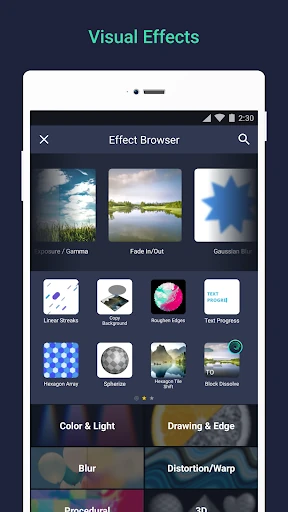
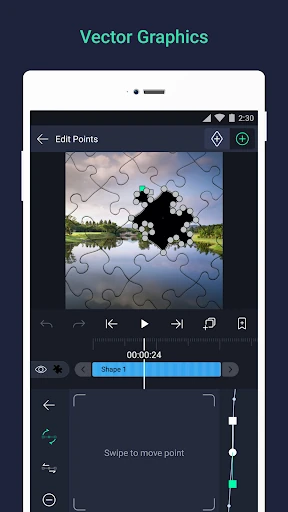
Several features stand out because they open up distinct ways to work. Alight Motion supports vector and bitmap graphics, and its description says vector graphics can be edited directly on the phone. It also offers more than 160 basic effect building blocks that can be combined. That gives an adventurous editor room to create a more specific look than a single fixed effect might provide.
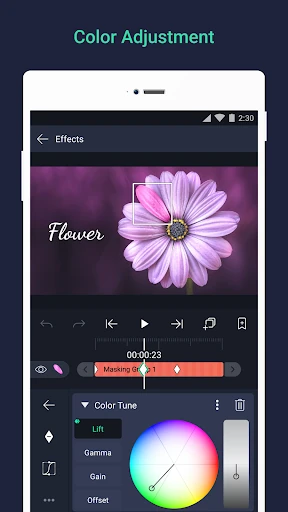
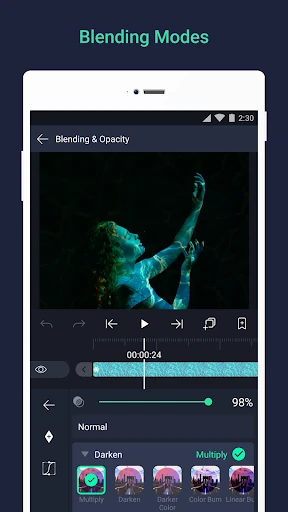
The animation tools go beyond moving an element from one point to another. Easing presets and custom timing curves can soften motion, while parent-and-child layer links and character-joint rigging support more structured animation. Cameras can pan and zoom, with focus blur and fog options. Masks, grouped layers, and color adjustments add further ways to shape a composition without changing the basic layer-based approach.
A Repeatable Editing Routine
For a short weekly project, I would keep the routine simple: bring together the visual layers, decide what should move, and add keyframes to those settings. Next I would adjust easing, then revisit color and effects once the basic timing works. Bookmarks can help me return to useful spots in the edit, while saved favorite elements and copied layer styles can reduce repeated setup on future projects.
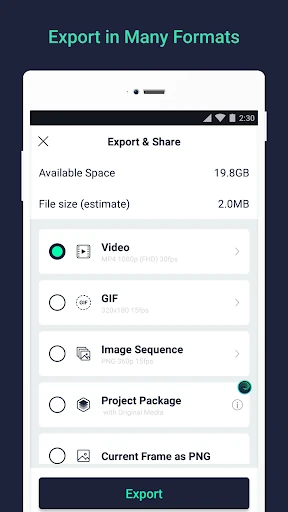
When it is time to share the result, the supported exports include MP4 video, GIF animation, PNG sequences, and still images. Project packages can also be shared with others. I would choose the export based on the job rather than assume one format suits everything. The free version puts a watermark on videos, so anyone who needs a clean video export should consider the paid membership options and their terms before building a regular workflow around them.
Keep the Trade-Offs in View
The biggest practical limitation is the learning curve. A feature-rich set of controls can be satisfying once I know what I want to make, but it is less inviting when I only need a tiny adjustment. The app also aims to work across a wide range of phones and tablets, yet its developer acknowledges that device-specific problems can happen. I would keep projects realistic for my device and give myself room to troubleshoot.
The free starting point has a clear boundary: basic features are available, but videos carry a watermark. Paid memberships can remove it and provide access to a regularly updated library of premium effects and features. Those options renew automatically unless canceled at least 24 hours before the next subscription period begins, and some may include a free trial. I would read the purchase terms carefully rather than assume every option works the same way.
Alight Motion is a capable choice for mobile creators who want to build animations and layered edits with meaningful control. I like that it brings keyframes, effects, masks, and several export formats into one creative tool. The cost of that flexibility is a busier learning process, and the free watermark is a real consideration for video sharing.
I would try it if I enjoyed shaping motion and had a project that justified the extra hands-on work. For quick, casual edits, a simpler app may be more comfortable. For creators willing to experiment, Alight Motion offers a substantial set of tools, provided its device needs and membership terms fit their plans.
Alight Motion Frequently Asked Questions
What is Alight Motion used for?
Alight Motion is used to create animations, motion graphics, visual effects, and video edits. It supports multiple layers of graphics, video, and audio, along with keyframe animation, masks, color adjustments, and effects. Exports include MP4 video, GIF animation, PNG sequences, and still images. It is designed for hands-on visual editing rather than only quick trimming.
Which devices can run Alight Motion?
Alight Motion is available for Android devices through Google Play. Its description says it requires at least 1.5GB of RAM to install and run effectively, and the developer notes it is designed to work across a range of phones and tablets. The minimum Android version is worth checking on the Google Play store page, since that requirement can vary.
Is Alight Motion free, and does it have purchases?
Alight Motion is free to use with basic features, and its free video exports include a watermark. It contains ads and offers paid membership options for removing the watermark and accessing premium effects and features. Google Play reports in-app items from $0.49 to $79.99 each. Subscription options and terms can vary, so review the current store details before buying.
Does Alight Motion need a powerful phone?
The app description gives a minimum of 1.5GB of RAM for installation and effective use. Editing layered video, graphics, and effects is a more involved workload than making a basic cut, so device suitability is worth considering. The developer says it works across a wide range of phones and tablets, while acknowledging that problems can occur on some devices.
Who should try Alight Motion?
Alight Motion may suit creators who want detailed control over animation, motion graphics, and layered video edits. Its keyframes, effects, and composition tools reward experimentation. It may be less appealing if you want the simplest possible editing workflow or need free, watermark-free video exports. The Google Play page has current details about compatibility and purchase options.
Pros
- Layered graphics, video, and audio support make it useful for composed edits.
- Keyframes, easing, masks, and effects offer detailed animation control.
- Exports include MP4, GIF, PNG sequences, and still images.
- Saved elements and copied layer styles can help with repeat projects.
Cons
- The breadth of controls may feel demanding for quick, simple edits.
- Free video exports carry a watermark.
- Effective use requires at least 1.5GB of RAM.
- Category
- Video Players & Editors
- Version
- 5.0.273.1028425