PLAYit-All in One Video Player
- 7.01M
- 4.5
- Installs
- 500.00M
- Price
- Free

Screenshots
Analysis by Reviewed APKs
PLAYit-All in One Video Player brings local video playback, music listening and media management into one Android app. I see it suiting people who keep a mix of films, clips and songs on their phone or SD card and want one place to find them. Its range is useful, though the extra tools and ads make it feel busier than a simple player.
A player for phone libraries
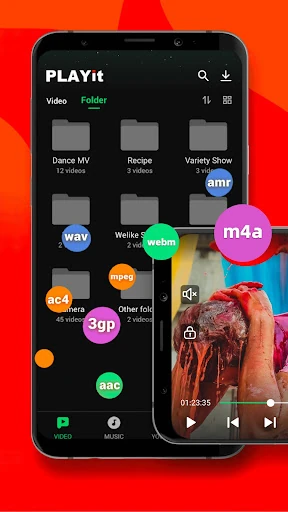
When I first opened PLAYit, I pictured the familiar moment of looking for a clip buried among downloads, camera videos and music on a phone. The app is designed to detect local media automatically, including files on an SD card, then let you browse and play it. That makes its central job straightforward: open your personal collection and start watching or listening without needing a separate player for every format.
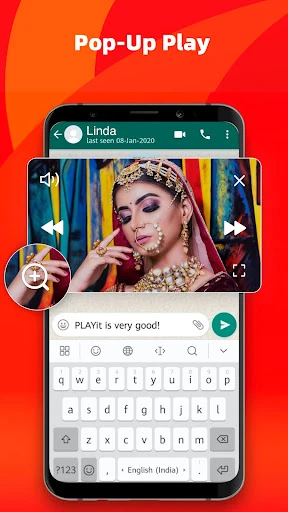
A practical example is settling in for a video on the bus, then switching to a playlist when the ride gets quiet. PLAYit supports a range of video and audio formats, and playback can continue from the last position. If a message arrives, floating playback can keep a video visible while you use another app; background playback can keep media going when you switch away.
More than a basic player
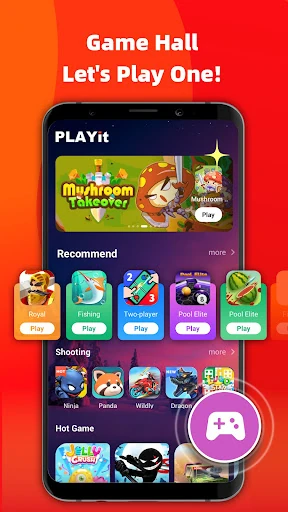
Compared with a stripped-down video player, PLAYit tries to cover more of the routine around media: finding files, organizing them, listening to audio and converting video to audio. It also includes online subtitle search and a game hall. Those additions may save app-switching for people who will use them, while someone who only taps a video file and watches it may prefer a less crowded experience.
I would think of PLAYit primarily as a local media player and manager, not as a dedicated streaming service or a general-purpose entertainment subscription. Its description focuses on files stored on the device and SD card, alongside specific online functions such as subtitle search. The broad feature set is convenient, but it does not mean every kind of entertainment or every media task belongs in one app.
Small habits that help
A little sorting makes a media app more useful. Since PLAYit can detect and organize local files, I would start by browsing the library and getting a sense of where videos and audio are collected. The app can also show internal storage space, which is handy context when deciding whether a large video should stay on the phone. Sharing and sorting media are part of the same toolkit.
For a movie, I would use the playback gestures to adjust brightness, volume or speed rather than interrupting the scene to hunt through controls. If I needed subtitles, online search is there to try; if I wanted just the soundtrack, the video-to-audio converter offers another route. Floating playback suits short multitasking moments, while background playback is the better fit for listening with the screen off.
More From Our News Desk

Zoom Meetings, Google Meet, or Teams: Which Is Easiest to Join?

How I Build a Free Streaming Lineup With Tubi

Why Crunchyroll Is the Default Anime App for So Many Fans

YouTube TV: A Practical Guide to Cutting Cable

Rummikub and the Small Comfort of Phone Games

TeamViewer Remote Control or AnyDesk for Helping Family?
Who will get the most from it
I would recommend PLAYit to Android users with a varied collection of local videos and songs who like having playback and basic file organization together. The format support, SD card media detection, gesture controls and playback options give it practical range. It is especially appealing if you often move between watching a clip, listening to music and managing files rather than relying on one narrowly focused player.
It may not suit someone who wants a minimal interface with no extras, or who expects a player to be only a player. Ads are present, and the app also offers in-app purchases, so its broader toolkit comes with a busier feel. If your media habits are limited to occasional playback, a simpler option may be easier to live with; PLAYit makes more sense when you use several of its functions.
PLAYit-All in One Video Player is made by PLAYIT TECHNOLOGY PTE. LTD. On Google Play, it has over 500 million installs and a 4.5-star rating from around 7 million ratings. The app is free to download and contains ads. It also offers in-app purchases, with individual items priced from $0.99 to $25.99.
Google Play gives the app a Teen content rating. The current version is 2.7.53.16. It was released on November 8, 2019, and its most recent update was October 22, 2026. Android version requirements can vary with releases, so it is worth checking the Google Play page for the requirement that applies to your device.
How PLAYit Handles Everyday Media
A broad first impression
When I first opened PLAYit, the main impression was breadth: video, music and media management sit under one roof, with other tools alongside them. That can be appealing if you are tired of juggling separate apps, but it also means the experience is not as pared back as a player with one obvious job. The useful starting point is to treat it as a home for media already on your device.
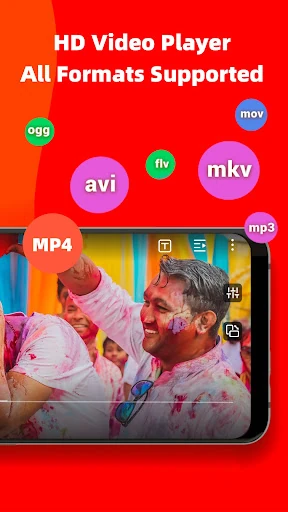
Setup is less about building an account-based collection and more about letting the app find local files. It can detect videos on Android storage and SD cards, then make them available to browse and play. The app also describes support for formats including 4K and 1080p video, MKV and MP3 audio. Actual playback experience can depend on the file and device.
Playback through the day
The day-to-day appeal is having video and audio playback in the same place. I can imagine opening a saved clip during a break, resuming a film later from its last position, and moving to a music playlist without changing apps. PLAYit supports playing an individual audio track or a whole playlist, which gives it a useful role beyond simply opening video files.
The controls are designed for quick adjustments while something is playing. Gestures can change brightness, volume and playback speed, so small tweaks need not become a detour through menus. For multitasking, a floating window can stay on screen while another app is in use. Background playback is a separate option for keeping media going after switching apps or turning off the display.
Extras with a purpose
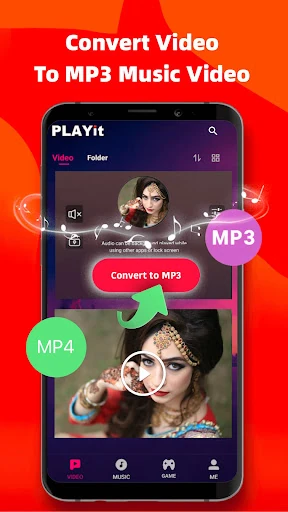
One of the more practical extras is the video-to-audio converter. PLAYit describes converting video to audio with a tap, including MP4 to MP3, which could be useful when the part I want is the sound rather than the picture. It also searches for online subtitles, with English, Hindi and Tamil among the languages mentioned. These are specific tools, rather than a reason to expect every video task to be covered.
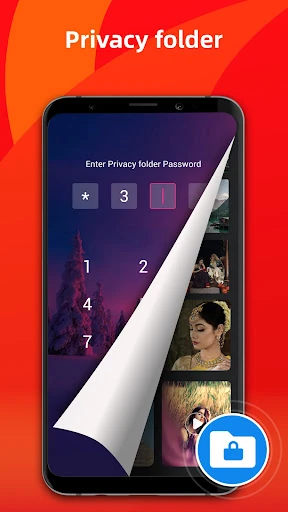
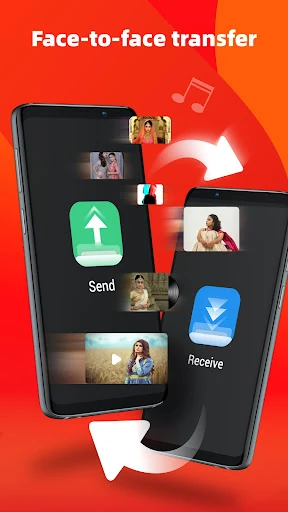
The private folder is another distinct feature: it is intended for hiding personal videos. The app also includes sharing and transfer functions for videos and music, plus sorting and media management. Taken together, these extras make PLAYit feel like a small media toolbox. The value depends on whether those tasks come up in your routine; otherwise, they can simply add to the number of things competing for attention.
A simple media routine
A useful routine could start with a quick browse of the files PLAYit has found, then a playlist for audio and a few videos ready to resume later. When I want to listen without watching, converting a suitable video to audio is an option. When I want to keep watching while replying to a message, the floating player gives the video a place on screen without making me abandon the other app.
For a longer viewing session, I would make small adjustments with gestures as needed, then try subtitle search if the video would benefit from subtitles. If I am only listening, background playback is a better match than leaving a video window open. These are modest workflow choices, but they show why the app's controls and modes matter more than simply counting its features.
Keep the trade-offs in view
The biggest trade-off is the all-in-one approach itself. A player that handles files, music, conversion, subtitles, sharing and games has more going on than a minimal playback app. People who want a calm, single-purpose interface may find that extra breadth distracting. PLAYit contains ads, too, which is worth weighing if interruptions or a cleaner experience matter more to you than having several tools together.
The other practical consideration is that broad format support does not guarantee every file will behave identically on every phone. Playback depends on the media and device, and the app's version and Android requirements can change over time. I would check the current Google Play details before installing, especially on an older device, and judge the extra features by whether they solve tasks I actually do.
PLAYit-All in One Video Player is a capable choice for people who want local video, music and file management in one Android app. I like the combination of resume playback, gesture controls, floating and background modes, and audio conversion. Its wide scope is its main advantage, but that same scope makes it less appealing to anyone who just wants a quiet, basic player.
If you regularly browse a phone or SD card library and will use several of the extras, PLAYit is worth a try. If you rarely play local media or strongly prefer a minimal interface, the added tools and ads may feel like more than you need. I would choose it for versatility, not simplicity.
PLAYit-All in One Video Player Frequently Asked Questions
What is PLAYit-All in One Video Player used for?
PLAYit is an Android video and music player that can find and organize local media on a device or SD card. It supports a range of video and audio formats, and includes features such as playlists, playback gestures, floating and background playback, online subtitle search, video-to-audio conversion and a private folder for videos.
Which devices can run PLAYit-All in One Video Player?
PLAYit is an Android app. It can browse media stored on Android devices and SD cards. The Android version requirement can vary by release and device, so check the Google Play page for the current requirement before installing. The app's supported features may also depend on the device and the media file being played.
Does PLAYit-All in One Video Player cost money?
PLAYit is free to download on Google Play, contains ads and offers in-app purchases. Individual in-app items are priced from $0.99 to $25.99. Prices and availability can change, so check the store page for the current details before making a purchase.
Can PLAYit-All in One Video Player play music as well as video?
Yes. PLAYit includes a music player for audio files found on phone storage or an SD card, and it can play an individual track or a playlist. It also describes a video-to-audio conversion feature. The app is intended for both video and music playback rather than video alone.
Is PLAYit-All in One Video Player a good fit for everyone?
It may suit people who keep local videos and songs on their Android device and want playback, file organization and extra media tools together. Someone who wants only a simple player may prefer a less feature-packed experience. PLAYit contains ads, and it has a Teen content rating on Google Play.
Pros
- Finds local videos and audio across device storage and SD cards.
- Combines video playback, music listening and media organization.
- Includes gesture controls, floating playback and background playback.
- Offers subtitle search and video-to-audio conversion tools.
Cons
- Ads and a broad collection of extras may make the experience feel busy.
- Its many tools may be unnecessary for users who only need basic playback.
- Playback results can vary with the device and media file.
- Category
- Video Players & Editors
- Version
- 2.7.53.16