MyQuest for Patients
- 525.28K
- 4.7
- Installs
- —
- Price
- Free
Screenshots
Analysis by Reviewed APKs
MyQuest for Patients is Quest Diagnostics’ app for keeping lab results and appointments in one place. I can see it being useful when I want to check a result before a doctor’s visit, find a nearby Quest location, or keep family health details organized. Its focus is practical rather than all-purpose: it helps with Quest-related health tasks, and I like that it brings several of them together.
After a Lab Visit
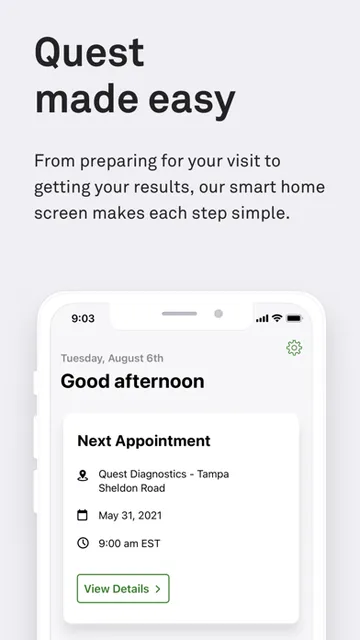
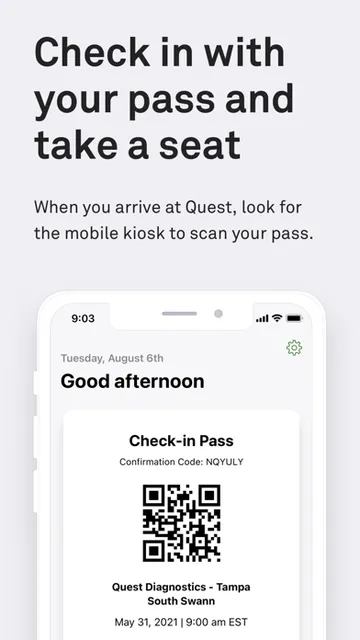
When I have a lab appointment on the calendar, I want the basic details close at hand: where I’m going, when I’m expected, and where to look for the results afterward. MyQuest is built for that sort of routine. It lets me schedule and manage appointments, find nearby Quest locations, and view lab results, which makes it a useful companion to the steps around a Quest visit.
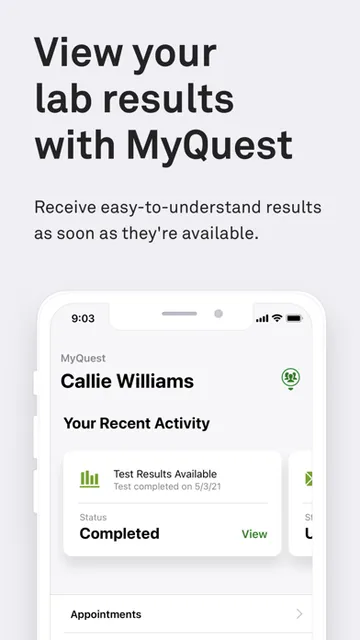
I also like the idea of checking results at a quiet moment rather than trying to remember to ask about them later. The app puts that information within reach, while also offering a way to share health information with healthcare providers. It doesn’t replace a conversation with a clinician; it gives me a more convenient place to access information that may be useful in that conversation.
A Quest-Focused Companion
Compared with a general health app, MyQuest is more closely tied to Quest Diagnostics. Its clearest strengths are viewing Quest lab results, handling appointments, finding locations, and exploring QuestDirect tests. Apple Health integration offers a bridge to another part of the Apple ecosystem, but the app’s central job remains managing tasks connected with Quest services.
That focus also sets expectations. I wouldn’t treat MyQuest as a full medical record, a messaging service for a care team, or a general wellness coach based on the features described. It is not presented as a substitute for medical advice, either. If my main need were broad health tracking or communication with a provider, I’d look for those capabilities specifically rather than assume they are part of this app.
Small Habits That Help
A simple habit is to open MyQuest around the time I’m arranging a lab visit: check the available location options, manage the appointment, and return to the app when I want to look for results. Keeping those steps together can be easier than trying to reconstruct the details from separate reminders or notes. The app’s purpose is clearest when I use it as a practical hub for Quest-related tasks.
I’d also make use of the sharing and organization options when they fit my routine. MyCircle is described as a way to manage the health of loved ones, while Apple Health integration can connect results with Apple Health. These are useful options to know about, though I’d choose them based on what information I actually want to organize or share, rather than turning on every feature by default.
More From Our News Desk

Zoom Meetings, Google Meet, or Teams: Which Is Easiest to Join?

How I Build a Free Streaming Lineup With Tubi

Why Crunchyroll Is the Default Anime App for So Many Fans

YouTube TV: A Practical Guide to Cutting Cable

Rummikub and the Small Comfort of Phone Games

TeamViewer Remote Control or AnyDesk for Helping Family?
Who May Find It Useful
I’d recommend MyQuest to people who use Quest Diagnostics and want a straightforward way to check lab results, arrange appointments, or find a nearby location. It may also suit someone who helps keep track of a loved one’s health through MyCircle, or who prefers having relevant results available alongside Apple Health. The appeal is convenience: a handful of common Quest-related jobs are gathered in one app.
It may be less useful to someone who doesn’t use Quest services or expects a complete health-management platform with features beyond those described. I’d also be careful not to confuse quick access to lab information with an explanation of what a result means. The app can make information easier to reach and share, but questions about health still belong in a conversation with a healthcare provider.
MyQuest for Patients is developed by Quest Diagnostics, Inc. On the Apple App Store, it has a 4.7-star rating from about 525,000 ratings. The app is free to download, and its listed content rating is 12+. It is an iOS app, with a minimum requirement of iOS 17.6.
The supplied App Store details identify version 3.35, a release date of March 28, 2014, and a last update date of September 3, 2026. MyQuest is described as free; I’d check its App Store page for current details about any optional purchases or other store terms before downloading.
A Practical Hub for Quest Visits
A Clear Starting Point
My first impression is that MyQuest has a defined purpose: it brings several Quest-related tasks together instead of trying to be a broad health and lifestyle app. That makes it easier to understand why I might open it. I’m looking for results, appointment help, or a nearby location, rather than a general stream of wellness content.
Getting started depends on having an iOS device that meets the stated minimum requirement of iOS 17.6. The app’s central appeal is access to personal lab results and appointment information, so I’d approach setup with the same care I use for any service involving health details. The supplied description doesn’t spell out every account or setup step, so I wouldn’t want to guess at those specifics.
Useful Between Visits
The day-to-day experience I expect is occasional rather than constant. I might open the app when arranging an appointment, checking for a result, or looking for a convenient Quest location. That makes sense for a service companion: it earns its place by being useful at particular moments, not by asking me to spend time in it every day.
Having results accessible can make it easier to bring relevant information into a conversation with a healthcare provider. MyQuest also describes a sharing option for health information. I value that practical role, while keeping in mind that an app showing results is not the same thing as a clinician interpreting them or answering follow-up questions.
More Than Results
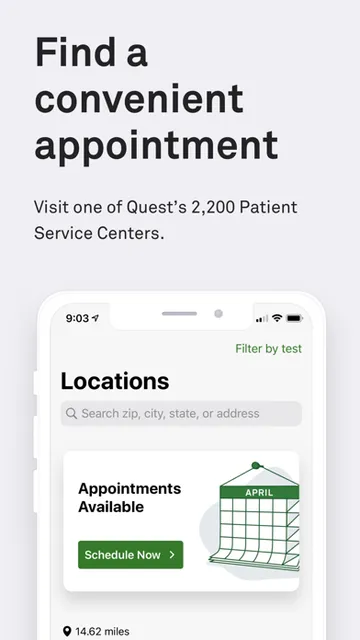
Results are the obvious reason to use MyQuest, but the surrounding tools give it a broader role. I can use it to schedule and manage appointments, find nearby Quest locations, and browse or buy tests through QuestDirect. Those features cover several steps that can otherwise feel scattered across the lead-up to a lab visit.
MyCircle adds an option for managing the health of loved ones, and Apple Health integration can connect results with Apple Health. I like that these options speak to different routines: one person may mainly want appointment access, while another may be helping organize family health information. The useful feature is the choice, not an assumption that everyone needs every part of the app.
A Simple Visit Routine
For a practical routine, I’d start by checking MyQuest when planning a lab visit. I could look for a nearby location and manage the appointment, then return later when I want to view results. If I needed to discuss those results, the sharing option could help put the relevant information within reach of a healthcare provider.
For someone organizing more than their own information, MyCircle may fit into that same routine. Apple Health integration is another option if keeping results connected with Apple Health is useful. I’d keep the routine light: use the app for the task at hand, and choose the organization or sharing features that actually suit my needs.
Keep Its Scope in Mind
MyQuest is most compelling for people who already have a reason to use Quest Diagnostics. Without that connection, its appointment and location tools may matter less, and the app’s specific focus may not match what someone wants from a general health app. Its usefulness is therefore tied to the services it supports, rather than to a promise of managing every part of health in one place.
I’d also avoid expecting features that aren’t part of the described experience, such as medication reminders, provider messaging, or personalized health coaching. The app offers access to results, but that doesn’t make the information self-explanatory. I’d use it as an organizer and access point, and take questions about results to a healthcare provider.
MyQuest for Patients is a focused, practical app for people who use Quest Diagnostics. Results, appointment management, location finding, and options such as MyCircle and Apple Health integration give it several useful jobs without making it feel like a general-purpose health platform.
I’d recommend it if Quest visits are part of your routine and you want those details easier to reach. If you’re looking for broader health tracking or provider communication, check that your needs are covered before relying on it. Its value is clearest when you want a convenient companion for Quest-related tasks.
MyQuest for Patients Frequently Asked Questions
What is MyQuest for Patients used for?
MyQuest for Patients is used to view lab results, find nearby Quest locations, and schedule or manage appointments. It also describes MyCircle for managing the health of loved ones, QuestDirect for browsing and buying tests, sharing health information with healthcare providers, and integration with Apple Health.
Which devices can run MyQuest for Patients?
MyQuest for Patients is an iOS app available through the Apple App Store. The supplied requirement is iOS 17.6 or later. Check the App Store page for current device compatibility and any changes to the operating-system requirement before installing.
Does MyQuest for Patients require Android?
The app details provided are for the iOS version, not an Android version. Its stated minimum requirement is iOS 17.6. If you’re looking for availability on another platform or device, check the relevant store for current information.
Is MyQuest for Patients free?
MyQuest for Patients is listed as free to download on the Apple App Store. Details about optional purchases or other store terms may vary, so check the current App Store page before downloading.
Who should use MyQuest for Patients?
It may suit people who use Quest Diagnostics and want convenient access to results, appointments, or location information. It may also help people who want to use MyCircle or connect results with Apple Health. If you need a broader health app or features beyond those described, check the App Store details and consider whether MyQuest fits.
Pros
- Brings lab results, appointment management, and Quest location finding together.
- Includes options for loved ones and Apple Health integration.
- Provides QuestDirect access to browse and buy tests.
Cons
- Its strongest features are most relevant to people who use Quest Diagnostics.
- Access to results does not replace a healthcare provider’s interpretation.
- The described features do not make it a broad health-management platform.
- Category
- Medical
- Version
- 3.35











