myAir™ by Resmed
- 35.32K
- 4.1
- Installs
- 1.00M
- Price
- Free

Screenshots
Analysis by Reviewed APKs
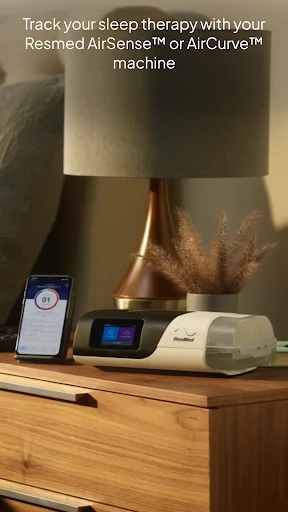
myAir™ by Resmed is a companion app for people using compatible Resmed AirSense or AirCurve sleep therapy machines. It brings nightly therapy information, setup guidance, coaching and reference materials together in one place. I see it as a useful sidekick for people adjusting to PAP therapy, rather than a general sleep tracker: its value depends on having the right Resmed machine and wanting practical support around its use.
A night, then a quick check-in
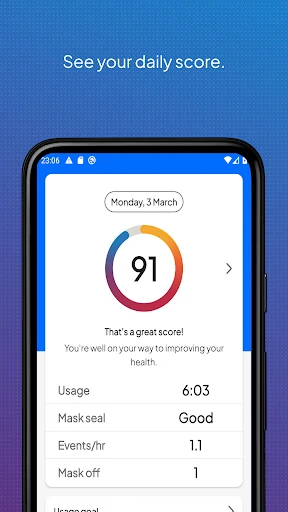
Imagine finishing a night with your AirSense machine and wanting a simple way to see how therapy went. With myAir, you can log in and check your nightly score, then look at more detailed therapy metrics to follow progress over time. I like that this creates a small, understandable checkpoint in the morning without asking me to reconstruct the night from memory or sort through a pile of unrelated sleep statistics.
The app is also meant to help when therapy feels unfamiliar, not just record it after the fact. If a mask seal is giving you trouble, myAir can offer relevant tips, coaching and videos. Its setup guides cover specific Resmed machines and masks, so the help is tied to the equipment you are actually using. That combination makes the app feel most useful during the early routine-building stage and whenever a practical question comes up.
A companion, not a general tracker
When I compare myAir with a general sleep-tracking app, the main difference is its focus. It is built around therapy data from compatible Resmed AirSense and AirCurve machines, with guidance and support related to that therapy. It can also bring selected information from Apple Health or Health Connect into its Trends feature, but the center of the experience remains your Resmed treatment rather than a broad overview of every part of your sleep.
That focus is also the main limitation. myAir is not a stand-alone sleep diary for someone without a compatible machine, and it is not the right Resmed app for the AirMini machine; Resmed directs AirMini users to its separate AirMini app. I would not treat a score or a coaching tip as a substitute for advice from a healthcare professional. The app is best understood as an informational companion to therapy.
Small habits that help
A little consistency makes the app easier to use. I would make checking the nightly score part of the morning routine, then look at detailed metrics less often to notice how things are changing over time. If a particular concern comes up, the Library gives you a place to find a guide or video instead of relying on memory or searching through unrelated material.
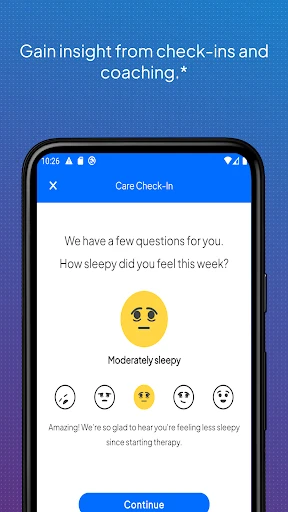
It can also help to treat notifications as prompts rather than background noise. myAir can send email and push notifications, including regular check-ins that ask how therapy is going and offer coaching when there is a problem. If you choose to connect supported health data, Trends can show it alongside therapy information. A downloaded therapy summary is another practical option when you want a record to keep or share with your healthcare provider.
More From Our News Desk

Zoom Meetings, Google Meet, or Teams: Which Is Easiest to Join?

How I Build a Free Streaming Lineup With Tubi

Why Crunchyroll Is the Default Anime App for So Many Fans

YouTube TV: A Practical Guide to Cutting Cable

Rummikub and the Small Comfort of Phone Games

TeamViewer Remote Control or AnyDesk for Helping Family?
Who will get the most from it
I would recommend myAir to people using a compatible Resmed AirSense or AirCurve machine who want a clearer view of their therapy and some help getting comfortable with it. It is particularly relevant if you are still learning your setup, would appreciate mask-related guidance, or like having a daily score and longer-term metrics in one place. The guides, coaching and report option give the app uses beyond simply glancing at a number.
It may not suit someone who wants a device-independent sleep tracker, or someone whose machine is not supported by myAir. AirMini users should look to the separate AirMini by Resmed app instead. People who prefer not to receive app prompts or who do not find scores and tracking useful may also get less out of it. In short, the right equipment and an interest in therapy progress are central to its appeal.
Resmed develops myAir, which is listed in the Medical category on Google Play. The app has over 1 million installs and a 4.1-star rating from around 35,000 ratings. It is free to download, with no in-app purchases or ads indicated in the supplied app facts. Its content rating is Everyone.
The minimum listed requirement is Android 9. The version varies by device or release, so it is best to check Google Play for the version available to you. myAir was released on April 17, 2018, and its most recent listed update was December 19, 2025.
A closer look at therapy support
Getting started with guidance
When I first opened myAir, its role was easy to understand: it is there to support Resmed therapy, not to operate as a general-purpose wellness app. The setup material is organized around AirSense or AirCurve machines and Resmed masks, which is a useful distinction for anyone facing unfamiliar equipment. The app’s own guides and videos give you a place to begin when you want instructions that match your setup.
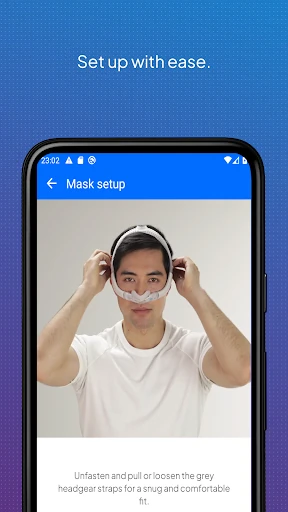
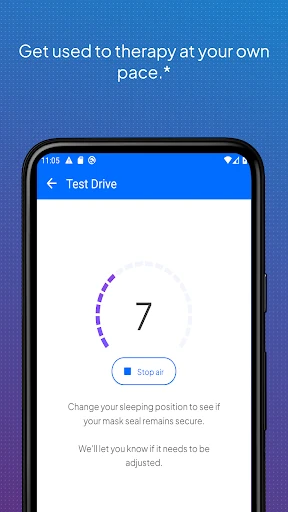
For AirSense 11 users, the Personal Therapy Assistant offers interactive, voice-guided setup and mask-fitting instructions. The Test Drive feature lets users get accustomed to therapy at different air-pressure levels. Those two features are specifically limited to AirSense 11, so I would not expect the same setup experience on AirSense 10 or AirCurve 10. That model distinction matters before you build a routine around a particular tool.
The daily therapy view
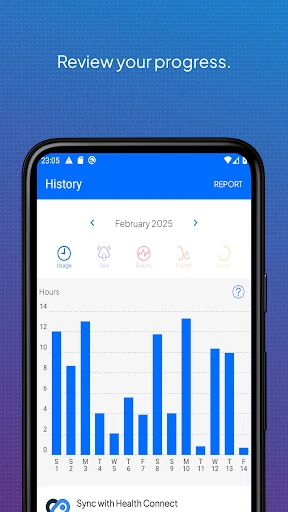
The everyday experience revolves around checking therapy data and following progress. A nightly myAir score gives a quick overview, while detailed metrics offer more context over time. I appreciate the separation: a person who only wants a brief morning check can keep it simple, while someone tracking a developing routine can look more closely at the available information.
The score is one way to make a night’s information approachable, but it should not become the only thing that matters. The more useful perspective is often the pattern across time and the context of how therapy is going for you. myAir also offers a downloadable therapy summary, which can be kept for personal records or shared with a healthcare provider.
Guides, coaching, and trends
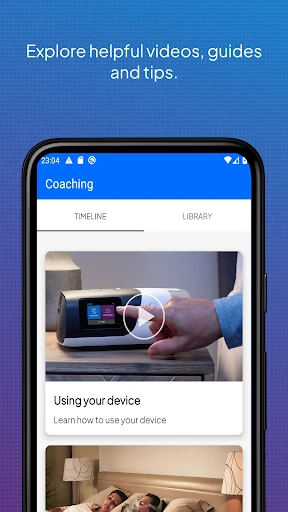
The personalized support is more specific than generic encouragement. myAir can provide tailored coaching, tips and videos, including suggestions when it identifies a mask-seal issue. Its Library collects guides and videos about setup, getting comfortable with therapy and common questions. I can see that being handy when a small equipment concern appears at bedtime and you want a relevant reference rather than a long search.
Trends can also display selected health information from Apple Health or Health Connect if you choose to share it. Supported data types include steps, active calories, exercise, weight, sleep, heart rate variability, oxygen saturation and resting heart rate. The app can additionally share therapy insights with a healthcare team if you give prior consent. These integrations add context, while remaining optional parts of the experience.
A practical weekly rhythm
A workable routine could be to check the score after waking, then set aside a moment once or twice a week to review the detailed metrics. That keeps the app from turning into a constant task while still making it easier to notice progress. If a question arises, I would go to the Library for a machine-specific guide or video, then use the app’s coaching where it applies.
The notifications and regular check-ins can provide another nudge to pay attention to therapy. If a check-in asks how things are going, it may be a useful point to review a concern and see whether the app offers relevant coaching. For a more complete record, you can download a therapy summary. Sharing it with a healthcare provider is an option, not something the app requires.
Compatibility and real limits
Compatibility is the first practical limit: myAir works with Resmed AirSense and AirCurve machines that have built-in wireless connectivity. An AirMini is not supported in this app, and Resmed specifies a separate AirMini app for that machine. It is worth checking your exact equipment before expecting the app to collect therapy information, since the companion experience depends on the connected device.
Some of the more guided setup tools are limited to AirSense 11, while the app’s broader support is framed around compatible AirSense and AirCurve machines. The experience also depends on whether you want to use an account, review data and engage with coaching. If you only need general sleep tracking, this narrow therapy focus may feel like more app than you need; if you use the supported equipment, that focus is precisely the point.
myAir makes the most sense as a practical companion to compatible Resmed therapy: it combines a nightly view, progress details, setup resources and tailored support without pretending to be a universal sleep app. The device restrictions and AirSense 11-only tools deserve attention, but the core idea is straightforward and useful for building familiarity with therapy.
I would try it if I used a supported AirSense or AirCurve machine and wanted an easier way to follow progress or find relevant guidance. If you use an AirMini or want a device-independent tracker, look elsewhere within Resmed’s app options or choose a tool built for that broader purpose.
myAir™ by Resmed Frequently Asked Questions
What is myAir™ by Resmed used for?
myAir is a companion app for tracking therapy information from compatible Resmed AirSense and AirCurve machines. It provides a nightly score, detailed metrics and progress summaries, along with setup guides, videos and personalized coaching. Users can download a therapy summary, and selected health information can appear in Trends when shared from Apple Health or Health Connect.
Which devices and platforms work with myAir™?
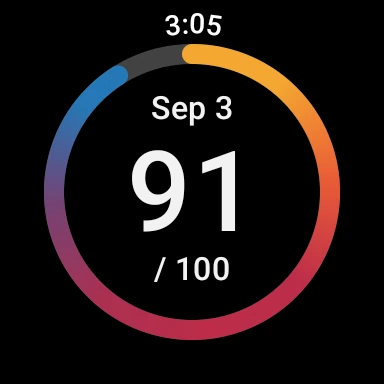
The Android app is for Resmed AirSense and AirCurve machines with built-in wireless connectivity. It is not the app for AirMini; Resmed directs AirMini users to the separate AirMini by Resmed app. A myAir account and compatible Samsung Galaxy Watch are needed to use the myAir Wear OS smartwatch app. Check Google Play for current device and app compatibility details.
What Android version does myAir™ require?
The listed minimum is Android 9. App versions and compatibility can change, so check the Google Play store entry on your device for the current requirements before installing. Having a supported phone is only part of the setup: myAir is designed to work with compatible Resmed AirSense or AirCurve equipment that has built-in wireless connectivity.
Does myAir™ cost money or include purchases?
myAir is free to download on Google Play. The supplied app information indicates no in-app purchases and no ads. You will still need a compatible Resmed AirSense or AirCurve machine with built-in wireless connectivity to use its therapy-focused features. Store details can change, so check Google Play for the current app terms.
Who is myAir™ best suited for?
It is best suited to people using compatible Resmed AirSense or AirCurve machines who want to follow therapy progress and access setup guidance, videos or coaching. It may not suit someone looking for a general sleep tracker or someone using an AirMini machine. Some tools, including guided setup features, are available only with AirSense 11.
Pros
- Combines nightly therapy scores with detailed metrics and downloadable summaries.
- Offers machine-specific guides, videos and tailored coaching for common therapy concerns.
- Optional Trends integrations can show selected health data alongside therapy information.
- Free to download, with no ads or in-app purchases indicated.
Cons
- Requires a compatible Resmed AirSense or AirCurve machine with wireless connectivity.
- AirMini users need a separate Resmed app for their machine.
- Some guided setup tools are limited to AirSense 11.
- Category
- Medical
- Version
- VARY











