Medbridge GO for Patients
- 41.14K
- 4.9
- Installs
- 1.00M
- Price
- Free

Screenshots
Analysis by Reviewed APKs
Medbridge GO for Patients is a companion app for following exercise programs prescribed by a physical, occupational, athletic, or speech therapist. You use an access code from your provider to load your program, then follow its on-screen videos and keep track of progress. I like its focused approach: it is built for carrying out a care plan at home, not for finding a therapist or choosing your own treatment.
A Plan for Home Practice
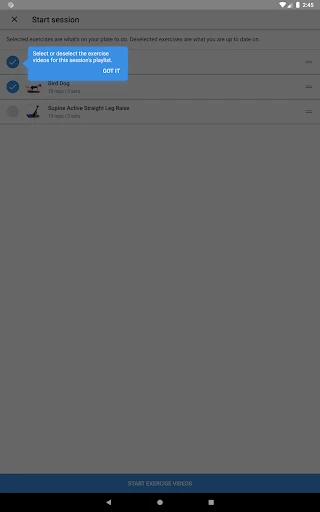
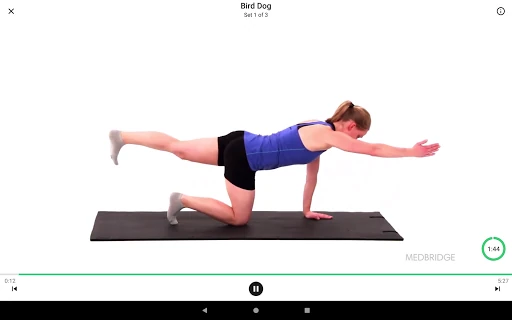
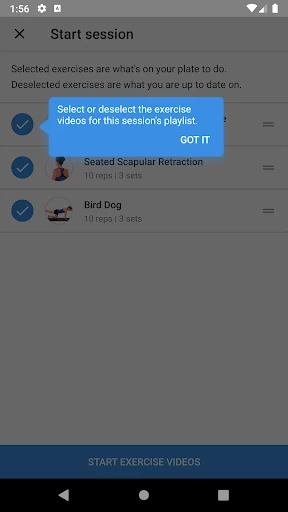
Imagine coming home after an appointment with a set of exercises to repeat between visits. Instead of relying on what you remember from the session, you enter the access code your provider gave you and download the program. When it is time to practice, you tap GO and follow the exercise videos on screen. That gives the routine a clear starting point, especially on a busy day when written instructions can be easy to misplace.
I can see this fitting into a morning routine or a short break at home: open the assigned program, watch the demonstration, and work through the exercises your therapist selected. Reminders can help bring the routine back to mind, while progress tracking gives you a record of how things are going overall. The app supports the plan your provider set up; it does not replace their guidance or decide what exercises belong in your program.
A Companion, Not a Clinic
Compared with a paper handout, Medbridge GO can put exercise videos and related education materials together with the prescribed program. That is useful if a movement is easier to understand by watching it than by rereading a short description. You can also view materials your therapist included, such as 3D models, explanatory videos, clinician notes, and PDF guides, rather than treating the exercise list as the only part of your plan.
The important distinction is that this is for carrying out a program supplied by a provider. It is not presented as a way to find a therapist, book virtual visits, message a clinician, or create an exercise plan from scratch. If you want a general fitness app with open-ended workouts, this is a different kind of tool. Its value depends on having a provider-issued access code and a program to follow.
Small Habits That Help
A simple way to make the app useful is to connect its reminders with a time you already have available, such as after breakfast or before settling in for the evening. I would keep the phone somewhere convenient, open the program, and use the videos as the reference for each exercise. That makes it less tempting to postpone the session while trying to recall details from memory.
It also helps to check the education materials that came with the program instead of treating them as extras to ignore. A clinician note or PDF guide may give context for the plan, while the progress view can help you keep an eye on your overall follow-through. These are small organizational habits, not substitutes for instructions from your provider. If your plan or access changes, your provider remains the person to ask.
More From Our News Desk

Zoom Meetings, Google Meet, or Teams: Which Is Easiest to Join?

How I Build a Free Streaming Lineup With Tubi

Why Crunchyroll Is the Default Anime App for So Many Fans

YouTube TV: A Practical Guide to Cutting Cable

Rummikub and the Small Comfort of Phone Games

TeamViewer Remote Control or AnyDesk for Helping Family?
Who Might Find It Useful
I would recommend Medbridge GO to someone whose therapist has assigned a program and who wants a straightforward way to follow it between appointments. The combination of on-screen exercise videos, reminders, progress tracking, and attached education materials gives the routine a useful home base. It should especially suit people who prefer a visual demonstration over relying only on remembered instructions or a paper sheet.
It may be less useful if you do not have a provider-issued access code, since the app’s central job is delivering a program prescribed by your care provider. It is also not the right fit if you are looking for general workouts, a way to contact clinicians, or a substitute for professional direction. The app is focused rather than all-purpose, which is a strength for the right user and a limitation for everyone else.
Medbridge GO for Patients is a Health & Fitness app from Medbridge. On Google Play, it has over 1 million installs and a 4.9-star rating from about 41,000 ratings. It is free to download, has no in-app purchases, and contains no ads. Its content rating is Everyone, making the store’s age classification suitable for a general audience.
The current Android version is 4.8.3, and it requires Android 8.0 or later. The app was released on May 15, 2017, and its most recent update was January 16, 2026. Those details can help you check compatibility before installing, especially if you are using an older device.
Making a Prescribed Routine Easier to Follow
A Focused First Run
When I first considered the setup, the access code stood out as the key step. You get the code from your provider, enter it, and download the exercise program they prepared. That makes the app feel purpose-built from the beginning: rather than browsing a catalogue and deciding what to do, you arrive at a plan that is already tied to your care.
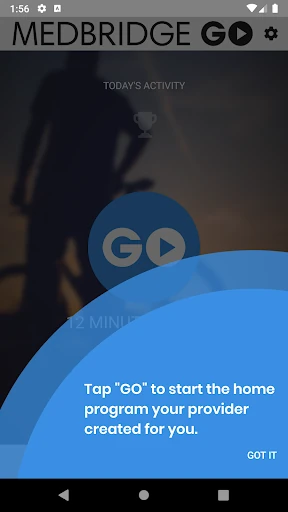
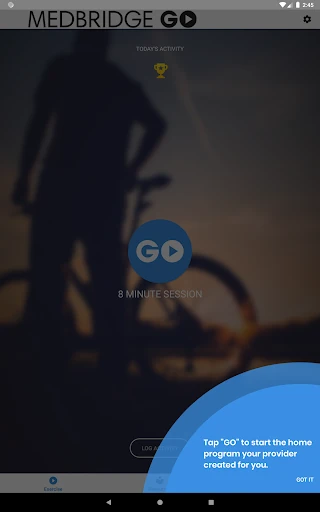
Once the program is available, the main action is easy to understand: tap GO to follow along with the videos on screen. I appreciate that kind of directness for a task that may be repeated when you are tired or fitting it around other responsibilities. The app’s role is clear, though a first-time user will need to have received the access code before that central setup step can happen.
Following Along Day to Day
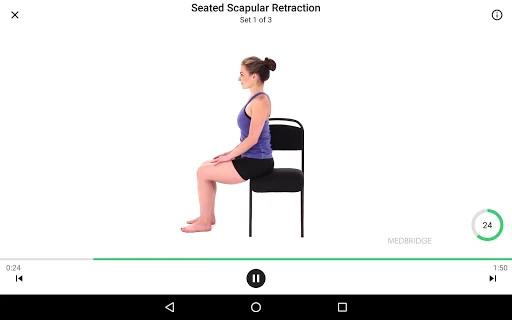
The everyday experience revolves around returning to the program your provider assigned. Exercise videos give you a visual reference while you work through it, and reminders offer a nudge when it is time to practice. For me, that combination addresses two ordinary snags: forgetting to do a routine and being unsure what a movement is supposed to look like.
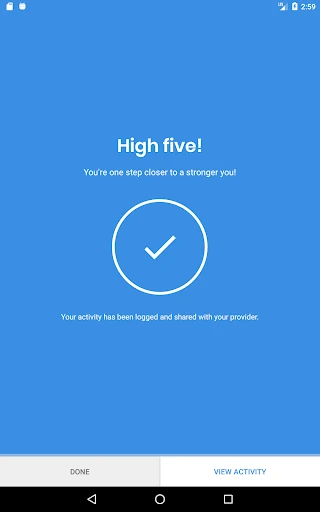
Progress tracking adds a way to review your overall progress without making the app sound like a full coaching service. The description does not frame it as real-time clinician monitoring or a place to send questions, so I would treat it as a personal record rather than a conversation with your provider. That distinction keeps expectations realistic while still making the app handy for repeat practice.
More Than Exercise Videos
A useful detail is that the program can include patient education materials alongside the exercises. Depending on what your therapist has provided, those materials may include 3D models, explanatory exercise videos, clinician notes, and PDF guides. Having those items accessible from the app can make it easier to revisit information connected to the program instead of searching through separate papers or files.
The materials are included by the therapist, so the app is not simply an open library where every user gets the same collection. I like that this keeps the education connected to the care plan, but it also means what you see depends on what your provider has included. The most useful experience will come when the assigned program and its supporting resources are both relevant to your routine.
A Routine That Fits Real Life
For a practical routine, I would choose a consistent time, use the app’s reminder feature, and keep the phone close enough to see the exercise video. Once the program is open, the on-screen demonstrations can guide the session without requiring me to keep switching between separate instructions. Afterward, the progress view gives me somewhere to check the broader pattern of follow-through.
This works best as a modest habit rather than another complicated system to manage. I would review the education materials when I need to revisit an explanation, then return to the exercises as prescribed. The app can organize the parts of a home program that are easy to forget, but the plan itself still comes from the therapist. That division of roles is sensible and worth keeping in mind.
Limits to Keep in Mind
The biggest limitation is also central to the design: you need an access code from a provider to download your program. Without that, the app does not serve as a general exercise catalogue. If you are hoping to explore workouts independently or build a fitness routine from scratch, this focused patient tool may feel too narrow.
It is also important not to mistake progress tracking and reminders for direct clinician communication. The described features help you follow and review a prescribed program, but they do not promise messaging, virtual visits, or individualized feedback through the app. I would use it to support the routine and turn to the provider for questions about the plan, rather than expecting the app itself to answer them.
Medbridge GO for Patients makes a specific job more manageable: following a therapist-prescribed exercise program at home. Its video guidance, reminders, progress tracking, and included education materials give users several practical ways to stay connected to that plan. I like the focused setup, especially for people who benefit from seeing movements demonstrated.
I would recommend it if your provider uses Medbridge and has given you an access code. If you want general workouts, clinician messaging, or a way to create your own program, look elsewhere. For its intended role, it is a clear and useful companion, provided you treat it as support for professional guidance rather than a replacement.
Medbridge GO for Patients Frequently Asked Questions
What is Medbridge GO for Patients used for?
Medbridge GO for Patients is used to follow exercises prescribed by a therapist. You enter an access code from your provider to download your program, then use on-screen videos to follow along. The app also offers reminders, overall progress tracking, and access to education materials your therapist included with the program.
Which devices can run Medbridge GO for Patients?
Medbridge GO for Patients is available on Android through Google Play. It requires Android 8.0 or later. Device compatibility can vary, so check the Google Play store page on your device before installing if you are unsure whether your phone or tablet meets the requirement.
Does Medbridge GO for Patients cost money?
The app is free to download on Google Play, and it has no in-app purchases or ads. Store details can change over time, so it is worth checking the current Google Play page before installing if you want the latest information about cost.
Do I need a therapist to use Medbridge GO?
The app is designed for exercises prescribed by a therapist, and you need an access code from your provider to download your program. It is not described as a general workout library or a way to find a therapist. Ask your provider whether they use Medbridge and can give you access.
Is Medbridge GO suitable for general fitness?
Medbridge GO is best suited to people following a provider-assigned exercise program, with videos and related education materials provided through that plan. It may not suit someone looking for open-ended workouts or a self-guided fitness routine. Its content rating is Everyone, but the main question is whether you have a prescribed program to use.
Pros
- Exercise videos make it easier to follow a provider-prescribed program at home.
- Reminders and progress tracking support a more consistent routine.
- Therapist-provided education materials can include videos, notes, 3D models, and PDF guides.
- Free to download, with no in-app purchases or ads.
Cons
- An access code from a provider is needed to download a program.
- It is not a general workout library or a tool for creating your own plan.
- The described features do not include clinician messaging or virtual visits.
- Category
- Health & Fitness
- Version
- 4.8.3











