LiveWell with Advocate Aurora
- 17.07K
- 4.4
- Installs
- 1.00M
- Price
- Free

Screenshots
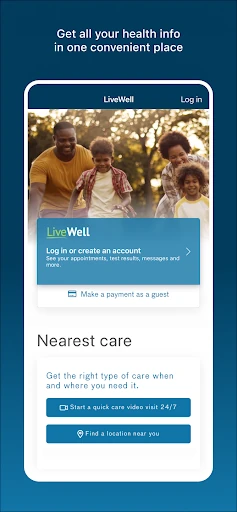
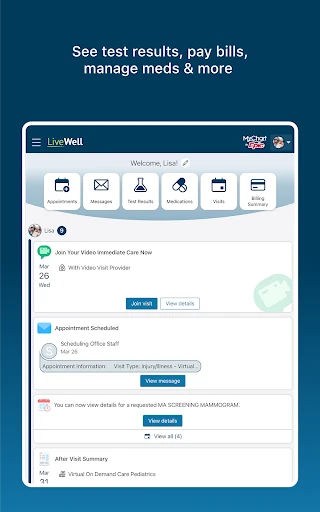

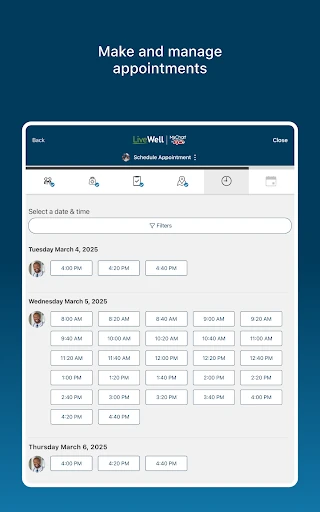
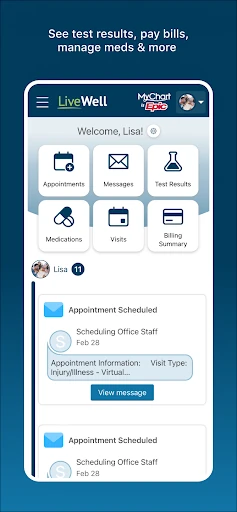

Analysis by Reviewed APKs
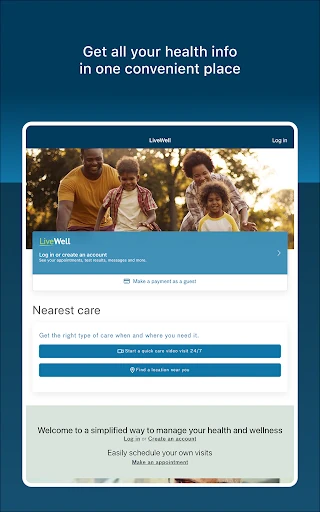
LiveWell with Advocate Aurora brings health tasks into one app, from checking test results and messaging care teams to finding doctors and paying bills. It suits people who already use Advocate Aurora services, especially households coordinating care for more than one person. I like the idea of having practical tasks and wellness content together, though its usefulness depends on whether its provider tools fit your care routine.
A day of care in one place
When I picture using LiveWell on a busy weekday, the appeal is having a few common health tasks together instead of hunting through separate tools. I could check for lab results, look up an appointment, and send a message to my care team from the same app. If I needed a nearby location, the doctor and location search, with maps and driving directions, could help turn a vague plan into a practical next step.
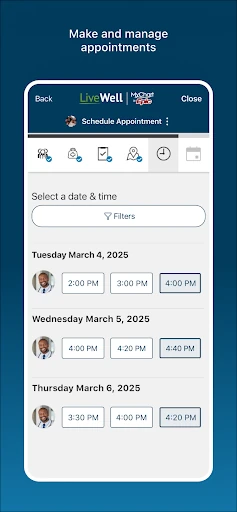
The household angle matters, too. LiveWell is designed to manage care for yourself and people who count on you, including scheduling appointments and handling medications for them. That makes it relevant to a parent keeping track of family needs or someone helping a relative stay organized. I wouldn’t expect every task to come up every day, but having several care-related jobs under one roof could make occasional errands easier to remember.
A care companion, not a clinic
Compared with a general wellness tracker, LiveWell leans more toward connecting people with care and managing the practical details around it. It includes provider messaging, appointment scheduling, bills, test results, and options for video visits or e-visits. It also offers wellness material, but that sits alongside healthcare tasks rather than defining the whole experience. For someone using Advocate Aurora services, that combination may be more useful than a standalone app focused only on habits.
It is not a replacement for a clinician, nor is it a broad directory of every provider or health service. Its described tools are tied to Advocate Aurora’s care context, so people who do not use that system may find less reason to keep it close at hand. I’d also treat a video visit or e-visit as a way to connect with care, not as a promise of a particular diagnosis or outcome.
Small habits that help
I’d get the most from LiveWell by checking it at natural moments rather than opening it without a reason. Before an appointment, I could use the provider or location tools and review any available results. Afterward, I could follow up with a message if I had a question for the care team. Keeping those steps in one routine makes the app feel like a practical organizer instead of another screen demanding constant attention.
For a household, it may help to make a short weekly check-in: review upcoming appointments, note medication tasks, and see whether a bill or message needs attention. The app also includes health quizzes, wellness insights, and guided meditation, which are easier to explore when I set aside a quiet moment. If enrolled in a self-tracking program, uploading data from Health Connect is another option, rather than a requirement for everyone.
More From Our News Desk

Zoom Meetings, Google Meet, or Teams: Which Is Easiest to Join?

How I Build a Free Streaming Lineup With Tubi

Why Crunchyroll Is the Default Anime App for So Many Fans

YouTube TV: A Practical Guide to Cutting Cable

Rummikub and the Small Comfort of Phone Games

TeamViewer Remote Control or AnyDesk for Helping Family?
Who may find it useful
I’d recommend LiveWell to people who receive care through Advocate Aurora and want a convenient place to handle routine health tasks. It has a sensible mix: appointment scheduling, provider messages, results, bills, location information, and remote visit options. It may be especially handy for someone coordinating care for family members, since the app is intended to manage information and tasks for both the user and people depending on them.
It may be less compelling if you mainly want a standalone fitness tracker, a general medical encyclopedia, or access to providers outside the Advocate Aurora setting. The wellness content and meditation exercises are useful extras, but the app’s core appeal is care management. People who prefer handling appointments and bills through other channels may not need another place to check. I’d choose it based on whether its care tools match the services I actually use.
LiveWell with Advocate Aurora is a medical app from Advocate Aurora Health. On Google Play, it has over one million installs and a 4.4-star rating from about 17,000 ratings. The app is free to download, and the available store details say it has no in-app purchases or ads. Its content rating is Everyone, so the store categorizes it for a general audience.
The current version shown is 11.7.2. LiveWell was released on March 9, 2015, and its most recent update is dated March 25, 2026. The minimum Android version is not included in the available app details, so I’d check Google Play on the device I plan to use. These practical details help set expectations before making it part of a regular care routine.
How LiveWell Fits Everyday Care
A useful first impression
When I first considered LiveWell, what stood out was how many different care tasks it aims to bring together. The list ranges from finding a doctor to checking results, messaging a care team, arranging visits, and paying bills. That breadth makes the app’s purpose easy to understand: it is meant to be a companion for managing care, not just a place to read health articles.
I’d start by identifying which of those tasks I actually use, rather than trying to explore everything at once. The app’s description includes both care management and wellness tools, so a first visit could otherwise feel like a long menu of possibilities. A simple starting point—such as locating a provider or checking appointment options—would make its value easier to judge in everyday terms.
The day-to-day experience
The strongest everyday case is reducing the number of places I need to check for care-related information. Results, provider messages, scheduling, and bills are all part of the app’s stated toolkit. When a question comes up between appointments, messaging the care team offers a direct route to follow up. That is a different kind of convenience from a general search engine, which cannot connect the question to my care team.
Not every visit to the app needs to be a big event. I might open it to confirm a location, look for an appointment, or see whether a result is available. Those small, occasional tasks are where a centralized app can earn its place. I would not expect it to replace every conversation or task involved in healthcare, but it can provide a single digital starting point for several common ones.
Tools beyond appointments
LiveWell’s range goes beyond the basics of booking and follow-up. The app supports video visits and e-visits, offers a way to find doctors and locations, and includes maps and driving directions. It also provides health quizzes, wellness insights, and guided meditation exercises. I like that the description includes both practical care tasks and quieter wellness options, while keeping the central focus on managing health information.
One detail that may matter to people already tracking health data is the option to upload health and fitness information, including data from Health Connect, when enrolled in self-tracking programs. That qualification is important: it is not presented as a universal feature for every user in every situation. Rather than assuming the data connection applies automatically, I’d look at whether I’m enrolled in the relevant program and whether that workflow is useful to me.
A simple weekly check-in
A practical routine could be a brief check-in once a week, especially for someone juggling appointments for more than one person. I’d review what needs scheduling, check whether there are messages to send, and look for any bill or result that calls for attention. The app is designed to manage care for the user and others who depend on them, so this kind of regular review fits its intended role.
I’d keep the wellness features optional rather than turning them into another obligation. On a quieter day, I could browse an insight, take a health quiz, or try a guided meditation. If enrolled in a self-tracking program, I could also consider uploading relevant data from Health Connect. That leaves the app useful for practical errands even when I’m not in the mood to explore extra content.
Keep the context in mind
The main limitation is also what gives LiveWell its focus: its tools are centered on Advocate Aurora care. If that is not part of my healthcare routine, the provider messaging, appointment, and records-related features may be less useful. Someone looking for a general health tracker or a directory covering many unrelated providers should not assume this app is built for that purpose.
There is also a difference between having a task in an app and having every health need resolved there. LiveWell offers ways to connect with providers and manage care, but it does not make medical decisions for the user. I’d use its communication and visit options as routes to care, while keeping expectations grounded in the fact that the app is a tool for organizing and accessing services.
LiveWell with Advocate Aurora is a practical, broad-purpose care companion. I like its mix of everyday essentials—appointments, results, messages, bills, and location details—with optional wellness features. Its clearest audience is people already using Advocate Aurora services, particularly those coordinating care for family members.
I’d give it a try if those provider tools match my routine and I want fewer separate places to manage care. If I’m after a general fitness app or don’t use Advocate Aurora, I’d look elsewhere. For the right household, LiveWell has a straightforward reason to stay installed.
LiveWell Advocate Aurora Frequently Asked Questions
What is LiveWell with Advocate Aurora used for?
LiveWell is for managing health and wellness tasks in one app. Its listed tools include scheduling appointments, viewing lab and test results, messaging providers, paying bills, finding doctors and locations, and using video visits or e-visits. It also offers health quizzes, wellness insights, guided meditation, and certain self-tracking data uploads.
Which devices can run LiveWell with Advocate Aurora?
LiveWell is an Android app available through Google Play. The available details do not give a minimum Android version, so check the Google Play store page on the device you plan to use. The stated platform is Android; device compatibility can vary, and the store page is the best place to check current requirements.
What Android version does LiveWell with Advocate Aurora require?
The minimum Android version is not included in the app details provided. Requirements can vary as an app is updated, so it is worth checking the Google Play store page for the current compatibility information before installing. The current version shown for LiveWell is 11.7.2.
Does LiveWell with Advocate Aurora cost money?
LiveWell is listed as free to download, with no in-app purchases or ads. That covers the app’s stated store pricing; it does not describe the cost of any healthcare services you may access through it. For current pricing details or changes, check Google Play and the relevant care provider.
Is LiveWell with Advocate Aurora suitable for everyone?
It is most relevant to people who use Advocate Aurora services and want to manage care tasks, including tasks for family members. It may be less useful for someone seeking a general fitness tracker or tools centered on other providers. The app has an Everyone content rating, but its practical fit depends on your care routine.
Pros
- Combines appointments, results, provider messages, bills, and location tools in one app.
- Supports managing care tasks for yourself and people who depend on you.
- Adds wellness insights, quizzes, guided meditation, and eligible self-tracking uploads.
- Free to download, with no in-app purchases or ads.
Cons
- Its core care-management tools are most useful to Advocate Aurora patients.
- The available details do not state a minimum Android version.
- Wellness features are extras rather than a substitute for provider care.
- Category
- Medical
- Version
- 11.7.2











