Jellyfin
- 6.21K
- 4.1
- Installs
- 1.00M
- Price
- Free

Screenshots

Analysis by Reviewed APKs
Jellyfin is an Android companion app for browsing and playing media from a Jellyfin server you set up yourself. It suits people who want to bring their own video, music, and photos together rather than rely on a commercial streaming catalog. I like the clear idea behind it: the app is a way into a personal library, not a shortcut around the work of running one.
A library for a quiet evening
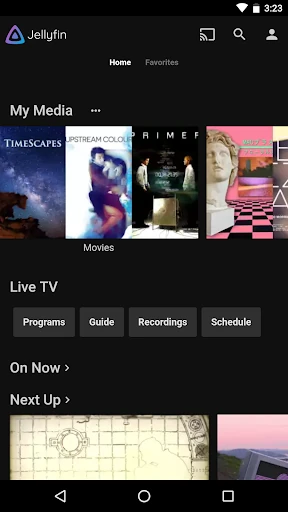
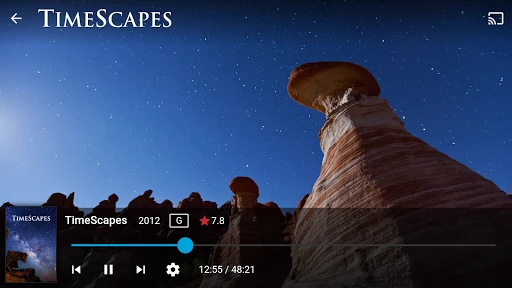
Picture settling in after dinner and wanting to watch a show you already have, rather than browse another streaming service. With Jellyfin, the Android app gives you a way to view the collection held on your Jellyfin server and stream media to your device. That makes its central job easy to understand: it connects your phone or tablet to your own library, so your viewing starts with what you have organized.
The key practical detail appears before the first play button: a Jellyfin server must already be set up and running. I’d treat the app as the viewing side of a two-part arrangement, not as a place that supplies films or shows by itself. Once the server is available, the app’s collection view gives you a more convenient way to browse and play your media on Android.
A different kind of streaming
Jellyfin makes the most sense beside commercial streaming apps, but it serves a different purpose. Those services provide their own catalogs; Jellyfin helps you access media stored in your own server library. That distinction is useful if you already maintain a personal collection and want it gathered in one place. It is less appealing if your goal is simply to install an app and immediately find something new to watch.
It is also not a replacement for setting up and maintaining the server itself. The Android app depends on that server, and the Live TV option has additional hardware or services requirements. I’d choose Jellyfin for access to a collection I control, not as a general-purpose video player that works independently or as a complete, ready-made TV service.
Small habits that help
The first useful habit is to get the server ready before treating the Android app as part of your daily routine. That keeps the roles clear: the server gathers your media, while the app provides access to the collection. If a household has several devices, thinking about where the server runs and where you want to watch can make Jellyfin feel more like a planned library than a one-off phone app.
I’d also match the feature to the situation. For ordinary viewing, stream media from the server to the Android device; for a larger screen, the app supports streaming to a Chromecast on your network. Music listeners can use Android Auto when online. Live TV and recorded shows are another possibility, but they call for additional hardware or services, so they need more preparation than simply opening the app.
More From Our News Desk

Zoom Meetings, Google Meet, or Teams: Which Is Easiest to Join?

How I Build a Free Streaming Lineup With Tubi

Why Crunchyroll Is the Default Anime App for So Many Fans

YouTube TV: A Practical Guide to Cutting Cable

Rummikub and the Small Comfort of Phone Games

TeamViewer Remote Control or AnyDesk for Helping Family?
Who will enjoy Jellyfin
I’d recommend Jellyfin to people who already have, or are willing to set up, a Jellyfin server and want an Android route into their personal media collection. It has a clear appeal for someone who prefers arranging their own video, audio, and photos instead of depending only on subscription catalogs. Chromecast support and Android Auto music listening also give it uses beyond watching on the phone itself.
It may not suit someone looking for a standalone streaming app, a ready-to-use media library, or a service that works without preparation. The server requirement is central, and Live TV brings extra requirements of its own. If you want to press install and immediately browse supplied shows, Jellyfin is the wrong fit; if you value access to media you manage, the extra setup may feel worthwhile.
Jellyfin is developed by Jellyfin and is in the Video Players & Editors category on Google Play. It has over 1 million installs and a 4.1-star rating from 6,209 ratings. The app is free, with no in-app purchases and no ads. Its content rating is Everyone. Those figures make the cost side straightforward, while the required server remains an important part of the practical setup.
The Android app requires Android 5.0 or later. The current version is 2.6.3; it was released on June 10, 2019, and last updated on May 16, 2025. The update notes recommend Jellyfin Server 10.10.0 or newer. That recommendation is useful to keep in mind when preparing the server, since the companion app depends on one being set up and running.
A personal library, with preparation
Starting with the server
My first impression of Jellyfin is that its promise is straightforward but its setup has a prerequisite. This is the official Android companion app, and it needs a Jellyfin server already running. That changes the usual first-launch expectation: the main question is not which catalog to browse, but whether the personal library the app is meant to reach has been prepared.
I’d approach the first session as a connection between two parts of one system. The server collects media, and the Android app provides a way to view and play that collection. The latest update notes recommend Jellyfin Server 10.10.0 or newer, which gives users a concrete version recommendation to consider while getting the server side ready.
Everyday viewing
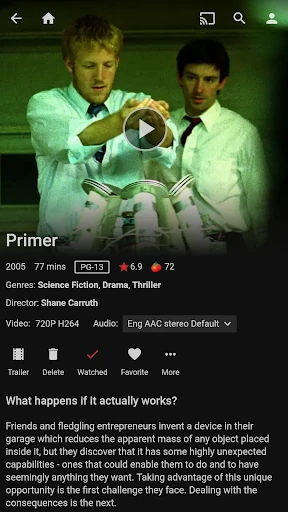
Once there is a server to connect to, the day-to-day purpose is easy to grasp: browse your collection and stream media to an Android device. That can be handy when you want to watch something from your own library without sitting at the device or location where the collection is kept. The app’s value is access and playback, rather than discovery across a provider’s catalog.
That difference shapes how I’d judge the routine. Jellyfin can make a personal collection more reachable, but it depends on the collection and server being in place. If I had nothing organized on a Jellyfin server, opening the companion app would not solve that problem. For someone who has already done the organizing, though, it offers a dedicated way to reach the results.
Beyond phone playback
Two supported options extend the app beyond watching directly on the Android device. Jellyfin can stream media to a Chromecast device on the same network, which offers a route from a personal library to a larger screen. I like that this is a specific, practical use rather than a vague promise of working with every screen or device.
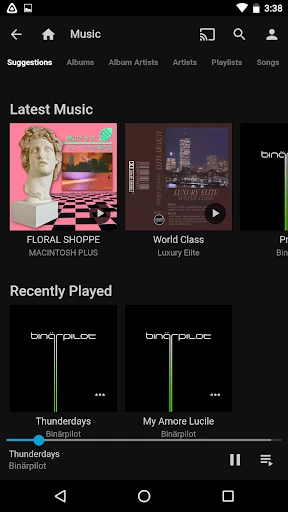
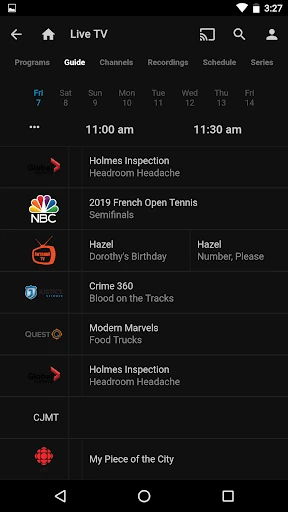
Music is another use: Jellyfin supports listening through Android Auto, with online access required. The app also covers Live TV and recorded shows from a Jellyfin server, although that use needs additional hardware or services. These features give the companion app more than one role, but each still ties back to the server and, where noted, its own requirements.
A manageable routine
A sensible routine starts before the moment you want to watch. I’d make sure the server is set up and running, then use the Android app to browse the available collection and stream the chosen media. That division keeps expectations realistic: the app is the convenient viewing and listening companion, while the server is what makes the personal library available.
For a household viewing session, Chromecast support can make the phone-to-TV handoff part of the plan, provided the Chromecast is on the network. For a drive, Android Auto is relevant for music, but its online-only condition matters. I’d keep Live TV separate from these simpler routines because it depends on extra hardware or services.
The setup trade-off
The biggest limitation is also the most important fact about the product: Jellyfin needs a server set up and running. That is a meaningful hurdle for anyone who expects an app to supply content or work as a standalone player. The free price does not remove the practical setup step, so I would decide whether maintaining a personal media library fits my habits before installing it.
Some of the app’s uses have additional conditions. Live TV and recorded shows require extra hardware or services, Chromecast streaming is specified for a device on your network, and Android Auto music listening is online only. Those boundaries do not undermine the core idea, but they do mean Jellyfin is best approached with a clear use case rather than assumptions that every feature works without preparation.
Jellyfin is a focused companion for people who want Android access to a media library on their own server. Its support for device streaming, Chromecast, and online Android Auto music gives that library several practical routes into everyday life. The trade-off is clear: the server comes first, and some uses bring extra conditions.
I’d recommend giving Jellyfin a try if you already run, or genuinely want to set up, a Jellyfin server. It is less suited to anyone seeking a no-setup streaming catalog or a standalone player. For the right user, the app’s free, ad-free approach is appealing; just make sure the server requirement matches what you want.
Jellyfin Frequently Asked Questions
What is Jellyfin used for?
Jellyfin is an Android companion app for accessing media from a Jellyfin server. It lets you view a collection and stream media to your Android device, and supports Chromecast streaming on your network. It can also be used for Live TV and recorded shows with additional hardware or services, and Android Auto music listening when online.
Which devices and platforms support Jellyfin?
The app described here is the official Jellyfin companion for Android. It supports streaming media to an Android device, streaming to a Chromecast on your network, and listening to music with Android Auto when online. Store availability and device compatibility can vary, so check the Google Play store details for the device you plan to use.
What Android version does Jellyfin require?
Jellyfin requires Android 5.0 or later. The app also requires a Jellyfin server to be set up and running. Its update notes recommend Jellyfin Server 10.10.0 or newer. Device compatibility can vary, so it is worth checking the Google Play store information alongside the requirements for your own device.
Does Jellyfin cost money or include purchases?
The Android app is free and has no in-app purchases or ads. Using it does require a Jellyfin server set up and running, so the app is not a source of media by itself. Live TV and recorded shows require additional hardware or services. Check the store and server information for details that may vary.
Is Jellyfin a good fit for every viewer?
Jellyfin is a good fit for someone who wants to access a personal media collection through a Jellyfin server on Android. It is less suited to someone looking for a standalone app with a supplied streaming catalog, because a running server is required. Whether the setup suits you depends on your devices and intended use.
Pros
- Free Android companion app with no ads or in-app purchases.
- Streams personal server media to Android devices.
- Supports Chromecast streaming on the network.
- Adds Android Auto music listening when online.
Cons
- Requires a Jellyfin server to be set up and running.
- Live TV and recorded shows need additional hardware or services.
- Android Auto music listening requires an online connection.
- Category
- Video Players & Editors
- Version
- 2.6.3











