Insta360
- 48.79K
- 3.6
- Installs
- 5.00M
- Price
- Free

Screenshots
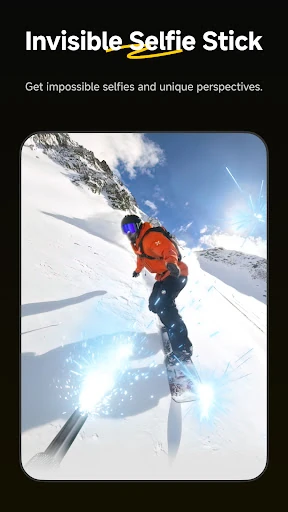
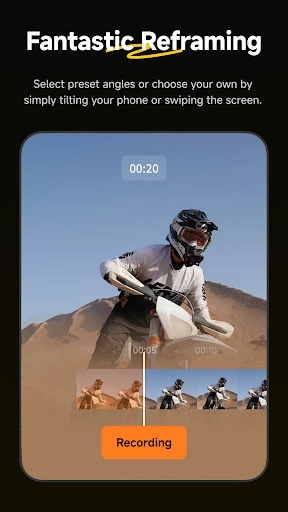
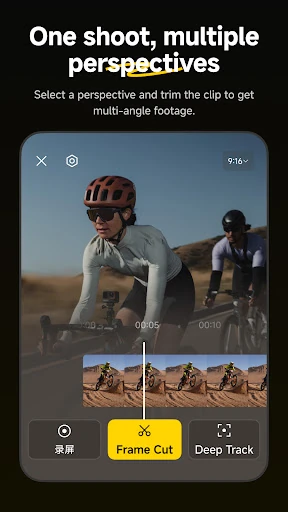
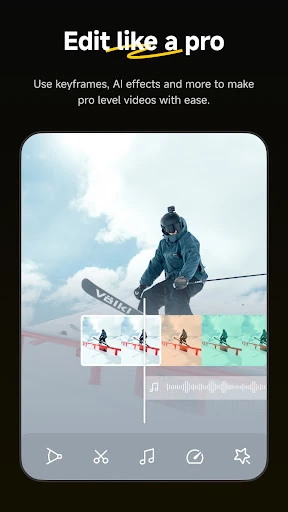
Analysis by Reviewed APKs
Insta360 is a companion app for editing and sharing footage from Insta360 cameras and handheld gimbals. It suits people who shoot 360-degree clips, action footage, or travel videos and want to shape them on a phone instead of starting at a computer. My overall take is that it offers a useful mix of quick AI-assisted edits and hands-on controls, though it makes the most sense if you already use Insta360 gear.
From Camera to Clip
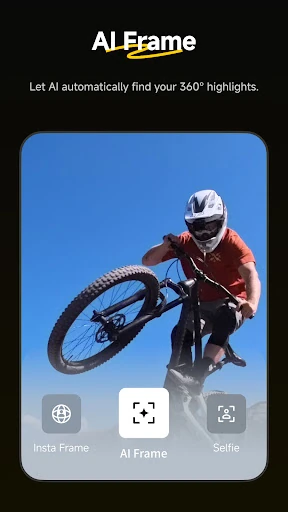
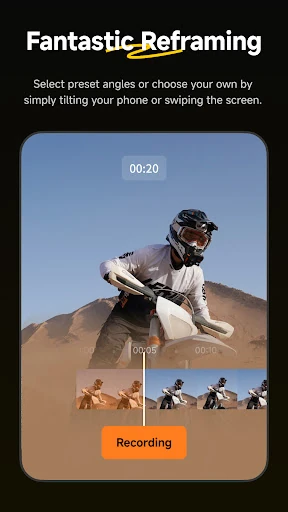
Picture getting back from a bike ride with a camera full of wide, energetic footage and only a few minutes before heading out again. I’d open Insta360, find the clip in the album, and let AI Edit pick out action highlights. If the result needs a different point of view, I can reframe the 360 footage with keyframes rather than settling for the first angle the camera captured.
That quick turnaround is the app’s main appeal. Deep Track can keep a person, animal, or moving object centered with a tap, while templates in Shot Lab offer another route to a finished short clip. I like that these tools address a real problem with 360 footage: deciding what the viewer should look at. The app gives me ways to make that choice without turning every edit into a long desktop project.
A Camera Companion, Not a Studio
Insta360 sits between editing entirely in the camera’s companion app and moving footage into desktop software. It is built around Insta360 cameras and handheld gimbals, with 360 reframing, tracking, and camera-related workflows at the center. For those users, having editing and sharing in the same phone app can be more convenient than exporting every clip elsewhere before deciding whether it is worth polishing.
I would not treat it as a general-purpose replacement for every video editor. Its strongest tools are tied to the kind of footage Insta360 gear produces, and the app’s creator content and templates are part of that ecosystem. If I wanted a broad editing workspace for unrelated camera footage, or a desktop editing setup with a larger screen, this would not be my only stop.
Small Habits, Better Edits
A good habit is to review clips soon after shooting, while I still remember what happened and which moments matter. The album uses thumbnails chosen to make files easier to identify, and that can make a quick first pass less of a guessing game. I can then mark a promising angle with keyframes or try AI Edit when I want to see whether it catches the highlights automatically.
I’d also keep a couple of different editing routes in mind instead of applying a template to everything. Deep Track is useful when a subject needs to stay in view, while a hyperlapse is better for compressing a longer stretch of motion. Download-free editing can help when I’m working on the go and would rather not save clips to my phone first. A quick preview before sharing keeps the final choice in my hands.
More From Our News Desk

Zoom Meetings, Google Meet, or Teams: Which Is Easiest to Join?

How I Build a Free Streaming Lineup With Tubi

Why Crunchyroll Is the Default Anime App for So Many Fans

YouTube TV: A Practical Guide to Cutting Cable

Rummikub and the Small Comfort of Phone Games

TeamViewer Remote Control or AnyDesk for Helping Family?
Who Will Get the Most From It
I’d recommend Insta360 to owners of the company’s cameras or handheld gimbals who want to turn footage into shareable clips without starting at a computer. It has practical options for travelers, athletes, and everyday creators: automatic highlight editing for speed, reframing for creative control, and subject tracking when a moving target needs to remain visible. The app is especially appealing if you enjoy experimenting with different views after filming.
It may be a less natural fit if you do not use Insta360 gear or mainly want a broad editor for footage from many sources. The app’s tools and examples are closely connected to its camera ecosystem, so someone looking for a simple, device-neutral trimming tool may find more here than they need. I’d also think about whether phone-based editing suits your routine; detailed reframing can be easier to judge on a larger screen.
Insta360 is published by Insta360 and is available on Google Play for Android. The app is free to install, with in-app purchases; Google Play gives an item price range of $0.29 to $999.99. It contains no ads and has an Everyone content rating. The store reports more than 5 million installs and a 3.6-star rating from about 48,800 ratings.
The current version shown in the provided app facts is 2.34.7. Insta360 was released on January 17, 2020, and its listed last update is October 28, 2026. The Android minimum version is not included in the available facts, so it is worth checking the Google Play page on the device you plan to use. The app’s core editing purpose is to accompany Insta360 cameras and handheld gimbals.
A Closer Look at the Editing Flow
A Clear First Impression
When I first opened Insta360, the idea of a pocket editing room felt more useful than a collection of effects for its own sake. Its role is clear: work alongside Insta360 cameras and handheld gimbals, then help shape and share the footage. That focus matters, because the app is not asking every phone user to adopt a new editing habit; it is extending the workflow of people already shooting with the company’s gear.
The album layout change described for the app aims to make footage easier to recognize by automatically using a useful angle for thumbnails. That is a small, practical detail. When a camera session produces a stack of similar-looking files, a more identifiable preview can make it easier to choose what to edit. I’d still expect the best results to come from spending a moment reviewing clips rather than trusting a thumbnail alone.
Editing in Everyday Use
Day to day, the most appealing balance is between letting the app take a first pass and making my own decisions afterward. AI Edit can handle reframing and identify action highlights, which is handy when I want a quick result. Manual reframing is there when the automatic choice misses the moment I care about. I don’t have to decide between a fully automatic edit and doing every adjustment from scratch.
Download-free editing is another practical option for mobile routines. The app says I can edit and share clips without first downloading them to my phone, which can help conserve device storage and make editing on the go more convenient. I’d see that as a workflow benefit, not a reason to skip checking a clip before sharing. A few seconds of review can help make sure the chosen view tells the story I intended.
Tools With a Point
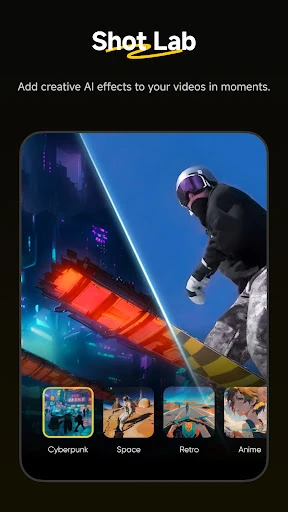
Shot Lab brings together more than 25 AI-powered templates, including options such as Nose Mode, Sky Swap, AI Warp, and Clone Trail. I like that these are presented as creative starting points rather than the only way to edit. Templates can be a quick way to try a visual treatment, while ordinary reframing and tracking remain available when I want a more straightforward clip.
Deep Track is one of the clearest practical tools: tap a person, animal, or moving object, and the app can keep it centered. Hyperlapses cover a different need, speeding up video while keeping the result stabilized, with control over clip speed. Together, these features address recognizable editing jobs: following a subject, changing the pace, and choosing a more interesting view from 360 footage.
A Repeatable Clip Routine
For a simple routine after a walk, ride, or day out, I’d start by scanning the album for a few clips rather than trying to edit everything. I can use AI Edit to see whether the app finds a strong highlight, then compare that with a manual reframe if the shot has a particular moment I want to emphasize. That keeps the first pass quick without handing over the final creative choice.
Next, I’d use Deep Track when a moving subject is central to the scene, or consider a hyperlapse for footage that benefits from a faster pace. If I’m after a more stylized social clip, a Shot Lab template gives me another option. The download-free workflow can suit a short editing session away from home. I’d finish by watching the clip through once before sharing it.
Keep the Fit in Mind
The biggest limitation is also the app’s defining focus: it is a companion for Insta360 cameras and handheld gimbals, not a neutral editor designed around every possible source of video. People without that gear may not get as much value from its camera-centered tools. And while AI can make a first cut easier, it cannot know which personal moment matters most to me; automatic results still deserve a review.
Phone editing is convenient, but it has its own trade-off. Reframing gives me control over perspective, and that can mean making deliberate choices rather than tapping once and being done. Templates are useful for experimenting, though not every clip needs a visual effect. Finally, in-app purchases are available, so I’d check the Google Play page for current purchase details before spending.
Insta360 makes a convincing companion for people who already shoot with the company’s cameras or handheld gimbals. The mix of AI editing, manual reframing, tracking, hyperlapses, and templates gives me several ways to turn raw footage into a clip without requiring a desktop at every step.
I’d try it if Insta360 footage is already part of my routine and I want more control over the final angle on a phone. If I need a general editor for unrelated footage, I’d look elsewhere first. For the right camera owner, it is a capable and practical place to review, shape, and share clips.
Insta360 Frequently Asked Questions
What is the Insta360 app used for?
Insta360 is a companion app for the company’s cameras and handheld gimbals. It can help edit and share footage with AI-assisted editing, templates, 360 reframing, subject tracking, and hyperlapses. It also includes creator content such as video ideas and tutorials. Its strongest fit is people who want to work with Insta360 footage on a phone.
Which devices can I use the Insta360 app on?
The app is available on Android through Google Play, according to the provided app facts. Its description presents it as a mobile companion to Insta360 cameras and handheld gimbals. Device compatibility and the Android version required may vary, so check the Google Play page from the device you plan to use before installing.
What Android version does Insta360 require?
The Android minimum requirement can vary by app release and device, and it is worth checking the Google Play page for the current compatibility details. The app facts identify version 2.34.7, but do not provide a minimum Android version. Insta360 is designed to accompany its cameras and handheld gimbals on a mobile device.
Does the Insta360 app cost money?
Insta360 is free to install on Google Play and offers in-app purchases. The provided store facts give a per-item range of $0.29 to $999.99, which may vary by item or current store details. The app contains no ads. Check Google Play for the latest purchase information before buying anything.
Is the Insta360 app useful without an Insta360 camera?
The app is designed as a companion for Insta360 cameras and handheld gimbals, and its editing tools focus on that footage. It may be most useful if you already own or use that equipment. Someone looking for a general-purpose editor for assorted video sources may find the camera-centered workflow less suitable.
Pros
- Combines automatic highlights with manual 360 reframing and keyframe control.
- Deep Track can keep a person, animal, or moving object centered.
- Download-free editing can help save phone storage while working on the go.
- More than 25 Shot Lab templates offer quick creative starting points.
Cons
- Its strongest use case depends on having Insta360 cameras or handheld gimbals.
- Automatic edits still need a personal review before sharing.
- In-app purchase prices span a very wide range.
- Category
- Video Players & Editors
- Version
- 2.34.7











