Guarding Vision
- 72.59K
- 4.8
- Installs
- 1.00M
- Price
- Free
Screenshots
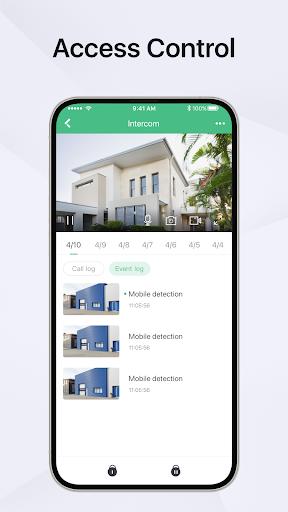
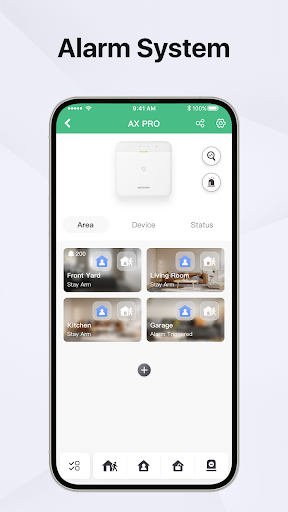
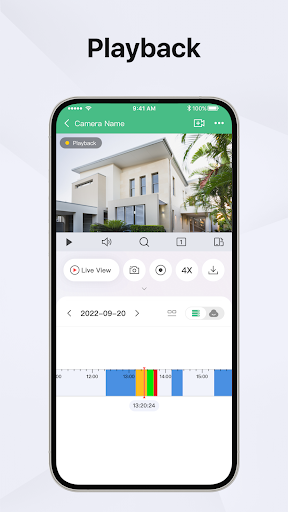
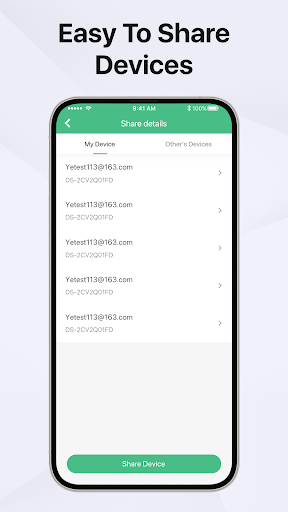
Analysis by Reviewed APKs
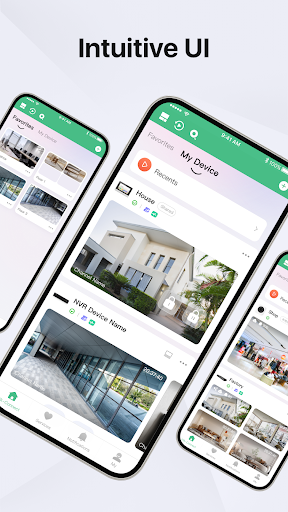
Guarding Vision is a companion app for viewing compatible DVRs, NVRs and IP cameras from a phone. It suits people who already have equipment that supports Cloud P2P and want to check live video, review recordings or receive motion alerts while away. I see its appeal as practical rather than broad: it focuses on remote camera access, and its usefulness depends on having compatible hardware.
A quick check while away
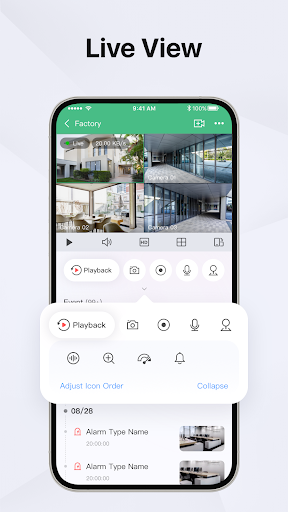
When I imagine using Guarding Vision in an ordinary week, the clearest moment is stepping out and wanting to check a camera without returning to the recorder. After creating an account and adding a supported device, the app is intended to show live camera video remotely. That makes it a straightforward companion for a home or workplace setup, especially when a brief visual check is more useful than guessing from memory.
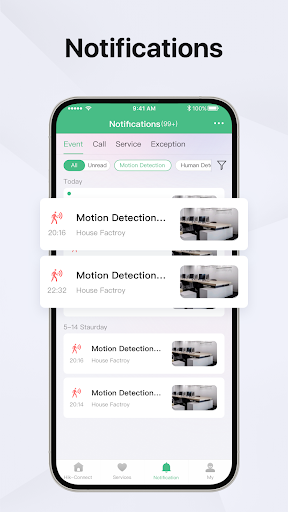
The other part of that routine is looking back rather than watching live. If something happened while I was away, the app can play recorded video, letting me review a stretch of footage for a particular moment. Motion detection notifications add another way to notice activity when the device triggers an alarm. Together, these functions cover a simple cycle: check, get notified, then review.
A companion, not a camera system
Guarding Vision is best understood as a remote viewing app for compatible surveillance equipment, not as a camera or recorder in its own right. Its central job is connecting a supported DVR, NVR or IP camera to a mobile viewing experience. If someone is choosing a complete security setup from scratch, this app alone will not supply the camera hardware or recording equipment that its functions rely on.
Compared with relying only on a recorder beside the cameras, the app is meant to make live viewing and playback available remotely. That is useful when a phone is the convenient screen, but it is not a general video editor or a substitute for a broader monitoring service. Compatibility matters: the device needs to support Cloud P2P, so this is most relevant to people who already have suitable equipment.
Make checks more useful
A useful habit is to add the intended device to the account before relying on the app for an away-from-home check. That keeps the app’s purpose clear: use it to view the cameras connected to supported equipment, rather than expecting it to discover or provide cameras on its own. I would also make a short live-view check when I have time, so I know the remote viewing connection works for my setup.
For a particular event, playback is more helpful when I have a reason to review a time window instead of opening footage at random. Motion alarm notifications can serve as a prompt to look, while playback gives a way to revisit recorded video. These are modest habits, but they make the app feel more like a practical viewing tool and less like an icon I remember only after something happens.
More From Our News Desk

Zoom Meetings, Google Meet, or Teams: Which Is Easiest to Join?

How I Build a Free Streaming Lineup With Tubi

Why Crunchyroll Is the Default Anime App for So Many Fans

YouTube TV: A Practical Guide to Cutting Cable

Rummikub and the Small Comfort of Phone Games

TeamViewer Remote Control or AnyDesk for Helping Family?
Who will get the most from it
I would recommend Guarding Vision to someone who already uses a compatible Cloud P2P DVR, NVR or IP camera and wants remote access from an Android phone. The feature set is easy to understand: live monitoring, recorded video playback and motion alarm notifications. If those are the main things you need to do, the app has a focused role without asking you to treat it as an all-purpose security platform.
It may not suit someone who has no compatible camera equipment, wants an app that supplies cameras, or expects editing tools because of its store category. Its value depends on the device connection behind it, and the description does not make it a replacement for the recorder. I would also look elsewhere if the goal is a wide range of security features beyond the live view, playback and motion notifications described.
Guarding Vision is published by Guarding Expert. On Google Play, it has more than 1 million installs and a 4.8-star rating from about 72,589 ratings. The app is free to download, and the supplied store facts say it contains no ads and offers no in-app purchases. Its content rating is Everyone.
The supplied version is 7.0.220.1030. Guarding Vision was released on April 10, 2016, and its recorded last update date is October 30, 2026. The available facts do not specify a minimum Android version, so check Google Play for the requirement that applies to a particular device.
Remote Viewing, With Compatible Gear
Getting connected
My first impression is that Guarding Vision has a narrow, concrete purpose. It is for viewing a compatible surveillance device remotely, not for browsing a general library of videos. The setup described is account-based: create an account, add a device that supports Cloud P2P, then use the app to access camera video. That sequence makes the equipment compatibility question the first thing to settle.
I would approach the first session as a test, not an emergency drill. Add the supported equipment and try a live view while there is time to work through the connection. The app’s usefulness hinges on that link, so confirming it before depending on remote access is a practical step. The description does not suggest that the app itself provides a camera or recording hardware.
The day-to-day experience
The everyday job is easy to picture: open the app when I want a real-time look at a camera connected to the recorder or IP camera. That can be more convenient than being beside the equipment, particularly when I am away. The app’s remote viewing purpose is its strongest point, and the experience is most relevant to people who already have a compatible setup in place.
Playback gives the app a second job after a live check. Rather than only seeing what is happening now, I can use recorded video to look back for a moment I want to find. Motion detection alarm notifications can call attention to activity triggered by the device. The three functions fit together sensibly, although they remain tied to the supported equipment and its capabilities.
Three useful functions
Live monitoring is the feature I would expect to use most often. It turns the phone into a remote way to view camera video from supported DVRs, NVRs and IP cameras. The description says viewing can happen remotely across locations, which is the basic reason to install a companion app like this. It is a focused feature rather than a claim to manage every part of a security setup.
Recorded video playback is useful for checking what happened earlier, while motion detection alarm notifications offer a prompt when the connected device triggers an alarm. I like the practical pairing: an alert can give me a reason to open the app, and playback can help me inspect recorded footage afterward. The material supports those functions, but not more advanced alert filtering or automatic threat recognition.
A simple review routine
For a routine check, I would open Guarding Vision and use live view when I want a quick look at the cameras. If a motion alarm notification arrives, I could use it as a cue to check the live picture or revisit recorded video. That is a modest workflow, but it gives each of the app’s stated functions a clear place instead of treating notifications and playback as separate features.
If I needed to investigate a specific moment, I would go to playback and look through the recording rather than assume a live view tells the whole story. The app is described as a way to search recorded video for important moments. Keeping expectations grounded helps: it offers remote viewing and playback, while the connected device remains central to the recording and alarm behavior.
Limits to keep in mind
The biggest limit is compatibility. Guarding Vision is designed for DVRs, NVRs and IP cameras that support Cloud P2P, so owning a camera is not by itself enough to establish that it will work. I would check the equipment before building a routine around the app. Without suitable connected hardware, its central features—live monitoring, playback and motion alerts—do not have a device to serve.
The feature set described is focused, which is a strength if remote viewing is all I need and a limitation if I expect much more. It should not be mistaken for a video editor, a camera purchase or a complete replacement for the recording equipment. The supplied facts also do not give a minimum Android version, so checking Google Play for a specific phone is sensible.
Guarding Vision makes sense as a practical mobile companion for compatible surveillance equipment. I like the straightforward combination of live viewing, recorded playback and motion alarm notifications, especially for someone who wants to check cameras away from the recorder. Its focus is clear, but so is the condition: the equipment must support Cloud P2P.
I would try it if I already had compatible hardware and remote camera access was the main goal. I would not choose it expecting a standalone camera system or a broad editing toolkit. For the right setup, it offers a focused way to view and revisit footage; for everyone else, compatibility is the first question to answer.
Guarding Vision Frequently Asked Questions
What is Guarding Vision used for?
Guarding Vision is a mobile app for remotely viewing DVRs, NVRs and IP cameras that support Cloud P2P. It offers real-time camera viewing, recorded video playback and motion detection alarm notifications. It is intended to work with compatible surveillance equipment, rather than provide the cameras or recorder itself.
Which devices and platforms support Guarding Vision?
Guarding Vision is available on Android through Google Play. Its described camera connections are compatible Cloud P2P DVRs, NVRs and IP cameras. Check Google Play and the equipment information for details that apply to your particular phone and device setup.
What Android version does Guarding Vision require?
The minimum Android version is not specified in the available app facts. Requirements can vary as the app and devices change, so check the Google Play store page for the current requirement before installing it on a particular phone.
Does Guarding Vision cost money?
The app is listed as free, with no in-app purchases and no ads in the supplied store facts. Store details can change, so check Google Play for current information before downloading.
Is Guarding Vision right for my setup?
It may suit you if you have a DVR, NVR or IP camera that supports Cloud P2P and want remote live viewing, playback or motion alarm notifications. If you do not have compatible equipment, the app’s core functions may not meet your needs. Check your device compatibility before relying on it.
Pros
- Combines remote live viewing with playback of recorded camera video.
- Motion detection alarm notifications can prompt a timely camera check.
- Free to download, with no ads or in-app purchases in the supplied facts.
- Designed to connect with compatible DVRs, NVRs and IP cameras.
Cons
- Requires compatible Cloud P2P equipment to deliver its main features.
- Its described feature set is focused on viewing, playback and motion alerts.
- The minimum Android version should be checked on Google Play.
- Category
- Video Players & Editors
- Version
- 7.0.220.1030











