GIPHY: GIFs, Stickers & Clips
- 231.43K
- 3.8
- Installs
- 50.00M
- Price
- Free

Screenshots
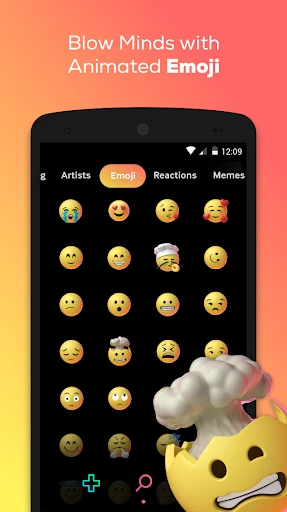
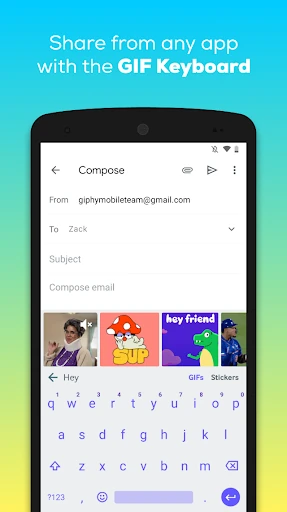
Analysis by Reviewed APKs
GIPHY: GIFs, Stickers & Clips is a searchable library of animated reactions, short clips and stickers, with tools for making your own. I found it best suited to people who regularly add visual replies to texts and social posts. The library makes finding a fitting reaction easy, while the creation options add room to personalize it. It is handy, though its focus is expressive extras rather than a full video-editing workspace.
A Better Reply Than Words
A friend sends a message that deserves more than a plain “haha,” and I want to answer without composing a whole sentence. With GIPHY, I can search for a reaction, browse results, then share a GIF or sticker through a supported social channel. That little exchange captures the app’s main job: turning a feeling into a quick visual reply, whether I’m aiming for excitement, agreement or a bit of playful sarcasm.
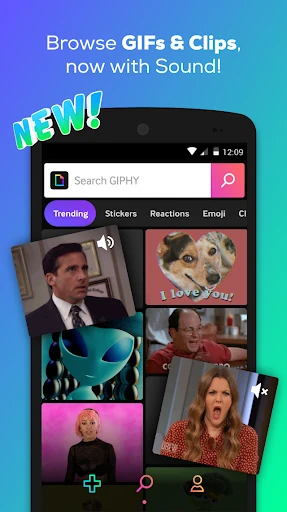
The library also gives me something to browse when I don’t have a specific reaction in mind. I can explore pop-culture material, memes, sports highlights and other timely moments, then save a favorite for later. Clips add another option when a moving image with sound fits better than a silent GIF. It’s a useful mix for casual conversations, although the best result still depends on finding a search term that describes the mood I want.
A Reaction Library, Not an Editor
Compared with searching the web for a reaction image, GIPHY gives me a dedicated place to search, explore and save GIFs, clips and stickers. It also offers ways to share content through services such as WhatsApp, Instagram, Snapchat and Facebook Messenger. If I already know I want an animated response, keeping those choices together is more convenient than hunting through unrelated image results.
That focus also sets a sensible boundary. GIPHY is for short-form expression and sharing, not a general-purpose video editor or a place to build a long project. Its creation tools are aimed at making GIFs and stickers, including with camera, uploaded material, face filters and animated text. I would choose it for a conversation-ready reaction, not for detailed editing or managing a broader media collection.
Make Favorites Work for You
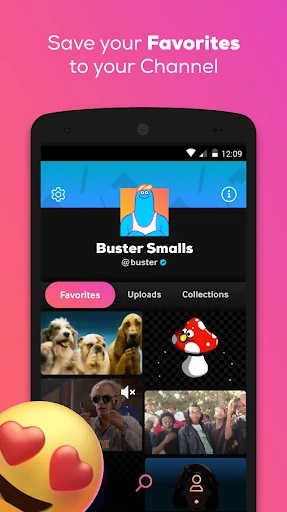
A small habit that helps is saving reactions I expect to reuse. GIPHY lets me keep content in favorites, so I can collect a few dependable responses instead of repeating the same search every time. I’d build that collection around my usual conversations: a celebratory reaction, an affectionate sticker, and a couple of reliable ways to say yes or no without typing.
Search works best when I describe the reaction or subject directly, then browse the results rather than expecting the first match to be perfect. When I’m in a browsing mood, the Explore section offers another route through pop culture and current moments. For a more personal touch, I can create a GIF or sticker using the camera or an upload, then share the result wherever GIPHY is available.
More From Our News Desk

Zoom Meetings, Google Meet, or Teams: Which Is Easiest to Join?

How I Build a Free Streaming Lineup With Tubi

Why Crunchyroll Is the Default Anime App for So Many Fans

YouTube TV: A Practical Guide to Cutting Cable

Rummikub and the Small Comfort of Phone Games

TeamViewer Remote Control or AnyDesk for Helping Family?
Who will enjoy GIPHY
I’d recommend GIPHY to people who trade reactions throughout the day and want a quick source for animated replies. It suits group chats, social posts and those moments when a sticker or clip says more than a text emoji. People who enjoy browsing memes and pop-culture material may also appreciate having a large library to explore, rather than opening the app only when they need one specific image.
It may be less appealing if you rarely send GIFs, prefer plain text, or want a serious tool for editing longer videos. The library’s breadth can also mean spending time browsing when a quick reply was the original plan. GIPHY has ads, so that is worth keeping in mind if you dislike advertising in a free app. The best fit is someone who sees animated content as a regular part of everyday messaging.
GIPHY: GIFs, Stickers & Clips is developed by Giphy, Inc. On Google Play, it has over 50 million installs and a 3.8-star rating from around 231,000 ratings. The app is free to download and contains ads. The supplied app details report no in-app purchases, so there is no listed purchase price to add to the download cost.
The app has a Teen content rating. Its supplied version is 4.19.5, with a release date of March 25, 2015, and a last-updated date of October 27, 2026. The minimum Android version is not included in the supplied details, so check the Google Play page on your device for the current compatibility requirement.
How GIPHY Fits Into Daily Chats
Opening the Reaction Shelf
My first impression is that GIPHY is built around getting from an idea to a shareable reaction. Search is central, while Explore gives me a way to browse when I’m not sure what I want yet. The library spans GIFs, clips and stickers, so I can look for a silent animation, a sound-bearing clip or an extra layer for a message.
Getting value from the app does not require making anything from scratch. I can search and share existing material, or save something to favorites for later. If I do want to create, the described tools include a camera and uploading my own content, plus custom face filters and animated text. That gives the app a low-effort starting point and an optional creative step.
Finding and Sending Content
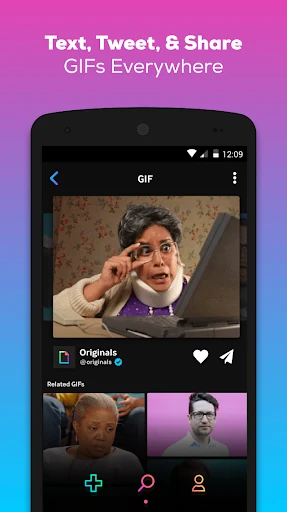
In day-to-day use, the practical loop is straightforward: search for a feeling or subject, scan the results, then share or save the one that fits. GIPHY supports sending content through several social channels, and it can copy a GIF to the clipboard as well. That flexibility matters because I don’t want a reaction library to be useful only inside one conversation service.
The choice of formats gives me a little more control over tone. A sticker can add animated detail to a message, while a clip brings sound into the mix. A GIF is still the obvious choice for a quick visual response. I appreciate having these options in one app, though choosing among them can feel like an extra decision when all I need is a simple reply.
More Than Search Results
The Explore side is useful when I want to browse around a topic rather than arrive with a precise search phrase. GIPHY describes collections tied to pop culture, including television, movies, music and comedy, alongside sports highlights, award shows and real-time moments. That gives the library a discovery role as well as a practical one: sometimes I open it for a reaction and leave with a new one saved.
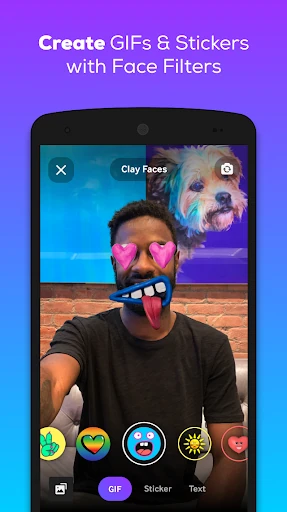
Creation is the other feature that makes the app more than a catalogue. I can make GIFs and stickers from a camera or uploaded material, then use face filters or animated text to customize a sticker. These are focused tools for shareable short-form content. I would not mistake them for a deep editing suite, but they give me a way to make a response feel more personal than a stock result.
A Chat-Friendly Routine
A useful routine for me would be to save a handful of reactions whenever I find ones that match how I actually talk. Then, when a group chat picks up pace, I can reach for a favorite instead of pausing to search from scratch. The app also describes a GIPHY keyboard that lets users search the library without leaving the keyboard, which may suit people who send animated replies often.
For less frequent use, I’d keep the process simple: search for a specific reaction, share it through the channel I’m already using, and save anything worth reusing. When I have a more personal idea, I can make a sticker from a camera capture or upload and add animated text or a face filter. That makes creation an occasional extra rather than a required step in every conversation.
Things to Keep in Mind
A large library is only helpful when I can narrow it down. If my search is vague, I may have to browse several results before finding the right tone, and exploring can stretch a quick task into a small distraction. Favorites help with repeat use, but they work best when I remember to save things as I find them.
GIPHY’s appeal also depends on how often I share animated content. Someone who mostly sends text may not get much from a dedicated GIF and sticker app, while someone seeking extensive video-editing controls will find its purpose narrower. The app contains ads, which may interrupt the experience for users who prefer an ad-free environment. Those trade-offs are easier to accept when quick visual replies are already part of my routine.
GIPHY does its best work as a quick source for expressive, shareable content. Search, Explore, favorites, stickers, clips and simple creation tools cover the common reasons I’d reach for an animated reaction. I especially like the option to save repeat favorites and to choose between an existing library item and something more personal.
I recommend it to regular GIF and sticker users who want a broad library for chats and social sharing. If you rarely send animated content, or want a full video-editing app, its focused feature set may not justify a place in your routine. For everyone else, it is a practical reaction companion with ads to keep in mind.
GIPHY Frequently Asked Questions
What is GIPHY: GIFs, Stickers & Clips used for?
GIPHY is used to search, explore and share GIFs, animated stickers and short clips. It also lets users save favorites and create GIFs or stickers using a camera or uploaded content. Its main purpose is expressive short-form content for conversations and social sharing, rather than long-form video editing.
Which devices can run GIPHY: GIFs, Stickers & Clips?
The supplied app details describe GIPHY for Android, and it is available through Google Play. Check the Google Play page for current device compatibility and the Android version your device needs, since requirements can vary. The app description also refers to sharing across social channels, but that does not change its stated Android platform.
What Android version does GIPHY require?
The minimum Android version is not included in the supplied app details. Check the Google Play page from your device to see the current requirement before installing. Compatibility can vary as the app and Android devices change, so the store page is the best place to confirm whether your phone or tablet can run it.
Is GIPHY: GIFs, Stickers & Clips free?
GIPHY is free to download and contains ads. The supplied details do not report in-app purchases. Store information can change, so check the Google Play page for current pricing and any changes before installing. The free download makes it easy to try, while advertising is a consideration if you prefer apps without ads.
Who is GIPHY: GIFs, Stickers & Clips best for?
It is best suited to people who often use GIFs, stickers or clips in chats and social posts. The search, favorites and creation tools give frequent users several ways to find or make a fitting reaction. It may not suit people who prefer text-only messaging or want detailed tools for editing longer videos.
Pros
- Searches GIFs, stickers and clips in one place for quick visual replies.
- Favorites make it easier to reuse reactions that fit everyday conversations.
- Creation tools support custom GIFs and stickers from a camera or upload.
- Sharing options cover several popular social and messaging channels.
Cons
- Ads may bother users who prefer an uninterrupted browsing experience.
- Finding the right tone can take time when a search is too broad.
- Its short-form focus will not replace a full video-editing app.
- Category
- Video Players & Editors
- Version
- 4.19.5











