Frameo: Share to photo frames
- 115.92K
- 4.8
- Installs
- 5.00M
- Price
- Free

Screenshots
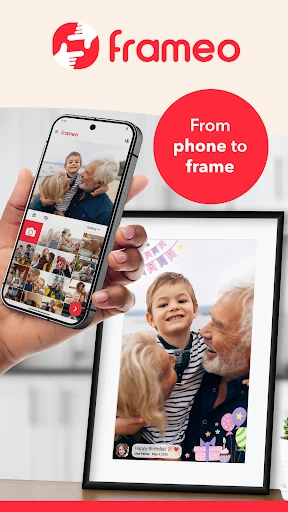
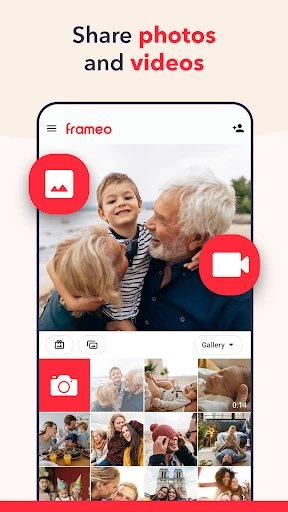
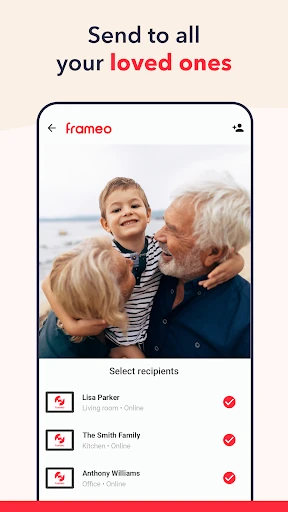
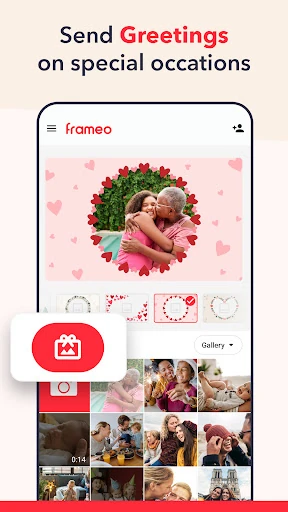
Analysis by Reviewed APKs
Frameo lets me send photos and short videos from my phone to compatible Frameo WiFi photo frames, making it a simple way to share everyday family moments across distance. I’d recommend it to people who already have one of those frames and want an easy way to keep it updated. The setup is tied to the frame, but once connected, sharing feels direct and pleasantly personal.
A Moment Across Miles
I can picture using Frameo after a family outing: I pick a few photos on my phone, add a short caption, and send them to a relative’s connected frame. The pictures are meant to appear within seconds, so the recipient can see the moment without waiting for a group chat or opening a social app. That small, quiet delivery suits snapshots that are more meaningful than a post meant for everyone.
The same approach works for ordinary updates, not just holidays: a child’s latest drawing, a birthday cake, or a quick scene from a weekend walk. Frameo supports sending up to 10 photos at a time in the free app, along with video clips up to 15 seconds. It gives family members a reason to glance at the frame and find something new, while keeping the sharing task straightforward on the sender’s phone.
A Frame-First Kind of Sharing
Frameo is narrower than a general photo-sharing service, and that focus is its main distinction. It sends photos and videos from a smartphone to connected Frameo WiFi photo frames; it isn’t a place to build a broad social feed or organize a full photo archive. If the people I’m sharing with enjoy seeing pictures displayed around the home, that dedicated destination is the point rather than a limitation.
The trade-off is important: the app only works with Frameo WiFi photo frames, so it is not a substitute for sending pictures to any digital frame or simply texting a photo. For sharing with someone who already has a compatible frame, it makes the process feel purpose-built. If the recipient doesn’t have one, the app’s central idea has nowhere to land.
Small Sharing Habits
I’d get the most out of Frameo by sending a handful of photos when a good moment happens, instead of saving everything for a giant batch. Captions help explain a picture later, especially when the image needs a little context. The free sending limit of 10 photos at once naturally encourages choosing a few favorites rather than treating the frame as a dump for an entire camera roll.
For occasions, Greetings can add graphical themes for events such as birthdays, seasonal celebrations, or Mother’s Day. I’d use those sparingly, then keep everyday sends simple. If several connected frames matter to my routine, I’d pay attention to the destination before sending. The app also notifies me when a frame owner likes a photo, a small feedback loop that can make sharing feel more like a conversation.
More From Our News Desk

Zoom Meetings, Google Meet, or Teams: Which Is Easiest to Join?

How I Build a Free Streaming Lineup With Tubi

Why Crunchyroll Is the Default Anime App for So Many Fans

YouTube TV: A Practical Guide to Cutting Cable

Rummikub and the Small Comfort of Phone Games

TeamViewer Remote Control or AnyDesk for Helping Family?
Who Will Enjoy Frameo
I’d recommend Frameo to people who want to send family photos to someone with a Frameo WiFi frame, especially when the recipient would rather enjoy pictures on display than follow a busy social feed. It can suit relatives in different places, and the option to send captions and short clips adds a little context to an otherwise simple photo transfer.
It may not suit someone looking for a general-purpose photo organizer, a way to share with any frame, or a replacement for messaging friends. The compatible frame is essential to the experience. People who regularly send large batches or longer videos may also find the free app’s limits restrictive and should compare those needs with the optional Frameo+ features.
Frameo is the developer, and the app is in the Photography category on Google Play. It has over 5 million installs and a 4.8-star rating from about 116,000 ratings. The app is free to install, contains no ads, and offers in-app purchases. Google Play gives a broad in-app purchase range of $1.99 to $19.99 per item.
The content rating is Everyone. The minimum Android version and current version can vary by device or release, so check Google Play for the requirements that apply to your phone. Frameo was released on November 29, 2016, and its most recent update was January 25, 2026.
A Personal Route From Phone to Frame
Getting Connected
When I first opened Frameo, the key thing to understand was its relationship to the photo frame: this is a phone companion for sending to connected Frameo WiFi frames, not a standalone gallery. That makes the purpose easy to grasp, though it also means the experience depends on having the right frame in the picture.
Once a frame is connected, the app’s appeal is its directness. I can choose photos on my smartphone and send them to connected frames, including frames belonging to friends or family. The setup is less about building a complicated collection and more about making a route for moments to reach the people who will enjoy seeing them.
The Everyday Send
Day to day, the main job is pleasantly clear: select images, choose a destination, and send. Frameo says photos should arrive within seconds, which suits the spontaneous nature of the app. I wouldn’t need to make a public post or ask a relative to check a particular messaging thread; the photo is meant to show up on their frame.
The free app allows up to 10 photos in one send and supports videos up to 15 seconds. Those boundaries are workable for a quick update, though they encourage editing down to the moments worth sharing. A caption can provide a name, place, or little explanation that might otherwise get lost when a picture arrives on its own.
Thoughtful Extras
The features around the basic send give the app a little more warmth. Greetings add graphical themes for special occasions, while notifications let me know when a frame owner likes something I sent. Those details don’t change the core task, but they help the exchange feel personal instead of like a one-way upload.
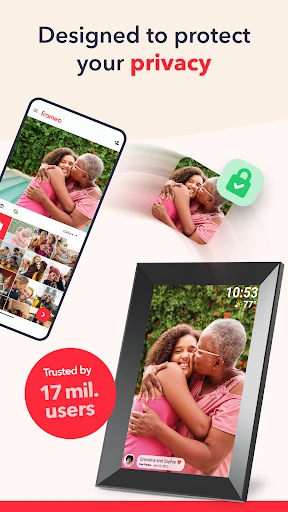
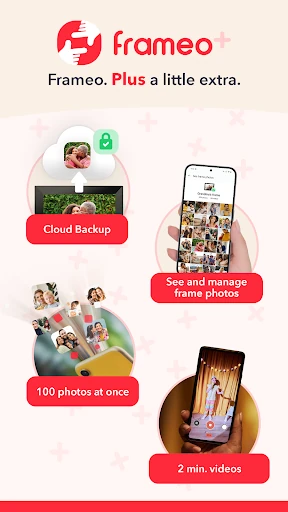
Frameo describes end-to-end encryption for photos, videos, captions, and data. Frameo+ adds a separate set of capabilities: viewing and managing frame photos remotely with the owner’s permission, encrypted cloud backup for up to five frames, larger batches, longer videos, and Google Cast to show frame photos on a TV. Those are paid extras, not requirements for basic sharing.
A Simple Family Routine
A practical routine might be to send a few pictures after a weekend visit, then add one or two as new moments happen during the week. I’d keep captions brief and useful, especially for photos that a relative might see days after I took them. The aim isn’t to send everything; it’s to keep the frame feeling current without turning photo sharing into another chore.
For a birthday or holiday, I’d use Greetings to give the send a more occasion-specific feel. If a family member has more than one connected frame, I’d take an extra moment to check where each photo is going. Frameo supports sending to connected frames, so this can work for more than one recipient while keeping the sharing centered on the people and displays involved.
Limits to Remember
The largest limitation is also the simplest: Frameo only works with Frameo WiFi photo frames. That makes it a poor fit if I want to send photos to a different brand of frame or share images with someone who has no compatible device. It is a focused companion app, not a universal bridge between phones and screens.
Free sends are limited to 10 photos at a time and 15-second videos. Frameo+ raises those limits to 100 photos and two-minute videos, and includes other remote features, but it is a subscription. Its price can vary by country, and the Google Play purchase range covers multiple items, so I’d check the current in-app options before deciding whether the extra capacity is worthwhile.
Frameo does one specific job well: it gives smartphone photos and short videos a direct destination on compatible WiFi frames. I like that the experience is built around sharing with family, rather than asking everyone to keep up with another feed. Its best moments are the small ones that arrive on a frame without much fuss.
I’d try it if I already owned a Frameo frame or wanted to share with someone who does. I wouldn’t choose it as a general photo-sharing app, and frequent large sends may call for Frameo+. For the right household, though, the free app is an approachable way to keep a loved one’s frame supplied with new memories.
Frameo Frequently Asked Questions
What is Frameo: Share to photo frames used for?
Frameo sends photos and short videos from a smartphone to connected Frameo WiFi photo frames. You can add captions, use Greetings for special occasions, and share with connected frames belonging to friends or family. It is designed around displaying shared moments on a compatible frame, rather than serving as a general photo archive or social network.
What devices and platforms work with Frameo?
The app is available for Android through Google Play and works with Frameo WiFi photo frames. It does not work with every digital frame. Check the Google Play description and the frame information before relying on a particular setup, as compatibility and device requirements can vary.
What Android version does Frameo require?
The minimum Android version can vary by device or app release. Check the Frameo page on Google Play for the current requirement for your phone. The app’s central use also depends on having a compatible Frameo WiFi photo frame to receive the photos and videos you send.
Does Frameo cost money or have in-app purchases?
Frameo is free to install and has no ads, with optional in-app purchases. Frameo+ is a subscription with extra features, including larger photo batches and longer videos. Prices can vary by country; Google Play shows a broad in-app purchase range, so check the store or app for current options.
Is Frameo suitable for sharing with grandparents?
It can be a good fit if the grandparents have a compatible Frameo WiFi photo frame and enjoy seeing pictures displayed at home. You can send photos and short video clips from your phone. It may not suit people without a Frameo frame or anyone looking for a universal photo-sharing service.
Pros
- Sends photos and short video clips directly to connected Frameo WiFi frames.
- Captions and occasion-themed Greetings add context to family moments.
- Notifications show when a frame owner likes a shared photo.
- Free to install, with no ads and optional expanded features.
Cons
- Works only with Frameo WiFi photo frames, limiting who can receive shares.
- Free sends cap at 10 photos and 15-second videos at a time.
- Larger batches and longer video clips require the Frameo+ subscription.
- Category
- Photography
- Version
- VARY











