Citizens Pay
- 4.17K
- 4.8
- Installs
- 100.00K
- Price
- Free

Screenshots

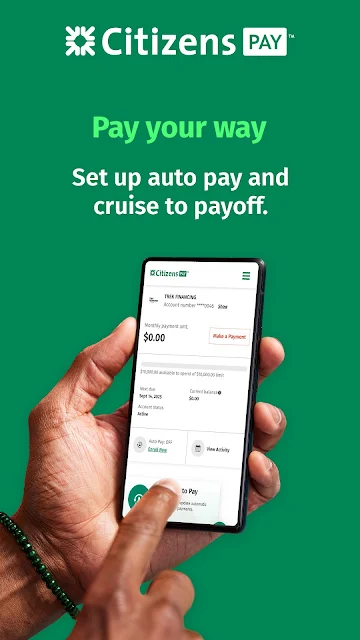
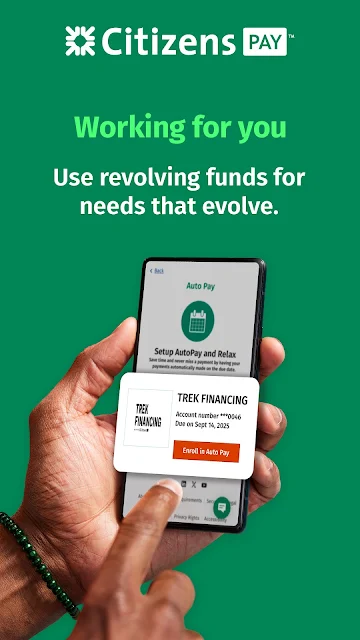


Analysis by Reviewed APKs
Citizens Pay is a mobile account-management app for people who already use Citizens Pay and want to keep tabs on installment purchases and payments from their phone. I like its focused approach: balances, transaction history, statements, and payment controls are the main event, rather than a broader toolkit for budgeting or everyday banking. It should suit account holders who value quick check-ins and a straightforward way to manage monthly payments.
A quick payment check-in
Picture a familiar routine: you have a few minutes between errands and want to check where an installment purchase stands before the next payment. Citizens Pay brings your account balance, purchase balance, and transaction history together in one place. That makes the app useful for a short, practical check-in instead of having to wait until you are back at a computer to review the account.
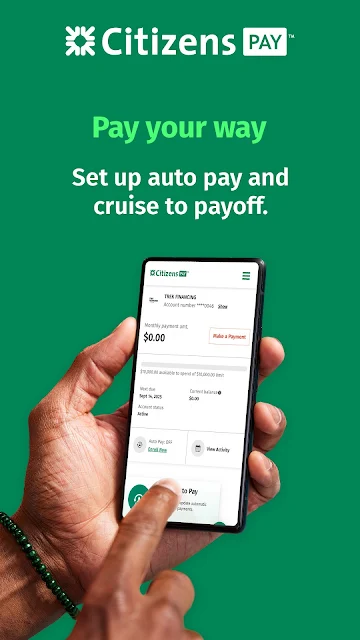
I can also see the appeal when a payment date is on your mind. The app lets you schedule a one-time payment or turn on Auto Pay for monthly installments from a bank account. Having those controls alongside the account details gives the app a clear job: helping Citizens Pay users stay informed and handle payments without making a separate trip to a desktop.
A focused account companion
Compared with a general banking app or a full household-budgeting tool, Citizens Pay has a narrower lane. It is built around Citizens Pay accounts, installment payments, account balances, purchase balances, transaction history, and PDF statements. That focus can be a plus if those are the details you need to check; it also means I would not treat it as a complete view of every account or expense in my financial life.
It is not presented as a budgeting app, a bill-splitting service, or a place to manage unrelated bank accounts. If your main goal is to categorize everyday spending or plan a monthly budget, you will need another tool for that work. Citizens Pay makes more sense as a companion for people who already have a Citizens Pay account and want convenient access to it.
Small habits that help
A useful habit is to check the balance and transaction history when reviewing a recent purchase. Those details can help you keep the account’s activity in view without turning every check-in into a big financial task. I would also make a point of opening the PDF statements when I need a document for my own records, rather than assuming an account summary tells the whole story.
Payment settings deserve a deliberate look, too. If you prefer to handle each installment yourself, the one-time payment option gives you a way to schedule a payment when it suits you. If you want monthly payments to happen automatically, Auto Pay is available from a bank account. The app’s value is less about elaborate routines and more about making these small account tasks easier to revisit.
More From Our News Desk

Zoom Meetings, Google Meet, or Teams: Which Is Easiest to Join?

How I Build a Free Streaming Lineup With Tubi

Why Crunchyroll Is the Default Anime App for So Many Fans

YouTube TV: A Practical Guide to Cutting Cable

Rummikub and the Small Comfort of Phone Games

TeamViewer Remote Control or AnyDesk for Helping Family?
Who will find it useful
I would recommend Citizens Pay to existing account holders who want a convenient way to check purchase balances, review transactions, access statements, and manage installment payments on a mobile device. It is especially relevant if you like handling account details in short bursts or would rather set up Auto Pay than remember to arrange every monthly installment manually.
It may be a poor fit if you are looking for one app to cover budgeting, broad bank-account management, or shared household expenses. The description centers on Citizens Pay accounts, so the app’s usefulness depends on needing that specific account access. If all you want is a general spending tracker, this focused approach is likely more limited than you need.
Citizens Pay is a finance app from Citizens Bank, N.A. On Google Play, it has over 100,000 installs and a 4.8-star rating from 4,175 ratings. The app is free to download, with no in-app purchases or ads reported in the provided store facts. Its content rating is Everyone.
The current version shown is 4.22.0. The app was released on October 21, 2022, and its most recent update date is September 11, 2026. A minimum Android version was not provided, so check the Google Play page for the device requirement that applies to your phone.
A closer look at everyday account management
A simple starting point
When I first consider an account app, I want to know whether it gets me to the information I came for without distracting detours. Citizens Pay’s stated purpose is easy to understand: access your Citizens Pay account, see its balances and activity, and manage payments. The app is built around those needs, so the experience is best judged as a focused account companion rather than a general financial dashboard.
The practical starting point is having a Citizens Pay account to manage. From there, the app offers mobile access to account information and PDF statements. I appreciate that the listed functions are concrete and familiar; there is no need to learn a separate budgeting system just to find a purchase balance or review account activity.
The day-to-day check
For a routine check, the most useful details are the account balance, purchase balance, and transaction history. Those give me a way to see where things stand and look back at activity when a purchase or payment comes to mind. Since the app is intended for access at any time, it can fit into a quick phone check rather than requiring a longer sit-down session.
The account focus is also a boundary. The described information is about Citizens Pay, not a combined picture of unrelated finances. I would use it to answer questions about that account, then turn to other services for the rest of my money management. Keeping that expectation clear helps the app feel purpose-built instead of incomplete.
Statements and payment choices
PDF statements are a practical feature for anyone who likes to keep a record or revisit account details in a document format. The app says statements are available immediately, which makes it easier to check one when needed instead of relying only on a quick account snapshot. That is a small but useful addition to the balance and transaction view.
Payment flexibility is the other notable part of the experience. You can schedule a one-time payment at any time, or enable Auto Pay so monthly installments are paid automatically from a bank account. These are two distinct approaches: handle a payment when you choose, or set up a recurring process. The app supports both without presenting itself as a broader payment hub.
A low-effort monthly routine
A sensible routine could be to open Citizens Pay when reviewing monthly bills, check the account and purchase balances, then look over transaction history for anything you want to revisit. If you keep paperless records, you can open the PDF statement as part of that same review. The app gathers the relevant account tasks together, which can make a recurring check feel more orderly.
For payments, I would choose the approach that matches how I prefer to manage installments. A one-time payment suits someone who wants to make each payment deliberately, while Auto Pay can reduce the need to remember a monthly step. Either way, the app’s value comes from making account review and payment management accessible in the same mobile setting.
Keep the scope in mind
The main limitation is also the app’s defining trait: it centers on Citizens Pay accounts. It is not described as a place to create budgets, split a bill with friends, or track every kind of spending. If you expect a full financial organizer, you may find the available functions too specialized. I would see it as one useful tool within a wider set of financial apps and services.
Device requirements are worth checking before installing, since the minimum Android version can vary with the current store information. The app is free according to the provided facts, with no in-app purchases or ads reported. Beyond those basics, the best reason to install it is simple: you want mobile access to a Citizens Pay account and its installment-payment tools.
Citizens Pay makes sense as a focused mobile companion for checking an account, reviewing purchase activity, opening statements, and arranging installment payments. Its strongest point is that these related tasks sit within one account-specific app. It does not try to be a complete budgeting or banking solution, and I would not expect it to replace tools meant for those broader jobs.
If you already use Citizens Pay and want account access on your phone, I would give it a look. The one-time payment and Auto Pay options cover different routines, while balances, history, and statements support quick account reviews. If you need a general-purpose money manager, this app is probably too narrowly focused to be your only stop.
Citizens Pay Frequently Asked Questions
What is Citizens Pay used for?
Citizens Pay is used to manage Citizens Pay accounts from a mobile device. It provides access to account and purchase balances, transaction history, and PDF statements. You can also schedule a one-time payment or turn on Auto Pay for monthly installments from a bank account. It is focused on those Citizens Pay account tasks rather than general budgeting.
Which devices can run Citizens Pay?
Citizens Pay is an Android app available through Google Play. The minimum Android version may vary with the current store information, so check the Google Play page before installing if you are unsure whether your device is supported. The provided details do not specify other platforms.
Does Citizens Pay cost money?
The app is free to download according to the provided store facts, with no in-app purchases or ads reported. Those details can change, so it is worth checking the Google Play page for current information before installing. The app is intended for managing Citizens Pay accounts and payments.
Does Citizens Pay offer automatic payments?
Yes. Citizens Pay describes an Auto Pay option for paying monthly installments automatically from a bank account. It also offers a way to schedule a one-time payment. If you are deciding which option fits your routine, review the payment choices in the app and the current account information.
Who is Citizens Pay best suited to?
It is best suited to people who use Citizens Pay and want convenient mobile access to their account details, statements, and installment payments. It may not suit someone seeking a broad budgeting app or a tool for tracking unrelated accounts and everyday expenses, since its described features focus on Citizens Pay accounts.
Pros
- Combines account balances, purchase balances, transaction history, and PDF statements.
- Offers both scheduled one-time payments and Auto Pay for monthly installments.
- Designed for convenient mobile access to Citizens Pay account information.
Cons
- Its features focus on Citizens Pay accounts rather than broad financial management.
- The minimum Android version is worth checking on Google Play before installing.
- Category
- Finance
- Version
- 4.22.0