Citizens Bank Mobile Banking
- 160.07K
- 4.7
- Installs
- 1.00M
- Price
- Free

Screenshots
Analysis by Reviewed APKs
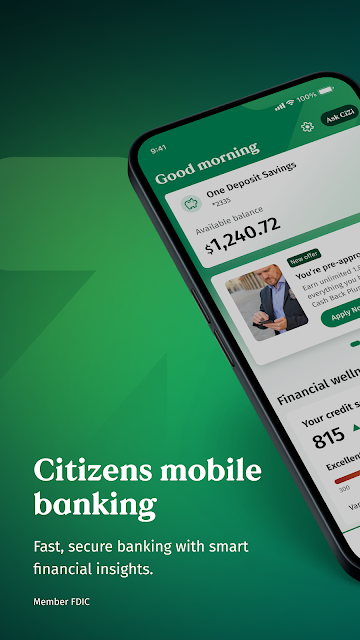
Citizens Bank Mobile Banking is an Android app for keeping tabs on Citizens accounts and handling routine banking from a phone. It brings balances, card controls, check deposits, transfers and bill payments together in one place. I see its appeal for people who already bank with Citizens and want fewer errands for everyday tasks. It is a practical companion to an account, rather than a general-purpose money-management app.
A Banking Errand, Handled
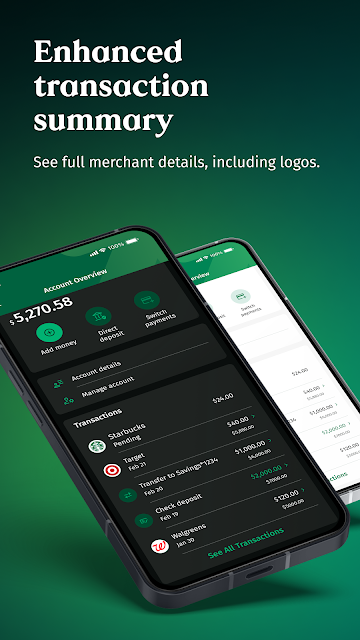
Picture a weekday lunch break: I want to check whether a bill has cleared, confirm my balance, and move money without having to find a branch or sit down at a computer. The app’s account activity and balance views address that quick check-in. If the bill still needs attention, bill payment and payment history are also available in the same app, so the errand can stay small and focused.
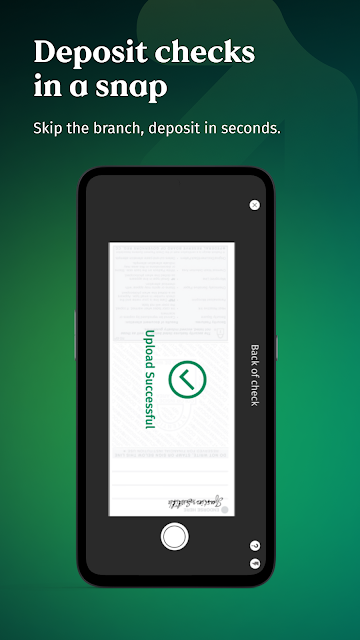
For a check that arrives by mail, the deposit feature lets me photograph it rather than make a separate trip. The stated cutoff for same-business-day credit is deposits made by 10 pm ET, though timing and eligibility are worth bearing in mind. If I have misplaced my debit card or want to pause its use, I can freeze it through the app and unfreeze it later. Those are useful jobs to have close at hand.
A Companion, Not a Budget Planner
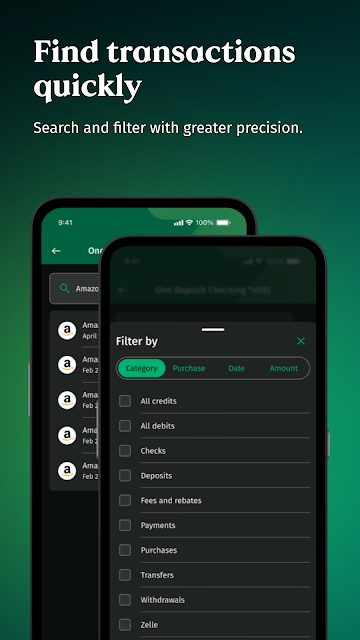
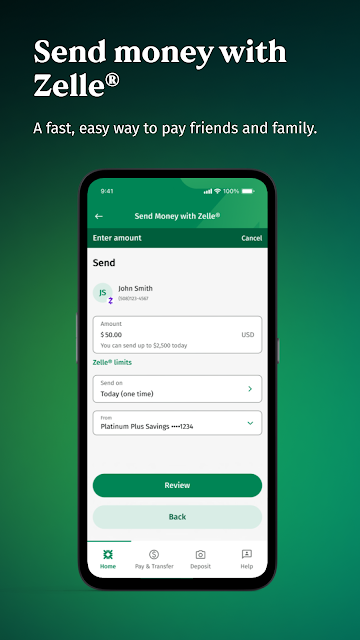
The obvious comparison is a bank website or a visit to a Citizens branch. This app is better suited to quick account checks and routine actions from a phone: reviewing activity, paying bills, moving money, depositing checks and managing a debit card. It can also send money with Zelle when both people have eligible checking or savings accounts. That makes it a convenient channel for common banking tasks, not a replacement for every kind of bank interaction.
I would not choose it as a broad budgeting or investment tool. The described feature set centers on Citizens banking, transfers and payments, rather than tracking spending across a household’s full financial life. It also is not a way to bank with Citizens without an eligible account relationship. If you primarily need a standalone budget, a different category of app is a more natural fit; this one makes the most sense when Citizens is already your bank.
Small Habits That Help
A useful habit is to check account activity after a bill payment or transfer, rather than relying on memory alone. The app includes payment history and account activity, so those details can help me confirm what has happened. I would also make a quick balance check part of a regular routine, such as before paying a large bill. That is a simple use of the app’s central strengths without turning every phone check into a full financial review.
The card controls are worth remembering before a problem arises. If I cannot find my debit card, being able to freeze it and later unfreeze it gives me an action to take in the app. For check deposits, I would leave time to take clear photos and pay attention to the stated cutoff and deposit terms. Zelle is best reserved for people I know, as the app’s disclosure cautions against sending money to strangers.
More From Our News Desk

Zoom Meetings, Google Meet, or Teams: Which Is Easiest to Join?

How I Build a Free Streaming Lineup With Tubi

Why Crunchyroll Is the Default Anime App for So Many Fans

YouTube TV: A Practical Guide to Cutting Cable

Rummikub and the Small Comfort of Phone Games

TeamViewer Remote Control or AnyDesk for Helping Family?
Who will find it useful
I’d recommend Citizens Bank Mobile Banking to existing Citizens customers who want to do routine banking from an Android phone. Its combination of account balances, activity, card controls, check deposit, transfers and bill pay covers several practical reasons to open a banking app during an ordinary week. People who send money to eligible contacts may also appreciate having Zelle alongside their other banking tasks.
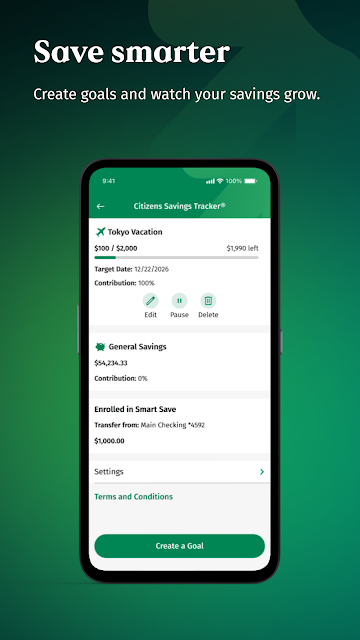
It may be less suitable for someone looking for a bank-independent budget dashboard, a service for a different bank, or a substitute for in-person help with every issue. The app’s value depends on having the relevant Citizens account access, and features such as Savings Tracker have eligibility conditions. If you prefer handling finances on a larger screen or rarely need mobile banking, its convenience may matter less.
Citizens Bank, N.A. is the developer. On Google Play, Citizens Bank Mobile Banking has over 1 million installs and a 4.7-star rating from about 160,000 ratings. The app is listed as free, with no in-app purchases or ads. Its content rating is Everyone. The listing gives version 26.21.0 and a release date of May 1, 2012.
The recorded last update is October 28, 2026. The Android minimum requirement is not included in the supplied app details, so check Google Play for the requirement on your device. Bank features can also depend on account eligibility; for example, Savings Tracker is described as available only to eligible accounts in the mobile app. Check the app’s current store information for details that may change.
Everyday Banking From Your Phone
A Direct First Impression
When I first consider this app, the draw is its straightforward purpose: it is a mobile front door to Citizens banking. The listed jobs are familiar ones, not a grab bag of unrelated tools. I can see why a customer who mainly wants to check balances, look over account activity or handle a payment would open it for a few minutes and then get on with the day.
Getting value from it depends on having the appropriate Citizens account access. The supplied information does not spell out a setup sequence, so I would avoid assuming a particular registration flow. Once access is in place, the range of listed account tasks gives the app a clear role: routine banking in a phone-sized format, with the bank’s own account and service context.
Useful in Short Visits
The day-to-day experience suggested by the features is built around brief visits. I might check a balance before making a purchase, review account activity after a payment, or open bill pay when a due date is approaching. These are discrete tasks, and having them together saves the mental shuffle of remembering which banking job belongs where.
The app is also useful when a task is a little less routine, such as depositing a paper check or moving money to a non-Citizens account. Not every transaction is instant: the deposit description gives a same-business-day credit cutoff of 10 pm ET, and Zelle transfers between enrolled users typically happen in minutes. That distinction helps set sensible expectations.
Controls Beyond Balances
The debit-card freeze and unfreeze controls stand out because they solve a practical moment of uncertainty. If I cannot immediately locate a card, the ability to freeze it from the mobile app is a meaningful option; if I find it, I can unfreeze it. It is a small feature, but one that makes the app useful beyond checking numbers and reading transaction activity.
Bill management also has more substance than a basic payment button. The description says I can manage bills in one place, add and pay companies, and review payment history. Transfers cover Citizens accounts as well as non-Citizens accounts, and Zelle offers another way to send money when both parties have eligible accounts. These features keep the app focused on everyday account management.
A Simple Weekly Routine
A sensible routine might be to open the app once or twice during the week, check balances and recent activity, then handle any bill that needs attention. I would use payment history to review what I have already paid, rather than sending a duplicate payment because I forgot. When a check comes in, I can use the photo deposit option and keep the stated cutoff in mind.
If money needs to move, I can choose a transfer between Citizens accounts or to a non-Citizens account. For a person-to-person payment, Zelle is an option when both sides qualify, but the disclosure says not to use it for people I do not know. These habits keep each feature attached to a specific task instead of making the app feel like another place to constantly monitor.
Keep the Boundaries Clear
The main limitation is that the app is tied to Citizens banking. Someone who does not use Citizens will not get the same value from account-specific features, and it is not described as a cross-bank overview or a full budgeting workspace. Its range is useful, but it is a range of banking tasks rather than a promise to manage every aspect of someone’s finances.
Some functions come with conditions. Zelle requires eligible checking or savings accounts for both parties, while Savings Tracker is subject to account eligibility and is available only in the Citizens mobile app. Deposit timing also has a stated cutoff. Those details do not undermine the convenience, but they are worth checking before relying on a feature for a time-sensitive payment or account need.
Citizens Bank Mobile Banking looks most convincing as a practical everyday tool for people who already bank with Citizens. It brings several common tasks into one place, and the card controls and mobile check deposit add useful options beyond a quick balance glance. Its focus is clear, even if that also means it is not aimed at everyone.
I would recommend giving it a try if you want to check accounts, pay bills, transfer funds or deposit checks from an Android phone. If you need a general-purpose budget manager or do not bank with Citizens, it is probably not the right fit. Keep eligibility and transaction conditions in mind, especially for Zelle and deposits.
Citizens Bank Frequently Asked Questions
What is Citizens Bank Mobile Banking used for?
Citizens Bank Mobile Banking is for managing Citizens accounts from a mobile device. Its described features include checking balances and account activity, freezing or unfreezing debit cards, depositing checks by photo, transferring money, sending money with Zelle, and paying bills. Some features have eligibility conditions, so check the app’s Google Play information and account terms for the details that apply to you.
Can I use Citizens Bank Mobile Banking on an iPhone?
The app details provided here cover its Android availability through Google Play. They do not establish availability on other platforms or devices. If you want to use Citizens banking on an iPhone or another device, check the relevant store or Citizens’ current information for supported options. The listed Android minimum version can also be worth checking in Google Play before installing.
What Android version does Citizens Bank Mobile Banking require?
The Android minimum requirement is not included in the supplied details, and device requirements can change as an app is updated. Check the current Citizens Bank Mobile Banking page on Google Play for the requirement that applies to your phone. The provided app facts identify version 26.21.0, but that alone does not establish which Android versions it supports.
Does Citizens Bank Mobile Banking cost money?
The app is listed as free on Google Play, with no in-app purchases and no ads. That covers the app’s listed price, not every possible banking charge or mobile data cost. Some features are subject to account eligibility, and terms for banking services can vary. Check Google Play and your account’s current terms for details relevant to your use.
Who should use Citizens Bank Mobile Banking?
It is best suited to Citizens customers who want to check account activity and take care of routine banking on an Android phone. The app includes bill payments, transfers, check deposits and debit-card controls. It may not suit someone seeking a general budgeting app or banking services unrelated to Citizens. Certain options, including Savings Tracker and Zelle, have eligibility requirements.
Pros
- Combines balance checks, account activity, bill payments and transfers in one banking app.
- Lets users deposit checks by photo and manage debit-card freeze controls.
- Includes transfers to non-Citizens accounts and Zelle for eligible users.
- Offers payment history for reviewing bills handled through the app.
Cons
- Its account features are most useful to people who already bank with Citizens.
- Zelle and Savings Tracker have eligibility conditions to keep in mind.
- The Android minimum requirement is worth checking in Google Play before installing.
- Category
- Finance
- Version
- 26.21.0