Camera - Fast Snap with Filter
- 39.67K
- 4.2
- Installs
- 10.00M
- Price
- Free
Screenshots
Analysis by Reviewed APKs
Camera - Fast Snap with Filter is a photography app for taking photos, selfies, and videos with filters and adjustable camera settings. It suits anyone who wants more control than a basic camera app offers without starting with a complicated editing workflow. After looking through its range of capture options and photo-management tools, my overall take is that it aims to be a practical, flexible camera for everyday moments.
A camera for everyday moments
Picture a weekend walk when something catches your eye: a colorful storefront, a friend laughing, or a plate of food that looks better than expected. With this app, you can open the camera, choose a filter, and take a photo or video. If you are taking a group shot, the countdown timer gives you a moment to get into position, while the front and rear camera toggle helps when the moment turns into a selfie.
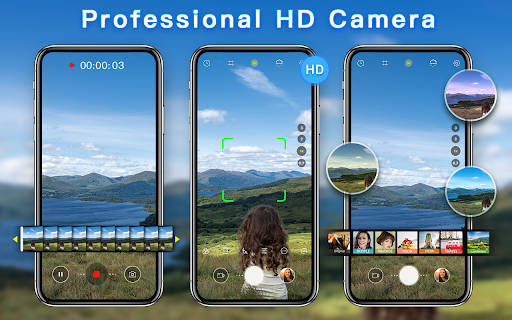
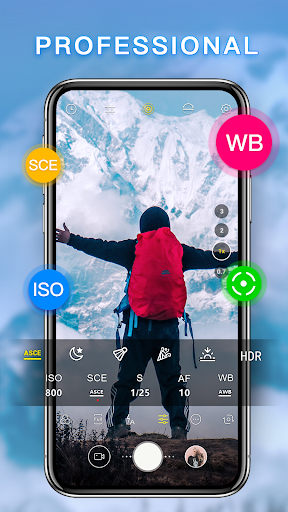
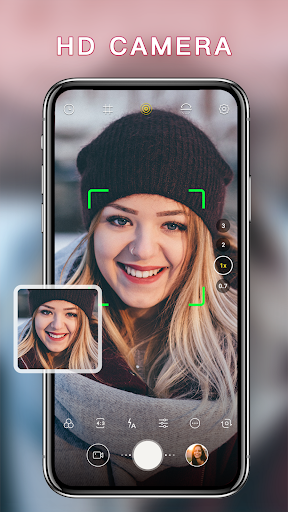
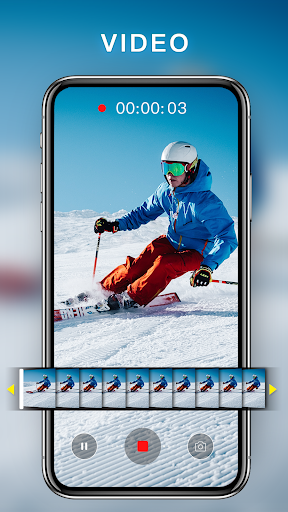
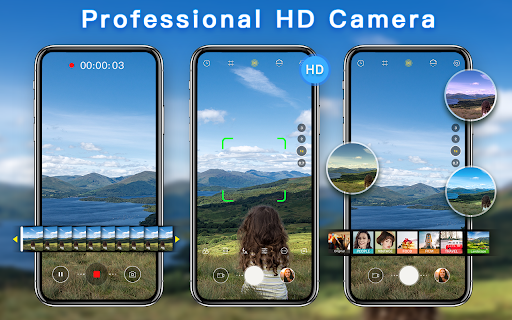
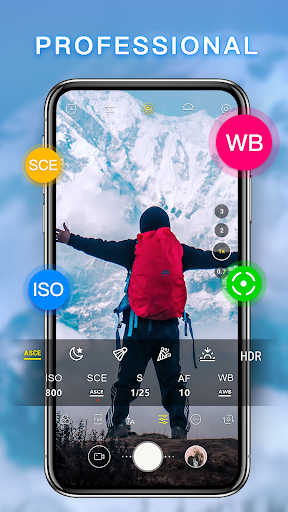
I can also see it being useful when the light or framing needs a little thought. The app includes flash, adjustable photo ratios, and settings for white balance, ISO, scene, and focus. Those options let you tailor a shot instead of relying only on a filter. It also supports capturing a still image while recording video, which is a handy extra when you want both formats from one moment.
More than a basic camera
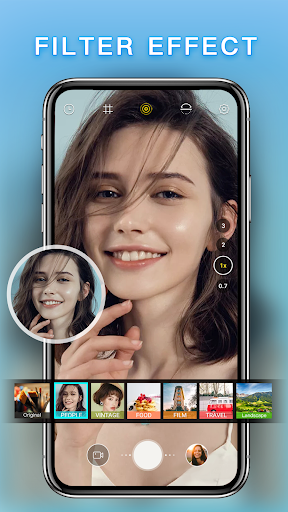
The obvious alternative is the camera already on your phone. That is often the quickest choice, especially if you already like its controls. This app’s appeal is its combination of modern, vintage, and artistic filters with settings such as ISO and white balance, plus tools for managing photos afterward. It brings those options together for people who want to change the look of a shot before or after capturing it.
It is still a camera and photo-management app, not a dedicated professional editing suite or a social network. The description focuses on shooting, applying filters, and handling images, including sharing them or opening them in other editing platforms. If your main goal is extensive editing or a specialized photography workflow, this may not replace the tools you already use. Its strength is having capture controls and everyday extras in one place.
Small habits, better control
A little preparation can make the app easier to use. Before a planned selfie, check the front-camera picture size and whether selfie mirror mode gives you the preview you prefer. For a group photo, choose a ratio and set a countdown rather than rushing into position. These are modest adjustments, but they can make the camera feel more suited to the moment instead of asking you to fix everything later.
For photos you want to keep organized, the management options can become part of a simple routine. You can check image details such as shooting time, location, and file size, then copy, move, or rename a photo when needed. The app also offers sharing, deletion, wallpaper or contact-photo use, and a safe box. I would treat those as useful extras for handling captures, not as a substitute for a full photo library system.
More From Our News Desk

Zoom Meetings, Google Meet, or Teams: Which Is Easiest to Join?

How I Build a Free Streaming Lineup With Tubi

Why Crunchyroll Is the Default Anime App for So Many Fans

YouTube TV: A Practical Guide to Cutting Cable

Rummikub and the Small Comfort of Phone Games

TeamViewer Remote Control or AnyDesk for Helping Family?
Who may enjoy it
I would recommend Camera - Fast Snap with Filter to casual photographers who like having filter choices and a few more camera controls within reach. It may be especially appealing if you take a mix of portraits, food, scenery, and everyday snapshots, or if you sometimes want to adjust settings such as focus and white balance. The timer, flash, front-camera options, and video still capture give it practical uses beyond simply trying different looks.
It may be less appealing if you prefer the simplicity of your phone’s built-in camera or want a specialized tool focused entirely on advanced editing. The extra settings can be welcome, but they are not necessary for every quick snapshot. The app contains ads, too, which is worth considering if you want an uninterrupted camera experience. People who mainly need straightforward photo capture may be perfectly happy with the camera they already have.
Camera - Fast Snap with Filter is a free photography app from 1 Bit. On Google Play, it has over 10 million installs and a 4.2-star rating from about 39,700 ratings. The app contains ads, and its store details say it does not offer in-app purchases. Its content rating is Everyone.
The current version provided is 1.5.18. The app was released on May 30, 2019, and its last update date is August 19, 2026. An Android minimum version is not included in the available app details, so check Google Play for the requirement that applies to your device.
A closer look at the camera experience
Getting started with the camera
When I first opened a camera app like this, what I would want to settle first is the basic capture setup: which camera to use, what image size to choose, and whether the preview should mirror a selfie. This app offers settings for picture size and video quality separately for the front and rear cameras. That gives you a way to make those choices deliberately rather than discovering a mismatch after taking several shots.
The range of options suggests a camera that can serve both quick snapshots and more considered attempts. You can choose a ratio, set a countdown, use flash, and adjust focus or scene settings. I would start with the defaults for an ordinary outing, then change only what the situation calls for. That keeps the first few minutes manageable instead of turning a simple photo into a settings exercise.
The everyday shooting flow
For a quick photo, the app’s touch-to-capture option is designed to keep the action simple: frame the subject and tap the screen. You can also switch between the front and rear camera and try a filter before capturing. When shooting video, the option to take a screenshot during recording is a useful bridge between moving footage and a still image.
The controls matter most when a situation changes. A dim room may call for flash, while a portrait or landscape can benefit from a different ratio or focus choice. The app also offers automatic focus and professional settings such as ISO and white balance. I like that these choices are available, though most everyday scenes should not require changing every setting before pressing the shutter.
Filters and useful extras
The filter selection covers modern, vintage, and artistic styles, with beauty filters described for portraits, scenery, food, and objects. That breadth makes the app suitable for more than selfies: the same person might use a softer look for a portrait and a different style for a meal or a street scene. The point is not that every image needs a filter, but that a look can be chosen as part of taking the picture.
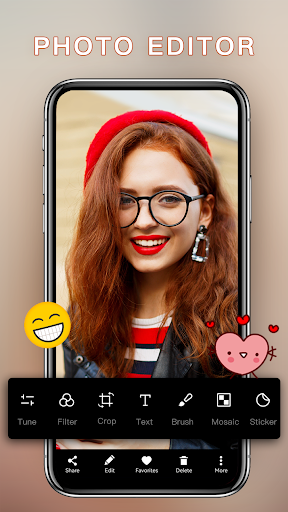
Some of the less showy features are practical. You can set countdown and shutter sounds, save location information, and choose selfie mirror mode for the preview. After taking a photo, the app lets you share or delete it, open it in another editing platform, and set it as wallpaper or a contact photo. Those small options can save a few steps when a picture has an immediate purpose.
A simple photo routine
For a casual day out, I would set the front and rear camera quality once, then leave the other controls alone until a shot calls for them. A landscape might be a good time to change the ratio or try a different filter, while a group selfie benefits from the countdown. If I switched to video and caught a still-worthy expression, I could take a screenshot while recording rather than trying to recreate it.
Afterward, I would use the photo-management options only where they help. Checking the image details can answer basic questions about size or shooting time; moving or renaming a photo can make it easier to handle. If I wanted to use a picture elsewhere, I could share it or open another editing platform. This sort of routine keeps the app focused on capture while making room for a few useful follow-up tasks.
Trade-offs to keep in mind
The app’s flexibility is also something to weigh. Filters, camera settings, and file-handling tools offer more choices than a bare-bones camera, but someone who only wants to point and shoot may not need them. I would avoid changing multiple controls at once; making one adjustment at a time is an easier way to learn what suits a particular scene.
Ads are part of the experience, and the app’s camera functions do not make it a replacement for a dedicated editing program. It can pass photos to other editing platforms, but the available description emphasizes capture and basic management rather than an extensive editing toolkit. Also, Android version requirements can vary by device and should be checked on Google Play before installing.
Camera - Fast Snap with Filter brings together everyday shooting, several filter styles, adjustable camera settings, and a useful set of photo-management options. I like its range: it can stay simple for a quick snap, yet has settings to explore when a scene calls for more control. Ads and a potentially unnecessary menu of options are the main trade-offs.
I would try it if I wanted a flexible camera app for selfies, casual photos, and video, especially if filters and settings are part of the fun. If I wanted the fewest possible controls or a more extensive editing workflow, I would look elsewhere. For an everyday camera with practical extras, it is worth considering.
Camera Frequently Asked Questions
What is Camera - Fast Snap with Filter used for?
Camera - Fast Snap with Filter is used to take photos, selfies, and videos, with options such as modern, vintage, artistic, and beauty filters. It also includes camera controls such as a timer, flash, focus, and white balance, along with tools to share, organize, and manage captured photos.
Which devices can run Camera - Fast Snap with Filter?
The app is available for Android through Google Play. The minimum Android version can vary with device compatibility and is worth checking on the Google Play page before installing. The app details provided here do not describe versions for other platforms.
Is Camera - Fast Snap with Filter free?
The app is free to download and its provided store details say it has no in-app purchases. It does contain ads, so the experience may include advertising. Check Google Play for the current details that apply in your region.
Does Camera - Fast Snap with Filter support video?
Yes. The app is designed to capture video as well as photos, and its settings include video quality options for the front and rear cameras. It also offers the ability to capture a screenshot while recording a video.
Who is Camera - Fast Snap with Filter best for?
It may suit casual photographers who want filters and camera controls for selfies, portraits, food, scenery, and everyday moments. People who prefer a very basic camera or need a dedicated, extensive editing workflow may find its extra options less useful. Ads are also worth considering if you prefer an uninterrupted experience.
Pros
- Combines modern, vintage, artistic, and beauty filters for different subjects.
- Offers practical camera controls, including a timer, flash, focus, and white balance.
- Includes useful photo-management options such as sharing, renaming, and checking image details.
- Supports video capture and taking a still screenshot during recording.
Cons
- Contains ads, which may interrupt an otherwise straightforward camera routine.
- Its extra settings may feel unnecessary to people who only want basic photo capture.
- It is not presented as a dedicated, extensive photo-editing suite.
- Category
- Photography
- Version
- 1.5.18











