Blood Pressure App Pro
- 78.50K
- 3.9
- Installs
- 10.00M
- Price
- Free
Screenshots
Analysis by Reviewed APKs
Blood Pressure App Pro is a health log for recording blood pressure, pulse, blood sugar, weight and BMI, then reviewing how those readings change over time. I see it suiting people who want a more organized alternative to paper notes and a handy report to share at an appointment. Its strength is the range of tracking and export options; it works best as a record-keeping companion, not a replacement for a measuring device or medical guidance.
A better home for readings
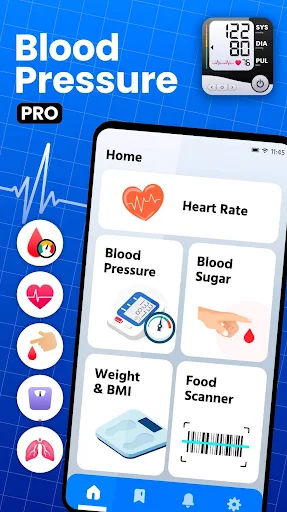
When I picture using Blood Pressure App Pro in an ordinary week, it starts after a home blood pressure check. Instead of leaving the numbers on a scrap of paper or trying to remember them later, I can enter them in one place and keep a history. The app also covers pulse, blood sugar, weight and BMI, so a routine health log can hold more than one kind of reading.
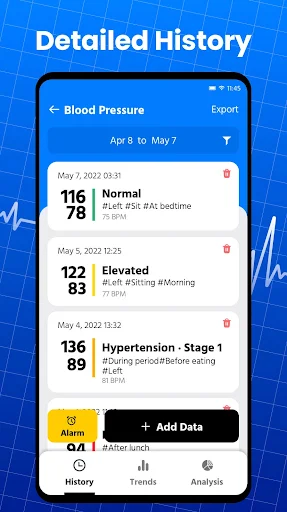
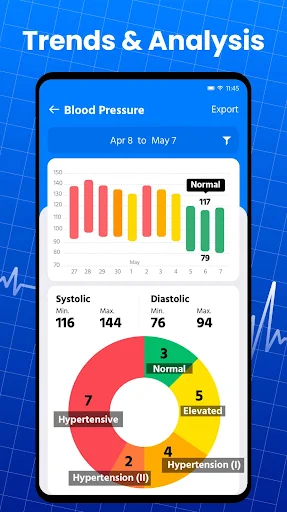
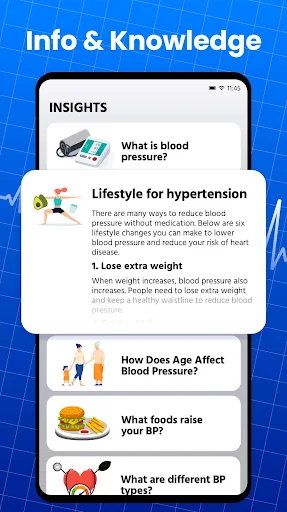
The useful part comes with repetition. A single reading is just a snapshot, while a history can help me notice whether values seem to be changing over days or longer periods. The app describes short-, medium- and long-term trend analysis, along with explanations of measurement values. I’d treat those as context for reviewing my record, not as a verdict on what a particular reading means for my health.
A log, not a monitor
Compared with a paper notebook, this app offers a searchable digital history, trend analysis, reminders and CSV export. That can make it easier to keep records together and bring them into a conversation with a clinician. It also reaches beyond blood pressure to blood sugar, pulse, weight and BMI, which gives people tracking several kinds of information a broader place to record them.
It is not a blood pressure cuff or a medical service. The description focuses on entering and analyzing health data, and it does not describe the phone measuring blood pressure by itself. I would not use an app’s normal-range labels or lifestyle tips as a substitute for professional advice. If you mainly want a device to take measurements, this is not that; its job is to organize and review readings.
Make the record useful
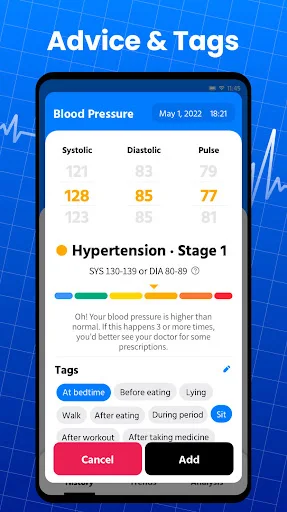
A small habit that seems worthwhile is entering a reading soon after taking it. That keeps the history from depending on memory and makes it easier to compare entries later. Blood Pressure App Pro supports tags for context such as before or after a meal, lying, sitting or standing, and which hand was used. Adding the relevant details can make comparisons more meaningful than a list of numbers alone.
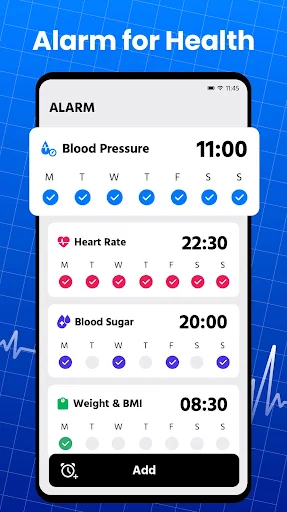
I’d also set a measurement reminder if I had a regular schedule, then export a CSV when I wanted to review or share the record. The app describes sharing reports with family or a medical professional. Keeping entries consistent, using tags when they matter and exporting at a useful time are practical ways to get more from the log without turning every check into a complicated project.
More From Our News Desk

Zoom Meetings, Google Meet, or Teams: Which Is Easiest to Join?

How I Build a Free Streaming Lineup With Tubi

Why Crunchyroll Is the Default Anime App for So Many Fans

YouTube TV: A Practical Guide to Cutting Cable

Rummikub and the Small Comfort of Phone Games

TeamViewer Remote Control or AnyDesk for Helping Family?
Who may find it useful
I’d recommend Blood Pressure App Pro to someone who already takes measurements and wants a convenient record of blood pressure, pulse, blood sugar, weight or BMI. It looks particularly suitable for people who tend to write readings on paper, forget regular checks, or want a history they can share. The reminders, measurement tags and CSV reports give the basic logging job a few helpful layers.
It may not suit someone expecting the phone to measure their blood pressure, or anyone looking for diagnosis, treatment or personalized medical care. The app can show trends and provide general health information, but those features should stay in the supporting role. People who only need a very simple list may also find its extra tracking and food-scanning features unnecessary.
Blood Pressure App Pro is a Health & Fitness app from Hitchhike Tech. On Google Play, it has over 10 million installs and a 3.9-star rating from around 78,500 ratings. It is free to download, contains ads and offers in-app purchases; the listed in-app item price is $5.99. Its content rating is Everyone.
The current version provided is 1.3.2. The app was released on June 2, 2022, and its last update date is October 27, 2026. No minimum Android version is given in the supplied app facts, so check Google Play for device compatibility before installing.
A closer look at everyday tracking
A straightforward starting point
My first impression is of an app aimed at people who want to keep several health readings together, rather than just note blood pressure once. The description covers blood pressure, pulse, blood sugar, weight and BMI, with a history and analysis for those entries. That breadth could be useful, though someone who only needs a place for one number may prefer a simpler log.
Getting value from it depends on having readings to enter. The app is described as helping users record, analyze and track data, so the practical setup is to decide which measurements matter to you and keep the entries consistent. I would start with the readings I already take instead of trying to track every category at once.
The daily record
The everyday appeal is having a history available when I want to look back. Rather than flipping through pages or relying on memory, I can use the app’s record of measurements to review changes. The description says it provides detailed short-, medium- and long-term trends, which gives regular logging a purpose beyond collecting isolated numbers.
Context matters too. Tags can identify whether a blood pressure measurement was taken before or after a meal, while lying, sitting or standing, and on the left or right hand. I like that this acknowledges how a reading was taken. It gives me a more structured record to discuss, without suggesting that the app can explain every change on its own.
More than blood pressure
The wider health log is one of the app’s more distinctive elements. Blood sugar, pulse, weight and BMI sit alongside blood pressure tracking, with trend analysis described for several of those measurements. If I were keeping tabs on more than one metric, that could make the app more useful than a narrowly focused notebook.
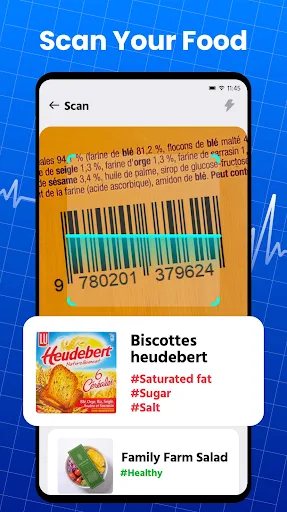
There are also health reminders and a food barcode scanner. The scanner is described as checking food information such as fat, calories, sugar and ingredients, while the app also offers information and tips on healthy eating and health topics. These are supporting features rather than the central reason I’d open the app, but they broaden its role beyond recording measurements.
A simple weekly routine
For a practical routine, I’d enter each measurement soon after taking it and add a tag when the circumstances are useful to remember. That makes the record more consistent and avoids trying to reconstruct details at the end of the week. A scheduled health reminder can help prompt regular measurements, especially if I sometimes lose track of the routine.
Every so often, I’d review the history for broad changes rather than react to one entry. If I wanted to bring the record to an appointment, I could export the data as a CSV and share it. The app describes that option for further analysis or consultation, making the log easier to take beyond the phone when needed.
Keep its role in perspective
The main limitation is also an important distinction: tracking readings is not the same as taking them. Blood Pressure App Pro is described as a place to record and analyze values, not as a measuring instrument. Anyone without a way to get readings will still need one, and the app’s labels or trend views cannot take the place of clinical interpretation.
The food scanner and general health tips may not be relevant to every user, and anyone wanting only a minimal blood pressure diary could find the broader feature set more than they need. It also contains ads and offers in-app purchases, so the free download is not the whole pricing picture. I’d check the store for current purchase details and device compatibility.
Blood Pressure App Pro looks most useful as a practical home for regular health readings. I like the combination of multiple measurement categories, contextual tags, reminders, trends and CSV export. Together, those features can make a personal record easier to maintain and share than scattered notes.
I’d try it if I already take readings and want to organize them, while keeping its analysis in a supporting role. It is not a monitor or a substitute for professional advice, and the broader features may be unnecessary for a bare-bones log. For the right routine, it offers a useful set of tracking tools.
Blood Pressure App Pro Frequently Asked Questions
What is Blood Pressure App Pro used for?
Blood Pressure App Pro is used to record and review blood pressure, pulse, blood sugar, weight and BMI. It describes trend analysis, measurement reminders, contextual tags and CSV export, along with health information and a food barcode scanner. It can help keep readings organized, but it does not replace a measuring device or professional medical guidance.
Which devices can run Blood Pressure App Pro?
The supplied app information is for the Android version distributed through Google Play. A minimum Android version is not provided in the available facts, and compatibility can depend on the device and current store requirements. Check the Google Play page on your device for the latest compatibility details.
Does Blood Pressure App Pro cost money?
Blood Pressure App Pro is free to download and contains ads. It also offers in-app purchases, with a listed item price of $5.99. Purchase options and prices can vary, so check Google Play for the current details before buying anything.
Can Blood Pressure App Pro measure blood pressure?
The app is described as a tool for recording and analyzing measurements, including blood pressure, pulse and blood sugar. Its description does not present it as a measuring device. You need readings from another source to log them, and any health interpretation should be handled with appropriate professional guidance.
Who should use Blood Pressure App Pro?
It may suit people who already take regular readings and want a history, reminders, trend views or a report to share. The extra tracking for blood sugar, weight and BMI could help users who monitor several categories. It may be less appealing if you want a physical monitor, medical advice or only a very basic list.
Pros
- Tracks blood pressure alongside pulse, blood sugar, weight and BMI.
- Context tags help distinguish how and when readings were taken.
- Reminders and CSV export support a consistent, shareable record.
- Trend analysis covers short-, medium- and long-term changes.
Cons
- Records readings but is not itself a blood pressure measuring device.
- Contains ads and offers paid in-app purchases.
- The wider health and food features may be unnecessary for simple logging.
- Category
- Health & Fitness
- Version
- 1.3.2











