Prime Video
- 5.79M
- 4.7
- Installs
- 500.00M
- Price
- Free

Screenshots
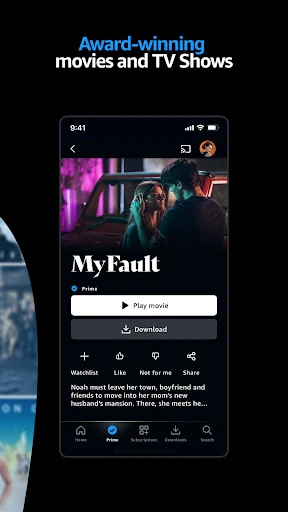
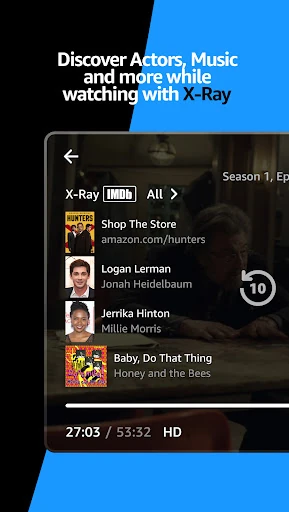
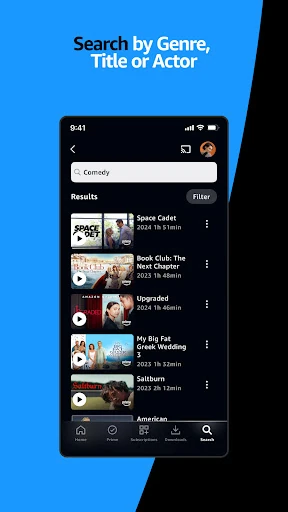
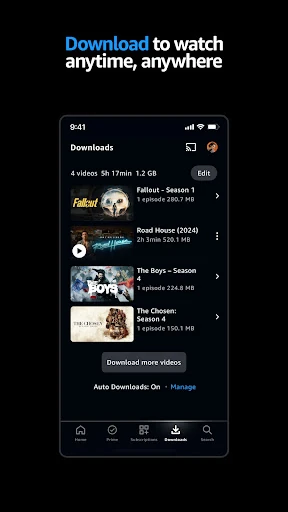
Analysis by Reviewed APKs
Prime Video is an entertainment app for browsing and watching movies, TV shows, live programming, and sports on a phone or tablet. I found it most useful as a flexible place to look for something to watch, save titles for offline viewing, or send a show to a bigger screen. It suits people who enjoy a broad mix of entertainment, though rentals and purchases mean not every title works the same way.
A night of browsing
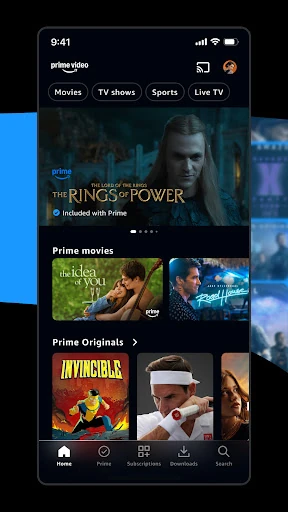
When I first opened Prime Video, I treated it like the start of an ordinary evening: I had a little time, no particular title in mind, and wanted something easy to watch. The app lets me browse titles, search for a favorite, or look through recommendations. That gives a few different ways into the catalog, whether I arrive knowing what I want or just want to see what catches my eye.
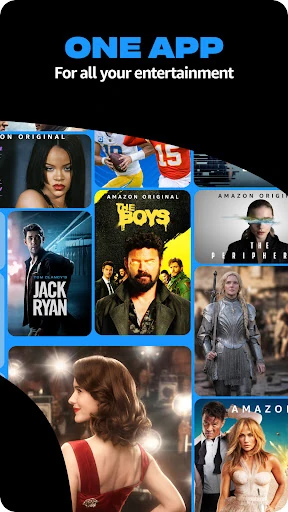
The mix spans movies, TV shows, live programming, and sports, with Amazon MGM Studios titles among the offerings. I might search directly for a series, then switch to browsing when I am not ready to commit to a choice. The app is built around finding and watching video, so it works best when I have a bit of time to settle on something rather than expecting a quick utility or a focused social feed.
Streaming, not a cable guide
Compared with opening a general video-sharing app, Prime Video is centered on movies and shows, alongside live programming and sports. Its search and browse options suit a planned movie night as well as casual discovery. Profiles also make it possible for different people to have personalized entertainment experiences, rather than treating every viewer as if they want the same recommendations.
I would not approach it as a replacement for every way of watching television, or assume that every title is included on identical terms. The app also offers rentals and purchases for some new-release movies and popular TV shows, with availability varying by marketplace. That distinction matters when I am browsing: the experience is about finding video to watch, but the particular way a title is available can differ.
Small habits that help
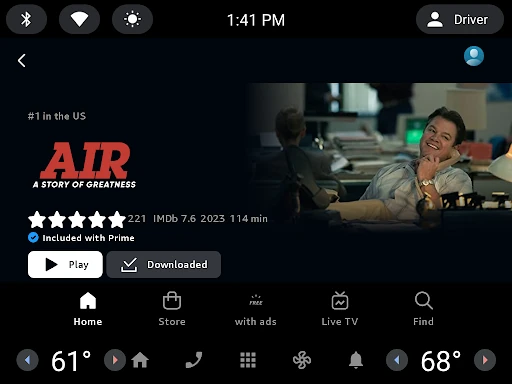
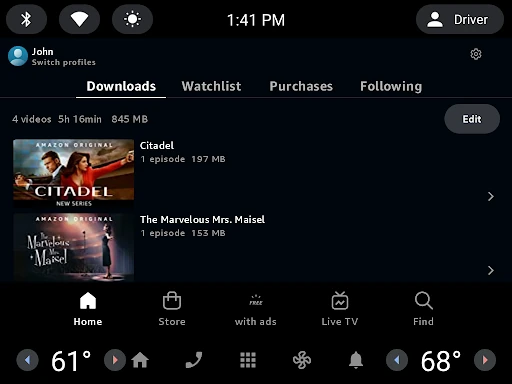
A little planning makes the app more useful. If I know I will be without a reliable connection, I can download videos ahead of time for viewing elsewhere. I would make that a pre-trip habit rather than waiting until I am already on the train or settled into a place with weak service. It turns the phone into a convenient screen for entertainment when streaming is not practical.
Profiles are another small quality-of-life feature for a shared household. I would use separate profiles so each person can have a more personal experience, rather than letting everyone’s viewing shape one shared space. When I find something worth watching on a larger display, I can cast from a phone or tablet to Chromecast or Fire TV. Those options make the app fit a few different routines without changing its main job.
More From Our News Desk

Zoom Meetings, Google Meet, or Teams: Which Is Easiest to Join?

How I Build a Free Streaming Lineup With Tubi

Why Crunchyroll Is the Default Anime App for So Many Fans

YouTube TV: A Practical Guide to Cutting Cable

Rummikub and the Small Comfort of Phone Games

TeamViewer Remote Control or AnyDesk for Helping Family?
Who will enjoy Prime Video
I would recommend Prime Video to people who regularly watch movies or TV and want a mobile way to browse, search, and play them. It is also a sensible fit for travelers who value downloads, and for households where multiple viewers can benefit from separate profiles. Fans of Amazon MGM Studios productions may particularly appreciate having those series and movies among the choices.
It may be less appealing if you want a narrowly focused app, only watch short clips, or expect every title you see to be available in the same way. Rentals and purchases are part of the experience, and availability varies by marketplace. I would also think about how I actually watch: the app is handy on a phone or tablet, but some people may prefer casting to a larger screen when one is available.
Prime Video is developed by Amazon Mobile LLC and is listed in the Entertainment category on Google Play. It is free to download, with in-app purchases; the listed in-app product range is $0.05 to $349.99 per item. The app contains ads and has a Teen content rating. Google Play shows more than 500 million installs and a 4.7-star rating from about 5.8 million ratings.
The listed release date is August 28, 2017, and the last update date is November 2, 2026. Its version is shown as varying with device, so the version a user sees can depend on the device. No minimum Android version is included in the supplied app details. Prime Video can download videos, and its description names Chromecast and Fire TV as casting destinations.
How Prime Video Fits Everyday Viewing
Opening the app
My first impression is that Prime Video is designed to get me from indecision to a title: I can browse, search for something specific, or consider recommended movies and shows. That flexibility helps on evenings when I have no plan. I can also arrive with a clear target and use search instead of scrolling around hoping to spot it.
The app’s range is part of the appeal, but it also means I have to be willing to choose among different kinds of video. Movies, series, live programming, and sports sit within the same general entertainment purpose. I would start with the kind of thing I am in the mood for, then narrow down from there rather than treating the opening browse as a complete guide to everything available.
Watching day to day
The everyday use is straightforward: find a movie or show, then watch it on the mobile device. On a quiet evening, I might search for a title someone mentioned. At another time, I can browse recommendations when I want discovery to do some of the work. The app’s central value is having those viewing choices together, rather than making me use a separate app for every kind of video.
It also accommodates different viewing situations. A phone or tablet is useful when I am away from the television, while casting can move the experience to Chromecast or Fire TV. I like having that choice because it lets me begin with the device already in hand and switch to a larger screen when it makes sense. The best fit depends on the moment, not on a single fixed way of watching.
Features worth noticing
Downloads are the practical standout for anyone who sometimes watches away from a dependable connection. I can save videos ahead of time and watch them elsewhere, which suits a commute, a trip, or a stretch of waiting. It is a simple feature, but one that changes where the app is useful. I would plan downloads before leaving rather than count on streaming wherever I end up.
Profiles make the app more accommodating in a shared home. Each person can have a personalized entertainment experience instead of relying on one common profile. I also like the idea of X-Ray, which offers behind-the-scenes information for movies and TV shows and is powered by IMDb. It adds context for viewers curious about what they are watching, without changing the basic watch-and-enjoy routine.
Renting or buying some titles is another option, including new-release movies and popular TV shows. That can be useful when a particular title is what I want, but I would pay attention to how it is offered rather than assume it is part of the same viewing arrangement as everything else. Availability varies by marketplace, so the details can depend on where the app is being used.
A routine for travel
For a travel day, I would use Prime Video the night before rather than leave preparation until the last minute. I would browse or search for a few things I actually want to watch, then download videos for offline viewing. That makes the app useful during a flight, train ride, or other time when a connection may be inconvenient. The key is treating downloads as preparation, not as something to sort out once the journey has begun.
If I am at home, I can take the opposite approach: browse on my phone, then cast from the phone or tablet to Chromecast or Fire TV. That small shift is handy when I find a title while doing something else and decide I would rather watch it on a larger display. Profiles can help keep a shared household’s viewing experience more personal, too.
Things to keep in mind
The biggest practical caveat is that browsing does not mean every title is available on the same terms. Some new releases and popular shows can be rented or purchased, and availability varies by marketplace. I would check the way a specific title is offered before building an evening around it. That is not a reason to avoid the app, but it is useful context for anyone expecting a uniform catalog.
A wide mix of entertainment can also make choosing take longer than watching. If I open the app without a plan, recommendations and browsing give me options, but they do not guarantee that I will settle quickly. The app works best for me when I have a rough idea—movie, series, live programming, or sports—or when I am happy to spend a few minutes looking around.
Finally, downloads and casting serve different situations, so I would not treat either as a substitute for the other. Downloads are useful when I want to watch away from a connection; casting is useful when I want a phone or tablet to send video to a big screen. Keeping those options in mind helps me use the app deliberately instead of expecting one viewing setup to suit every occasion.
Prime Video earns its place on my phone as a flexible entertainment app: it combines browsing and search with downloads, profiles, casting, and X-Ray details. I appreciate that it can work for a quick look at recommendations, a planned offline watch, or a show sent to the television. The main thing I keep in mind is that some titles may involve a rental or purchase.
I would recommend it to regular movie and TV viewers who want these options in one app, especially people who travel or share viewing with others. If you want a simple, tightly focused catalog where every title is offered in the same way, this may take more checking than you prefer. For a broad everyday video companion, it is a capable choice.
Amazon Prime Video Frequently Asked Questions
What is Prime Video used for?
Prime Video is used to browse and watch movies, TV shows, live programming, and sports. The app also supports downloading videos for offline viewing, creating multiple profiles, casting from a phone or tablet to Chromecast or Fire TV, and viewing behind-the-scenes information through X-Ray. Some titles may be offered to rent or buy, depending on availability.
Which devices can I use with Prime Video?
Prime Video is available on Android through Google Play. Its description also says you can cast from a phone or tablet to Chromecast or Fire TV. The supported device version may vary, so it is worth checking the Google Play store listing for compatibility details for your particular device.
What Android version does Prime Video require?
The minimum Android version can vary or depend on the device, so check the Google Play store listing for the requirement shown for your phone or tablet. The app’s version is also described as varying with device. Downloads are available for offline viewing, but the app still needs to be compatible with the device you plan to use.
Does Prime Video cost money?
Prime Video is free to download on Google Play and offers in-app purchases. The listed in-app product prices range from $0.05 to $349.99 per item. The app also offers rentals and purchases for some movies and shows, with availability varying by marketplace; check the store and the title’s offer for current details.
Is Prime Video a good fit for me?
It is a good fit if you watch movies, shows, live programming, or sports and want browsing, search, downloads, profiles, or casting in a mobile app. It may suit travelers and households with multiple viewers especially well. If you prefer a very focused app or want every title offered in the same way, the range of options may feel less direct.
Pros
- Downloads make it easier to watch videos when a connection is inconvenient.
- Multiple profiles give different viewers a more personalized entertainment experience.
- Casting supports moving video from a phone or tablet to Chromecast or Fire TV.
- X-Ray adds behind-the-scenes information for movies and TV shows.
Cons
- Some titles are rented or purchased, and availability varies by marketplace.
- A broad mix of video can take time to browse when you have no plan.
- The app contains ads, which may not suit viewers who prefer an ad-free experience.
- Category
- Entertainment