VyStar Mobile
- 18.98K
- 4.7
- Installs
- 100.00K
- Price
- Free

Screenshots
Analysis by Reviewed APKs
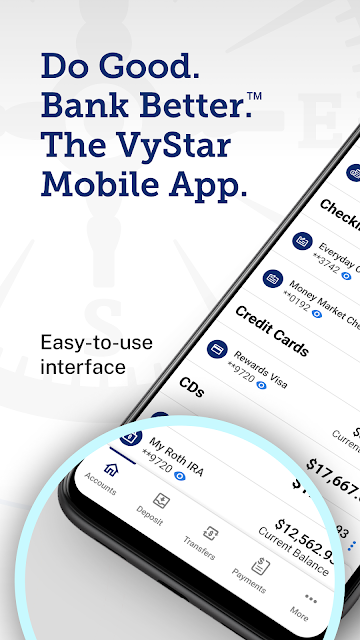
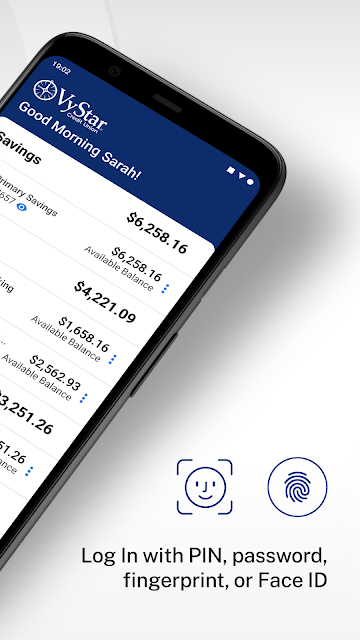
VyStar Mobile is a banking app for VyStar Credit Union members who want to handle routine account tasks from a phone. I’d reach for it to check account details, search transactions, arrange bill payments, or move money between institutions without sitting down at a computer. Its focus is practical rather than expansive: it brings several everyday banking jobs together, though it is not a general-purpose budgeting app.
A bank errand between stops
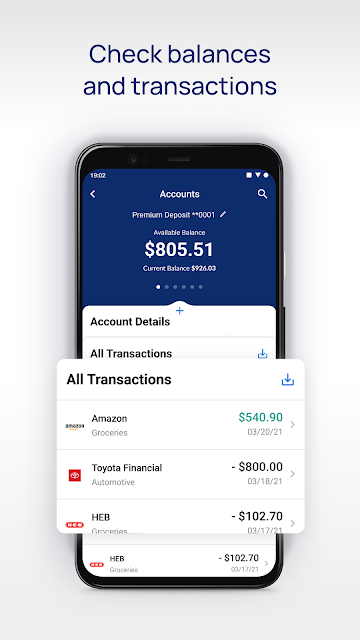
When I first think about using VyStar Mobile, I picture a familiar bit of phone banking: I’m out running errands and want to check a transaction before deciding whether a bill has already been paid. The app is built for those small, timely tasks. I can look through account information, search transactions, and set up or manage Bill Pay without turning a quick question into a trip to a computer.
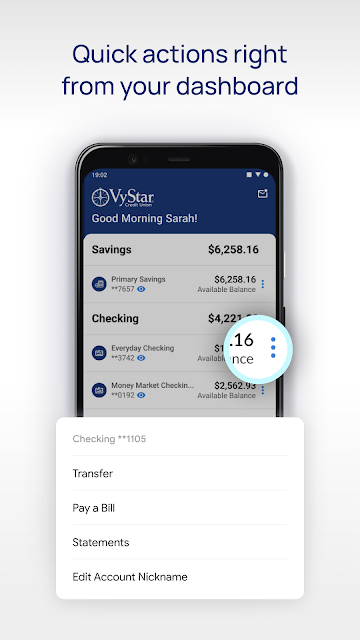
That kind of convenience is most useful when the task has a clear end point. I might search for a recent charge, download transaction information, or arrange a payment while I have a spare moment. Account nicknames and the option to show or hide accounts can also help make the account view more personal. I appreciate that these are ordinary banking actions, not features that demand a new routine.
Mobile banking, not money coaching
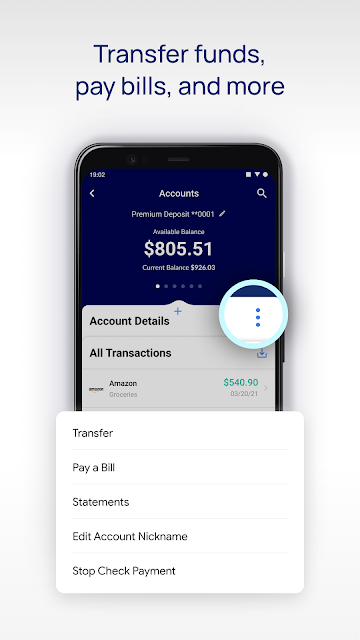
Compared with visiting a branch or signing in from a desktop, VyStar Mobile puts several account-management jobs within reach on a phone. It supports Bill Pay, transfers to and from other financial institutions, transaction search and downloads, and account alerts. That makes it a reasonable fit for members who want to take care of common banking tasks while away from home, rather than save every errand for later.
I would not mistake it for a full budgeting or financial-planning tool. The described feature set centers on managing accounts and transactions, sending transfers, and paying bills; it does not describe a budget planner or spending-goal system. It is also specific to VyStar Credit Union members, rather than a hub for accounts at any bank. If your main need is tracking a household budget across institutions, this is not the app I’d choose for that job.
Make the account view yours
A little setup can make routine checks easier. I’d start by editing account nicknames so the names are recognizable at a glance, then show or hide accounts to keep the view focused on what I use most. These are small adjustments, but they can save a few moments when I’m checking details quickly between other tasks. The app also offers alerts, so it is worth looking at the options and choosing the ones that fit my needs.
For a bill that needs attention, I’d use the scheduling and editing options rather than treating every payment as a one-time scramble. For a transfer, I’d keep the institution-to-institution option in mind and search or download transaction information when I need to review activity. The app’s improved contact importing for Zelle may also help with that feature. My simple habit would be to make changes deliberately and review the details before completing a banking task.
More From Our News Desk

Zoom Meetings, Google Meet, or Teams: Which Is Easiest to Join?

How I Build a Free Streaming Lineup With Tubi

Why Crunchyroll Is the Default Anime App for So Many Fans

YouTube TV: A Practical Guide to Cutting Cable

Rummikub and the Small Comfort of Phone Games

TeamViewer Remote Control or AnyDesk for Helping Family?
Who will find it useful
I’d recommend VyStar Mobile to VyStar Credit Union members who regularly check accounts, pay bills, or move money between financial institutions from a phone. It should suit someone who wants common banking actions close at hand and appreciates being able to tailor account names and visibility. Alerts and transaction search can also be handy for people who prefer to check activity in short, practical sessions rather than save every question for a desktop visit.
It may be less appealing if you are not a VyStar member, or if you want an app centered on budgeting, investment research, or broad financial planning. The described tools are focused on banking tasks, not a complete picture of every part of someone’s finances. I’d also suggest checking the store details for device requirements before installing, especially if you use an older Android phone. For its intended audience, though, the focus is easy to understand.
VyStar Mobile is published by VyStar Credit Union and is a Finance app for Android. On Google Play, it has over 100,000 installs and a 4.7-star rating from 18,984 ratings. The app is free to download, with no in-app purchases or ads indicated in the supplied store facts. Its content rating is Everyone.
The supplied app version is 2.6.249. The release date is May 15, 2022, and the latest update date provided is June 17, 2026. No minimum Android version is provided in the supplied facts, so check Google Play for the requirement shown for your device before installing.
Everyday Banking From Your Phone
A focused first impression
When I first opened a banking app, I’d want to know whether I can get to useful account information without hunting through layers of unrelated tools. VyStar Mobile’s stated purpose is direct: manage accounts, pay bills, transfer money, search transactions, and set alerts. That clear scope gives it a practical first impression. It is aimed at getting routine account work done, not turning a quick check into a broader financial project.
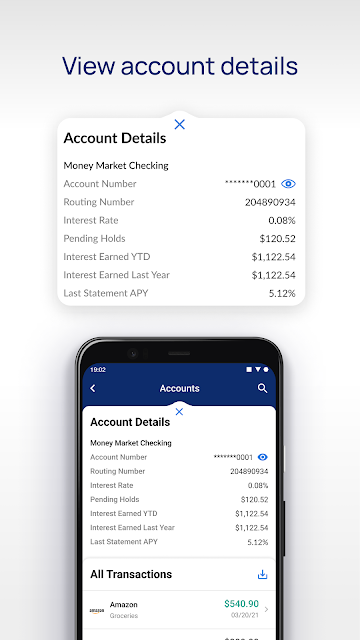
I’d begin by getting familiar with account details and deciding which accounts I want visible. The ability to edit nicknames and show or hide accounts gives members a way to make that view feel more useful to them. I would not assume that every member needs to customize it immediately, but even a small adjustment can help when account names are easy to mix up during a quick check.
The day-to-day essentials
The core experience is about handling a few common banking jobs in one place. I can use the app to set up and manage Bill Pay, transfer funds to or from other financial institutions, and search or download transactions. Those tools cover the sort of errands that otherwise might wait until I have time to sit at a computer. Their value is less about novelty than about having them available when the need comes up.
Alerts add another useful piece to that routine. Rather than opening the app every time I want to check whether something has changed, I can set up and manage alerts through the app. I’d take a moment to choose settings that are useful to me, rather than enable every option by default. The point is to make account monitoring more convenient without creating extra noise in my day.
Useful details that stand out
The most appealing details are the ones that make familiar tasks easier to manage. Account nicknames can make a list of accounts clearer, while show and hide controls let me keep the view relevant. Transaction search is useful when I’m trying to find a particular item, and downloading transactions gives me a way to save that information. Together, these features make the app feel geared toward real account maintenance rather than just a quick balance glance.
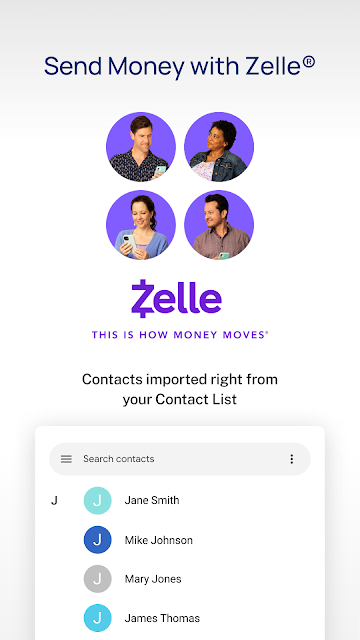
The supplied description also highlights changes to bill scheduling and editing, easier access to account details, and simpler navigation for accounts and transaction search. Zelle improvements include importing contact lists more easily, while alerts management has been simplified. I’d treat these as practical refinements: they matter most when I use those specific tools. They are not a reason on their own to expect the app to cover every kind of personal finance task.
A simple weekly check-in
A routine I can imagine is a brief check-in once or twice during the week. I’d open the app to review account details, search for a transaction I have a question about, and look over any bill that needs scheduling or an edit. If I need to move money between institutions, that transfer option is there as well. Keeping the session focused helps the app serve as a useful banking companion rather than another thing to browse.
At the end of that check-in, I might adjust an alert or download transaction information for later reference. I’d also revisit account nicknames if the account view is confusing. None of these habits needs to be elaborate: the app’s tools are intended for small, concrete actions. That suits people who want to keep up with banking in the gaps between other responsibilities, without turning account management into a major weekly project.
Keep the scope in mind
The main limitation is the app’s narrow audience and purpose. VyStar Mobile is for VyStar Credit Union banking, and the described features focus on accounts, transfers, bills, alerts, and transactions. Someone looking for a single dashboard for accounts across many banks, or for a detailed budgeting system, may find that it does not match the job they have in mind. Its usefulness depends on being a VyStar member and wanting these particular tools.
It is also worth checking the minimum Android requirement in Google Play before installing, since that practical detail can affect whether it works on an older device. Beyond that, I’d keep expectations tied to the listed banking features rather than assume the app includes other services. For routine mobile banking, that focused scope is not necessarily a drawback; it simply makes the app a better fit for some members than for others.
VyStar Mobile looks like a sensible option for VyStar members who want bill payments, transfers, transaction tools, and alerts on their phones. I like its emphasis on everyday banking and small account-view adjustments. It is not presented as a budgeting suite, and that distinction matters when deciding whether it fits your routine.
I’d recommend giving it a try if you already bank with VyStar and want to handle ordinary account tasks on the go. If you need broader financial planning tools or do not use VyStar, its focused feature set is less likely to meet your needs. Check Google Play for device compatibility before installing.
VyStar Mobile Frequently Asked Questions
What is VyStar Mobile used for?
VyStar Mobile is a banking app for managing VyStar Credit Union accounts from an Android device. Its features include Bill Pay, transfers to and from other financial institutions, transaction search and downloads, account alerts, and controls for account visibility and nicknames. It is aimed at routine account management rather than budgeting or financial planning.
Which devices can run VyStar Mobile?
VyStar Mobile is an Android app available through Google Play. The supplied information does not specify a minimum Android version, and device compatibility can vary. Check the app’s Google Play page from the device you plan to use for the current requirement and compatibility details before installing.
Does VyStar Mobile cost money?
The app is free to download, and the supplied store facts indicate no in-app purchases or ads. That describes the app itself; it does not establish whether other banking services have separate terms. For current details about services associated with your account, check the information provided by VyStar Credit Union.
Does VyStar Mobile support bill payments and transfers?
Yes. The app lets members set up and manage Bill Pay, including scheduling and editing payments, and transfer money to and from other financial institutions. It also supports transaction search and downloads, account alerts, and account visibility and nickname controls. The available tools are designed for VyStar banking.
Who should use VyStar Mobile?
It is best suited to VyStar Credit Union members who want to manage routine banking tasks from an Android phone. It may not suit people who want budgeting tools or a service for banking across unrelated institutions. If you are unsure whether it fits your account or device, check Google Play and VyStar’s current app information.
Pros
- Combines Bill Pay, transfers, transaction search, and alerts in one mobile banking app.
- Lets members edit account nicknames and choose which accounts to show.
- Supports transaction downloads for reviewing or keeping account information.
- Free to download, with no ads or in-app purchases indicated.
Cons
- Designed for VyStar Credit Union members rather than general-purpose banking.
- The described features do not include budgeting or financial-planning tools.
- Check Google Play for the Android requirement that suits your device.
- Category
- Finance
- Version
- 2.6.249











